
On this page
Start here
Quick answer
If a Bosch dryer is not heating, first make sure the selected program is a heat-producing dry cycle rather than an air or cool-down setting. Then clean the lint filter, check the external vent for blockage, and clean the moisture sensor near the lint filter with a damp cloth and a little white vinegar. Confirm the dryer has power and the door closes, and record any displayed fault code. If the dryer remains cold after these external checks, a heating element, thermal fuse, timer, power, or control fault may be involved; stop using it and arrange qualified Bosch service instead of opening panels or testing live circuits.
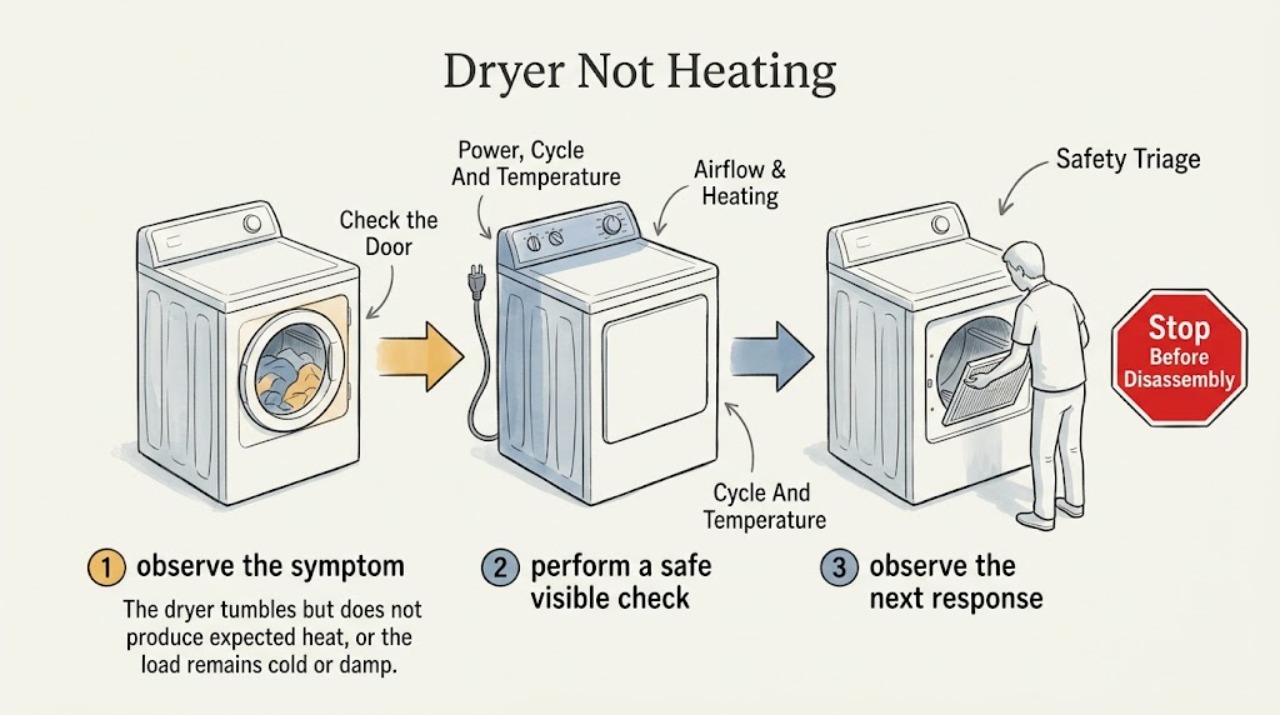
Work through in order
Diagnostic checks
Use only checks that match the exact appliance or system and its official guide.
-
Check 1
Stop the dryer for smoke, a burning electrical smell, sparking, a hot or damaged cord or outlet, water intrusion, a damaged drum or door, or a breaker that trips again. If there is a gas odor from a gas model, do not operate switches or create a flame; leave the area and contact the appropriate emergency or gas utility service.
Expected result: The odor, heat, visible damage, or electrical fault remains after the dryer is stopped, or returns when it is used.
Next step: Leave the dryer out of service and arrange qualified appliance service. Do not open panels or continue testing it.
Why this matters
Why: This is a fire, shock, gas, mechanical, or installation safety issue rather than a routine no-heat adjustment.
-
Check 2
Select a Bosch program intended to dry the fabric and use a heat setting permitted for that load. Verify that the control is not on fluff, air-only, low or no heat, or cool-down, and consult the model manual if the control labels are unclear.
Expected result: The dryer heats on the correct dry program but not on the original selection, or it stays cold on every appropriate program.
Next step: Use the corrected setting for one suitable load. If every heat-producing program remains cold, continue with the filter, vent, power, and fault-code checks.
Why this matters
Why: Heat on the correct program indicates a setting or fabric-care choice. No heat on all appropriate programs moves the diagnosis to supply, airflow, heating, and service.
-
Check 3
Check that the power cord is seated and that the door closes fully without clothing or debris at the latch. Check the accessible breaker or fuse once; do not remove a terminal cover or inspect rear wiring.
Expected result: The display is blank, the breaker is tripped, the dryer starts only when the door is pressed, or the dryer tumbles but remains cold after power appears normal.
Next step: If the breaker trips again, the cord or outlet is damaged, the door will not latch, or normal power does not restore heat, stop using the dryer and request service.
Why this matters
Why: A power or door condition can prevent a cycle or part of its operation. An electric dryer may still run its motor with a supply problem, so tumbling does not prove that the heating supply is complete.
-
Check 4
Turn the dryer off and let it cool. Clean the lint filter as directed, then inspect the visible air path and the outside vent exit for lint, a blockage, a crushed hose, or a flap that cannot open. Do not run the dryer without its filter and do not dismantle a concealed vent.
Expected result: The filter is coated, the vent exit is blocked, the hose is kinked, or airflow is weak; alternatively, the accessible path is clear.
Next step: Correct only an obvious accessible obstruction and perform one supervised test. If the vent is concealed, damaged, still restricted, or the dryer again runs cold, arrange professional service.
Why this matters
Why: Bosch links a blocked filter or restricted vent with reduced airflow, overheating, slow drying, and some fault indications. A clear accessible path makes an internal heating or control issue more likely.
-
Check 5
With the dryer off, wipe the accessible moisture sensor near the lint-filter area with a damp cloth and a little white vinegar, as Bosch describes. Remove residue without scraping, bending, or dismantling the sensor.
Expected result: Residue is visible, or the dryer ends or behaves incorrectly mainly with lightly damp or small loads; after cleaning, a representative load behaves differently.
Next step: If the sensor is clean and the dryer is still cold or the symptom persists, continue to the fault-code branch and arrange service when the external checks are exhausted.
Why this matters
Why: Limescale or detergent residue can affect moisture sensing and may cause the dryer to decide that a load is finished or to report a sensor-related fault. A changed result supports a sensing-surface issue but does not prove an internal sensor failure.
-
Check 6
After the safe external checks, run one appropriate test load while staying present. Observe from outside whether the drum turns, whether the load or exhaust becomes warm, whether heat appears briefly and then stops, and whether the cycle advances.
Expected result: The drum turns with no heat, the drum does not turn, heat drops out, or the dryer heats normally after a setting, filter, sensor, or airflow correction.
Next step: Stop testing if the dryer stays cold, overheats, smells unusual, or repeatedly stops. Leave internal diagnosis and component replacement to qualified service.
Why this matters
Why: Normal heat after a correction supports a user-level cause. Tumbling with no heat or heat that drops out after external checks points toward a heating, thermal, power, or control fault; no drum movement adds the drive path.
-
Check 7
Record the exact display code or symbol and the model number before changing settings again. Compare the code with the current Bosch guide or model manual; do not use an internal reset-button procedure or repeatedly clear a heating or electronics fault.
Expected result: The display indicates a lint or door issue, a moisture or airflow issue, a heating-circuit or heating-element issue, an electronics issue, or the same code returns after the external check.
Next step: Complete only the matching external maintenance described in the manual. For a returning heating, electronics, or unexplained code, leave the dryer off and arrange authorized service.
Why this matters
Why: Codes can narrow the service path. Bosch assigns heating-circuit and electronics faults to an authorized technician, while lint, airflow, door, and sensor indications may have an external maintenance step.
Use your observations
Decision map
Find the observation that best matches what you see, then follow the next safe action.
-
PATH 01Next step
What you see
The dryer heats on a proper drying cycle but not on fluff, air-only, or cool-down.
Do this next
Use the fabric-appropriate heat-producing program. If that program is also cold, follow the supply and airflow branches.
Why this path and its safety boundary
Why it matters: The selection explains the cold result.
-
PATH 02Next step
What you see
The dryer is dead, the breaker is tripped, the door does not latch, or it tumbles but remains cold after a supply concern.
Do this next
Check the plug, door, and accessible breaker once. A repeated trip, damaged wiring, or continued no heat requires service.
Why this path and its safety boundary
Why it matters: Power or door-interlock conditions can prevent normal operation, and tumbling alone does not prove a complete heating supply.
-
PATH 03Next step
What you see
The lint filter or accessible exhaust path is blocked, kinked, or weak.
Do this next
Correct an accessible restriction once and retest only when safe. Have a concealed or damaged vent professionally inspected.
Why this path and its safety boundary
Why it matters: Restricted airflow can slow drying, increase heat buildup, and contribute to heating faults.
-
PATH 04Next step
What you see
The moisture sensor has residue or the symptom changes after sensor cleaning.
Do this next
Use a representative load after cleaning. If the dryer remains cold or the sensor indication returns, arrange service.
Why this path and its safety boundary
Why it matters: The sensing surface may have been misreading load moisture, especially on automatic cycles.
-
PATH 05Next step
What you see
The drum does not turn, or it turns but never heats or loses heat after the external checks.
Do this next
Stop using the dryer and request qualified Bosch appliance service. Do not open panels or test energized components.
Why this path and its safety boundary
Why it matters: The drive, power, heating, thermal, or control path needs diagnosis; the symptom does not identify a safe part to replace.
-
PATH 06Next step
What you see
A heating-circuit, heating-element, electronics, or unexplained code returns.
Do this next
Record the code and model number, leave the dryer off, and arrange authorized technician diagnosis.
Why this path and its safety boundary
Why it matters: The code is service evidence, not a reason to bypass a safety or perform an internal reset.
Helpful context
Understand the symptom
Separate no heat from slow drying
A cold load on a correctly selected cycle is different from a load that is warm but taking too long. Start by observing whether the drum turns, whether any warmth reaches the exhaust, whether the cycle stops, and whether the display shows a code. A clean filter or vent can restore airflow, but a dryer that still runs cold after those checks needs a professional diagnosis.
Keep the diagnosis external
Bosch lists heating, thermal, timer, power, airflow, sensor, and door-related possibilities, but the symptom alone does not identify a safe replacement part. Use the model number and exact code when consulting the Bosch manual or service team. Do not remove access panels, bypass a safety, or probe energized wiring.
Only after diagnosis
Potential parts
- heating element or heating assembly
Consider this only if a qualified technician confirms an internal heating fault after the cycle, supply, filter, and exhaust checks; a cold load alone does not identify the heater.
Confirm the complete dryer model and Bosch fit information before ordering; heating assemblies are model-specific. - thermal safety or temperature-control component
Relevant only when service diagnosis confirms a failed thermal fuse, thermostat, or related temperature-control component and any airflow restriction has been addressed.
Use the exact model and approved specification, and never bypass a thermal safety. - moisture sensor or sensor harness
Consider this only if the filter, program, load, vent, and accessible sensing surfaces are correct and a technician confirms a sensor or sensor-circuit fault.
Verify the complete model and manufacturer fitment; sensor parts are not interchangeable by appearance. - door latch or control component
Relevant only when the door does not latch or a technician diagnoses an interlock or control fault after power and door-obstruction checks.
Confirm exact model compatibility and professional installation requirements before ordering.
When checks do not resolve it
What to give the technician
Provide the complete Bosch model information, the selected program and temperature, whether the dryer is electric or gas if known, whether the drum turns, whether any warmth reaches the load or exhaust, whether heat drops out, the condition of the filter and accessible vent, and the exact display code. Mention which external checks changed or did not change the result.
Common questions
FAQ
Why does my Bosch dryer tumble but not heat?
Check the heat-producing program, power supply, lint filter, and accessible vent first. If it still tumbles cold, Bosch lists internal heating, thermal, timer, power, or control causes that require expert diagnosis.
Can a clogged lint filter or vent make a Bosch dryer stop heating?
Yes. Bosch connects a blocked lint filter or vent with restricted airflow and heating or overheating problems. Clean the filter and check the outside vent exit without dismantling concealed ducting; repeated no heat needs service.
How do I clean the Bosch dryer moisture sensor?
With the dryer off, wipe the accessible sensor near the lint filter with a damp cloth and a little white vinegar. Do not scrape it or open the appliance. If the symptom or sensor code returns, arrange service.
What does a Bosch dryer heating fault code mean?
The current Bosch error guide distinguishes maintenance-related indications from heating-circuit, heating-element, and electronics faults. Record the exact code and model number; heating and electronics faults should be handled by an authorized technician.
Should I open my Bosch dryer to press a reset button?
No. Internal reset access, heater, thermal-safety, and control work are not routine user checks. If the external program, power, filter, sensor, and vent checks do not restore heat, leave the dryer off and arrange qualified service.
Read the exact guide
Official sources
- Dryer Troubleshooting: Dryer is not turning onBosch Home Appliances · Bosch dryer no-start or apparent power interruption during operation
- Bosch Dryer Troubleshooting & Repair GuideBosch Home Appliances · Bosch dryer no-heat, incomplete-drying, mid-cycle-stop, airflow, moisture-sensor, and service symptoms
- Dryer Troubleshooting: Dryer is not getting warm or heating up at allBosch Home Appliances · Bosch dryers that are not getting warm or heating up
- Bosch Dryer Error CodesBosch Home Appliances · Bosch dryer displays lint, airflow, door, moisture, heating, or electronics fault indications
Community feedback
Share a repair observation
Share a plain-text repair observation. Accepted observations are published automatically; this page may take a moment to update.