
On this page
Start here
Quick answer
If a Bosch induction cooktop will not turn off, move cookware away from the touch controls using safe handles, keep the area clear, and dry the cool control panel. A wet panel or object can interfere with touch commands, while a key or child-lock symbol can indicate that the controls are locked. If the display shows an error, record it and follow the exact model manual; overheating and supply-voltage faults can prevent normal operation until the electronics cool or qualified help is arranged. Do not touch the cooktop surface, open the appliance, or work on a hardwired connection while energized. If the power key still does not respond, the panel remains active, the glass is cracked, or there is smoke, sparking, or burning odor, isolate power only if safely accessible and obtain qualified appliance or electrical service.
Before you begin
Safety first
- Keep the cooktop out of use for uncontrolled heating, cracked glass, smoke, sparking, burning odor, damaged wiring, recurring error, or an unresponsive off command. Do not open the appliance, change hardwired connections, bypass controls, or test live electronics.
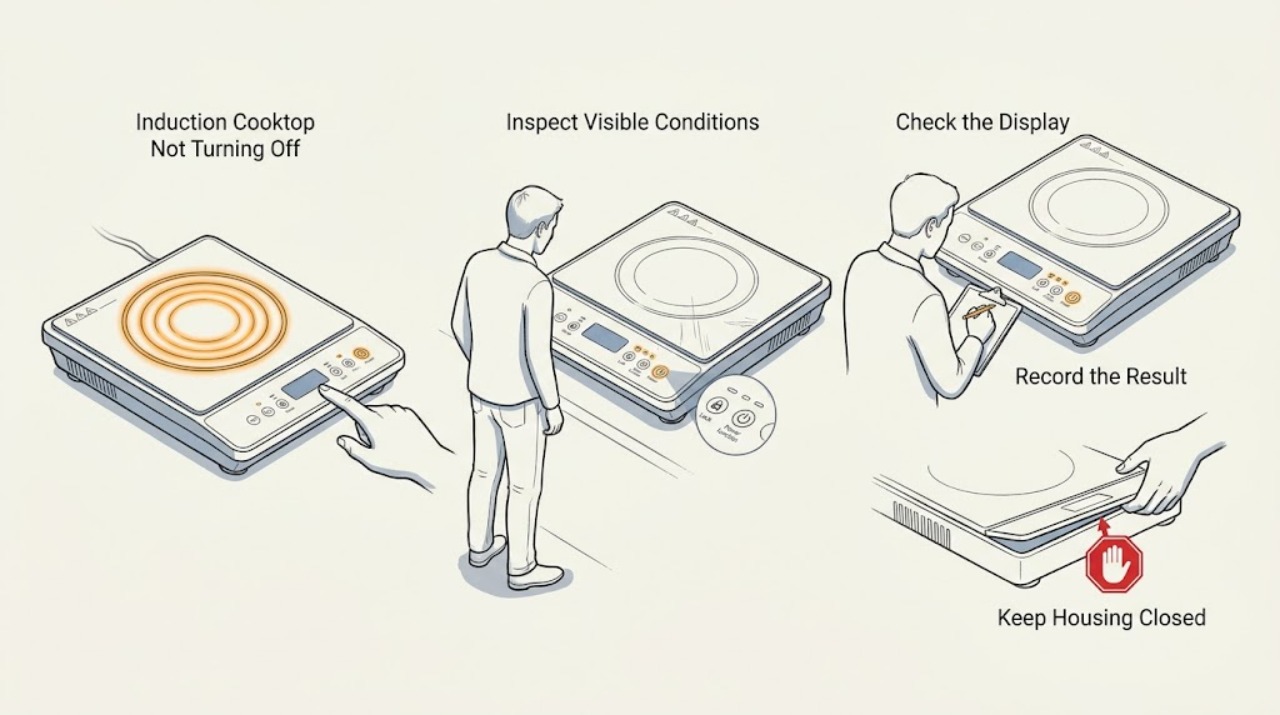
Work through in order
Diagnostic checks
Use only checks that match the exact appliance or system and its official guide.
-
Check 1
Stop adding heat and identify whether a zone is still actively heating or whether only a hot-surface or residual-heat indicator remains. Move cookware away from the touch panel with safe handles if necessary, and look for smoke, sparking, a burning odor, cracked glass, or a damaged cord or connection.
Expected result: The zone may stop heating but the surface remains hot, or the zone may continue responding as if a setting is active. A hazard may be absent, or there may be smoke, sparks, scorching, a crack, or visible electrical damage.
Next step: If there is no hazard, keep cookware clear and continue with the panel check. If heating continues or any smoke, spark, burning odor, crack, or electrical damage is present, stop using the cooktop, isolate power only if safely accessible, and obtain urgent qualified help.
Stop if: Do not touch the hot surface, move cookware by hand, or continue cooking while the power control is unresponsive.
Why this matters
Why: Residual heat is not the same as an energized cooking zone, but a zone that continues heating or an electrical hazard changes the task from control troubleshooting to immediate isolation and service.
-
Check 2
After the control area is cool enough to handle safely, inspect the entire touch panel for spilled liquid, cleaner residue, food, a utensil, or cookware over a control key. Remove the object and wipe the panel with the model-approved method until it is visibly dry; do not spray liquid directly onto the controls.
Expected result: The panel may be wet or covered, or it may already be clean and dry. The display may stop flashing and accept the power command, or it may remain unresponsive or continue showing an alert.
Next step: With the panel dry and clear, press the normal power control once according to the manual. If it turns off, monitor for recurrence; if it does not, continue to the lock and error checks without opening the appliance.
Stop if: Do not use a wet cloth, scrape the touch keys, or pour cleaner or water over the panel.
Why this matters
Why: Bosch says a wet panel or an object on it can cause flashing indicators and prevent normal control input. If a dry, clear panel still ignores the power key, a lock, error, or electronic fault remains possible.
-
Check 3
Look for a key, padlock, clean-lock, pause, or other lock symbol and consult the exact Bosch manual for that model's unlock command. Use only the documented touch control with the panel clear and dry; do not press random keys repeatedly or attempt to defeat the lock mechanically.
Expected result: A lock indicator may be lit, the symbol may disappear after the documented command, or no lock indicator may be present. The power control may respond after unlocking or remain unresponsive.
Next step: If the manual's unlock command works, press the normal power control and verify that active zones are off. If there is no lock symbol or unlocking does not restore control, proceed to the error and overheating observation.
Stop if: Do not remove the glass, pry the touch panel, or bypass the child or panel lock.
Why this matters
Why: A child or panel lock can prevent normal touch input, but it should not be treated as proof that the cooktop is electrically off. An unresponsive panel without a lock indication keeps an error or control fault open.
-
Check 4
Read and record any exact error code, flashing symbol, signal tone, or overheating indication before attempting a reset. Remove hot cookware from the control area, allow the electronics and surface to cool naturally, and follow only the model-specific recovery described by Bosch; do not cover the cooktop or apply water to cool it.
Expected result: The display may show an operational fault, an overheating code, an incorrect-voltage code, a hot object near the panel, a wet-panel indication, or no code at all. The message may clear after the documented cooling condition or return immediately.
Next step: If the indication clears and the power control responds, switch the cooktop off and monitor it without continuing high heat. If the code returns, the cooktop will not enter standby, or supply voltage is implicated, stop use and arrange qualified service or electrical evaluation.
Stop if: Do not repeatedly reset an error, alter the supply, or continue cooking with a returning fault.
Why this matters
Why: Bosch links different messages to panel obstruction, overheated electronics or cooking zones, supply voltage, and general faults. A returning or unlisted code means the underlying problem remains and is not a part number.
-
Check 5
If the cooktop is safely no longer heating but the display or controls remain active, use only the model manual's approved power-isolation procedure and only when the plug or disconnect is accessible without removing panels or touching wiring. Otherwise leave the appliance alone and prepare a service handoff with the model and observations.
Expected result: A documented power cycle may restore normal standby, or the display may return to the same error or remain active. The cooktop may be plug-connected, or it may be hardwired and inaccessible to a user.
Next step: If the approved procedure does not restore the off state, leave power isolated if safe and arrange Bosch-authorized or qualified appliance service. Do not remove the cooktop or open the electrical enclosure.
Stop if: Do not access a hardwired disconnect, change wiring, or restart a cooktop with a crack, damaged cable, smoke, or recurring error.
Why this matters
Why: A one-time control recovery can separate a transient fault from a persistent electronics or supply problem, but a hardwired connection and a returning display require professional diagnosis. Power isolation does not make a hot surface safe immediately.
Use your observations
Decision map
Find the observation that best matches what you see, then follow the next safe action.
-
PATH 01Next step
What you see
The zone stops heating and only a residual-heat indication remains.
Do this next
Keep the surface clear and allow it to cool; do not touch it or treat the indicator as proof that it is cool.
Why this path and its safety boundary
Why it matters: The cooktop may have turned off normally but the glass is still hot.
-
PATH 02Next step
What you see
The panel is wet or an object is covering a touch key, and the controls respond after the panel is dried and cleared.
Do this next
Keep the panel dry and clear, then monitor for a repeat symptom.
Why this path and its safety boundary
Why it matters: Moisture or an obstruction likely prevented the off command.
-
PATH 03Next step
What you see
A key or padlock symbol is active, and the exact model's documented unlock command restores control.
Do this next
Use the normal power control to turn the cooktop off and consult the manual if the lock reactivates unexpectedly.
Why this path and its safety boundary
Why it matters: The child or panel lock was blocking touch input.
-
PATH 04Next step
What you see
An overheating indication clears after hot cookware is removed and the electronics cool, and the cooktop then turns off normally.
Do this next
Allow the cooktop to cool fully and stop using it if the indication returns or the power control remains unreliable.
Why this path and its safety boundary
Why it matters: A protective thermal condition may have caused the abnormal control state.
-
PATH 05Next step
What you see
An error returns, the cooktop will not enter standby, or the display identifies an incorrect supply voltage.
Do this next
Keep the cooktop out of use and arrange qualified appliance or electrical service with the exact code and model.
Why this path and its safety boundary
Why it matters: A persistent fault or electrical supply problem remains possible.
-
PATH 06Next step
What you see
The glass is cracked, a zone continues heating without a working off command, or smoke, sparking, burning odor, or damaged wiring is present.
Do this next
Keep clear, isolate power only if safely accessible without touching wiring, and obtain urgent qualified service before reuse.
Why this path and its safety boundary
Why it matters: This is an immediate safety and equipment-protection event.
Helpful context
Understand the symptom
Treat a cooktop that will not turn off as a safety issue first
An induction zone may stop heating while its surface or residual-heat indicator remains hot, so do not touch the glass to judge whether it is safe. If a cooking zone is still actively heating, remove cookware only with safe handles and keep people away from the surface. A touch panel that ignores the power key can be wet, covered, locked, overheated, or reporting an electronic fault; the fix depends on what the display shows.
Do not open or hardwire-reset the appliance casually
Drying and clearing the visible controls are reasonable first checks. Removing the cooktop from the counter, opening its cabinet, testing supply voltage, or changing a hardwired connection is not a general user troubleshooting step. If the panel remains active after the safe checks or a fault returns, give the technician the exact model, display message, and timing instead of repeatedly cycling power.
Safety boundary
Stop conditions
- Stop immediately for uncontrolled heating, smoke, sparking, burning odor, a cracked glass surface, hot plastic, damaged wiring, or water entering the appliance.
- Do not touch the hot glass, move cookware by hand, pry the panel, remove the cooktop, or open its electrical enclosure.
- Do not bypass the child or panel lock, repeatedly reset an error, alter supply wiring, or test live electrical parts.
- Stop after drying and clearing the panel, using the documented lock command, and allowing a documented overheating condition to cool if the off command still fails; arrange qualified service.
Only after diagnosis
Potential parts
- touch control panel
Consider only if qualified testing confirms that the panel does not register the off command after moisture, lock, cookware, and error conditions are excluded.
Confirm the complete Bosch model and panel revision; an unresponsive control does not prove a compatible replacement panel is needed. - power or control electronics module
Consider only if a technician confirms a persistent electronics or supply-control fault after safe external checks.
Induction power electronics are model-specific and hazardous to access; do not select or install a module from an error code alone. - temperature sensor or cooking-zone control
Consider only if professional diagnosis links an overheating indication or false hot-zone state to a failed sensor or zone control.
Verify the exact model and measured fault; a hot-surface indicator alone does not identify a sensor.
When checks do not resolve it
Need a professional?
The power control remains unresponsive after the panel is dry and clear and the model-specific lock state is checked., An error returns, the appliance will not enter standby, the supply-voltage indication appears, or the cooktop is hardwired and cannot be safely isolated., A cooking zone continues heating, the glass is cracked, or the panel has smoke, sparking, burning odor, or damaged wiring., The diagnosis would require removing the glass or cabinet, testing the control electronics, or changing the electrical connection.
Safety scope: Keep the cooktop out of use for uncontrolled heating, cracked glass, smoke, sparking, burning odor, damaged wiring, recurring error, or an unresponsive off command. Do not open the appliance, change hardwired connections, bypass controls, or test live electronics.
Common questions
FAQ
Why will my Bosch induction cooktop not turn off?
Check for an active cooking zone, then clear and dry the touch panel and look for a lock symbol or error code. A wet panel, object, lock, overheating condition, or electronic fault can interfere with normal control. If the off command still fails, keep the appliance out of use and arrange qualified service.
What if my Bosch cooktop shows a lock symbol?
Use the exact model manual's documented child or panel-lock command with the panel dry and clear. Then press the normal power control. Do not pry the panel or bypass the lock; if control is not restored, arrange service.
Can a wet control panel keep an induction cooktop from turning off?
Yes. Bosch says a wet control panel or an object covering it can interfere with the controls. Once the surface is safe to handle, remove the object and dry the panel using the model-approved method. Persistent unresponsiveness needs professional help.
Should I switch off the breaker if the cooktop will not turn off?
Use only the model manual's approved power-isolation procedure and only if the disconnect is safely accessible without removing panels or touching wiring. If the cooktop is hardwired, hot, cracked, sparking, or showing a recurring error, keep clear and arrange qualified appliance or electrical service.
Read the exact guide
Official sources
- Bosch Induction Cooktop Error CodesBosch Home Appliances · Bosch induction cooktops with unresponsive controls, lock symbols, wet panels, overheating, supply, or recurring error indications
- Bosch Induction Cooktop TroubleshootingBosch Home Appliances · Bosch induction cooktops with power, control, overheating, child-lock, and panel-related symptoms
Community feedback
Share a repair observation
Share a plain-text repair observation. Accepted observations are published automatically; this page may take a moment to update.