
On this page
Start here
Quick answer
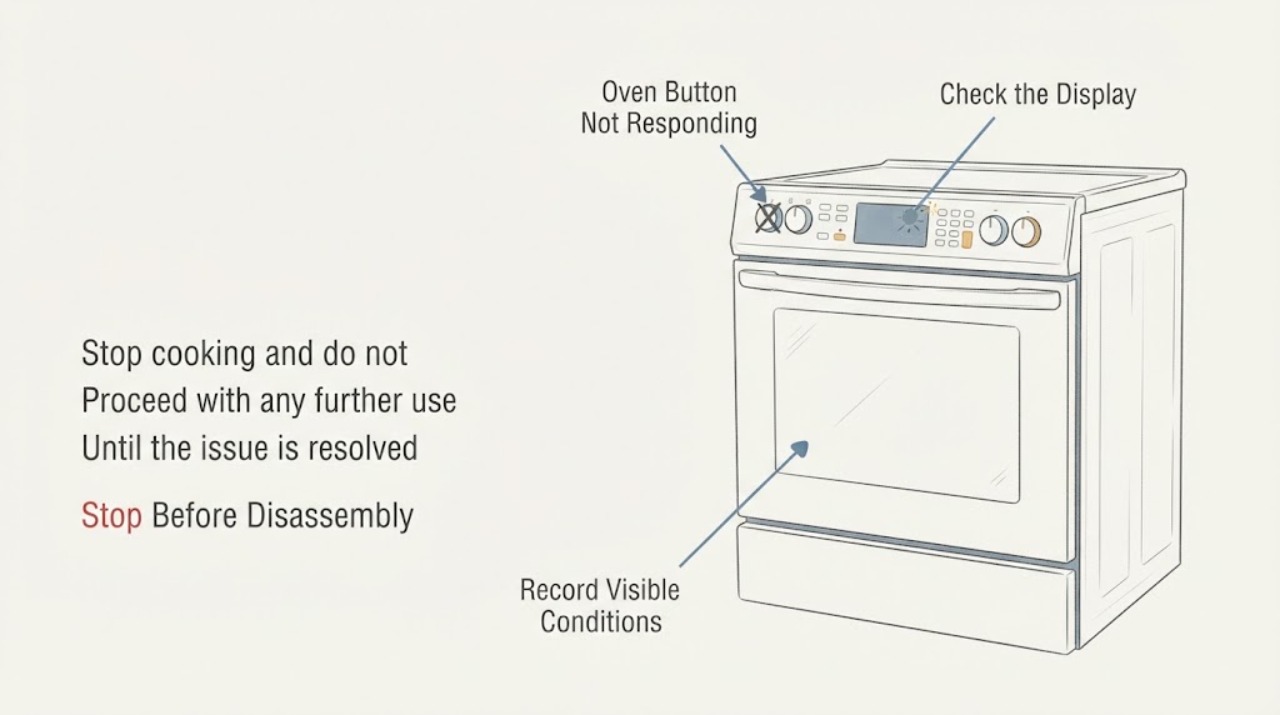
First stop cooking, let the Bosch oven cool, and keep liquids away from the controls. Bosch's official error guidance links an E11 indication to touch keys not operating properly, possibly from condensation, and says to clean the control panel with a dry cloth and disconnect power at the fuse box for 10 seconds. Without a model number, do not assume that every Bosch oven uses the same lock button, touch layout, or reset timing: some Bosch manuals describe a Panel Lock that disables buttons, while other models use different controls. If the panel remains unresponsive after a dry, gentle center press and the exact model's lock/settings check, record any display code and arrange Bosch or authorized service. Do not remove the control panel, probe the keypad, or bypass a lock.
Work through in order
Diagnostic checks
Use only checks that match the exact appliance or system and its official guide.
-
Check 1
Stop cooking and do not keep testing the buttons if the oven is hot, wet, sparking, smoking, damaged, or producing a burning or gas odor; let it cool and isolate power only from a safe location.
Expected result: There is a safety warning or visible damage, or the only symptom is an unresponsive button with no heat, odor, smoke, liquid, or electrical warning.
Next step: Keep the oven out of service and arrange qualified appliance or electrical help for a warning sign. Otherwise continue only with a dry external panel check; do not open the console or measure wiring.
Why this matters
Why: A damaged or unsafe appliance is outside a touch-panel check. A clean, cool panel without warning signs can be checked externally, but the lack of a warning does not prove the keypad or control board is sound.
-
Check 2
With the oven cool and controls off, wipe the control surface with a dry cloth, then press the center of the affected button once with the flat part of a finger; do not spray cleaner into gaps or press repeatedly with a sharp object.
Expected result: The button responds after the panel is dry and the press is centered, or it remains unresponsive and the display may show E11 or another indication.
Next step: If the control responds, use the exact manual for the remaining operation. If E11 remains or the button stays unresponsive, continue with the model-specific lock/code check and do not open the panel.
Why this matters
Why: Improvement is consistent with surface moisture, condensation, or an incorrect touch location, but it does not identify a failed component. Bosch specifically associates E11 with touch keys that may be affected by keypad condensation.
-
Check 3
Check the display for a lock symbol, Panel Lock wording, or a code, and record which controls work; use the complete Bosch E-Nr to open the matching owner manual rather than choosing a lock sequence from a different oven.
Expected result: The manual confirms a lock feature or gives a model-specific response, or no matching lock explanation accounts for the unresponsive button.
Next step: Follow the matching manual only. If the manual does not resolve the control state, record the exact model, code, affected buttons, and display behavior for Bosch support; do not bypass the lock or remove the control panel.
Why this matters
Why: A lock can intentionally disable controls, but its name and release method are interface-specific. If no documented lock applies, the persistent symptom remains unresolved and is not proof of a particular keypad or board failure.
-
Check 4
If Bosch's E11 path applies to the displayed code, switch the oven off at the household fuse or breaker for 10 seconds and restore power only when the circuit is safe; for any other E-number, write it down before taking further action.
Expected result: The controls recover after the documented E11 reset, or the code/unresponsive behavior returns or persists.
Next step: Stop using the oven if the problem recurs, and contact Bosch or an authorized servicer with the E-Nr and exact code or button pattern. Do not repeat resets indefinitely or perform internal electrical tests.
Why this matters
Why: Recovery after the E11 procedure means the published reset cleared the symptom; it does not establish that a component is healthy. A recurring code or persistent unresponsive panel needs service, and another code must not be decoded as E11.
Use your observations
Decision map
Find the observation that best matches what you see, then follow the next safe action.
-
PATH 01Next step
What you see
The panel is wet or shows E11, and the affected button responds after the surface is dried and the documented E11 power reset is completed.
Do this next
Use the exact manual for normal operation and monitor the panel. If E11 or the unresponsive behavior returns, stop using the oven and arrange service.
Why this path and its safety boundary
Why it matters: The observed recovery is consistent with Bosch's published condensation/touch-key path, but it does not prove that no intermittent fault remains.
-
PATH 02Next step
What you see
All or several controls are unresponsive and the display shows a lock symbol or the exact manual identifies Panel Lock.
Do this next
Use the matching E-Nr manual's unlock instruction. Do not transfer the three-second Benchmark procedure to another Bosch model or open the console.
Why this path and its safety boundary
Why it matters: A control lock may be intentionally disabling the buttons; the lock procedure is specific to the identified Bosch interface.
-
PATH 03Next step
What you see
The panel remains unresponsive after it is dry, the correct touch location is used, and no applicable model-specific lock or E11 correction resolves it.
Do this next
Keep the oven out of service if it cannot be controlled safely and contact Bosch or an authorized servicer with the E-Nr, display state, affected controls, and checks already completed.
Why this path and its safety boundary
Why it matters: A keypad, interface, power, or control fault remains possible, but the available generic Bosch pages do not establish which internal component failed.
Helpful context
Understand the symptom
A nonresponsive button does not by itself prove that the touchpad or control board has failed. Bosch's published guidance separates a touch-key symptom from model-specific settings and codes: an E11 display has a documented condensation-related path, while the exact control layout and Panel Lock behavior must come from the oven's own manual. Keep the diagnosis at the user-accessible level until the model is identified.
Make the panel safe and dry before touching it
If the oven is hot, cooking, wet, steaming, sparking, or giving off a burning or gas odor, stop using it and do not keep pressing the controls to test them. After it is safe and cool, remove only surface moisture with a dry cloth. Bosch manuals describe touchpads as requiring a light, centered press with the flat part of a finger; that instruction is a handling check, not proof that a hidden component is good.
Treat Panel Lock as a model-specific possibility
Some Bosch manuals document a Panel Lock that disables all control-panel buttons, but the name, icon, location, and release sequence depend on the interface. The Benchmark built-in-oven manual opened for this research uses a three-second Panel Lock hold, while another Bosch range manual covers a different product family. Do not apply that timing to an unidentified oven; use the full E-Nr in Bosch's manual lookup and follow the matching lock instructions.
Use the display and error code to set the service boundary
If the display shows E11, use only Bosch's published E11 path: dry the panel and switch the appliance off at the fuse box, then restore power after the stated interval. If a different E or number appears, record it instead of guessing its meaning; Bosch directs owners to disconnect the appliance and contact support for a persistent malfunction or code. A panel that stays unresponsive after the safe external checks needs model-specific service, not a control-board or keypad replacement guessed from appearance.
Common questions
FAQ
Does one Bosch oven button not responding prove the control board is bad?
No. Bosch's public guidance supports drying and correctly touching the panel, and an E11 indication has a condensation-related path. A persistent symptom can require model-specific service, but the generic pages do not prove a particular keypad or board failure.
What does E11 mean on a Bosch oven?
Bosch's US oven and microwave error page says E11 means the touch keys are not operating properly and may be affected by condensation. It directs owners to clean the panel with a dry cloth and disconnect power at the fuse box for 10 seconds; recurring E11 needs Bosch support.
Can I use a Panel Lock procedure from another Bosch manual?
No. Bosch manuals differ by product family and interface. One Benchmark built-in-oven manual documents a three-second Panel Lock hold, but an unidentified oven needs its own E-Nr manual before using any lock or unlock sequence.
Read the exact guide
Official sources
- Bosch Oven RepairsBosch Home Appliances · Official Bosch US repair page; it supports escalation for unresolved oven control problems without naming an unsupported part or internal test.
- Get Support - Ovens & RangesBosch Home Appliances · Official Bosch support hub for ovens and ranges; it supports model-specific Service Assistant, owner-manual and service routing, not a generic internal diagnosis.
- Oven & Microwave | Error Codes | BoschBosch Home Appliances · Official Bosch US support page. E11 is conditional because the assigned topic has no code; the page supports the documented dry-panel and 10-second power-reset path only when E11 is actually displayed.
- Use and Care Manual — Dual Fuel Ranges / Slide-In RangesBSH Home Appliances Corporation / Bosch · Exact official PDF cover identifies a different Bosch range family. It is used only for the model-bound caution that touch-panel and lock behavior varies, not as a universal oven procedure.
- Search for Owner Manuals and Spec SheetsBosch Home Appliances · Bosch's official lookup requires the appliance Model Number (E-Nr), making it the correct route for an unidentified oven's control layout, lock state and error instructions.
- Use and Care Manual — Built-in Ovens, Benchmark SeriesBSH Home Appliances Corporation / Bosch · Exact official PDF cover identifies the Benchmark built-in-oven model family. Its centered, light-touch and Panel Lock instructions are conditional examples and must not be generalized to an unidentified Bosch oven.
Community feedback
Share a repair observation
Share a plain-text repair observation. Accepted observations are published automatically; this page may take a moment to update.