
On this page
Start here
Quick answer
First decide whether the display is completely blank, frozen or touch-unresponsive, or showing an exact E-code. Record the Bosch E-Nr and FD number before using model-specific instructions. From outside the appliance, check the household breaker or fuse and whether the oven has the electrical power Bosch requires; do not remove panels or test live wiring. If the display shows E11, Bosch associates that code with touch keys not operating properly and possible keypad condensation; its published response is a dry control-panel wipe followed by a power disconnect/reconnect. For any other E-code, or a display that stays blank after the safe external power check, stop and arrange Bosch support because the public guidance does not identify a universal display-board repair.
Before you begin
Safety first
- Do not remove panels, probe live wiring, replace a display/control board from the symptom alone, bypass controls, or continue heating when the controls cannot reliably operate or stop the oven.
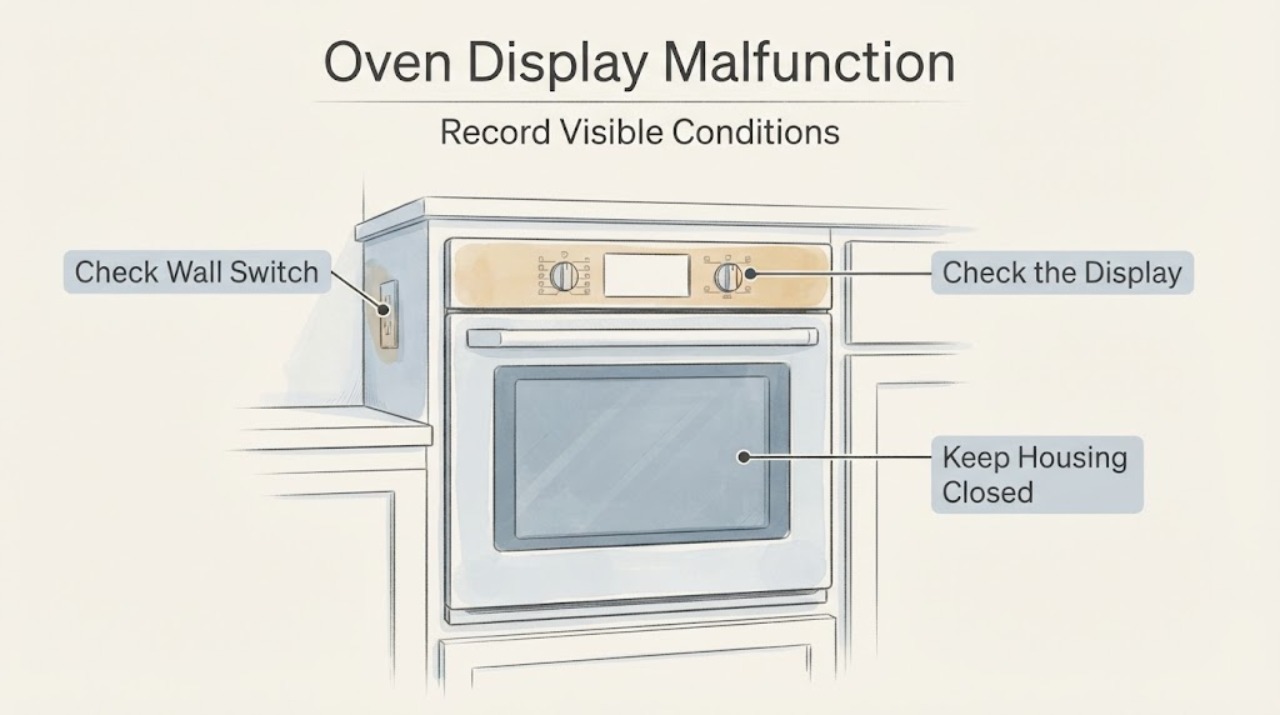
Work through in order
Diagnostic checks
Use only checks that match the exact appliance or system and its official guide.
-
Check 1
Stop using the oven and keep clear of the controls if there is smoke, a burning smell, sparking, a hot or damaged panel, exposed wiring, or a breaker that trips again. If it is safe to do so, switch the oven circuit off at the household breaker; do not open the oven or touch internal wiring.
Expected result: No heat, smoke, sparking, exposed wiring, or repeat breaker trip is present; or a hazard is present.
Next step: For a hazard, leave the circuit off and arrange Bosch-authorized service or qualified electrical help. If there is no hazard, continue only with the external identity and power observations below.
Why this matters
Why: A hazard or repeat electrical trip is a safety/service condition, not a display-setting problem. Bosch says oven repairs involve high-voltage electricity and should be left to experts.
-
Check 2
Record the oven's complete E-Nr and FD number from the rating plate or owner documentation, and write down whether the display is blank, frozen, touch-unresponsive, dim, or showing an exact letter/number code.
Expected result: The model and production identity are available and the display state can be described precisely; or the identity/code is missing.
Next step: Use the matching Bosch manual/error page when the E-Nr and display state are known. If they cannot be recovered, provide photographs and the rating-plate information to Bosch support instead of guessing a reset sequence.
Why this matters
Why: Bosch uses the model identity for owner manuals, troubleshooting, parts lookup, and service. A missing model or incomplete display description prevents a model-specific button sequence or part claim.
-
Check 3
From outside the appliance, inspect the household breaker or fuse assigned to the oven and confirm whether it has tripped. Do not remove the oven from its cabinet or perform electrical testing. If the breaker is on but the display remains dark, note whether any other oven function or indicator responds without heating the cavity.
Expected result: The breaker/fuse is tripped, the display returns after the household circuit is restored, or the breaker is on but the display and controls remain dead.
Next step: If the breaker trips again, leave the oven off and call service. If power is restored but the display remains dead, stop at the external check and give Bosch the E-Nr and observations; do not reset repeatedly or open the appliance.
Why this matters
Why: Bosch identifies proper electrical power as an initial external check for an oven that does not function. A restored display points to a power interruption; a dead display with a live-looking breaker does not identify whether the fault is in the supply, interface, or control electronics.
-
Check 4
If the display is lit but touch keys do not respond, inspect the accessible control surface for moisture or condensation and wipe it with a clean, dry cloth only. Do not spray cleaner into the panel, press through a damaged surface, or remove the fascia.
Expected result: The panel is dry and keys respond afterward; the panel is damp but becomes responsive after drying; or the keys remain unresponsive.
Next step: If the panel remains unresponsive, record any code and use the exact manual or Bosch service path. Keep the oven out of service if controls cannot reliably select or stop a heating mode.
Why this matters
Why: Bosch lists E11 as touch keys not operating properly and says condensation on the keypad may be involved. A dry surface can address that documented external condition, but persistent unresponsiveness is not proof of a replaceable display part.
-
Check 5
If an E and number appear or the control beeps, record the exact code before changing settings. Compare it with Bosch's oven error-code page and follow only the listed model-appropriate power/reset instruction; for E11, use the dry-panel and power-disconnect guidance Bosch publishes.
Expected result: The same E-code returns after the documented external step, a different code appears, or the display is blank and no code can be recorded.
Next step: Turn the oven off and contact Bosch with the exact code and E-Nr when the code persists. For a blank display with no recoverable code, arrange service rather than selecting a code meaning from another Bosch family.
Why this matters
Why: Bosch treats an E-code as a malfunction/fault branch and recommends support when it continues. A blank display cannot be decoded as an E-code and needs separate power/interface assessment.
-
Check 6
Prepare the E-Nr, FD number, country, display description or photo, breaker/fuse observation, any exact code, whether the oven was hot or operating when the display failed, and whether a power interruption preceded the symptom for Bosch support.
Expected result: The display remains blank or frozen after the safe external checks, the exact E-code returns, controls cannot safely stop heating, or the model-specific manual does not resolve the state.
Next step: Leave the oven off or at the breaker as appropriate and arrange Bosch customer service or an authorized servicer. Do not replace a display/control board, open the rear panel, test high-voltage circuits, or continue heating with unreliable controls.
Why this matters
Why: The remaining possibilities include supply, interface, control, or other technical faults, but the available Bosch pages do not identify a safe user-level internal diagnosis.
Use your observations
Decision map
Find the observation that best matches what you see, then follow the next safe action.
-
PATH 01Next step
What you see
The oven breaker/fuse was tripped and the display returns after the circuit is restored without a repeat trip.
Do this next
Set the clock or other model-specific settings only as the matching manual directs, observe the oven externally, and arrange service if the display fails again or the breaker trips.
Why this path and its safety boundary
Why it matters: The visible symptom followed a power interruption; it does not establish a failed display board.
-
PATH 02Next step
What you see
The breaker is on but the display and controls remain dead, or the breaker trips again when the oven is energized.
Do this next
Keep the oven off and arrange Bosch-authorized service or qualified electrical help; do not remove panels or repeatedly restore the circuit.
Why this path and its safety boundary
Why it matters: A persistent no-display or repeat-trip condition cannot be separated into supply, interface, or internal control causes by observation alone.
-
PATH 03Next step
What you see
The display is lit, the surface was damp, and the touch keys respond after the accessible panel is dried with a clean cloth.
Do this next
Use the exact E-Nr manual and monitor the panel. If the issue returns, capture the code and contact Bosch rather than opening the control panel.
Why this path and its safety boundary
Why it matters: This is consistent with Bosch's documented E11 condensation/touch-key condition, but it does not prove that every Bosch oven uses the same code or control layout.
-
PATH 04Next step
What you see
An E-code or beeping returns after Bosch's listed external step, or a new exact code appears.
Do this next
Turn the oven off, record the code and E-Nr, and contact Bosch support; do not transfer an error meaning from another model or appliance.
Why this path and its safety boundary
Why it matters: Bosch treats a continuing E-code as a fault requiring customer-support or service handling.
-
PATH 05Next step
What you see
The display stays blank/frozen, the controls cannot safely stop a heating mode, or the symptom includes smoke, burning odor, sparking, exposed wiring, or repeat breaker trips.
Do this next
Leave the oven off and arrange Bosch-authorized service or qualified electrical help. Keep people away from hot surfaces and do not attempt internal diagnosis.
Why this path and its safety boundary
Why it matters: The condition is unsafe or technically unresolved and is outside the safe user-level checks supported by Bosch's public guidance.
Helpful context
Understand the symptom
Identify the display state before choosing a remedy
A Bosch oven with no visible display can have a different problem from one showing an E-code or one whose display is lit but touch keys do not respond. Note whether any characters, beeps, clock segments, lock symbols, or error letters remain visible; also note whether the oven has any other sign of power. Do not infer a failed control board from the symptom alone. Bosch's support pages direct users to model-specific manuals and error-code help, and the oven support page asks for the model identity when arranging help.
Keep the model and heat-safety boundary visible
Read the E-Nr and FD number from the rating plate or manual before applying any reset or control sequence. Bosch oven families differ, and the public error page does not provide a universal display replacement procedure. Keep hands away from the cavity, heating elements, wiring, and rear panels; if there is smoke, a burning smell, sparking, a hot damaged control, or a breaker that trips again, leave the oven off and use qualified service.
When checks do not resolve it
Need a professional?
Call Bosch support or an authorized servicer when the display remains blank or frozen after the external breaker/fuse check, an E-code returns, controls cannot safely stop heating, the circuit trips again, or there is any smoke, burning odor, sparking, exposed wiring, or panel damage.
Safety scope: Do not remove panels, probe live wiring, replace a display/control board from the symptom alone, bypass controls, or continue heating when the controls cannot reliably operate or stop the oven.
Have this ready
- Full E-Nr and FD number, country, exact display state or photo, any E-code, breaker/fuse observation, whether the oven was hot or operating, and whether a power interruption preceded the failure.
Common questions
FAQ
Does a blank Bosch oven display always mean the display board failed?
No. Bosch's support path first separates electrical power, model-specific display behavior, touch-key problems, and E-codes. Check the assigned breaker or fuse from outside the appliance and record the E-Nr; a persistent blank display needs service rather than a guessed board diagnosis.
What does E11 mean on a Bosch oven?
On Bosch's US oven error page, E11 means the touch keys are not operating properly and may be related to condensation on the keypad. Bosch lists cleaning the panel with a dry cloth and disconnecting/reconnecting the appliance power; if the condition persists, use Bosch support. Confirm the exact model before applying any different reset sequence.
Can I open a Bosch oven to repair a dead display?
Do not do that as a homeowner troubleshooting step. Bosch states that oven and stove repairs involve high-voltage electricity and says such repairs should be left to experts. Provide the model identity and observations to Bosch or an authorized servicer.
What information should I have ready for Bosch service?
Have the complete E-Nr and FD number, country, display state or photo, exact E-code if present, breaker/fuse result, and whether the oven was hot or had a recent power interruption. Bosch says the model and production information help support identify the specific appliance.
Read the exact guide
Official sources
- Bosch Oven & Microwave Error CodesBosch Home Appliances · Opened Bosch US official oven error-code page. It supports E11 as a touch-key/possible condensation condition, handling of displayed E-codes, and support escalation; it does not authorize internal display repair.
- Bosch Oven Replacement PartsBosch Home Appliances · Opened Bosch US official parts page. It requires the E-Nr for parts diagrams and says nonworking ovens can be handled by Bosch or an authorized servicer; no display-board fit is inferred.
- Oven Troubleshooting: Broken heating elementBosch Home Appliances · Opened Bosch US official safety guidance. It states oven and stove repairs use high-voltage electricity and should be left to experts; it is used only for the internal-repair boundary.
- Get Support - Ovens & RangesBosch Home Appliances · Opened Bosch US official oven support page. It directs users to model-specific manuals, FAQs, error codes, Service Assistant, and authorized repairs; it does not provide a universal display repair procedure.
- Oven Troubleshooting: Convection Oven Not Heating UpBosch Home Appliances · Opened Bosch US official oven troubleshooting page. It supports checking the household breaker/fuse and proper electrical power from outside the appliance; it does not distinguish internal display components.
- Ovens - Bosch Top TipsBosch Home Appliances · Opened Bosch US official oven tips page. It supports keeping model and FD information available and recording a recurring E-code for Bosch support; it does not support a universal display reset.
Community feedback
Share a repair observation
Share a plain-text repair observation. Accepted observations are published automatically; this page may take a moment to update.