
On this page
Start here
Quick answer
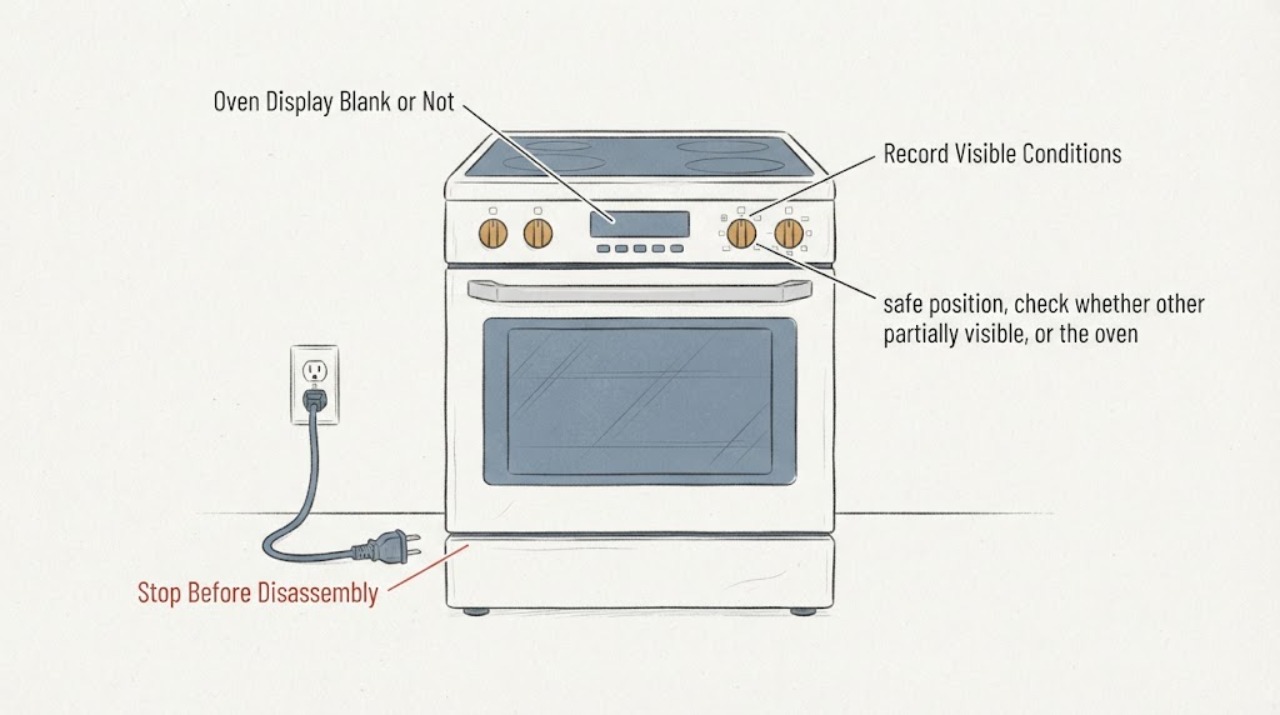
When a Bosch oven display is blank or not showing the expected information, start with the household power condition and the exact model manual rather than opening the control panel. Check whether other kitchen equipment on the same supply works and whether a breaker or fuse has operated; a recent power interruption can also leave some ovens needing the clock set before they work again. If any characters or an E-code remain, record them and use Bosch’s model-specific error guidance. Do not remove the display, probe wiring, or repeatedly reset a fault. If the display stays blank while the supply is present, the oven will not operate, or a fault returns, leave it off and arrange qualified Bosch service.
Work through in order
Diagnostic checks
Use only checks that match the exact appliance or system and its official guide.
-
Check 1
Record the exact Bosch model number, product type (wall oven or range), region, and whether the display is completely dark, dim, flashing, or showing any letters or numbers.
Expected result: The model and display state are available, or the label/display cannot be identified.
Next step: Open the matching Bosch manual or support page. If the model is unavailable, limit the process to the external power checks and do not apply another model’s button or reset sequence.
Why this matters
Why: Bosch uses the model number to locate manuals and support, while a visible E-code is handled differently from a completely blank display.
-
Check 2
From a dry, safe position, check whether other appliances or lights on the same household circuit work and whether the oven’s breaker or fuse has operated. Do not remove a fuse cover, open the oven, or probe live terminals.
Expected result: The household supply is absent or the oven breaker/fuse has operated, or the surrounding supply appears normal.
Next step: If the breaker/fuse trips again or the supply is unsafe, leave the oven off and use qualified electrical service. If supply is restored and the display remains blank, continue only with model-documentation and service checks.
Why this matters
Why: Bosch identifies the fuse and power supply as possible causes of an oven not functioning. A normal kitchen supply makes a total household interruption less likely but does not diagnose the oven electronics.
-
Check 3
If the display is flashing, partially visible, or the oven recently experienced an outage, use the exact owner manual to check whether the clock or time-of-day must be set before the oven can operate.
Expected result: The display shows a flashing clock or reset state, or it remains completely blank.
Next step: Set the clock only through the matching manual. If the display is fully blank or cannot retain the setting, stop repeated resets and arrange qualified service.
Why this matters
Why: Bosch’s official support explains that some ovens can revert the clock after a power cut and may not work until the time is set; this does not explain every blank display or apply to every model.
-
Check 4
If any E-code, letter, number, beep, or touch-control response remains, record it exactly and compare it with Bosch’s error guidance for the model; clean only a visibly damp control surface with a dry cloth if the exact documentation directs that check.
Expected result: The code disappears after the documented reset, or it returns / the display remains blank and controls do not respond.
Next step: Keep the oven off if the code returns or the controls are unresponsive, and provide the model and exact indication to qualified Bosch service. Do not open the panel or perform continuity/live tests.
Why this matters
Why: Bosch treats a continuing E-code as a fault that needs support; an unknown or absent display indication cannot be assigned a specific control-board or keypad failure from this symptom.
-
Check 5
If the display remains blank despite confirmed household power, or the oven shows smoke, burning odor, overheating, damaged wiring, or repeated breaker trips, stop use and isolate power only from a dry, safe position.
Expected result: A hazard or persistent no-display condition is present, or the display returns and the oven operates normally.
Next step: Arrange qualified Bosch service and provide the model, power observations, display behavior, and any preceding outage or fault. Do not remove the control panel, bridge a fuse, or keep cycling power to reproduce the issue.
Why this matters
Why: The remaining cause may be inside the appliance or its supply and is outside safe external diagnosis. Bosch routes unresolved oven problems to service.
Use your observations
Decision map
Find the observation that best matches what you see, then follow the next safe action.
-
PATH 01Next step
What you see
Other equipment on the same circuit is also off, or the oven breaker/fuse has operated.
Do this next
Restore or investigate household power only through safe, qualified means. If the protection operates again, leave the oven off and obtain electrical service.
Why this path and its safety boundary
Why it matters: The official Bosch first check is the household fuse or power supply; this pattern does not prove an oven display failure.
-
PATH 02Next step
What you see
The display is flashing a clock or time state after an outage, while the oven otherwise has power.
Do this next
Use the exact model manual to set the time. If the display will not retain the setting or is fully blank, arrange Bosch service.
Why this path and its safety boundary
Why it matters: Bosch says some ovens revert the clock after a power cut and require the time to be set before operation resumes.
-
PATH 03Next step
What you see
An E-code or other fault indication appears or returns after the documented reset.
Do this next
Record the full indication and keep the oven off if it recurs. Do not infer a board or keypad part or open the control panel.
Why this path and its safety boundary
Why it matters: Bosch treats a continuing error indication as a fault requiring support; the code must be matched to the exact model.
-
PATH 04Next step
What you see
Household power is present, no clock state can be set, and the Bosch display remains dark or the oven is inoperative.
Do this next
Arrange qualified Bosch service with the model and supply observations. Do not bypass protection, probe live wiring, or repeatedly cycle power.
Why this path and its safety boundary
Why it matters: The symptom remains inside the appliance-specific service boundary and is not narrowed to a fuse, display, wiring, or control part.
-
PATH 05Next step
What you see
There is smoke, a burning smell, damaged wiring, overheating, moisture near electrical parts, or a breaker that trips repeatedly.
Do this next
Stop using the oven, isolate power only if safe, leave the area if smoke or fire is present, and obtain qualified electrical/appliance help. Do not open the cabinet.
Why this path and its safety boundary
Why it matters: This is a safety event rather than a display troubleshooting exercise.
Helpful context
Understand the symptom
Start outside the oven cabinet
A blank display can result from a supply interruption, a model-specific clock state, or an electronic fault. The safe user-level path is to check the household condition, identify the exact model and region, and record any remaining characters before service. Do not remove the display or control panel.
A display symptom is not a confirmed board failure
Bosch publishes model-specific owner manuals and error guidance. A dark display does not identify a display board, control, fuse, wiring, or power-supply component, and the same reset sequence must not be transferred between oven models or regions.
When checks do not resolve it
Need a professional?
Arrange qualified service for a display that remains blank with confirmed supply power, an oven that remains inoperative after the model-documented clock check, a recurring E-code, unresponsive controls, smoke, burning odor, overheating, damaged wiring, moisture near electrical parts, or repeated breaker trips. Do not open the control panel, bridge a fuse, probe live wiring, or repeatedly reset a fault.
Have this ready
- exact Bosch model number and region
- whether the display is blank, flashing, or shows an E-code
- whether other appliances on the circuit work
- whether a breaker/fuse or power interruption preceded the symptom
- whether the oven heats or responds to any control
Common questions
FAQ
Can a power outage make a Bosch oven display stop the oven from working?
Yes, Bosch says some ovens can revert the clock after a power cut and may need the time set before operation resumes. Use the exact model manual; a completely blank display with confirmed supply power needs service rather than a guessed part.
Should I replace the Bosch display or control board when the screen is blank?
No. A blank display does not identify a particular part. Confirm safe household power and the model-specific documentation, then arrange qualified service if the display remains blank.
What should I do if an E-code appears after the display returns?
Record the complete code, follow only the matching Bosch error guidance, and stop using the oven if the code returns. Bosch directs continuing errors to support; do not open the panel or perform live tests.
Read the exact guide
Official sources
- Oven not functioningBosch Home Appliances · Official Bosch Home Appliances support page opened for oven power, fuse, and post-power-cut clock behavior; region is Netherlands, so the clock behavior is used as a documented Bosch example, not a universal US model procedure.
- Common Oven Problems and How to Fix ThemBosch Home Appliances · Official Bosch US oven support page; used for unresolved oven service routing and the boundary between common user checks and authorized repair.
- Customer Service I BoschBosch Home Appliances · Official Bosch US owner-support page; used for owner-manual, model lookup, error-code, and service routing.
- Oven & Microwave Error CodesBosch Home Appliances · Official Bosch US error-code page; used for recording visible E-codes, documented reset/service boundary, and model-specific support routing. It does not define a blank display as a universal code.
Community feedback
Share a repair observation
Share a plain-text repair observation. Accepted observations are published automatically; this page may take a moment to update.