
On this page
Start here
Quick answer
Bosch service-menu entry is model- and control-panel specific, so a key sequence from another oven is not a safe universal fix. First record the exact model and use Bosch's matching Owner Manual or Service Assistant; then check only user-accessible conditions such as a clean, dry panel, an inactive panel lock and the standby state if your manual documents them. Bosch's public guidance treats a persistent touch-sensor or control-panel fault as a service issue. Do not repeat hidden service-mode sequences, open the control panel, bypass a lock or work on live oven wiring.
Before you begin
Safety first
- Do not use an undocumented service-menu sequence, open the control panel, disconnect a ribbon, bypass a door or interlock, measure live circuits or run calibration/self-clean while the control fault is unresolved.
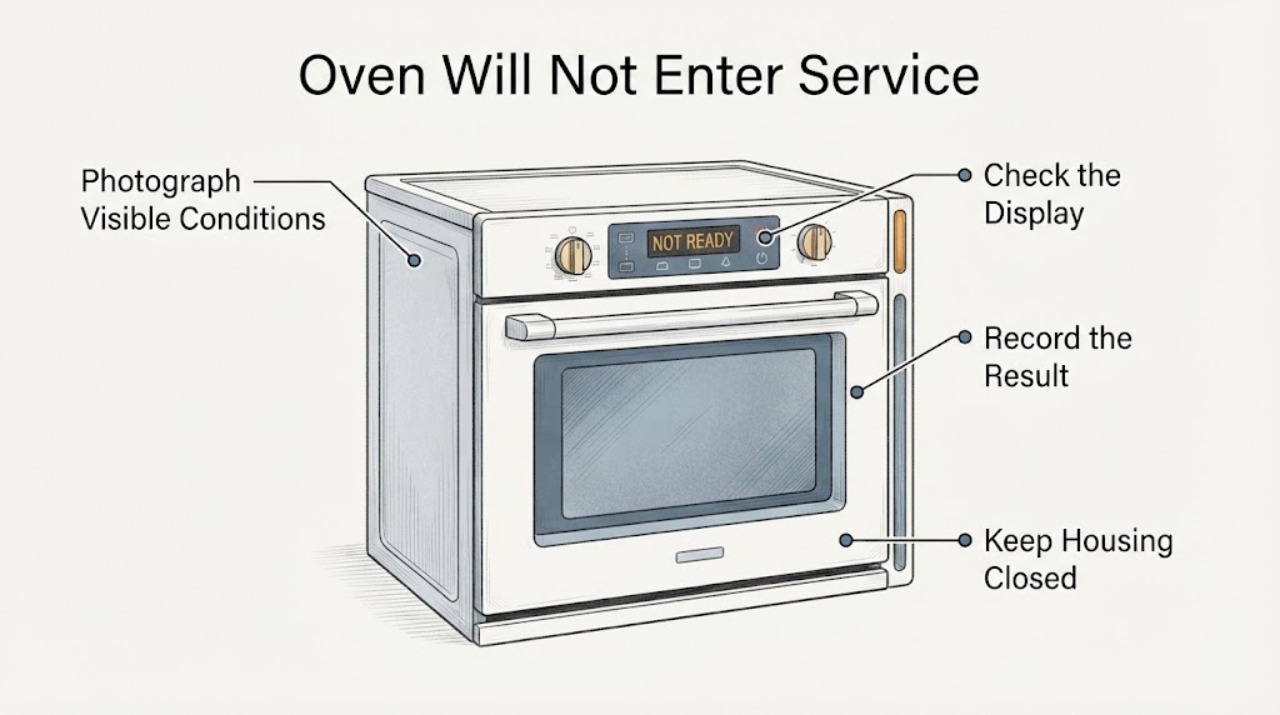
Work through in order
Diagnostic checks
Use only checks that match the exact appliance or system and its official guide.
-
Check 1
Find and photograph the full Bosch model and E-Nr from the appliance data plate without removing panels. Then search Bosch Owner Manuals or Service Assistant for that exact identifier and the words service, touchpad, panel lock or calibration.
Expected result: The exact model resolves to a manual or support entry that explicitly describes a user-accessible service or calibration function, or it does not.
Next step: Follow only the matching manual if it gives a normal user procedure. If the exact model cannot be matched or the documentation does not publish service-menu access, stop trying generic sequences and use Bosch service support.
Why this matters
Why: Bosch's support path is model-specific; a matching manual is the only reliable way to know whether the requested menu exists and whether the controls are user-accessible.
-
Check 2
With the oven cool and idle, check the visible control panel for moisture, grease or residue and wipe it with a clean, dry, soft cloth. Do not spray cleaner into seams or press harder to compensate for a missed touch.
Expected result: The panel becomes responsive for ordinary documented controls, or ordinary controls remain unresponsive after the surface is clean and dry.
Next step: If ordinary controls respond, use the exact manual to check the user settings or Panel Lock state. If they remain unresponsive, do not open the panel; record the symptom for service.
Why this matters
Why: Bosch's public touch-sensor guidance for freestanding ranges starts with cleaning and drying the control panel; persistent failure is treated as a service condition rather than a hidden-menu problem.
-
Check 3
If your exact model manual documents Panel Lock or a normal Settings menu, confirm the oven is in the manual's required standby state and use only that documented user control to clear the lock or leave the menu. Do not substitute Timer, Info, Power or other button combinations from another series.
Expected result: The manual identifies a user lock/settings state and the normal controls respond, or the manual has no matching state and the controls still do not respond.
Next step: Use the exact manual's user-level setting only. If the requested service menu is absent from the manual or the panel will not accept ordinary input, escalate instead of experimenting with hidden modes.
Why this matters
Why: Bosch 800 Series documentation shows that ordinary Settings and Panel Lock functions are separate user features with their own model-specific conditions; that does not prove a technician service menu is available on another Bosch oven.
-
Check 4
If Bosch's exact model support page gives a power-reset instruction for the observed fault, follow that one instruction with the oven idle and cool, then observe the normal display and touch controls. Do not repeatedly cycle the breaker or reset while the oven is hot or running a heating/self-clean function.
Expected result: The normal display and ordinary controls return after the model-approved reset, or the same touch/control symptom returns.
Next step: If the exact fault clears, use the owner manual and monitor normal operation. If the symptom returns or no model-specific reset exists, arrange Bosch service and do not attempt a hidden calibration sequence.
Why this matters
Why: Bosch's current error page gives a five-minute breaker reset only within specific freestanding-range error entries such as e011; that timing is not a universal service-menu procedure.
-
Check 5
Stop and document the exact model, display state, which ordinary touchpads fail, whether Panel Lock is shown, the oven temperature/cycle state and any error text. Do not remove the console, disconnect a touchpad ribbon, bypass an interlock or test live wiring.
Expected result: The oven has a persistent unresponsive panel, unexpected heating, a recurring error, a hot control area, smoke/odor or any exposed wiring, or it returns to normal after the documented user checks.
Next step: For persistent or unsafe symptoms, stop using the oven and contact Bosch authorized service. Only resume normal use after the exact manual or a qualified technician confirms it is safe.
Why this matters
Why: A persistent touch-sensor/control symptom or an unsafe operating condition cannot be narrowed to a particular Bosch panel or board without model-specific service information and safe diagnostic equipment.
Use your observations
Decision map
Find the observation that best matches what you see, then follow the next safe action.
-
PATH 01Next step
What you see
The exact Bosch manual documents an ordinary Panel Lock or Settings state and the normal touchpads respond after the panel is cleaned and dried.
Do this next
Use only the exact manual's normal user control, then stop; do not enter a technician service mode by guessing a button sequence.
Why this path and its safety boundary
Why it matters: The issue may be a user-level lock or standby condition rather than a failed service menu.
-
PATH 02Next step
What you see
The manual has no user-accessible service-menu procedure, or the supplied model cannot be matched.
Do this next
Record the E-Nr and ordinary control symptoms and use Bosch Owner Manuals, Service Assistant or authorized service.
Why this path and its safety boundary
Why it matters: There is no verified, model-safe sequence to publish for this Bosch oven.
-
PATH 03Next step
What you see
Bosch's exact support page shows a touch-sensor error such as e011 and the panel remains unresponsive after the documented clean/dry and reset steps.
Do this next
Stop repeated resets and arrange Bosch service with the model and displayed error.
Why this path and its safety boundary
Why it matters: Bosch treats the persistent condition as requiring customer support or a service visit; the public page does not authorize opening the panel.
-
PATH 04Next step
What you see
The oven heats unexpectedly, the control area overheats, there is smoke/burning odor, exposed wiring or a lock/interlock problem.
Do this next
Stop using the oven, isolate power only through the normal household disconnect if safe, keep clear of the appliance and obtain qualified service.
Why this path and its safety boundary
Why it matters: This is a safety escalation, not a service-menu troubleshooting opportunity.
Helpful context
Understand the symptom
Why the service menu cannot be treated as a universal Bosch command
The supplied problem has no model number. Bosch publishes owner manuals and Service Assistant guidance by product and model, and its public error page is specifically organized for Bosch freestanding ranges. That means a service-menu sequence, button timing or calibration path from a different Bosch series can be inapplicable. The safe answer is to identify the oven first and use only the instructions attached to that exact model.
Separate a blocked panel from an unsupported service-mode request
A panel that does not register a touch, a panel lock that is still active, an oven that is not in standby, and a service menu that is unavailable on a particular model can look similar to the user. Bosch documentation for particular series exposes ordinary user settings such as Panel Lock and Settings, while Bosch troubleshooting pages separately describe touch-sensor failures. Those are model-bounded observations, not permission to enter technician service mode.
Stop before opening the console
The service menu is not needed to justify opening an oven control panel. If the exact manual does not publish a user recovery path, or the panel remains unresponsive after the documented external checks, record the model and symptom and use Bosch authorized service. Do not remove the control fascia, disconnect a ribbon, defeat a lock or measure energized circuits.
When checks do not resolve it
Need a professional?
Use Bosch authorized service when the exact model has no published user recovery path, ordinary touchpads remain unresponsive, a touch-sensor/control error returns, or the oven heats or behaves unexpectedly.
Safety scope: Do not use an undocumented service-menu sequence, open the control panel, disconnect a ribbon, bypass a door or interlock, measure live circuits or run calibration/self-clean while the control fault is unresolved.
Have this ready
- Provide the full E-Nr/model, country/market, display or error text, which ordinary controls respond, whether Panel Lock is shown, whether the panel was cleaned and dried, and whether any model-approved reset changed the symptom.
Common questions
FAQ
Can I use a Bosch service-menu key sequence found for another model?
No. Bosch support and manuals are model-specific, and the public documents opened for this task do not establish one universal service-menu sequence. Confirm the exact E-Nr first; if the matching manual does not publish a user procedure, use authorized service instead.
Could a dirty touchpad prevent the oven from entering the menu?
It can prevent touch input on some Bosch models. Bosch's public touch-sensor guidance starts with a clean, dry panel, but a persistent problem after that check is a service issue. Do not spray liquid into the controls or press harder.
Does a breaker reset recalibrate the touchpad?
Not generally. Bosch lists a five-minute breaker reset for specific current freestanding-range error entries, but that is model- and fault-specific and is not a universal service-menu or calibration procedure.
Read the exact guide
Official sources
- Bosch 800 Series Oven Use and Care ManualBosch Home Appliances · Opened official Bosch 800 Series user manual. It supports only the conditional example that Panel Lock and the ordinary Settings menu are model-specific user features; it is not evidence for an unassigned Bosch model's service-menu sequence.
- Freestanding Range | Error CodesBosch Home Appliances · Opened Bosch current freestanding-range error page. It is used only for the conditional e011 touch-sensor branch and its clean/dry panel, five-minute breaker reset and service escalation; those instructions are not generalized to every Bosch oven.
- 9000135016_5V0AQ6_RevD.bookBosch Home Appliances · Opened official Bosch manual PDF. It supports the family-specific user check that a nonresponsive touchpad should be clean and touched at its center, plus service escalation for persistent fault codes; it is not a universal service-menu guide.
- Get Support - Ovens & RangesBosch Home Appliances · Opened Bosch US support page. It directs owners to model-based Service Assistant, owner manuals, service/repairs and contact support; it does not publish a universal service-mode key sequence.
Community feedback
Share a repair observation
Share a plain-text repair observation. Accepted observations are published automatically; this page may take a moment to update.