
On this page
Start here
Quick answer
“Not functional” is not one diagnosis. First separate a completely dead oven from a lit control that will not respond, an oven that runs but does not heat, a locked door, or an E/F fault display. Bosch’s official guidance supports checking the household breaker or fuse and confirming that a heating mode and temperature were actually selected; its model-specific manuals also warn that repairs should be handled by authorized providers. Record the exact model, display state, selected mode, door condition and any code. If the oven remains dead or cold after the published external checks, a fault code returns, the door will not release, or there is smoke, burning odor, damaged wiring or another hazard, leave it off and arrange qualified Bosch service instead of opening the oven or replacing an element, sensor or board.
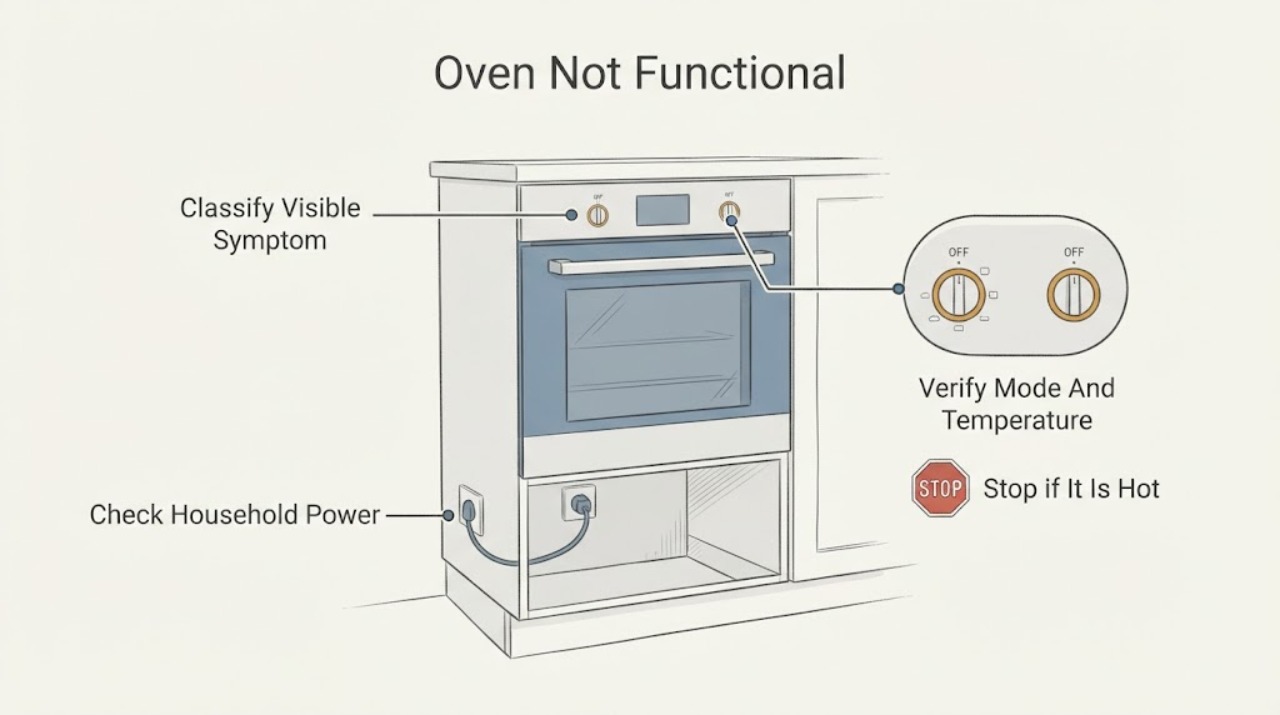
Work through in order
Diagnostic checks
Use only checks that match the exact appliance or system and its official guide.
-
Check 1
Before resetting or opening anything, record the full Bosch model number, whether the display is blank or lit, which controls respond, whether the oven accepts a mode and temperature, whether it heats, whether the door is locked, and every displayed letter or number.
Expected result: The oven is completely without display, the display is active but controls do not respond, the oven runs without heat, the door stays locked, or an E/F message appears.
Next step: Follow the matching power, no-heat, fault-display or service branch below and use the exact model manual for any model-specific operation.
Why this matters
Why: These are different symptom branches. The generic phrase does not identify a failed board, element, lock or sensor, and an unspecified display code cannot be assigned a universal meaning.
-
Check 2
If the oven has no display or will not heat, visually check the household breaker or fuse status and whether other appliance functions on the same installation have power. Restore a tripped breaker only once if there is no visible hazard; do not remove an electrical cover or test wiring.
Expected result: The breaker or fuse is open, the oven remains unpowered after the external check, or the breaker trips again.
Next step: If power is not restored or the breaker trips again, leave the oven off and arrange qualified appliance/electrical service. Do not repeatedly reset or probe the circuit.
Why this matters
Why: Bosch identifies household power as a possible cause of a non-heating oven, but a recurring trip indicates an unresolved electrical condition rather than a reason to keep resetting it.
-
Check 3
For a lit oven that stays cold, select an ordinary oven heating mode and a temperature exactly as shown in the matching owner manual, then observe whether the oven begins its normal heating sequence. Do not use this check to test a suspected element or wiring.
Expected result: No heating mode or temperature had been selected, the oven begins heating after a valid selection, or a valid selection is made but the oven remains cold.
Next step: If the correct selection still produces no heat, stop user-level diagnosis and request model-matched Bosch service.
Why this matters
Why: Bosch says to double-check that an oven temperature has been selected before treating a no-heat symptom as a technical fault. A correct selection followed by no heat does not identify which internal part failed.
-
Check 4
If an E or F code, beeping message or other fault text appears, photograph or write the exact characters and note when they appear. Use the matching model manual rather than a generic Bosch code list.
Expected result: The code clears after the model-approved reset, or the same code remains or returns.
Next step: If the code returns, cancel the oven and arrange authorized service with the exact model and code. Do not replace a component based on the code text alone.
Why this matters
Why: Bosch says an E-number indicates a malfunction and directs service when it continues; some manuals likewise direct service for a persistent F-number. Clearing a display does not establish that the appliance is repaired.
-
Check 5
Check only the visible door path and clean, dry control surface for an obstruction, spill or obvious closure problem. Do not force the door, bypass its lock, remove the control panel or continue operating if there is smoke, burning odor or damaged wiring.
Expected result: The door closes and opens normally and the controls respond, or the door remains locked/obstructed or controls remain unresponsive.
Next step: Remove only a visible obstruction when the oven is cool. If the door or controls remain faulty, keep the oven off and arrange qualified service.
Why this matters
Why: A visible external condition can affect operation, but persistent lock or control symptoms are not enough to diagnose the lock, keypad or control board.
-
Check 6
If the oven remains dead or cold after the applicable external checks, a fault code returns, the door cannot release after cooling, or there is smoke, burning odor, arcing, abnormal heat or damaged wiring, stop using it and record the model and observations for service.
Expected result: The symptom clears after a supported external condition, or it persists/returns or includes a safety hazard.
Next step: Leave the oven off and arrange qualified Bosch service. If there is active smoke or fire, use the appropriate emergency response and do not approach the appliance to test it.
Why this matters
Why: A cleared symptom supports only the external branch; persistent or hazardous behavior is beyond the published owner checks and does not identify a safe DIY repair.
Use your observations
Decision map
Find the observation that best matches what you see, then follow the next safe action.
-
PATH 01Next step
What you see
The display is blank or the oven appears to have no power.
Do this next
Check the external power status once without opening covers; if power is absent or the breaker trips again, leave the oven off and arrange qualified service.
Why this path and its safety boundary
Why it matters: Bosch supports checking the household breaker or fuse as an external first step, but a recurring trip or continued dead display remains unresolved.
-
PATH 02Next step
What you see
The display works, a heating mode and temperature were selected, but the oven stays cold.
Do this next
Stop further testing and request model-matched Bosch service rather than opening the oven or changing an internal part.
Why this path and its safety boundary
Why it matters: Bosch treats proper power and temperature selection as preliminary checks; continued no heat may be a technical fault, without proving a particular element or sensor.
-
PATH 03Next step
What you see
An E-number or F-number appears, beeps or returns after a model-approved reset.
Do this next
Record the exact code, cancel or turn off the oven as the matching manual directs, and arrange authorized service if it persists.
Why this path and its safety boundary
Why it matters: Bosch identifies the display as a malfunction/fault-code condition and does not establish one universal meaning across all oven families.
-
PATH 04Next step
What you see
The door remains locked after cooling, controls do not respond, or there is visible damage, smoke, burning odor or abnormal heat.
Do this next
Keep the oven off, do not force or bypass the door or controls, and arrange qualified service; respond to active smoke or fire as an emergency.
Why this path and its safety boundary
Why it matters: The symptom is outside safe generic user checks and may involve an interlock, control or electrical hazard that cannot be identified from the title.
-
PATH 05Next step
What you see
The oven operates after correcting a documented external condition and no hazard or recurring code remains.
Do this next
Monitor normally under the exact manual’s operating instructions and arrange service if the symptom returns.
Why this path and its safety boundary
Why it matters: The observed recovery is consistent with that external condition but does not prove that internal components are healthy.
Helpful context
Understand the symptom
Define what not functional means
The phrase can describe a blank display, controls that do not react, an oven that accepts settings but stays cold, a door that remains locked, or a code on the display. Record the complete model number, whether the display is lit, the exact buttons or knobs that respond, the selected mode and temperature, whether the door closes and opens normally, and any E or F message. The model determines which manual and control instructions apply.
Check power and an actual heating selection
For an oven that appears powered but does not heat, Bosch supports checking the household circuit breaker or fuse box and confirming that an oven mode and temperature have been selected. These are external checks only. A breaker that trips again, a cord or connection that is damaged, or a cold oven after those checks is not evidence for a particular element, sensor or control-board diagnosis.
Treat an E or F display as model-specific
Bosch says an E followed by a number on its oven and microwave support page indicates a malfunction and should be recorded. Some Bosch manuals describe an F-number as a fault code and direct the owner to cancel the oven and call an authorized technician if it remains. Do not turn an unspecified code into a universal diagnosis or borrow a reset sequence from a different Bosch family.
Keep door, controls and heating repairs with service
If the door will not release after cooling, the controls remain unresponsive, or the oven is still not functional after the applicable external checks, use the exact model manual and arrange qualified Bosch service. The opened Bosch manual warns that improper repairs are dangerous and that appliance repairs should be performed by authorized providers. Do not remove covers, probe live wiring, bypass a lock, or replace an internal heating component from this generic symptom.
When checks do not resolve it
Need a professional?
Request qualified Bosch service when the oven remains dead or cold after the documented external checks, an E/F code returns, the door will not release after cooling, controls remain unresponsive, or there is smoke, burning odor, arcing, abnormal heat or damaged wiring. Do not select an element, sensor, lock, keypad or control board from this generic symptom alone.
Common questions
FAQ
What should I check first when a Bosch oven is not functional?
Identify whether the display is blank, the controls are unresponsive, the oven is cold after a valid mode and temperature selection, the door is locked, or an E/F message appears. Then use the matching external check and the exact model manual; the phrase alone does not diagnose an internal part.
Does a Bosch oven that does not heat need a new heating element?
Not from this symptom alone. Bosch first supports checking proper electrical power and confirming that a temperature was selected. If the oven remains cold, Bosch directs the owner to service rather than an unsupported element diagnosis or repair.
What should I do with an E or F code?
Record the exact characters and consult the manual for the exact model. Bosch says an E followed by a number indicates a malfunction, and its manuals direct service when a fault code remains or returns; do not apply another model’s code meaning.
Read the exact guide
Official sources
- Oven Troubleshooting: Convection Oven Not Heating UpBosch Home Appliances · Official Bosch US no-heat guidance. It supports checking the household breaker/fuse and confirming a selected oven temperature, then treats continued no heat as a technical fault; it is not evidence for a particular internal part.
- Common Oven Problems and How to Fix ThemBosch Home Appliances · Official Bosch US general oven support page that frames common oven problems and directs unresolved issues to Bosch-authorized service; it does not identify a component for a generic not-functional complaint.
- Bosch Oven & Microwave Error CodesBosch Home Appliances · Official Bosch US error-code guidance for oven displays. It supports recording an E-number, following the model-appropriate reset/disconnect direction and escalating a persistent fault; it does not establish a universal code-to-part mapping.
- Use and Care Manual HBNxxx1UC, HBLxxx1UC, HBLxxx2UCBosch Home Appliances · Official Bosch manual for the named HBL/HBN families only. Its troubleshooting table supports external power/temperature checks, persistent fault-code escalation and authorized-repair boundaries; it must not be treated as a universal manual for every Bosch oven.
Community feedback
Share a repair observation
Share a plain-text repair observation. Accepted observations are published automatically; this page may take a moment to update.