
On this page
Start here
Quick answer
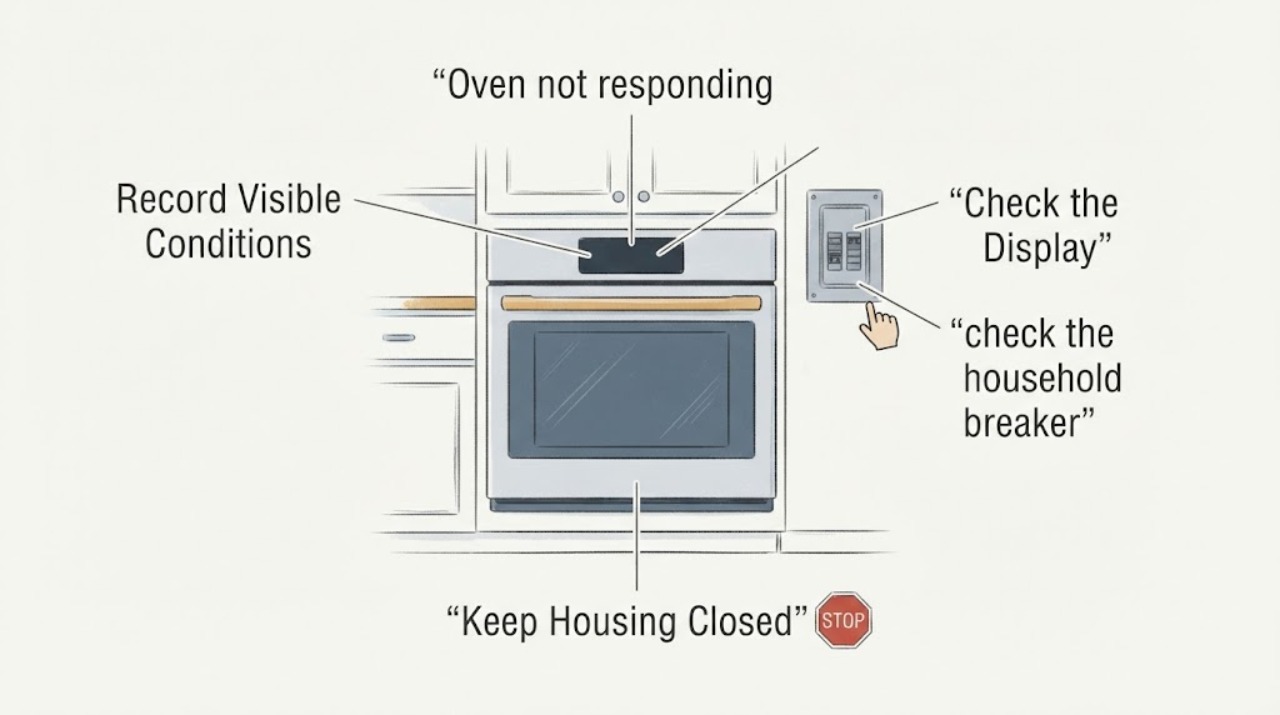
For a Bosch HBL5420UC that does not respond, first record whether the display and clock are dark, whether the display is lit but touch keys do nothing, or whether the oven is hot or in Self-Clean. Bosch lists several HBL5420UC E-Nr suffixes, so confirm the complete rating-plate model before using any model-specific lock, reset, or clock instruction. With the oven cool and from outside the appliance, clean and dry the touch surface, check the household breaker or fuse without opening the oven, and allow a hot or self-cleaning oven to cool naturally. Do not open the control area, rewire, test live circuits, force the door, or bypass a lock. If the display stays dead, the controls remain unresponsive, the breaker trips again, or there is smoke, burning odor, arcing, overheating, or damaged wiring, leave the oven off and arrange qualified Bosch appliance service.
Work through in order
Diagnostic checks
Use only checks that match the exact appliance or system and its official guide.
-
Check 1
With the oven cool and not running, read the complete Bosch E-Nr/model and serial information from the data plate or owner paperwork. Record the suffix after HBL5420UC, the country, whether the display is dark or lit, whether the clock is present, which keys or knobs respond, and whether the oven was recently hot or in Self-Clean.
Expected result: The plate either confirms a complete HBL5420UC suffix, shows a different model, or is unreadable/incomplete; the display may be dark, lit but unresponsive, showing a lock or message, or still cooling.
Next step: Use only the exact Bosch manual for the complete E-Nr. If the identity cannot be confirmed, keep the advice at these external safety checks and arrange Bosch service rather than trying another HBL or Series manual.
Stop if: Do not remove trim or a control cover to find the plate, and do not use a different HBL5420UC suffix or a newer Bosch lock sequence as a substitute.
Why this matters
Why: The HBL5420UC base string covers multiple products. A missing suffix can change the control layout and the applicable owner instructions, and the display state separates a possible power symptom from a touch-control symptom.
-
Check 2
If the oven is cool and the control surface is visibly safe, wipe the touch area with a soft, dry cloth and dry your hands. Touch the center of one key once with the flat part of a finger; do not spray cleaner onto the controls or press repeatedly.
Expected result: The key responds after the surface is dry, only one key fails, or no key responds despite a clean, dry surface.
Next step: If the panel responds, use the exact E-Nr manual for normal operation and watch for recurrence. If it remains unresponsive or behaves intermittently, turn the oven off and arrange qualified service.
Stop if: Do not use a wet cloth, insert tools at the panel edge, remove the fascia, bridge a key, or continue if the panel is cracked, loose, hot, or shows liquid intrusion.
Why this matters
Why: The HBL54 family manual treats a non-reactive key as a possible surface or touch-location issue, but a response after cleaning does not prove the user interface or electronics are healthy. A whole panel that remains dead is not safely distinguished by pressing harder.
-
Check 3
If the display is dark or the clock is missing, check the household breaker or fuse from the normal user-accessible location after confirming the area is dry and safe. Do not open a junction box, terminal area, or oven panel, and do not use a meter or touch wiring.
Expected result: The breaker/fuse is tripped, the external supply appears normal but the oven remains dark, or the breaker trips again when the circuit is restored.
Next step: If the breaker is tripped, restore it only once from the normal safe position and observe. If it trips again, the display stays dark, or the supply has heat/scorch damage, leave the oven off and contact a qualified electrician or Bosch appliance technician.
Stop if: Do not repeatedly cycle the breaker, use an extension cord or adapter, remove covers, disturb hard-wired connections, or perform a live-voltage test.
Why this matters
Why: The Bosch manual connects clock/timer operation with electrical power and directs a breaker/fuse check, but an intact-looking breaker does not prove that the built-in oven has a sound supply or control circuit. A repeat trip is an electrical fault signal, not a reason to keep resetting.
-
Check 4
If the oven was recently used or Self-Clean was active, turn the controls to Off if they respond and let the oven cool naturally. Observe the door from outside; do not pull, pry, or defeat the lock. In the HBL54 family instructions, Self-Clean ends its lock only after cooling and the display no longer shows Self Clean.
Expected result: The oven cools and the lock indication clears, the door remains locked after cooling, or the appliance is still hot with no normal control response.
Next step: Once fully cool, follow only the exact E-Nr manual if it gives an ordinary user step. If the lock remains, the display is abnormal, or the panel is still unresponsive, keep the oven off and request qualified service.
Stop if: Do not force the door, interrupt a hot Self-Clean cycle by opening covers, pour water into the cavity, or touch hot surfaces to test responsiveness.
Why this matters
Why: Heat and Self-Clean can legitimately keep the door locked and the cooling fan running. A lock that remains after cooling is a service condition; forcing it can damage the door-lock system and expose the user to heat.
-
Check 5
If the complete E-Nr manual explicitly permits a user power reset and there is no smoke, odor, arcing, overheating, damaged wiring, or active Self-Clean hazard, perform at most one reset exactly as that manual states. Restore power once and record whether the clock, display, keys, and normal controls return.
Expected result: The display and controls return normally, the no-response condition returns immediately, or the breaker trips/abnormal heating appears after power is restored.
Next step: If the problem returns or operation is abnormal, switch the oven off and arrange Bosch service with the full E-Nr, reset result, display state, and safety observations. If it recovers, monitor one normal use and stop at recurrence.
Stop if: Do not guess a reset interval, repeatedly cycle power, bypass a lock or safety device, open the control area, or reset power while a safety symptom is present.
Why this matters
Why: A one-time recovery can be a transient control state, but it does not prove that the supply, interface, control module, sensor, relay, or safety circuit is healthy. Recurrence or a protection trip points to an unresolved fault.
-
Check 6
Prepare the service handoff with the complete E-Nr and serial, country, display/clock state, keys or knobs that respond, recent use or Self-Clean status, breaker history, and any smoke, burning odor, spark, scorch, uncontrolled heat, or damaged cord/wiring observed from outside.
Expected result: The oven remains dead or unresponsive, the same condition recurs after one permitted reset, or a safety symptom is present.
Next step: Keep the oven off and contact a qualified Bosch appliance technician; use a qualified electrician as appropriate for a tripped or damaged household supply. Give the provider the exact model instead of ordering a part from “not responding.”
Stop if: Do not order or install a control panel, control module, sensor, relay, lock, or wiring part from the symptom alone, and do not operate an oven with abnormal heat or electrical signs.
Why this matters
Why: These observations narrow the decision without pretending to identify a board or part. Bosch's manual directs service for a non-working or damaged appliance and says internal repair is not an owner task unless specifically recommended.
Use your observations
Decision map
Find the observation that best matches what you see, then follow the next safe action.
-
PATH 01Next step
What you see
The display and clock are dark, the outside breaker/fuse appears normal, and no user-accessible control responds.
Do this next
Leave the oven off and arrange qualified appliance/electrical service. Do not open the built-in connection or control area to separate those causes.
Why this path and its safety boundary
Why it matters: An external supply interruption, hard-wired supply issue, control-power fault, or electronic failure remains possible; the dark display does not identify a Bosch part.
-
PATH 02Next step
What you see
The display is lit, but one or all touch keys remain unresponsive after the cool, dry surface check and no lock state is confirmed in the exact E-Nr manual.
Do this next
Stop trying keys and arrange qualified Bosch service with the complete E-Nr and the list of failed keys. Do not pry open the fascia or choose a control board from the symptom.
Why this path and its safety boundary
Why it matters: A user-interface, panel, or control fault is more likely than a completely lost supply, but the symptom cannot safely distinguish the interface from the electronics behind it.
-
PATH 03Next step
What you see
The oven was recently hot or in Self-Clean and the display shows a lock/cooling state; the door remains locked only while hot.
Do this next
Allow natural cooling. If the lock indication does not clear after cooling, keep the oven off and call qualified service.
Why this path and its safety boundary
Why it matters: A heat-related lock and cooling period can be normal for this family. The door should not be forced while heat or a Self-Clean indication remains.
-
PATH 04Next step
What you see
A breaker trips again, the oven shows smoke, burning odor, arcing, scorch marks, uncontrolled heat, or damaged/exposed wiring.
Do this next
Stop using the oven. If safe, isolate it only from the normal external breaker position without touching damaged parts; otherwise keep clear and obtain qualified appliance/electrical help.
Why this path and its safety boundary
Why it matters: This is an electrical, fire, or heat-containment stop condition, not a control-setting problem. A reset could increase risk.
-
PATH 05Next step
What you see
One exact-model reset restores the display and controls, and the oven has no abnormal heat, smell, sound, or breaker activity.
Do this next
Record the event and monitor one normal use. If the no-response symptom returns or any safety sign appears, leave the oven off and arrange service rather than repeating the reset.
Why this path and its safety boundary
Why it matters: A transient control state is possible, but recovery does not establish that an intermittent control or supply fault is gone.
Helpful context
Understand the symptom
Why the HBL5420UC suffix matters
HBL5420UC is a base model string, not a complete Bosch E-Nr. Bosch's US lookup exposes several HBL5420UC variants, while the support page for HBL5420UC/08 identifies a single-wall oven and links an HBL54/HBN54 family manual. That is enough to support cautious family-level checks, but not enough to borrow a lock gesture, reset interval, or replacement part for every suffix. Read the complete model from the data plate or owner paperwork before applying any model-specific instruction. A no-response symptom also needs to be split by what is still visible: a dark display points to a supply or control-power problem, while a lit display with failed keys points to a panel state or user-interface problem.
Use the display state to choose the next safe check
Do not treat every unresponsive oven as a failed control board. A clock that disappeared after an outage, a wet or dirty touch surface, an active Self-Clean lock, and a completely dark display lead to different next steps. The checks below stay at the user-accessible surface: they do not identify a failed board, relay, sensor, wiring connection, or safety device. Those conclusions require qualified service for the exact E-Nr.
Only after diagnosis
Potential parts
- oven user-interface/control panel
- oven control module or power/control component
When checks do not resolve it
Need a professional?
Call qualified Bosch appliance service if the display stays dark, the panel remains unresponsive, the door remains locked after cooling, the symptom returns after one permitted reset, or internal diagnosis is needed. Stop immediately for smoke, burning odor, sparks/arcing, scorching, uncontrolled heat, a repeated breaker trip, or damaged/exposed wiring; involve a qualified electrician for a household supply concern.
Have this ready
- Provide the complete HBL5420UC E-Nr suffix, serial and country, display and clock state, keys or knobs that respond, recent hot/Self-Clean status, breaker observations, reset result, and any visible safety symptom.
Common questions
FAQ
Is HBL5420UC enough to identify the Bosch oven?
No. Bosch's US support lookup shows several HBL5420UC products with different E-Nr suffixes. Confirm the complete rating-plate model before using a lock, clock, reset, or replacement-part instruction.
What is the first safe check when the oven does not respond?
Record whether the display and clock are dark or lit, confirm the full E-Nr, and—only when cool and safe—wipe the touch surface dry and check the outside breaker/fuse position. Do not open the oven or test live wiring.
Could a hot Bosch oven seem unresponsive because of Self-Clean?
Yes, a hot or self-cleaning oven can keep the door locked until it cools. Let it cool naturally and do not force the door. If it remains locked or the controls stay abnormal after cooling, arrange service.
Should I replace the Bosch control board because the display is dark?
No. A dark display can involve the household supply, hard-wired connection, control power, or electronics. The symptom alone does not identify a compatible part; do not open panels or perform live tests.
Read the exact guide
Official sources
- Bosch HBL5420UC/08 supportBosch Home Appliances · Opened the exact Bosch US support page for HBL5420UC/08. It identifies the E-Nr, exposes oven malfunction/does-not-function categories, and links the HBL54 family instruction manual. The task omits the suffix, so this page is used to establish the need for exact E-Nr matching, not to assert that /08 controls apply to every suffix.
- Built-In Ovens Use and Care Manual: HBL54, HBN54, HBL56, HBN56, HBL57Bosch Home Appliances · Opened from the Bosch HBL5420UC/08 support page. The manual explicitly covers the HBL54 family and supports family-level touch-key, clock/power, Self-Clean lock/cooling, breaker, and service-safety observations. It does not prove that every HBL5420UC suffix has identical controls; suffix-specific gestures and reset steps remain conditional on the exact manual.
- Bosch HBL5420UC product support lookupBosch Home Appliances · Opened Bosch's official US support lookup. It lists multiple HBL5420UC product entries with different E-Nr suffixes, so the base string is not a unique model identity.
Community feedback
Share a repair observation
Share a plain-text repair observation. Accepted observations are published automatically; this page may take a moment to update.