
On this page
Start here
Quick answer
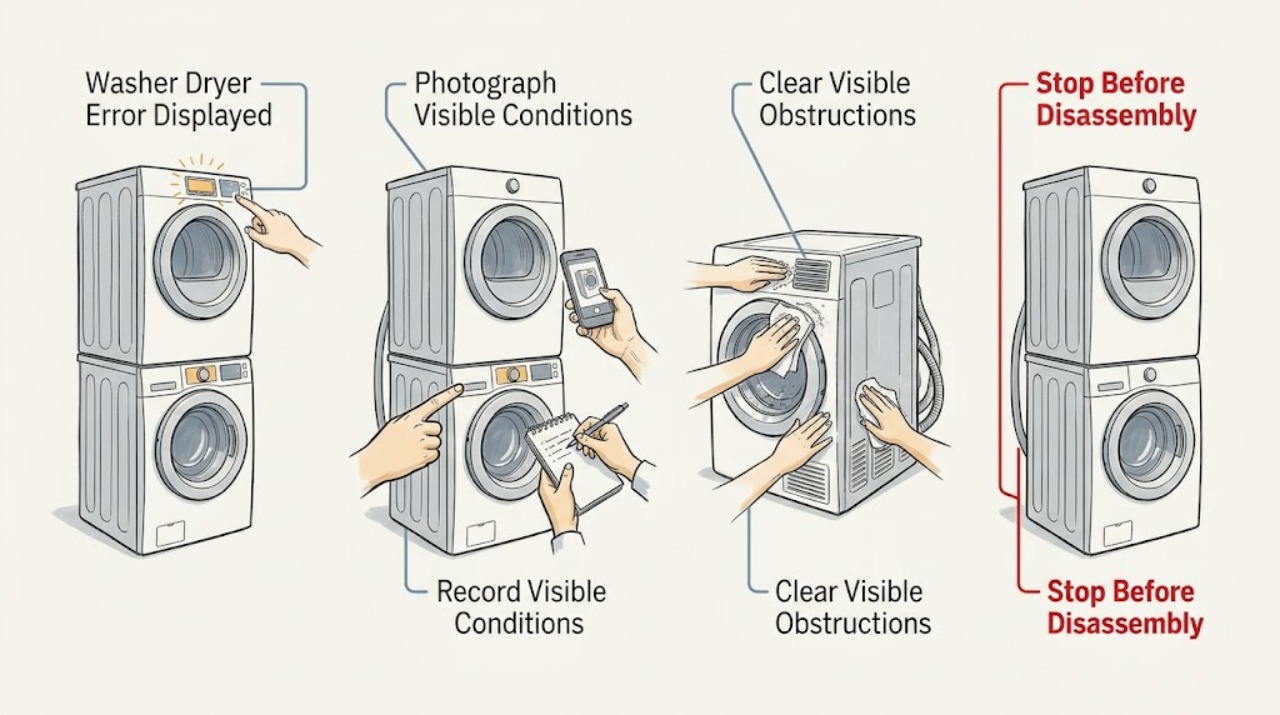
A Bosch washer-dryer error display is a symptom, not one universal fault: the meaning depends on the exact model and the characters or symbol shown. Photograph or write down the full display before switching the machine off. Then use the model's manual or Bosch support to classify it as a door or lock, water-inlet, drain, imbalance, drying-water, or other code. You can safely check the closed door, visible tap and hose position, and the user-accessible drain area only as the manual describes. If the same display returns after one model-directed reset, or there is a leak, smoke, burning odor, damaged cord, or a breaker trip, stop using the appliance and arrange qualified service.
Work through in order
Diagnostic checks
Use only checks that match the exact appliance or system and its official guide.
-
Check 1
Before clearing the display, photograph or write down every character, symbol, flashing pattern, and the programme stage; note whether the appliance is full of water, locked, making an unusual sound, or showing a leak.
Expected result: The display is a clearly readable code or symbol, or it is intermittent, incomplete, or different after a restart.
Next step: Find the exact model manual or Bosch support entry using the appliance identification. If the display cannot be read or returns immediately, continue only with the visible safety checks and plan service; do not substitute a code from another model.
Why this matters
Why: The exact display and stop point select the correct model-specific remedy. An intermittent or changing display is still useful evidence and should not be replaced with a guessed code.
-
Check 2
Compare the recorded display with the matching Bosch manual's display table, looking for a door or lock indication, water-inlet indication, drain-pump indication, imbalance indication, drying-water indication, or an entry marked for customer service.
Expected result: The manual gives a user check, such as closing the door, checking the tap or hose, clearing a model-directed drain path, or restarting once; alternatively, it labels the display as another fault or service-only condition.
Next step: Follow only the remedy attached to the exact model and display. If the manual does not list the display, or the user remedy does not clear it, switch the appliance off and arrange qualified service.
Why this matters
Why: A display category changes the next check. For example, a door indication is not evidence of a failed pump, and a low-water or drying indication is not proof that a control board has failed.
-
Check 3
For a door, lock, or no-start indication, remove only a visible obstruction from the seal area, close the door without slamming it, confirm a programme and Start/Reload selection, and check whether a childproof lock or delayed-start setting is shown.
Expected result: The display clears and the programme starts, or the door will not latch, remains locked, or the same indication returns.
Next step: Do not force the door or bypass the lock. If water is visible through the glass, leave it closed and follow the manual's drain guidance. If the door or code remains abnormal after the user checks, stop and request service.
Why this matters
Why: A successful start points to a door position or control setting. A locked door can instead be a safety response to high water level, high temperature, or a rotating drum; a persistent indication can require door-lock or control diagnosis.
-
Check 4
For a water or drain indication, check that the visible water tap is open as intended, the inlet and drain hoses are not kinked or trapped, and whether water remains in the drum; disconnect power and let hot water cool before touching any user-accessible filter area.
Expected result: A tap is closed, a hose is restricted, the drum is empty, water remains, or the display returns despite normal visible hose and supply conditions.
Next step: Correct only the visible tap or hose position. Clean a filter or pump area only if the exact model manual gives that user procedure, with the appliance unplugged and hot water cooled. Stop for a leak, water-protection indication, or persistent no-fill/no-drain condition.
Why this matters
Why: Supply restriction can produce a no-water display, while a blocked drain path can leave water and prevent the programme from continuing. Normal visible conditions with a repeated display leave an internal valve, pump, sensor, or control issue possible.
-
Check 5
After saving the display information and completing the matching visible check, turn the programme selector to Off, wait only as long as the model manual states, and switch the appliance on once for a simple test programme.
Expected result: The display stays clear and the programme completes, or the same display returns immediately or at the same programme stage.
Next step: If the display returns, stop using the machine and give the technician the exact code, model identification, programme, water state, and any sound or odor. Do not remove covers or replace an internal component based only on a code family.
Why this matters
Why: A cleared display may have followed a temporary supply or control interruption, but it does not prove an internal repair. A repeat at the same stage is diagnostic evidence for service, not a reason to keep power-cycling.
Use your observations
Decision map
Find the observation that best matches what you see, then follow the next safe action.
-
PATH 01Safety boundary
What you see
The matching manual identifies a door, lock, or no-start display.
Do this next
Check the visible seal and latch area, close the door, confirm Start/Reload and the programme, and review childproof or delayed-start status. Never force or bypass the lock.
Why this path and its safety boundary
Safety stop: Follow the water, drain, imbalance, drying, or other-display branch named by the exact manual.
-
PATH 02Safety boundary
What you see
The display or indicator points to no water, low flow, or water pressure.
Do this next
Check the visible tap and hose routing. If the model manual permits filter cleaning, isolate power and water and follow only that procedure; otherwise escalate when visible supply is normal but the display remains.
Why this path and its safety boundary
Safety stop: Use the drain or other display branch rather than assuming a water fault.
-
PATH 03Safety boundary
What you see
Water remains in the drum or the manual identifies a drain-pump or drain-hose display.
Do this next
Keep the door closed if water is visible, unplug before a model-directed drain or filter check, and stop for a leak, hot water, unusual pump noise, or continuing no-drain.
Why this path and its safety boundary
Safety stop: Continue with the exact display remedy and record the programme stage if the fault returns.
-
PATH 04Safety boundary
What you see
The display occurs during drying or at the spin transition and the manual describes drying-water or imbalance behavior.
Do this next
Check the model's load and water-supply guidance, and redistribute the load only when the drum has stopped. Do not infer a failed heater or motor from one cycle.
Why this path and its safety boundary
Safety stop: Treat the display as an unclassified code and use the service boundary after the one safe reset.
-
PATH 05Safety boundary
What you see
The exact display returns after the manual's user remedy or one restart.
Do this next
Turn the appliance off, disconnect it if the manual directs, preserve the code and symptom details, and arrange qualified Bosch or appliance service.
Why this path and its safety boundary
Safety stop: Run no more than one simple confirmation programme and stop if the display, leak, odor, noise, or stop point returns.
Helpful context
Understand the symptom
Why the exact display matters
Bosch washer-dryers use different displays, symbols, and code families across models. A door symbol, water indicator, drain code, and drying notification lead to different checks. Do not apply a code table from a different model: keep the full code, symbol, and programme stage together and use the matching manual.
Read the stop point as well as the code
Record whether the display appeared before filling, while draining, during spinning, or after drying. A water-related indication can mean no supply, restricted flow, low pressure, or a drying-stage condition depending on the appliance. Water left in the drum makes the drain path more important; a locked door can be a safety response to water, heat, or drum movement.
Keep user checks outside the cabinet
The safe boundary is the socket, controls, door, visible hose routing, and any filter procedure explicitly described for the exact model. Never remove the covering, bypass a door lock, reach into a moving drum, or test live wiring to clear a display.
Safety boundary
Stop conditions
- Stop and disconnect the appliance if there is smoke, a burning odor, a damaged cord or plug, an unusual hot outer enclosure, or a breaker that trips again.
- Do not open the door when water is visible through the glass, the temperature may be high, or the drum is moving; never bypass the door lock.
- Stop for an active leak, water-protection display, unusual pump or motor noise, or water that cannot be managed by the exact model manual's user procedure.
- Do not remove the appliance covering, test live wiring, or change an internal part to clear a general error display.
- After one model-directed remedy and one safe restart, stop if the same display or programme-stage failure returns and arrange qualified service.
When checks do not resolve it
Need a professional?
Arrange qualified appliance service when the display is unlisted or persistent, the door will not latch or safely release, water will not enter or drain after the manual's external checks, a water-protection or leak indication appears, the machine makes an unusual electrical or mechanical sound, or the same fault returns after one restart.
Common questions
FAQ
What should I do first when my Bosch washer dryer shows an error?
Record the complete code or symbol and the programme stage before switching the appliance off. Use the manual for the exact model; do not use a code chart from another Bosch appliance.
Can I clear a Bosch washer dryer error myself?
Only follow the user remedy for the exact model, such as checking the closed door, visible tap, hose position, or a model-directed drain procedure. Try one restart if the manual allows it; a returning display needs service.
Why is the door locked when an error is displayed?
The lock may be a safety response to water level, temperature, or a rotating drum, not proof that the lock itself failed. Keep the door closed if water is visible and never force or bypass it.
What if the error mentions water or draining?
Check the visible tap and hose routing, then determine whether water remains in the drum. Unplug and let hot water cool before any model-directed filter or drain procedure; persistent no-fill, no-drain, leak, or water-protection symptoms need service.
Should I keep restarting after the same error returns?
No. Save the exact display and stop point, perform at most the one restart permitted by the manual, and arrange qualified service if the same display returns or any unsafe symptom appears.
Read the exact guide
Official sources
- Washer dryerBosch · Bosch washer-dryer instruction manual
- Laundry Troubleshooting: Washer Error CodesBosch · Bosch laundry appliance error-code guidance
- Washer dryerBosch · Bosch washer-dryer fault and display guidance
Community feedback
Share a repair observation
Share a plain-text repair observation. Accepted observations are published automatically; this page may take a moment to update.