
On this page
Start here
Quick answer
Write down the complete AEG display message, including any beeps or flashing pattern, then match it to the relevant branch below. A paused cycle or a simple door, water-supply, drain, or visible-leak problem can be checked safely; a persistent motor, heating, electronic, or internal-water fault is a stop-use condition. If the code is not listed, use the exact model manual and give the recorded code to an authorised service centre.
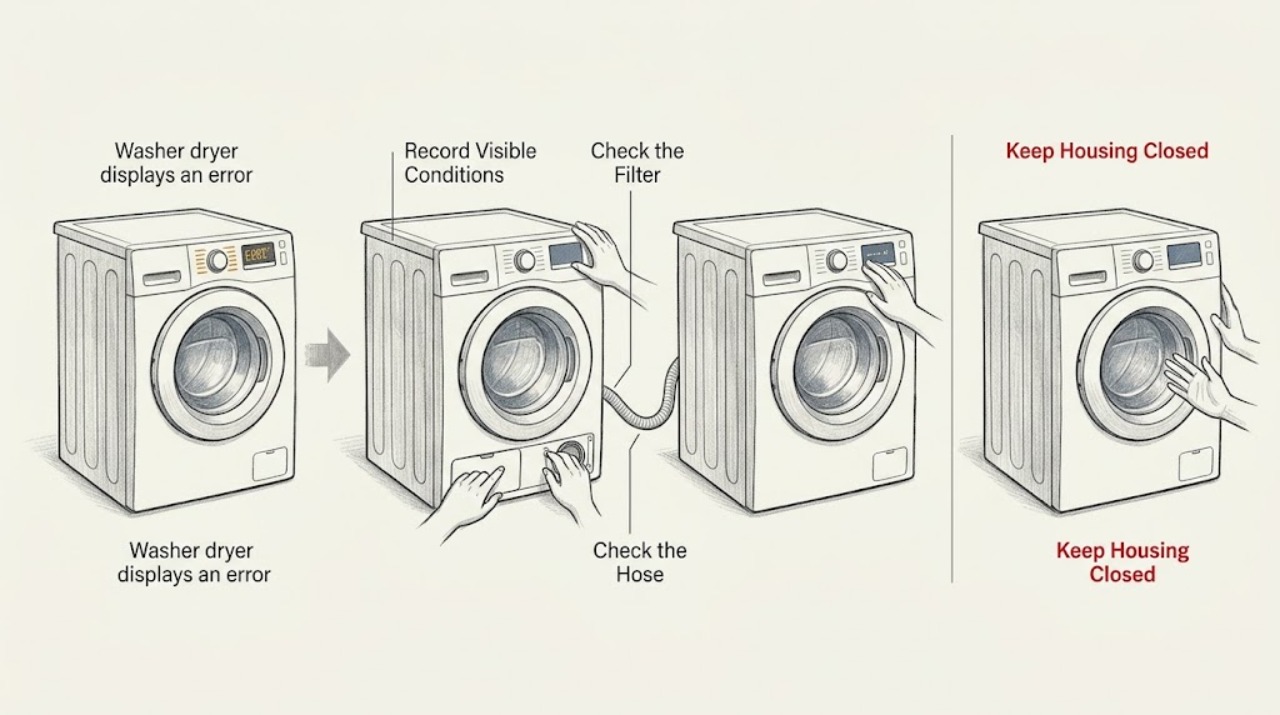
Work through in order
Diagnostic checks
Use only checks that match the exact appliance or system and its official guide.
-
Check 1
With the appliance stopped, record every character on the display and note whether the Start/Pause light is flashing, the appliance is beeping, or the code returns after a restart.
Expected result: Only the Start/Pause light is flashing and the display shows the end of a cycle or no fault code.
Next step: Press Start/Pause once to resume if the door is safely closed; if a definite code is present or the light keeps flashing, continue with the matching code branch.
Why this matters
Why: The cycle may be paused or complete rather than failed; AEG notes that a flashing Start/Pause light can follow an accidental pause and that an end-of-cycle door delay is a safety feature.
-
Check 2
If the code is E10, E11, or C1, check that the water tap is open, inspect the inlet hose for a kink, and clean only the accessible inlet filter using the model manual's procedure.
Expected result: Water flow is weak, the inlet filter is visibly dirty, or the hose is kinked; alternatively, water supply looks normal but the code remains.
Next step: Correct the hose or clean the filter, then run a short programme. If the code returns, record it and request service rather than opening the appliance.
Why this matters
Why: A restriction can explain a water-intake fault; if the supply and hose are normal but the code persists, the machine may also be detecting a drain or internal supply problem.
-
Check 3
If the code is E20, E21, or C2, inspect the visible drain hose for a kink and confirm that its installation position agrees with the model manual; with the appliance unplugged and the water cool, clean the drain pump filter if your model has one.
Expected result: The hose is kinked, the filter contains lint or an object, or water drains normally after the accessible blockage is cleared.
Next step: Refit the filter firmly, check for leaks, and run a short rinse or drain test. Stop if water escapes or the code returns.
Why this matters
Why: A restricted drain path can cause a pumping fault. If the filter and hose are clear but the pump still cannot drain or makes an unusual noise, a pump or concealed blockage needs professional diagnosis.
-
Check 4
If the code is E40, check that the door is fully closed, remove any garment caught between the seal and glass, and make sure the drum is not overloaded; inspect the mechanical child lock only as described by the model manual.
Expected result: The door closes with a click and the code clears after a smaller load, or the code remains despite a clear seal and correctly closed door.
Next step: Retry once after correcting the load. If E40 returns, leave the lock and wiring untouched and arrange an authorised repair.
Why this matters
Why: A trapped garment, overload, or engaged child lock can prevent the door from being accepted. Persistence with a clear door points to the door-lock system rather than a loading error.
-
Check 5
If the code is E30 or C3, or EF0, EFo, or EF3, inspect the inlet-hose connections, the door seal, the dispenser area, and the floor around the appliance for fresh water; do not remove panels.
Expected result: There is fresh water, a damaged seal or hose, a loose filter, or the machine keeps pumping water; alternatively, no leak is visible and the code returns.
Next step: Turn off the water supply and unplug the machine if safe to do so; do not use it until the leak is repaired. If no external cause is visible but the code persists, request service.
Why this matters
Why: AEG associates E30/C3 with water in or under the appliance and EF0/EFo/EF3 with water-safety conditions that can involve leakage or excess foam. A visible leak is a safety fault, not a normal reset situation.
-
Check 6
If the display shows EH0, EH1, EH2, or EH3, check the wall socket with another small appliance and verify that the washer dryer is not connected through an extension lead; do not open the plug, socket, or appliance.
Expected result: The socket also fails, or the washer dryer reports the power code again from a working socket.
Next step: Stop using the appliance and get electrical or authorised appliance help as appropriate. Never bypass a protective device or continue testing a suspect supply.
Why this matters
Why: A failed socket points to the household supply and should be handled by an electrician; a working socket with a recurring code points to an appliance power or control fault.
-
Check 7
If the display shows E50, E59, C9, or F9, or E90 through E94, switch the appliance off and note the exact code; for an electronic code, one reset after the appliance has been safely unplugged may be attempted, but do not repeat resets to keep it running.
Expected result: The code disappears once but returns, or it remains immediately after the reset; the appliance also smells hot, trips power, or behaves abnormally.
Next step: Leave the appliance unplugged, turn off its water tap, and arrange an authorised service visit. Do not test or replace motor, heater, or electronic parts yourself.
Why this matters
Why: AEG identifies E50/E59/C9/F9 as motor faults and E90-E94 as electronic configuration or communication faults. A returning code is evidence that the underlying fault remains; heat, burning smell, or a tripped supply raises the urgency.
Use your observations
Decision map
Find the observation that best matches what you see, then follow the next safe action.
-
PATH 01Next step
What you see
The display shows E10, E11, or C1.
Do this next
Follow the water-intake check; if the tap, hose, and accessible filter are normal, escalate the recurring code.
-
PATH 02Next step
What you see
The display shows E20, E21, or C2.
Do this next
Follow the drain-hose and filter check; stop if it leaks or still cannot drain after the accessible path is clear.
-
PATH 03Next step
What you see
The display shows E30/C3 or EF0/EFo/EF3, or water is visible.
Do this next
Turn off the water supply and stop using the appliance until the source of the water-safety fault is repaired.
-
PATH 04Next step
What you see
The display shows E40.
Do this next
Check the seal, load, door closure, and model-specific child-lock setting once; a returning code needs an authorised repair.
-
PATH 05Next step
What you see
The display shows EH0/EH1/EH2/EH3, E50/E59/C9/F9, or E90-E94.
Do this next
Treat it as a power, motor, or electronics branch: stop use and obtain electrical or authorised appliance service instead of opening the machine.
-
PATH 06Next step
What you see
The code is different, incomplete, or cannot be read.
Do this next
Use the exact model manual or AEG support search with the complete display message; if the code returns, provide the code and model to an authorised service centre.
Helpful context
Understand the symptom
Read the display before resetting
AEG uses both codes and indicator patterns. A flashing Start/Pause light can mean that a cycle was paused, while a fault is usually accompanied by a code such as E10 or E20. Photograph the display or write the code down before turning the appliance off; a partial code can send you to the wrong check. Codes and available functions vary by model, so the model-specific manual remains the authority when the display does not match a branch here.
Use the result to choose the next check
The branches below deliberately stop at external, low-risk checks. Do not remove covers, test live wiring, bypass a door lock, or work on a motor, heater, or control board. A reset can clear a temporary state, but it does not prove that a recurring fault is repaired.
When checks do not resolve it
Need a professional?
Use professional service for leaks, recurring codes, motor or electronic faults, power-supply concerns, or any repair requiring covers or live electrical access.
Common questions
FAQ
Should I reset an AEG washer dryer when an error appears?
A single unplugged reset is reasonable only where the relevant AEG guidance allows it and there is no leak, heat, burning smell, or electrical concern. A code that returns is a diagnostic result, not proof that the machine is fixed; record it and arrange service.
What does a flashing Start/Pause light mean if there is no error code?
The cycle may have been paused accidentally or may have finished. Press Start/Pause once if the door is safely closed, and check for an end indication. A definite code or repeated fault indication needs its matching branch or model manual.
Can I keep using the washer dryer with E50, E59, C9, or F9?
No. AEG identifies these messages as motor faults and recommends stopping use, unplugging the appliance, turning off the tap, and arranging service.
What information should I give the technician?
Provide the complete displayed code, any beep or flash pattern, the model number, when the code appears, and whether the machine leaks, drains, fills, or trips power. AEG specifically recommends noting the code and quoting it when requesting an engineer.
Read the exact guide
Official sources
- Washing machine displays error message EHO / EH0AEG · Washing machines, washer dryers, and tumble dryers
- Washer dryer displays error message E90, E91, E92, E93 or E94AEG · Freestanding and integrated washer dryers
- Washer dryer displays error message E40 or emits 4 beeps / 4 flashesAEG · Integrated and freestanding washer dryers
- LED flashes on the washer - dryer's displayAEG · AEG washer dryer
- Washer dryer displays error message E10, C1 or emits 1 beep / 1 flashAEG · Integrated and freestanding washer dryers
- Washer dryer displays error message E20 or C2, emits 2 beeps or 2 flashesAEG · Front-loader, top-loader, and washer-dryer models
- Washer dryer displays error message EF0, EFo, EF3 or emits 15 beeps / 15 flashesAEG · Integrated and freestanding washer dryers
- Washer dryer displays error message E30, C3 or emits 3 beepsAEG · Integrated and freestanding washer dryers
- How to clean and maintain your AEG washer dryer and extend its lifeAEG · AEG washer dryer models equipped with a drain filter
- Washer-dryer displays error message E50, C9 or F9AEG · Washing machines and washer dryers
Community feedback
Share a repair observation
Share a plain-text repair observation. Accepted observations are published automatically; this page may take a moment to update.