
On this page
Start here
Quick answer
If a Breville coffee maker trips a switch, breaker, or safety device, stop using it and do not keep resetting the switch to repeat the test. With the appliance disconnected and cool, look only for visible cord, plug, body, moisture, or spill damage and record when the trip was first noticed. Breville's opened coffee-maker manuals say not to use a damaged appliance, to unplug before cleaning, and to use Breville support or an authorised service centre for non-cleaning repair. The exact model and region still control any further instructions; do not open the coffee maker or test internal parts.
Before you begin
Safety first
- Do not repeatedly reset and reconnect the coffee maker, bypass a switch or safety device, open the cabinet, probe live wiring, or replace an internal electrical component. Only clean externally and follow the exact model manual after the appliance is disconnected and cool.
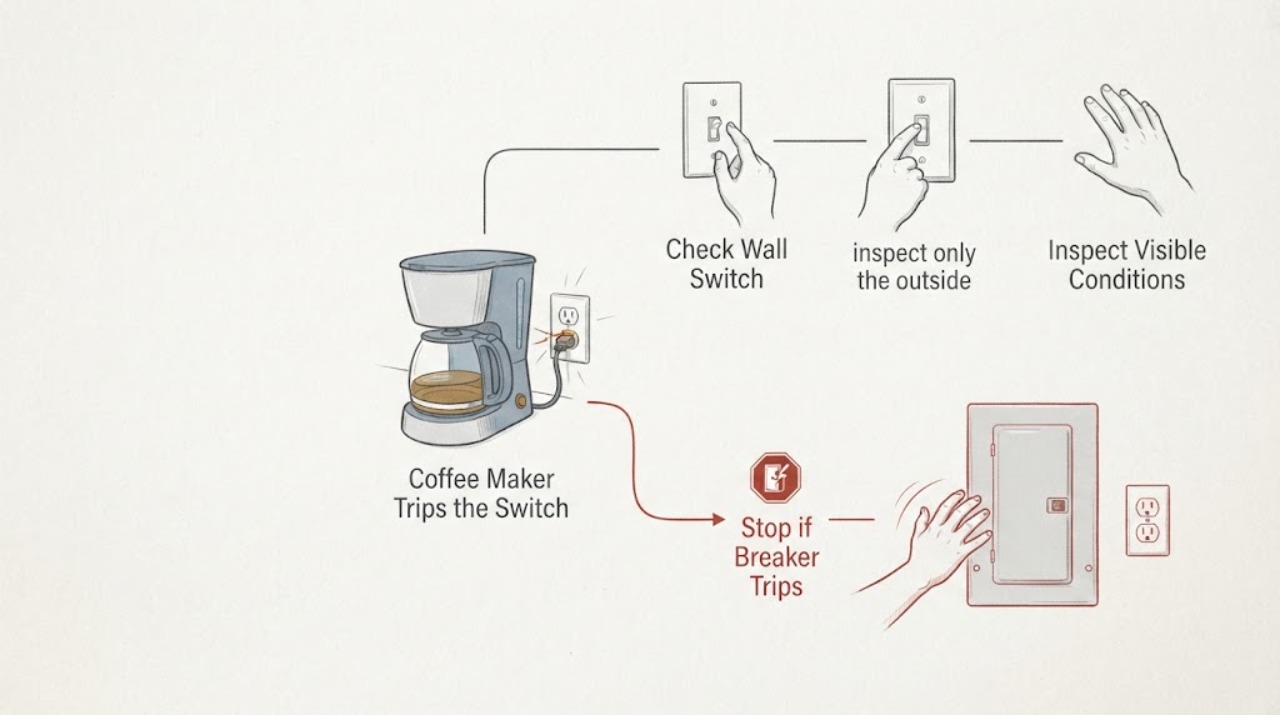
Work through in order
Diagnostic checks
Use only checks that match the exact appliance or system and its official guide.
-
Check 1
Stop using the Breville coffee maker after the switch trips. If it is safe to do so, turn the appliance off at its control and disconnect its plug without touching wet surfaces; do not reset the switch and reconnect the machine just to reproduce the event.
Expected result: The appliance is now disconnected, or the plug, outlet, or surrounding area is wet, hot, smoking, sparking, or otherwise unsafe to approach.
Next step: Leave the appliance disconnected. Keep people away from an unsafe outlet or appliance and use a qualified electrician or Breville-authorised service route as appropriate; do not handle a wet or damaged plug.
Why this matters
Why: The trip is an electrical safety symptom, and the opened Breville manuals do not support repeated energising or a universal user diagnosis for an unknown model.
-
Check 2
With the coffee maker disconnected and cool, inspect only the outside of the power cord, plug, housing, and nearby counter for cuts, crushed insulation, scorch marks, melted plastic, liquid, or a spill path. Do not remove a cover or pull the cord to expose more of it.
Expected result: Visible damage or moisture is present, or the exterior appears dry and intact.
Next step: For any damage or moisture, keep the appliance disconnected and arrange authorised service. If the exterior is intact, continue only with documentation and model-specific support; do not use that result as permission to repeat the trip test.
Why this matters
Why: Breville's coffee-maker manuals say to inspect the appliance and not use it if the cord, plug, or appliance is damaged; they also warn not to immerse those parts in liquid. A dry exterior does not rule out an internal fault.
-
Check 3
Write down when the switch tripped without reconnecting the machine: immediately when the plug was inserted, when the coffee maker was switched on, or during a previously observed heating or brewing stage. Also record whether the switch stayed on after the coffee maker was disconnected.
Expected result: The trip timing is known, or it is unknown because the event was not observed closely.
Next step: Give the timing, appliance model, region, and any visible damage to Breville support or the service technician. Do not convert the timing into a component diagnosis or perform an internal electrical test.
Why this matters
Why: Timing is useful information for service, but it does not identify a failed heater, pump, control, cord, or outlet on an unspecified Breville model. An unknown timing record is still safer than repeated testing.
-
Check 4
Find the rating label or other model identification on the disconnected appliance and select the matching Breville product hub or support path. Keep the exact model and region with the service request; do not substitute a similar espresso, drip, or pod-machine manual.
Expected result: A complete model is readable, only the Breville brand is known, or the label cannot be found.
Next step: Use the exact model's Breville support/manual route when the label is available. If it cannot be identified, keep the appliance out of service and provide photos of the rating label and the trip circumstances to support; do not choose a replacement part from appearance.
Why this matters
Why: Breville's Product Hub separates support and product families such as espresso and drip coffee machines. The opened manuals are model-specific examples, so their operating or cleaning details cannot be assumed for an unidentified machine.
-
Check 5
Arrange Breville support or authorised service for the disconnected coffee maker rather than opening it. Tell the service provider the model, region, trip timing, visible condition, and whether the switch also trips with the appliance disconnected only if that was already observed without reconnecting the coffee maker.
Expected result: The trip recurs whenever the appliance is used, the exterior is damaged or wet, the switch or outlet remains unsafe, or the cause cannot be safely narrowed from outside.
Next step: Keep the coffee maker disconnected until the service provider gives model-appropriate instructions. Do not bypass the switch, use an improvised adapter, open the cabinet, or replace an internal electrical part.
Why this matters
Why: Breville directs damaged appliances and maintenance beyond cleaning to its service/support channels, and its support hub provides model-based support, spare-parts, and service routes. The available evidence does not establish a safe user repair for an unknown model.
Use your observations
Decision map
Find the observation that best matches what you see, then follow the next safe action.
-
PATH 01Next step
What you see
The appliance, plug, cord, or surrounding counter is wet, burned, melted, smoking, sparking, or visibly damaged.
Do this next
Do not touch a wet or energized part and do not reconnect the coffee maker. Keep it out of service and use an appropriate qualified electrical or Breville-authorised service route.
Why this path and its safety boundary
Why it matters: This meets Breville's documented do-not-use boundary for a damaged appliance and adds an immediate electrical or liquid hazard.
-
PATH 02Next step
What you see
The appliance is disconnected, the visible exterior is dry and intact, and no unsafe outlet condition is present, but the trip timing or model is still uncertain.
Do this next
Keep it disconnected, identify the exact model if possible, and send the event details to Breville support or authorised service instead of repeating the test.
Why this path and its safety boundary
Why it matters: A normal-looking exterior does not establish that the coffee maker is safe to energise or identify the internal cause of a switch trip.
-
PATH 03Next step
What you see
The switch trips again whenever the Breville coffee maker is used, or the switch or outlet also behaves abnormally with the coffee maker disconnected.
Do this next
Leave the appliance disconnected and stop using the affected outlet or circuit if it remains unsafe. Provide the model and event history to Breville service and use a qualified electrician for a suspected wiring, outlet, or protective-device problem.
Why this path and its safety boundary
Why it matters: The repeated event requires professional electrical or appliance assessment; the opened Breville material does not distinguish an appliance fault from an outlet or circuit fault for an unknown model.
Helpful context
Understand the symptom
Treat a trip as a stop-use symptom
The task does not include a Breville model or region, so this page stays at the safe external-check level. A switch that trips when the coffee maker is connected or operated is a reason to leave the appliance out of service while the event is documented. The opened Breville manuals do not provide a universal user test that identifies an internal fault across all coffee-maker families.
Keep water and internal electrical work out of the user checks
Breville's coffee-maker manuals warn against immersing the cord, plug, or appliance body and set inspection, cleaning, and authorised service boundaries. Do not remove covers, probe the switch, measure live voltage, bypass a safety device, or replace an internal part based on the trip alone.
When checks do not resolve it
Need a professional?
Call Breville support or authorised service before further use when a Breville coffee maker trips a switch, especially after a repeat trip or any visible damage, moisture, heat, smoke, or sparking. Use a qualified electrician for an unsafe outlet, circuit, or protective device.
Safety scope: Do not repeatedly reset and reconnect the coffee maker, bypass a switch or safety device, open the cabinet, probe live wiring, or replace an internal electrical component. Only clean externally and follow the exact model manual after the appliance is disconnected and cool.
Common questions
FAQ
Should I keep resetting the switch to see whether the Breville coffee maker works?
No. Leave the coffee maker disconnected after the trip and document when it happened. Repeated energising is not a model-neutral repair check; use Breville support or qualified electrical service instead.
Can a coffee maker that looks dry and undamaged be used again?
A dry exterior does not prove that the appliance is safe or identify the cause of the trip. Keep it disconnected until the exact model's support or an authorised service provider has assessed the symptom.
What information should I give Breville service?
Provide the complete model and region, when the switch tripped, any visible cord, plug, body, or moisture damage, and whether the event stopped when the appliance was left disconnected. Do not add a guessed failed part or open the machine to obtain more information.
Read the exact guide
Official sources
- Breville WarrantyBreville · Opened official Breville US warranty page. It supports contacting Breville Consumer Support for repair or replacement instructions and using authorised repair/parts; it does not identify the fault in an unknown coffee maker.
- BDC450 Precision Brewer Instruction ManualBreville · Opened Breville manual for the BDC450 family. It independently confirms the external damage and consumer-support boundary for a different coffee-maker family; it is not used to infer the task machine's model-specific circuitry.
- BCM600 Aroma Style Electronic Coffee Maker Instruction ManualBreville · Opened Breville manual for the BCM600 coffee-maker family. It supports the documented safety and service boundary for that model and is used here as a clearly identified Breville coffee-maker example; it does not establish a universal internal diagnosis for every Breville coffee machine.
- Product Hub – Find Support, Spare Parts & Service for Your MachineBreville · Opened official Breville US Product Hub. It supports identifying the correct product family and reaching support/service; it does not supply a diagnosis for an unidentified tripping coffee maker.
Community feedback
Share a repair observation
Share a plain-text repair observation. Accepted observations are published automatically; this page may take a moment to update.