
On this page
Start here
Quick answer
A Breville countertop oven error message is not one universal fault: the exact code and model manual determine the response. First stop the cooking cycle, note the complete code and model, and keep the oven clear and safe. On the Breville Smart Oven Pro manual, E01, E02, and E05 indicate a non-resettable appliance issue and call for immediate unplugging and Breville support; E03 indicates the oven is above its maximum temperature limit, so unplug it and allow it to cool for 15 minutes before a cautious retry, with support if the code returns; E04 indicates the room is below the specified minimum and calls for relocating the unplugged oven to a warmer area. A dark or inactive LCD can instead be standby, while a failed startup can be a plug, outlet, selector, door, or breaker issue. Do not keep resetting a persistent code, open the housing, bypass a safety device, or test an oven that smells burnt, smokes, sparks, overheats, has a damaged cord, or trips the breaker.
Before you begin
Safety first
- This article covers identification, ordinary controls, and model-manual-directed unplugging, cooling, relocation, or reset only. Internal diagnosis and live electrical testing require qualified service.
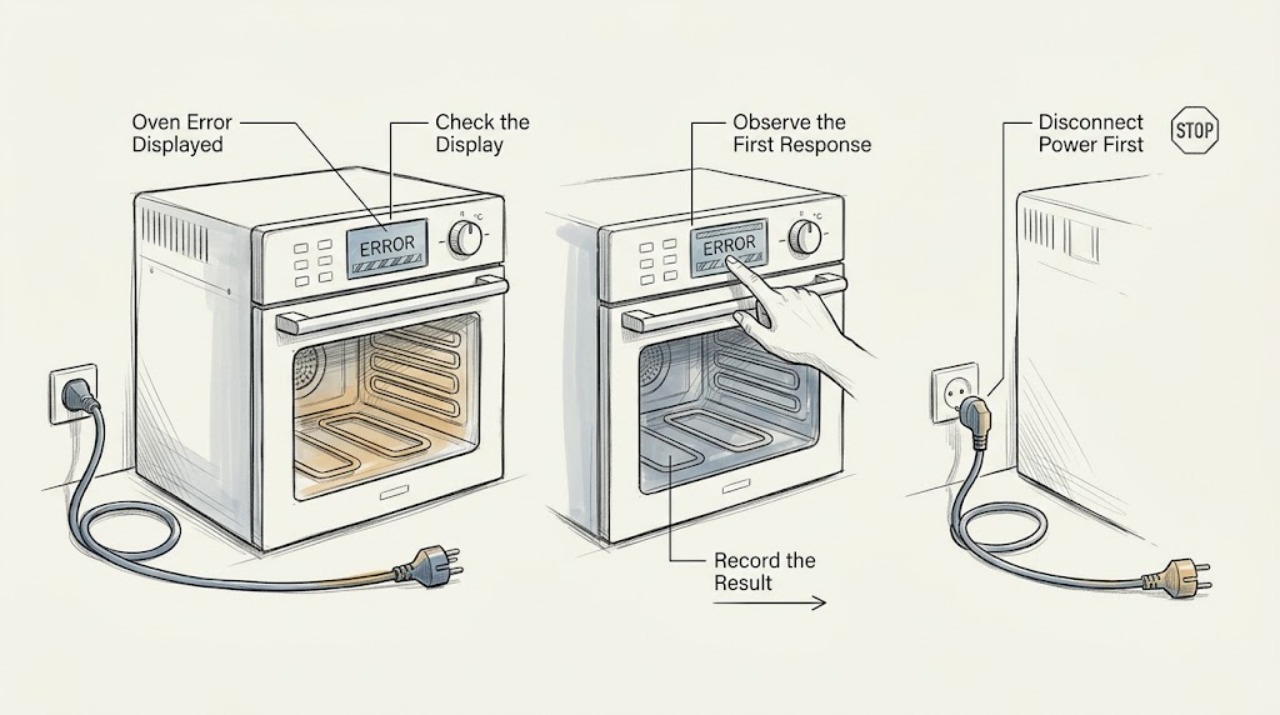
Work through in order
Diagnostic checks
Use only checks that match the exact appliance or system and its official guide.
-
Check 1
Stop using the oven's controls if it is behaving abnormally, keep hands away from hot surfaces, and record the complete display message, when it appeared, the selected function, and the exact model from the rating label or manual.
Expected result: Classify the display as a named code such as E01-E05, STANDBY, PREHEATING, a blank screen, a flashing or incomplete character, or an unrecognized message; note whether the oven is hot, still heating, unresponsive, smoking, sparking, or tripping a breaker.
Next step: Photograph the display and model label, then use the manual for that model; unplug the oven before any inspection when the code persists or a hazard is present.
Stop if: Stop immediately and leave the oven unplugged for smoke, burning odor, sparks, an exposed or hot-damaged cord, uncontrolled heating, a hot enclosure, water intrusion, or a breaker that trips again.
Why this matters
Why: The code response depends on the exact model and state. A normal standby or preheat indication may need a normal control action, while an unrecognized or repeated code cannot safely inherit the meaning of a similar-looking code from another Breville model.
-
Check 2
If the display is dark but visibly shows STANDBY and there is no code or hazard, press START/CANCEL once or turn a control dial as described for the Compact Convection model; do not start a cooking cycle merely to test a hazardous oven.
Expected result: Observe whether the LCD re-illuminates and controls respond normally, remains in STANDBY, becomes blank, or changes to a code or abnormal behavior.
Next step: If the display wakes normally, select a function only when the oven is cool, empty of loose items, and free of hazards. If it does not, unplug it and use the exact model manual or Breville support.
Stop if: Do not repeatedly press controls, continue if heating starts without a deliberate command, or use the oven if the display cannot show the selected function or temperature reliably.
Why this matters
Why: Re-illumination supports normal standby. A blank or coded display after the normal wake action points to a power, display, control, or model-specific fault rather than ordinary standby.
-
Check 3
Compare the exact code with the confirmed model manual. For a Smart Oven Pro displaying E01, E02, or E05, remove the power cord from the outlet and contact Breville support; for E03, unplug it and allow 15 minutes of cooling; for E04, unplug it and move it to a warmer room.
Expected result: After the model-specific action, record whether the code clears, the display remains unchanged, another code appears, or the oven resumes heating or control unexpectedly.
Next step: Leave the appliance disconnected and provide the model, exact code, timing, temperature conditions, cooling or relocation performed, and any abnormal symptoms to Breville support when the code persists or returns.
Stop if: Do not open the oven, replace a sensor or board by guesswork, bypass a thermal or door interlock, or continue cooking after a non-resettable code or recurring E03.
Why this matters
Why: On the Smart Oven Pro, E01/E02/E05 are non-resettable issues, E03 is an over-temperature indication, and E04 is a low room-temperature indication. Clearing a code once does not prove the underlying condition is safe if it returns or the oven behaves abnormally.
-
Check 4
When there is no active hazard or persistent error and the model manual supports a reset, turn the oven off, unplug it, wait the manual's stated interval, and reconnect it; the Compact Convection manual specifies 5 seconds for restoring default settings.
Expected result: Observe whether the oven alert and LCD return normally, whether prior function settings are reset, and whether the same error appears before a cooking cycle starts.
Next step: If the display and controls remain normal, run only the model's ordinary empty preheat test while staying nearby and ready to stop; if the error returns, unplug and arrange service.
Stop if: Do not use a reset to suppress a safety symptom, repeat power cycling, or leave the oven unattended after an error or unexpected heating.
Why this matters
Why: A normal startup after a permitted reset may clear retained settings, but it does not validate an oven that overheats, displays a non-resettable code, or loses control again. A code immediately returning is evidence for service, not an invitation to repeat the reset.
-
Check 5
For a display that will not start or a code-free startup problem, with the oven cool and unplugged until safe, confirm the plug is fully seated, use an independent suitable outlet without an extension, and check the breaker only once; then confirm a function, temperature, timer, and START/CANCEL command are intentionally selected.
Expected result: Record whether the display powers on, whether the oven responds only after a deliberate START/CANCEL command, whether the outlet or breaker behaves normally, and whether the display immediately returns an error.
Next step: Leave the oven unplugged and contact Breville support or a qualified appliance technician for a repeated code, loss of control, damaged cord, outlet problem, or breaker trip.
Stop if: Do not use an extension or power strip, open the outlet or oven, reset a breaker repeatedly, or operate if the cord, plug, receptacle, or housing is hot, damaged, wet, or discolored.
Why this matters
Why: A loose connection, unsuitable outlet, wrong selector state, or breaker can explain a no-start condition, but a returning code or breaker trip points beyond a simple control setting. A display that powers on while heating or control is abnormal remains unsafe.
-
Check 6
Before requesting service, keep the oven unplugged when the code or hazard requires it and collect the model, serial or product identification if safely visible, exact display text, photos, function and temperature settings, room conditions, and the sequence leading to the error.
Expected result: Record whether the issue is repeatable, whether it occurs during startup, preheat, cooking, or after stopping, and whether cooling, relocation, standby wake, or a permitted reset changed it.
Next step: Provide the evidence to Breville support or a qualified appliance service provider and ask for model-specific diagnosis and any approved repair path.
Stop if: Do not remove panels, probe live circuits, test heating elements, or continue operation to reproduce a dangerous symptom.
Why this matters
Why: This separates a documented model-specific display state from an intermittent power or control symptom and gives the technician evidence without requiring unsafe disassembly or repeated operation.
Use your observations
Decision map
Find the observation that best matches what you see, then follow the next safe action.
-
PATH 01Safety boundary
What you see
The LCD is dark but visibly shows STANDBY, there is no error code, and the oven has no heat, smoke, odor, or control anomaly.
Do this next
Press START/CANCEL or turn a dial once; if the LCD re-illuminates normally, continue only with the model's ordinary operation instructions.
Why this path and its safety boundary
Why it matters: This matches the documented standby behavior for the Compact Convection model rather than proving a failed display.
Safety stop: Stop and unplug if the screen remains blank, changes to a code, or the oven heats without a deliberate command.
-
PATH 02Safety boundary
What you see
A confirmed Smart Oven Pro displays E01, E02, or E05.
Do this next
Immediately remove the power cord from the outlet and contact Breville support with the model and code.
Why this path and its safety boundary
Why it matters: The manual describes these as non-resettable appliance issues.
Safety stop: Do not reconnect for repeated tests, open the housing, or replace internal parts without model-specific professional direction.
-
PATH 03Safety boundary
What you see
A confirmed Smart Oven Pro displays E03.
Do this next
Unplug the oven, allow it to cool for 15 minutes, and reconnect only for a cautious check when no hazard remains; contact support if E03 continues or returns.
Why this path and its safety boundary
Why it matters: The manual defines E03 as oven temperature above the set maximum limit.
Safety stop: Do not resume cooking, leave it unattended, or keep resetting if overheating, burning odor, smoke, or uncontrolled heating is present.
-
PATH 04Safety boundary
What you see
A confirmed Smart Oven Pro displays E04 and there is no other hazard.
Do this next
Unplug and relocate the oven to a warmer area that is dry, stable, and has the required clearance, then use the model manual for the next check.
Why this path and its safety boundary
Why it matters: The manual defines E04 as room temperature below the set minimum.
Safety stop: Do not heat the oven with an external heater, cover ventilation, operate it in a damp area, or continue if another code or hazard appears.
-
PATH 05Safety boundary
What you see
The code is not documented for the confirmed model, returns after an approved reset or cooldown, or appears with a blanking display, loss of control, or repeated power interruption.
Do this next
Leave the oven unplugged and provide the exact model, display photo, timing, and symptoms to Breville support or a qualified appliance technician.
Why this path and its safety boundary
Why it matters: The available evidence does not establish a safe user repair; a similar code from another model cannot be assumed to have the same meaning.
Safety stop: Do not guess at a part, bypass an interlock, probe live circuits, or keep cycling power to make the message disappear.
Helpful context
Understand the symptom
Identify the display before choosing a reset
Write down every character exactly as shown, including a leading letter, a zero versus the letter O, a decimal point, a blinking word, or a message that appears only during preheating. Photograph the display and record the model from the rating label or product documentation. Breville uses model-specific manuals, so an E03 response from the Smart Oven Pro manual should not be applied automatically to an unconfirmed model or to an unrelated display message. Keep the oven unplugged while you identify a persistent or safety-related code.
Separate a normal state from an error
A Breville display that is dark but still shows STANDBY may simply be in standby rather than failed. The Compact Convection manual says standby can follow 10 minutes without use and that pressing START/CANCEL or turning a dial re-illuminates the display. A preheat alert that sounds before the displayed target temperature is reached can also be normal on models whose alert is intentionally earlier. Treat a coded message, repeated restart, unusual heat, or loss of control as a fault until the exact manual confirms otherwise.
Use only the model-specific code response
For the Smart Oven Pro manual, E01, E02, and E05 are described as non-resettable appliance issues; the instruction is to remove the power cord and contact Breville Consumer Support. E03 is an over-temperature condition: unplug the oven, let it cool for 15 minutes, then reconnect; continuing E03 requires support. E04 is a room-temperature condition: unplug the oven and relocate it to a warmer area. These are model-specific meanings, not a license to replace a sensor, open the cabinet, or keep trying cycles when a code returns.
Safety boundary
Stop conditions
- Unplug and stop immediately for smoke, burning odor, sparks, uncontrolled heating, a damaged or hot cord or plug, water intrusion, or a breaker that trips again.
- For a confirmed Smart Oven Pro E01, E02, or E05, keep the oven disconnected and contact Breville support; do not repeatedly reconnect it.
- For recurring E03, leave the oven disconnected after the documented cooling step and request support rather than continuing to cook.
- Do not open the housing, probe live circuits, bypass thermal or door safety devices, or install a sensor, board, heating element, or fuse based only on a code.
- Do not apply a code meaning from another Breville model when the model or display is not confirmed.
Only after diagnosis
Potential parts
- model-specific temperature sensor or control assembly
Consider only after Breville or a qualified technician confirms that the documented code and measured symptoms point to this assembly.
Do not order from an error code alone; confirm the exact model, revision, connector, safety function, and approved repair procedure. - model-specific power or display component
Consider only when professional diagnosis confirms a display, control, or power component fault rather than a normal standby state or external supply issue.
The exact model and revision must be matched, and internal electrical work should be performed by qualified service with the appliance disconnected.
When checks do not resolve it
Need a professional?
Contact Breville support or a qualified appliance service provider when a code is persistent, undocumented for the confirmed model, returns after the manual's permitted reset or cooldown, or appears with loss of control, repeated power interruption, overheating, smoke, odor, sparks, a damaged cord, or a breaker trip. Provide the model, exact code, display photo, function, temperature, timing, room conditions, and what happened after the manual-directed step.
Safety scope: This article covers identification, ordinary controls, and model-manual-directed unplugging, cooling, relocation, or reset only. Internal diagnosis and live electrical testing require qualified service.
Read the exact guide
Official sources
- the Smart Oven® Pro - OVENS Support & FAQsBreville · Official Breville US product hub for the Smart Oven Pro; use the confirmed model's support materials rather than a generic error list.
- the Smart Oven Instruction ManualBreville · Official Breville manual for the BOV670 Smart Oven Compact Convection; standby and reset behavior is model-specific.
- the Smart Oven® Pro Instruction ManualBreville · Official Breville manual for the BOV845 Smart Oven Pro; code meanings must not be generalized to an unconfirmed model.
Community feedback
Share a repair observation
Share a plain-text repair observation. Accepted observations are published automatically; this page may take a moment to update.