
On this page
Start here
Quick answer
Write down the complete AEG oven code exactly as shown, along with the selected programme, whether the oven is hot, and whether the door is closed. A code is model- and function-specific: AEG says F21 indicates too high a starting temperature, F11/F111/F129 can indicate a food-probe connection or fault, F602/F603 on a connected oven indicate unavailable Wi-Fi, and C1-C4 are tied to specific pyrolytic-cleaning conditions. Use the exact model manual or AEG support article for that code. If the manual permits a reset, switch the oven off at the mains and back on once after the oven is safe and cool; do not repeatedly reset it. Remove only a plainly identified accessory such as a probe or cleaning rail when the programme and manual call for it. Do not open the oven, probe wiring, defeat a door lock, work on heating or gas parts, or keep using it with a persistent code, smoke, burning odor, damaged glass, or a hot locked door. Arrange an authorised or qualified appliance service visit for an unknown or recurring code.
Before you begin
Safety first
- User checks are limited to reading the display, waiting for cool conditions, checking a plainly accessible probe connection or documented pyrolytic accessory state, and one manual-permitted reset with safe power isolation. Do not open the oven, probe wiring, work on gas or heating parts, defeat a lock, repeat resets, or operate after a safety symptom.
Work through in order
Diagnostic checks
Use only checks that match the exact appliance or system and its official guide.
-
Check 1
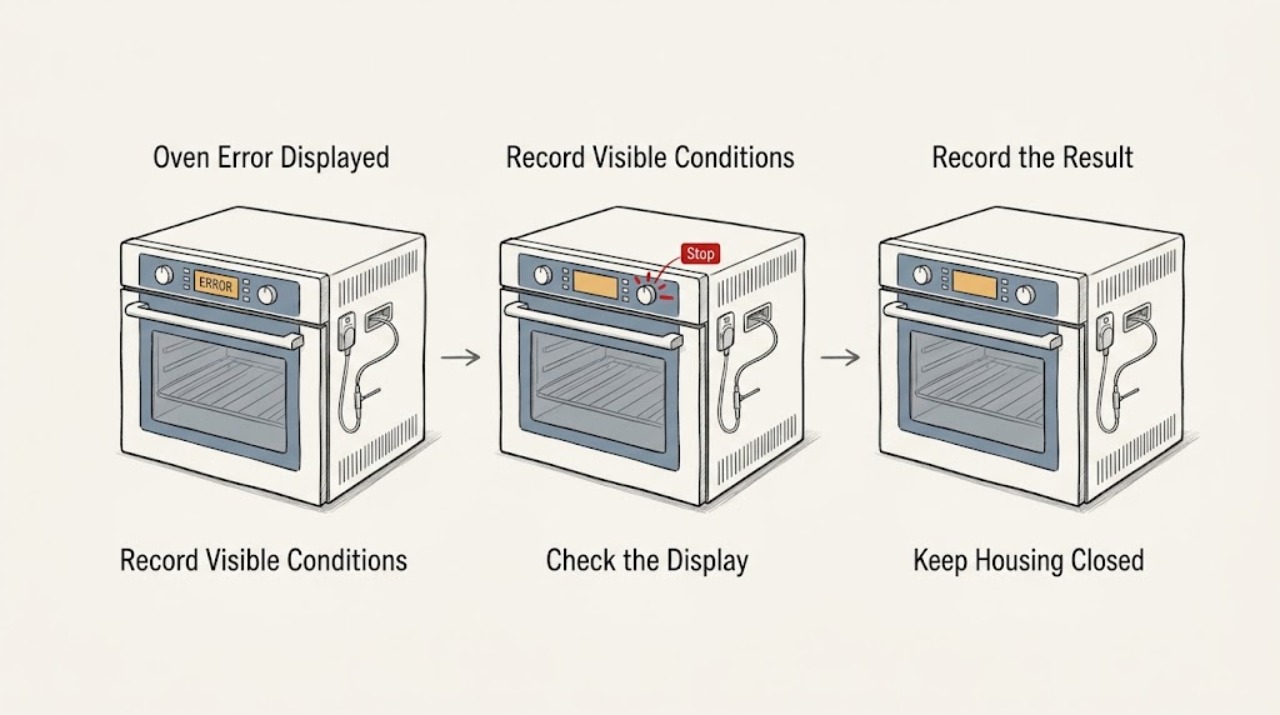
From outside the appliance, copy the complete error display including every letter, digit, and leading zero. Record the oven model from its normal rating-plate location, the selected function, whether the cavity is hot, whether the door is closed or locked, and what happened immediately before the code appeared. Do not dismantle the door or remove a rating plate.
Expected result: The code is a specific F or C code, an unknown code, a code appears only during a connected function or pyrolytic cleaning, or the display is blank or intermittent.
Next step: Search the exact model manual or the matching AEG support article using the complete code. If the code cannot be read, keeps changing, or appears with a blank display, stop troubleshooting and arrange service.
Stop if: Stop for smoke, burning odor, sparking, damaged glass, a hot locked door, gas odor, exposed wiring, or an oven that behaves unpredictably; leave it off and obtain urgent professional help.
Why this matters
Why: The exact code and operating context determine whether a user-accessible condition may be involved. A generic F prefix is not enough to identify a component; AEG states many F codes require specialist investigation.
-
Check 2
Match the complete code and the oven type to the exact AEG manual or support article. Treat examples only in their documented scope: F21 for a high starting temperature, F11/F111/F129 for the food probe, F602/F603 for Wi-Fi on a connected oven, and C1-C4 during pyrolytic-cleaning setup. Do not infer that an unlisted code has the same meaning as one of these examples.
Expected result: The code has an exact AEG explanation and a stated user action, the code is listed as requiring service, or no matching official explanation exists.
Next step: Follow only the documented low-risk action for the matching code. For F21, allow the oven to cool; for F11-family codes, check the probe connection without damaging it; for F602/F603, check the connected function; for C1-C4, correct the specified cleaning setup. Use service for all other or recurring codes.
Stop if: Do not guess at code meanings, bypass a lock, access live components, or run a high-temperature cleaning programme while a safety-related code persists.
Why this matters
Why: A listed code may point to a removable accessory, setting, or connection, but only within that model/function context. An unlisted or service-listed code may represent electronics, sensors, heating, door, or another subsystem that cannot be safely diagnosed from the display alone.
-
Check 3
With the oven switched off and cool, perform only the accessory or control check named by the matching AEG guidance. For an F11/F111/F129 code, reconnect the food probe plug firmly if it is plainly accessible and inspect the probe for visible damage. For C1-C4 during pyrolytic cleaning, remove or disengage only the accessory or setting identified by the code, such as rails, a probe, an open door, or steam function. Do not remove covers, heaters, locks, or wiring.
Expected result: The probe is not fully connected or visibly damaged, a pyrolytic accessory or setting matches C1-C4, the door is fully closed, or the code does not match these conditions.
Next step: Restore the accessory or control state exactly as the manual directs and make one normal check. If the code remains, do not continue removing parts; arrange authorised service.
Stop if: Do not touch a hot probe or cavity, force the door, remove a door lock, use tools on a socket, or open the control panel to trace the fault.
Why this matters
Why: AEG documents these codes as specific connection or programme-state issues. A visibly damaged probe may need replacement, while a correctly connected probe or corrected cleaning setup with a persistent code points toward a socket, wiring, control, lock, or other fault.
-
Check 4
If the exact AEG support guidance permits a reset and there is no heat, smoke, odor, gas, water, cracked glass, or locked hot cavity, switch the oven off at its normal control and isolate mains power only through the safe user-accessible method described by the manual. Wait the specified period, restore power once, and observe the display without starting a high-temperature function.
Expected result: The code clears and normal controls return, the same code returns immediately, a different code appears, the display remains blank, or the oven still will not heat or unlock.
Next step: Do not repeat the reset. Record the result and arrange service for recurrence, no heat, no display, or door-lock problems; use the exact code and reset result to help the technician.
Stop if: Do not access the fuse box if unsafe, cycle power repeatedly, bypass a breaker, touch live conductors, or restart the oven after smoke, a gas odor, or a burning smell.
Why this matters
Why: A code that clears once may have been a transient state, but recurrence or a changed fault means the underlying issue remains. A blank display, no heat, or locked door after reset is not proof that the oven is safe to use.
-
Check 5
Decide whether the code has cleared after the one matching safe check and whether the oven completes a normal, low-risk operation without abnormal heat, odor, noise, or door behavior. Record the model, exact code, function, temperature state, accessory state, reset result, and any recent cleaning, spill, power event, or repair.
Expected result: The display is normal and the oven behaves normally; alternatively, the code returns, the oven does not heat, the door stays locked, the code is unknown, or a safety symptom is present.
Next step: For a recurring, unknown, or service-listed code, leave the oven off and arrange an authorised service visit. For smoke, burning odor, sparking, gas odor, damaged glass, or a hot locked cavity, stop immediately and obtain urgent professional help; do not re-use the oven until cleared.
Stop if: Do not replace sensors or heaters, open the appliance, probe voltage, bypass the door lock, alter gas controls, or run pyrolytic cleaning to test a persistent error.
Why this matters
Why: Normal operation after a documented one-off condition can be monitored, but it does not prove a component is healthy. A recurring or unknown code requires model-specific diagnosis and may involve electronics, sensor, heater, lock, or wiring.
Use your observations
Decision map
Find the observation that best matches what you see, then follow the next safe action.
-
PATH 01Next step
What you see
The exact display is F21 and the AEG article applies to the oven.
Do this next
Turn the control panel off and on once and allow the oven to cool; contact an Authorised Service Centre if the code remains.
-
PATH 02Next step
What you see
The exact display is F11, F111, or F129 and the oven has a food probe connection.
Do this next
With the oven cool, check the probe connection and visible probe condition as the manual directs. Arrange service if reconnection or a model-approved replacement does not clear the code.
-
PATH 03Next step
What you see
The exact display is F602 or F603 on a connected oven.
Do this next
Check the documented Wi-Fi/connected function and make one permitted restart; the oven's other functions may continue normally, but recurring code or disabled subsystem needs service.
-
PATH 04Next step
What you see
C1, C2, C3, or C4 appears while starting pyrolytic cleaning.
Do this next
With the oven cool, correct only the listed setup—remove specified rails or probe, close the door, or disengage the steam setting. If the code persists, request service.
-
PATH 05Next step
What you see
The code is unlisted, appears repeatedly after the permitted check, or is accompanied by no heat, a locked door, smoke, odor, sparks, or damage.
Do this next
Leave the oven off and arrange authorised appliance service. Treat gas odor, smoke, burning odor, or sparking as urgent and do not operate switches or gas controls to investigate.
Helpful context
Understand the symptom
The exact code changes the next check
An AEG display code is a diagnostic clue, not a universal fault label. F21 is documented as a high starting temperature; F11/F111/F129 is associated with the roasting thermometer; F602/F603 applies to unavailable Wi-Fi on a connected oven; and C1-C4 relate to accessories or settings during pyrolytic cleaning. The same-looking letter or number can have different coverage on another model, so record the full display and use the exact model manual.
Limit checks to cool, accessible controls
A user can record the code, wait for a hot oven to cool, check a plainly visible door closure, and reconnect a food probe only as the manual describes. A probe socket, wiring, heating element, fan, door lock, mains connection, or gas component is not a casual inspection point. Never remove a panel or bypass a safety device to make a code disappear.
Reset once, then escalate recurrence
AEG support articles sometimes allow a single mains reset after switching the oven off; they also direct service when the code returns. A reset may clear a one-off display without repairing the underlying fault. If the code returns, the oven will not heat, the door remains locked, or a safety symptom appears, leave the appliance off and arrange service.
Only after diagnosis
Potential parts
- oven food probe
Consider this only when the exact model guidance identifies F11/F111/F129 and a damaged or faulty probe remains the diagnosed cause after checking its connection.
Confirm the exact AEG model and probe specification before ordering; a persistent code may instead involve the socket, wiring, or controls and needs service.
When checks do not resolve it
Need a professional?
Arrange authorised or qualified appliance service for an unlisted or recurring code, a code that returns after one permitted reset, no heat, a door that stays locked, a persistent probe or cleaning-code fault, blank display, electrical symptoms, or damaged glass. Treat smoke, sparking, burning odor, gas odor, or a hot locked cavity as urgent.
Safety scope: User checks are limited to reading the display, waiting for cool conditions, checking a plainly accessible probe connection or documented pyrolytic accessory state, and one manual-permitted reset with safe power isolation. Do not open the oven, probe wiring, work on gas or heating parts, defeat a lock, repeat resets, or operate after a safety symptom.
Have this ready
- Provide the AEG model and product details from the normal rating location, the complete code, selected function, oven temperature state, door-lock state, probe or pyrolytic accessory state, reset result, and any recent spill, cleaning cycle, power event, odor, noise, or damage. Do not remove panels or the rating plate to obtain details.
Common questions
FAQ
Can I identify an AEG oven fault from the first letter alone?
No. AEG says F-prefix codes can have several causes and lists many that require specialist investigation. Record every digit and use the exact model manual or matching AEG support article.
What does AEG oven code F21 mean?
For the AEG support scope, F21 indicates too high a starting temperature. Turn the control panel off and on once; if the code remains, arrange authorised service.
What should I check for AEG oven F11 or F111?
AEG associates F11/F111/F129 with a food probe that is faulty or not connected correctly. With the oven cool, check the connection as the manual directs; persistent or damaged-probe faults need service or a model-confirmed replacement.
What do AEG oven codes F602 and F603 mean?
On a connected AEG oven, AEG identifies F602/F603 as unavailable Wi-Fi. Check the documented connected function once; if the code continues, arrange service because a subsystem may be disabled.
What do AEG oven codes C1, C2, C3, and C4 mean?
During pyrolytic cleaning, AEG links C1 to rails, C2 to a food sensor, C3 to an open door, and C4 to an active steam setting. Correct only the listed cool, accessible setup; call service if the code persists.
Read the exact guide
Official sources
- Oven shows error code F21AEG · AEG support article for built-in ovens and freestanding cookers.
- Oven displays error code F602 or F603AEG · AEG support article for built-in connected ovens only.
- Oven displays error code with prefix FAEG · AEG support article for integrated ovens; exact model manual controls.
- Oven displays error message F11 / F111AEG · AEG support article for integrated ovens; code coverage and probe access vary by model.
- Oven displays error message C1 ,C2, C3, C4AEG · AEG support article for the stated pyrolytic-cleaning conditions; exact model instructions control.
Community feedback
Share a repair observation
Share a plain-text repair observation. Accepted observations are published automatically; this page may take a moment to update.