
On this page
Start here
Quick answer
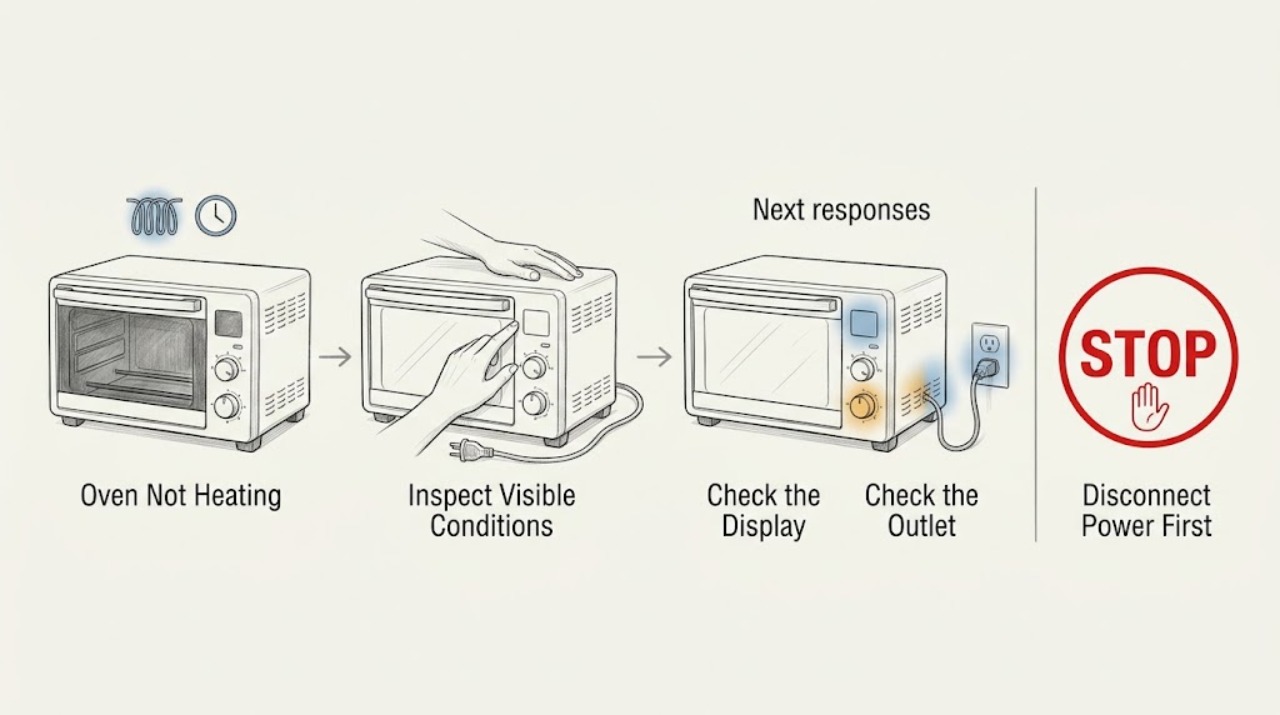
First separate a Breville oven that has no display or power from one that runs but does not heat. With the oven cool, verify the selected cooking function, temperature, timer, and START/CANCEL state, and remember that Element iQ can pulse the heating elements normally. Check the plug and household circuit only from the outside; do not open the case or probe live wiring. If the display shows a non-resettable error, the breaker trips again, there is smoke or a burning smell, the cord or outlet is damaged, or the oven still cannot heat after the settings and power checks, unplug it when safe and arrange qualified service.
Work through in order
Diagnostic checks
Use only checks that match the exact appliance or system and its official guide.
-
Check 1
Press START/CANCEL to stop the cycle, turn the oven off, and let it cool. Look at the display and button illumination without opening the case. Note whether the display is completely blank, the oven powers on but shows no PREHEATING or temperature progress, or an error code appears.
Expected result: The oven has no display or response, it powers on but never shows a heating/preheat state, or a non-resettable error is displayed.
Next step: For smoke, burning odor, damaged power parts, or a recurring error, unplug from a dry, safe position and stop. Otherwise follow the appropriate power or settings check below; do not open the oven housing.
Why this matters
Why: No display points first to a plug, outlet, or circuit issue rather than a heating-element diagnosis. A persistent error or no heating state after the controls are started can indicate an appliance fault and should not be chased by repeated cycles.
-
Check 2
Choose a heat-producing function shown in the model's manual, set a deliberate temperature and time, close the door, and press START/CANCEL. Confirm that the function, temperature, timer, and active start indicator remain visible; do not use a no-heat or standby state as the test.
Expected result: The controls show PREHEATING and later a preheat alert, or the timer runs without a preheat state or heat response.
Next step: If preheating completes and the oven cooks normally, the original issue was likely a function or start selection. If it never heats in a correct function, continue with the safe power check and then arrange service if the symptom remains.
Why this matters
Why: Breville manuals describe a preheating state and alert for the selected target. If a correct heat function is active but the oven never progresses, the problem is less likely to be a simple selection error. Do not interpret a pulsing element as no heat: Element iQ deliberately cycles power.
-
Check 3
With the oven off and cool, inspect only the outside of the plug, cord, and outlet for looseness, heat damage, discoloration, or moisture. Confirm the plug is fully seated in an independent outlet and check whether the household circuit breaker has tripped, without removing covers or testing voltage.
Expected result: The outlet or cord appears damaged, the breaker trips again, the plug is loose, or the external supply looks normal.
Next step: Leave a damaged or repeatedly tripping circuit out of service and use a qualified electrician or appliance technician. If the external supply is normal but heating is still absent, do not open the oven; continue to the safe inspection and service boundary.
Why this matters
Why: Breville troubleshooting guidance starts an oven that will not switch on with a secure plug, an independent or different outlet, and a circuit-breaker check. Damage or a repeated trip is a supply-safety fault, not a reason to keep resetting and operating the oven.
-
Check 4
After unplugging and allowing the oven to cool completely, inspect the crumb tray, rack, pan, and visible interior for food, melted packaging, foil, or grease touching or close to a heating element. Clean only the user-accessible surfaces exactly as the model manual describes; do not bend, remove, or work on the heating elements.
Expected result: Foreign material or heavy residue is visible near an element, or the interior is clean but the elements still do not heat.
Next step: Remove only loose, cool, accessible residue using the manual's method and keep the oven unplugged until dry. If material is stuck to an element, there is damage, or the oven remains cold, stop and arrange qualified repair.
Why this matters
Why: Breville warns that melted food or foil can build up on the elements and create a fire risk. A clean interior with no heating still points to a control, element, sensor, or supply issue that requires service rather than a part guess.
-
Check 5
If there has been no smoke, odor, damaged supply, repeated trip, or error and the settings and outlet checks are normal, make one short supervised preheat attempt with the oven empty and the crumb tray correctly installed. Do not repeatedly cycle the oven or open the door to feel for heat; stop at once for any unsafe symptom.
Expected result: The display reaches its preheat alert and the oven produces heat, or the oven remains cold, shows an error, trips the circuit, smokes, or smells hot/burning.
Next step: For any unsafe symptom or persistent no-heat condition, unplug when safe and arrange qualified service. Provide the model, function, set temperature, display behavior, error code, supply observations, and whether the elements pulse.
Why this matters
Why: A successful preheat supports a settings or loading misunderstanding, while a repeatable no-heat symptom after the basic checks indicates an unresolved appliance fault. Breville explains that preheat alerts can occur before the final target temperature and that opening the door loses heat, so the alert and controlled observation matter more than a hand test.
Use your observations
Decision map
Find the observation that best matches what you see, then follow the next safe action.
-
PATH 01Safety boundary
What you see
The oven is smoking, smells of burning, has a damaged cord or outlet, or repeatedly trips the circuit.
Do this next
Stop using it, unplug only if the plug and surrounding area are safe to reach, and arrange qualified electrical or appliance help. Do not reset and retry repeatedly or open the case.
Why this path and its safety boundary
Safety stop: Continue with the display, function, and external power checks while the oven remains closed.
-
PATH 02Safety boundary
What you see
The display is on, a heat-producing function is selected, and PREHEATING progresses to its alert.
Do this next
Allow the model's normal preheat sequence to complete and judge cooking performance without repeatedly opening the door; pulsing elements can be normal Element iQ behavior.
Why this path and its safety boundary
Safety stop: Check the external plug/outlet and breaker once. If the supply is normal and no heat remains, stop and arrange service.
-
PATH 03Safety boundary
What you see
A correct setting and safe external supply are confirmed but the oven still never heats or shows a recurring error.
Do this next
Keep it unplugged and out of service; provide the model and observed display, function, supply, and error details to qualified repair.
Why this path and its safety boundary
Safety stop: Monitor normal operation and follow the specific model manual for any future error or heating symptom.
Helpful context
Understand the symptom
A Breville countertop oven can appear not to heat for several different reasons: it may not be powered, may be in a function that does not use the expected heat, may still be preheating, or may have a genuine element, control, or supply fault. The display and the exact function selected tell you which branch to take.
Element iQ models may cycle power to the heating elements in short bursts; seeing an element pulse is not, by itself, evidence that the oven is broken. Treat smoke, a burning smell, a damaged cord, repeated breaker trips, or a persistent error as a stop condition and keep the case closed.
When checks do not resolve it
Need a professional?
Keep the oven unplugged for smoke, burning odor, damaged supply parts, repeated trips, persistent errors, or no heat after the model-specific settings and outlet checks.
Have this ready
- Provide the model number, selected function and temperature, whether the display and PREHEATING state appear, the error code if any, outlet/breaker observations, whether the elements pulse, and any smoke or odor details.
Common questions
FAQ
Why do my Breville oven heating elements pulse instead of staying on?
On Element iQ models, Breville says the elements can pulse in short bursts to control heat. Pulsing alone is not proof of a no-heat fault; judge whether the selected function reaches its preheat state and stop for service if the oven remains cold or shows an unsafe symptom.
What should I check if a Breville oven has no display?
With the oven off, check that the plug is secure, use an independent or different outlet if safe, and check the household breaker. Do not keep resetting a tripping circuit or inspect internal wiring; arrange qualified help if power does not return safely.
Can an incorrect setting make a Breville oven seem not to heat?
Yes. Confirm a heat-producing function, an intentional temperature and time, and the START/CANCEL state. The preheat alert and display state are better evidence than opening the door or touching an element; persistent no heat after these checks needs service.
Read the exact guide
Official sources
- the Smart Oven®Breville · Official Breville instruction manual for a Smart Oven model; consult the exact model manual for control details.
- the Smart Oven® Compact ConvectionBreville · Official Breville instruction manual for a Smart Oven Compact Convection model; controls and limits vary by model.
Community feedback
Share a repair observation
Share a plain-text repair observation. Accepted observations are published automatically; this page may take a moment to update.