
On this page
Start here
Quick answer
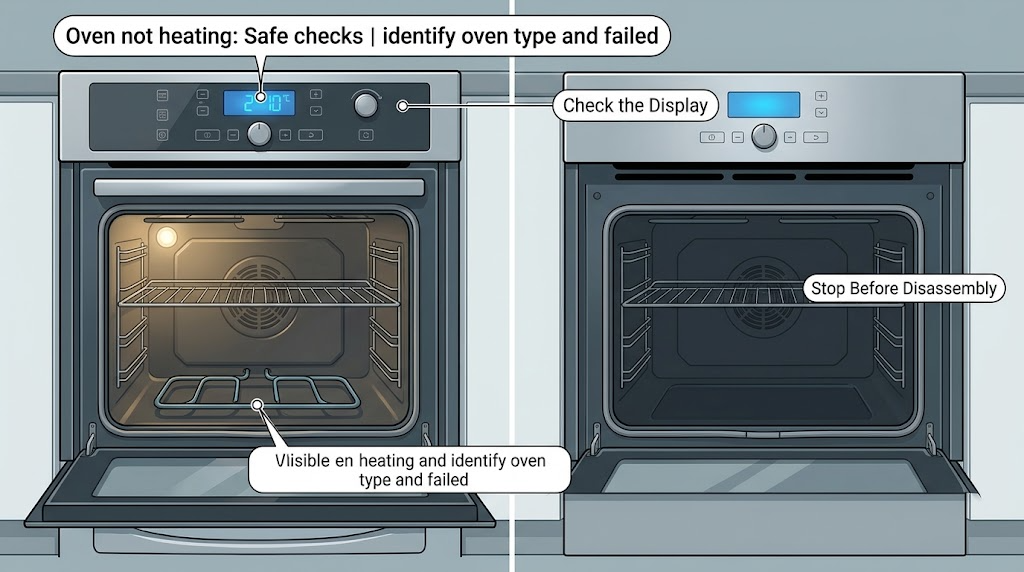
For an Admiral oven that is not heating, first record whether the display works, whether the cooktop works, whether the problem affects bake, broil, or both, and whether the oven is electric or gas. With the oven cool and no gas or electrical warning, check the selected cooking mode, door closure, visible power status, and any obvious control lock, delay, or demo setting against the exact owner's manual. You may visually inspect an exposed electric element, sensor, or door gasket, but do not remove panels or test live wiring. A broken element, failed igniter, repeated breaker trip, gas smell, sparking, damaged wiring, or an oven that still does not heat after the safe checks requires a qualified appliance technician or electrician.
Work through in order
Diagnostic checks
Use only checks that match the exact appliance or system and its official guide.
-
Check 1
From normal access, record the Admiral model information, identify whether the oven is electric or gas, and compare bake, broil, and cooktop behavior without repeatedly cycling a suspected fault. Note whether the display, clock, and interior light work and whether the oven is cold, merely slow, or uneven.
Expected result: The display is dead, the cooktop works while the oven does not, only bake or broil fails, or all oven heating functions fail.
Next step: Use the exact model manual to select the relevant electric or gas branch, then make only the visible checks below. Stop and arrange service if the appliance has a gas or electrical warning.
Stop if: Stop immediately for gas odor, smoke, sparking, exposed wiring, a melted cord or outlet, or a breaker that trips again.
Why this matters
Why: A dead display suggests a supply or control issue; one failed mode can point toward that mode's heating path; and all modes failing can involve power, controls, or a shared safety/heating circuit. The symptom does not identify a replaceable part by itself.
-
Check 2
With the oven cool, verify that the door closes fully, the intended bake or broil function and temperature are selected, and the model manual does not show a control lock, delay, Sabbath, or demo setting that disables heating.
Expected result: The door is open or misaligned, the wrong mode or setting is selected, an unusual lock/delay/demo indication is shown, or the controls appear correctly set.
Next step: Correct only an obvious user-setting issue using the manual and make one supervised preheat attempt. If the settings were already correct or the symptom returns, continue to a cool visual inspection and service boundary.
Stop if: Stop if the door will not close, the lock will not release normally, the display is erratic, or changing a setting causes a breaker trip or electrical smell.
Why this matters
Why: A door or control state can prevent a heat cycle without a failed heating part. If the controls are correct and the oven still does not heat, the fault moves toward power, element/igniter, sensor, or internal control diagnosis.
-
Check 3
If the display is dead or the oven will not start, inspect only the accessible breaker/fuse position, outlet face, and cord area for an obvious interruption or damage. Do not remove covers, probe terminals, use an extension cord, or work on live wiring.
Expected result: The breaker is visibly tripped, the outlet or cord shows discoloration or melted plastic, the breaker trips again, or accessible power appears normal.
Next step: If there is no damage and the manual permits it, restore a tripped breaker once and observe from a clear position. If it trips again, leave it off and call a qualified electrician or appliance technician; if power remains available, continue with the correct electric/gas visual checks.
Stop if: Stop for repeated tripping, a hot or discolored outlet, melted insulation, exposed conductors, smoke, or any need to open the breaker panel beyond normal user operation.
Why this matters
Why: A single accessible breaker indication may explain a loss of power, but repeated tripping or visible outlet/cord damage indicates an electrical fault. Normal accessible power with no heat shifts attention to the oven's heating and control path.
-
Check 4
After the oven is fully cool and power or gas warnings are absent, visually inspect an exposed electric bake/broil element for a break, blister, or burn mark, or observe the gas igniter only as described by the exact manual during a brief normal start. Do not touch, remove, bypass, or test the element, igniter, burner, or gas valve.
Expected result: An electric element is visibly damaged or does not activate, a gas igniter does not behave as the manual describes, or no visible defect is found.
Next step: Record which mode and component showed the symptom and arrange qualified appliance service for replacement or testing. Do not order a part until the exact model and diagnosis are confirmed.
Stop if: Stop for gas odor, flame behavior outside the manual, smoke, sparking, an element that arcs, or any need to remove a panel or use a meter.
Why this matters
Why: A damaged or inactive element/igniter is evidence for a heating-path service diagnosis, not proof that a particular replacement part is correct. No visible defect does not rule out a sensor, control, safety, or wiring fault.
-
Check 5
With the cavity cool, inspect the visible door gasket and temperature sensor for a tear, gap, displacement, or contact with a heating element. Do not bend, remove, or electrically test the sensor and do not dismantle the door.
Expected result: The gasket does not seal or the sensor is visibly displaced, or both appear intact while the oven still fails to heat or hold temperature.
Next step: Use the model manual for any permitted repositioning; otherwise document the finding and call a qualified technician. Persistent no heat after these checks needs service even if no visible damage is found.
Stop if: Stop if the gasket is loose in a way that prevents the door from closing, the sensor wiring is exposed, the cavity is still hot, or access requires removing screws or panels.
Why this matters
Why: A poor door seal can let heat escape, while a displaced or faulty sensor can cause incorrect temperature control. An intact visible sensor and gasket do not clear the internal heating or control circuits.
Use your observations
Decision map
Find the observation that best matches what you see, then follow the next safe action.
-
PATH 01Next step
What you see
The oven is actually in a lock, delay, demo, or incorrect mode, or the door is not fully closed.
Do this next
Correct the obvious setting or close the door using the exact Admiral manual.
-
PATH 02Safety boundary
What you see
The display is dead, a breaker is tripped, or a visible outlet/cord issue is present.
Do this next
Treat the symptom as a power or electrical problem before diagnosing heating parts.
Why this path and its safety boundary
Safety stop: True
-
PATH 03Next step
What you see
The oven is electric and an exposed bake or broil element is visibly broken, blistered, or does not activate in the selected mode.
Do this next
Treat the element as a service diagnosis rather than a DIY live-circuit repair.
-
PATH 04Safety boundary
What you see
The oven is gas and the igniter does not behave as the model manual describes, the oven will not ignite, or the gas connection is uncertain.
Do this next
Do not adjust the igniter, burner, regulator, valve, or gas connection.
Why this path and its safety boundary
Safety stop: True
-
PATH 05Safety boundary
What you see
The controls and accessible power are normal, no obvious seal issue is found, and the oven still does not heat or hold temperature.
Do this next
Do not infer a specific board, sensor, safety device, or heating part from the symptom alone.
Why this path and its safety boundary
Safety stop: True
Helpful context
Understand the symptom
Start with the oven type and the exact symptom
Admiral's current corporate information lists cookers among its appliance products, but a badge alone does not identify the heating system or controls in a particular oven. Find the model information from its normal-access label and use the matching owner's manual. Note whether the display and interior light work, whether the cooktop works, whether bake, broil, or both fail, and whether the oven is merely slow or produces no heat at all. These observations separate a setting or supply issue from a heating-component fault without assuming a part fits.
Check controls and accessible power only
Confirm the oven door is fully closed, the intended bake or broil mode and temperature are selected, and any lockout, delay, Sabbath, or demo setting is not preventing heating on that model. If the display is dead, look at the accessible breaker or fuse status and any visible outlet or cord damage; do not remove an outlet cover or appliance panel. A breaker that trips again, discoloration, melted plastic, or a damaged cord is an electrical-service boundary, not a reason to keep resetting it.
Use a cool, visible inspection to split electric and gas paths
After the oven is completely cool and the controls are off, an electric oven may show a bake or broil element with a break, blister, or other visible damage. A gas oven may show an igniter that does not behave as the model manual describes, but do not touch, adjust, or bypass the ignition or gas system. In either type, the element or igniter not activating does not prove which internal component failed; it only tells you that professional diagnosis may be needed.
Check heat retention and temperature sensing without dismantling
Look for a door gasket that is out of its channel, torn, or preventing the door from closing, and look at the temperature sensor from inside the cool cavity for an obvious displacement. Do not bend the sensor, remove the gasket, or expose wiring unless the exact manual explicitly describes a safe user procedure. A door that does not seal can lose heat; a displaced or faulty sensor can cause incorrect temperature control, but either symptom still needs model-specific confirmation.
Stop when the symptom crosses into gas or electrical service
Do not run another heating test if you smell gas, see smoke or sparking, hear an abnormal electrical sound, find damaged wiring, or the breaker trips again. Leave the appliance alone, keep away from the source, and use the appropriate qualified gas, electrical, or appliance professional. For a persistent no-heat problem without an immediate hazard, provide the technician with the model, fuel type, selected mode, display status, visible element or igniter behavior, and any error message.
Safety boundary
Stop conditions
- Do not remove oven panels, probe live wiring, bypass a safety device, or dismantle a gas ignition or burner system.
- Do not repeatedly reset a breaker or run another test after gas odor, smoke, sparking, abnormal flame, or a hot/damaged cord or outlet.
- Stop for an oven door that cannot close safely, exposed sensor wiring, a cavity that is still hot, or any repair requiring gas disconnection or heating-component replacement.
Only after diagnosis
Potential parts
- oven heating element
Consider this only after a qualified diagnosis confirms a damaged or failed electric element in the affected mode.
Confirm the exact Admiral model, element position, electrical specification, and mounting configuration before selecting a part; generic appearance is not proof of fit. - gas oven igniter
Consider this only after licensed or qualified service confirms an igniter fault and rules out the control, wiring, gas supply, and safety components.
Confirm the exact Admiral model and the approved igniter specification through the model documentation or technician; do not substitute based on appearance.
When checks do not resolve it
Need a professional?
The oven remains cold after the mode, door, manual setting, and safe accessible power checks., An element is damaged or inactive, a gas igniter does not behave normally, or the sensor/seal issue needs internal testing., A breaker trips again, an outlet or cord is hot/discolored, wiring is exposed, or the display behaves erratically., There is gas odor, smoke, sparking, flame outside the normal procedure, or any need to remove panels or test live circuits.
Common questions
FAQ
Why is my Admiral oven on but not heating?
A correct display does not prove that the heating path is working. Check the selected mode, door closure, lock/delay/demo state, and the visible behavior of the electric element or gas igniter as allowed by the model manual. If those checks do not restore heat, a control, sensor, safety, wiring, element, or igniter diagnosis is needed.
What can I safely check when an electric oven will not heat?
With the oven cool, verify the mode and door, look for an accessible breaker issue without opening covers, and visually inspect an exposed bake or broil element for a break or blister. Do not remove panels, test live terminals, or replace the element until the exact model and fault are confirmed by the manual or a qualified technician.
What should I do if my gas Admiral oven will not heat?
Check only the normal controls and the model's visible ignition guidance. Do not adjust the gas valve, burner, igniter, regulator, or connection. If you smell gas, stop immediately and follow local gas-emergency guidance; otherwise leave the oven off and arrange licensed gas or appliance service.
Can a bad oven door seal cause no heat?
A door that does not close or seal can let heat escape and can make an oven appear unable to reach temperature, but it does not explain every no-heat symptom. Inspect the cool, visible gasket and door closure only; if the seal is damaged or the oven remains cold, arrange model-specific service.
When should I stop troubleshooting an Admiral oven?
Stop for gas odor, smoke, sparking, abnormal flame, a repeated breaker trip, damaged wiring, a hot or melted outlet/cord, or any need to open panels or test live circuits. A persistent no-heat problem after safe checks also needs a qualified appliance technician rather than repeated resets or guessed parts.
Read the exact guide
Official sources
- Admiral Corporation of AmericaAdmiral Corporation of America · Brand and product-category context only; it does not replace the exact owner's manual for a particular Admiral oven.
- Oven Not Working - Product HelpWhirlpool · General product-help structure; use the exact Admiral model documentation for the appliance in question.
- What to Do If Your Gas Oven Is Not HeatingWhirlpool · Supplementary gas-oven guidance only; exact Admiral gas controls and procedures require the model manual and licensed service where applicable.
- Why is My Oven Not Heating Up?Whirlpool · Supplementary manufacturer guidance only; an Admiral model manual and qualified service take precedence.
Community feedback
Share a repair observation
Share a plain-text repair observation. Accepted observations are published automatically; this page may take a moment to update.