
On this page
Start here
Quick answer
First determine whether one AEG heating function fails or all functions fail. If the display is dark, check the accessible fuse or RCD only when there is no smell, smoke, water, or visible damage; if it trips again, stop. If the display works, check that a heating function and manual temperature are selected, the clock is set, Duration or End is not preventing a start, Demo or Child Lock is not active, and the door is fully closed. If the oven still does not heat, or only one function remains cold after these checks, leave internal diagnosis to an authorised service engineer because the fault may involve the supply, heating element, selector, sensor, or controls.
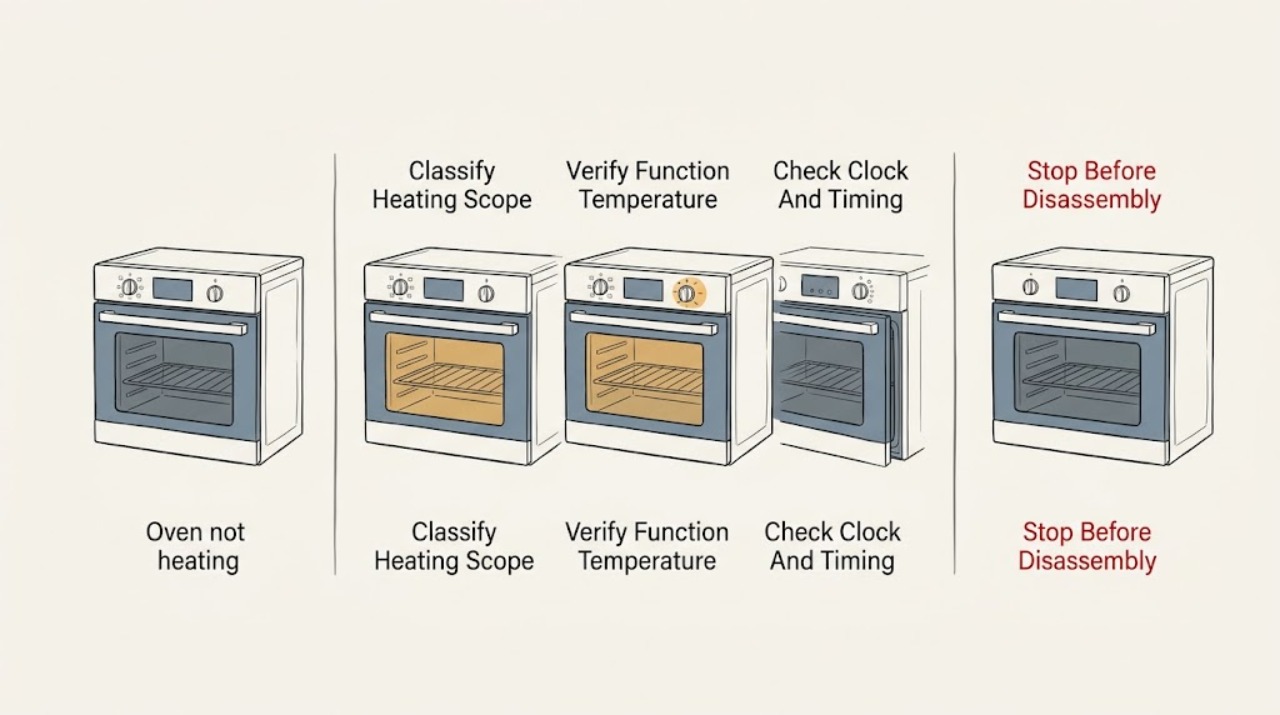
Work through in order
Diagnostic checks
Use only checks that match the exact appliance or system and its official guide.
-
Check 1
With the oven cool and no active hazard, identify whether the AEG oven has a dark display, a display that responds but will not start, one cold heating function, or several functions that remain cold. Note the selected mode and whether the fan or heating indicator responds.
Expected result: One heating type failing differs from several types failing. A dark display points toward supply or common electronics; a responsive display with one cold mode points toward that function or its heating circuit.
Next step: Use the control-state checks for a responsive panel, the power check for a dark panel, and the service branch if only one function remains cold after settings are confirmed.
Stop if: Do not touch internal wiring, remove the oven from its cabinet, or continue testing if there is smoke, burning odor, water ingress, visible damage, or a tripped protection device that will not stay on.
Why this matters
Why: AEG's own troubleshooting separates a single heating type from multiple heating types, so this classification changes the next check and avoids a generic part guess.
-
Check 2
If the display works, select a normal heating function and set a manual temperature using the controls described by the AEG model manual. Confirm that the oven is not waiting for a prompt or confirmation and that the door closes fully.
Expected result: The oven starts heating after a function and temperature are confirmed, or the panel accepts the settings but the cavity remains cold. A door that does not close correctly or a missing confirmation can prevent a start on some models.
Next step: If the selected function works, compare the originally affected function only after the oven has cooled normally. If no function heats, continue with clock/lock and power checks and prepare for service.
Stop if: Do not force the door, bypass an interlock, or open the oven to reach an element or wiring.
Why this matters
Why: A wrong or incomplete setting can mimic no heat; persistent no heat after a valid selection points toward a control, door-interlock, element, sensor, or supply fault.
-
Check 3
Look for a flashing clock, an unset time, or active Duration, End, or delayed-start information on the display. If present, use only the model-specific manual to set the clock or clear the timing function.
Expected result: A flashing clock may indicate a recent power cut or installation state; an active Duration or End function may delay or end heating even though the oven appears configured.
Next step: After the display shows a valid time and no unintended schedule, select the heating function and temperature again. If the oven remains cold, move to the power and service branches.
Stop if: Do not change hidden service settings or repeatedly cycle power to clear a timer state.
Why this matters
Why: The oven can be electrically present but not permitted to heat until its time and program state is valid.
-
Check 4
Inspect the AEG display for Demo/d, SAFE, a padlock, or a model-specific lock prompt. If one is shown, follow the exact unlock or Demo-mode procedure in the user manual rather than trying random button combinations.
Expected result: The oven accepts selections but does not produce heat while Demo mode is active, or the lock symbol/prompt prevents operation. The indicator clears after the correct model-specific action, or it returns immediately.
Next step: If the mode clears, run one normal heating selection and observe whether heat begins. If it will not clear or returns, record the display and arrange AEG-authorised service.
Stop if: Do not enter an unverified service code, remove the control panel, or attempt an internal control reset.
Why this matters
Why: Demo and Child Lock are control states, not evidence that the heating element has failed. A returning state may indicate a control or configuration problem.
-
Check 5
If the display is dark or several functions fail, check the accessible fuse box or RCD once, only when there is no smoke, burning smell, water, exposed damage, or other electrical hazard. Do not open the oven or electrical enclosure.
Expected result: A tripped fuse/RCD can explain a dark display or whole-oven loss; a device that trips again, will not reset, or leaves the oven dark after a safe restoration indicates a supply, installation, or appliance fault.
Next step: If the protection device stays on and the oven recovers, observe one normal cycle. If it trips again or the oven remains dead, leave it isolated and contact a qualified electrician or authorised appliance service.
Stop if: Do not replace a fuse with a different rating, bypass an RCD, touch conductors, or continue resetting a protection device.
Why this matters
Why: AEG notes that a dark display with a tripped fuse or RCD may indicate an incorrect installation or power-source problem. Repeated protection action is not a normal reset condition.
-
Check 6
Record the AEG model/PNC information, affected heating function(s), display state, clock or lock message, whether the door closes, fuse/RCD behavior, and what happened after each safe external check. Do not use an external thermometer as the sole proof of a fault without following the model's cooking instructions.
Expected result: A precise record distinguishes a single-function heating fault from a common control or supply fault and gives the service engineer the model information needed for the correct documentation.
Next step: Give the record to AEG-authorised service or a qualified appliance electrician and leave the oven unused if heat does not return or any hazard is present.
Stop if: Do not purchase or install an element, selector, sensor, control board, or fuse based only on the symptom.
Why this matters
Why: AEG notes that temperature readings vary with position, timing, mode, and thermometer accuracy; a persistent sensor or heating fault requires engineering assessment rather than a guessed element.
Use your observations
Decision map
Find the observation that best matches what you see, then follow the next safe action.
-
PATH 01Safety boundary
What you see
The AEG oven display is dark or several heating functions fail, and there is no active hazard.
Do this next
Check the accessible protection device once if safe. If it trips again or the oven stays dark, arrange qualified electrical or appliance service.
Why this path and its safety boundary
Why it matters: A tripped fuse/RCD, power-source problem, incorrect installation, or common electronics fault is possible.
Safety stop: No cabinet removal, conductor testing, fuse-rating change, or repeated resets.
-
PATH 02Safety boundary
What you see
The oven display works but the clock flashes or Duration/End/delay information is active.
Do this next
Set the clock or clear the unintended timing state using the model manual, then select a function and temperature again.
Why this path and its safety boundary
Why it matters: The appliance may be waiting for a valid time or a program state may be preventing heating.
Safety stop: Escalate if the state cannot be cleared or returns; do not enter hidden service menus.
-
PATH 03Safety boundary
What you see
The display shows Demo/d, SAFE, a padlock, or a model-specific child-lock prompt.
Do this next
Use the exact AEG model procedure to clear the state. If it persists, arrange authorised service.
Why this path and its safety boundary
Why it matters: A control lock or Demo mode can block heating while the display remains active.
Safety stop: Do not bypass the lock, guess a service code, or open the controls.
-
PATH 04Safety boundary
What you see
Only one AEG heating function remains cold while other functions heat normally and settings are correct.
Do this next
Stop using the failed function and arrange model-specific appliance diagnosis.
Why this path and its safety boundary
Why it matters: A function-specific element, selector, relay, sensor, or control path may be involved; the symptom does not identify which part.
Safety stop: Do not remove the rear panel, test live elements, or replace a part from the function name alone.
-
PATH 05Safety boundary
What you see
The oven accepts a setting but does not heat and the door does not close correctly or a start prompt remains unconfirmed.
Do this next
Close the door normally and confirm prompts according to the model manual. If the door or interlock still behaves abnormally, arrange service.
Why this path and its safety boundary
Why it matters: Door closure or a required control confirmation can prevent a heating cycle from starting.
Safety stop: Do not force, bend, or bypass the door or interlock.
-
PATH 06Safety boundary
What you see
The display, clock, lock, door, and accessible power checks appear normal, but no heating function produces heat.
Do this next
Leave the oven off and contact AEG-authorised service or a qualified appliance electrician with the recorded model and symptoms.
Why this path and its safety boundary
Why it matters: A common heating circuit, supply, control, or sensor fault is more likely than a single cooking-mode setting.
Safety stop: No internal electrical or element diagnosis by the user.
-
PATH 07Safety boundary
What you see
There is smoke, burning odor, exposed wiring, water near the oven, a damaged door or glass, or repeated electrical protection action.
Do this next
Stop using the oven, isolate power only from a safe accessible point, keep people away, and use emergency or qualified professional help as appropriate.
Why this path and its safety boundary
Why it matters: The situation is an electrical, heat, glass, or fire hazard and is outside routine control troubleshooting.
Safety stop: No further power resets, heating tests, cover removal, or touch-based inspection of damaged areas.
Helpful context
Understand the symptom
Start with the failure pattern
An AEG oven that does not heat can have a blank display, a functioning display with no start, one cold cooking mode, or several cold modes. A single-mode failure points toward the selected function or its associated circuit; a whole-oven failure makes power, clock, lock, demo, door, or common-control checks more relevant. Do not assume a failed heating element before separating those patterns.
Control states can look like a heating failure
AEG identifies a flashing clock after installation or a power cut, Duration or End settings, Demo mode, and Child Lock as conditions that can prevent an oven from heating even though the panel may still light. The exact menu and unlock sequence vary by model, so use the model manual rather than a generic button combination.
Keep electrical and element work professional
If the display remains dark, an accessible fuse or RCD trips again, or settings do not restore heat, stop at the external checks. A built-in oven can have hazardous mains wiring and hot internal parts; AEG directs unresolved cases to service rather than asking the user to access the elements, selector, wiring, or sensor.
Safety boundary
Stop conditions
- Stop for smoke, burning odor, exposed wiring, water near electrical parts, damaged glass or door, a repeated fuse/RCD trip, or any sign of fire or shock.
- Do not remove the built-in oven, open the rear cover, access wiring or heating elements, bypass an interlock, or perform live electrical tests.
- Do not change fuse ratings, bypass an RCD, or repeatedly reset a protection device that trips again.
- Do not use Demo/Child Lock guesses, hidden service codes, or repeated forced heating cycles to overcome a no-heat state.
- Do not order or install a heating element, sensor, selector, relay, control board, or fuse until the exact model and failed diagnostic are confirmed.
Only after diagnosis
Potential parts
- oven heating element or function-specific heater
Only relevant when a qualified diagnosis confirms that one heating function's element or heater circuit is open or failed after settings and supply are verified.
Confirm the exact AEG model/PNC, element position, rating, and fitment from the model documentation before ordering; no-heat symptoms alone do not establish compatibility. - oven temperature sensor
Only relevant when the model-specific service diagnosis links persistent temperature failure or incorrect regulation to the sensor rather than the selected mode or heating circuit.
Sensor type and fit are model-specific and require professional installation and verification. - oven selector, relay, or control assembly
Only relevant when supply is sound and a qualified technician isolates a control path that prevents one or more functions from energizing.
Confirm the exact model/PNC and approved configuration; do not infer a board or selector fault from a dark display or one cold mode alone. - door interlock or door hardware
Only relevant when the door cannot close or the model's interlock does not permit a start after normal external checks.
Door and interlock parts vary by model and require safe appliance isolation and fitment verification.
When checks do not resolve it
Need a professional?
Arrange AEG-authorised service when one heating function stays cold after the function, temperature, clock, lock, and door checks are correct., Call a qualified electrician or appliance technician when the display is dark, the fuse/RCD trips again, the oven was recently installed, or all functions remain cold with apparent power., Use emergency help for smoke, fire, shock, exposed wiring, or severe burning odor rather than attempting further tests.
Have this ready
- AEG model/PNC information
- Whether one function or all functions fail
- Display, clock, Demo, Child Lock, and prompt behavior
- Door closure and accessible fuse/RCD observations
- Any smoke, odor, water, glass/door damage, or recent installation/power cut
Common questions
FAQ
Why is my AEG oven not heating even though the display works?
Check the selected heating function and manual temperature, clock, Duration/End settings, Demo or Child Lock, and door closure. If the panel accepts settings but one or all functions remain cold, leave internal element, sensor, and control diagnosis to authorised service.
What does a flashing clock mean on an AEG oven?
AEG says a flashing clock can indicate that the time was not set after installation or a power cut. Set it using the model manual, then select the heating function and temperature again; persistent no heat needs service.
Can Demo mode or Child Lock stop an AEG oven from heating?
Yes. AEG identifies Demo mode and Child Lock as display states that can prevent normal operation. Follow the exact model-specific procedure to clear them, and do not guess hidden codes or open the control panel.
What if only one AEG oven setting does not heat?
Confirm that the function and manual temperature are selected and compare only with another normal mode. If other modes work but the affected function remains cold, the function-specific heater or control path may need professional diagnosis.
When should I stop troubleshooting an AEG oven?
Stop for smoke, burning odor, water near electrical parts, damaged glass or door, exposed wiring, or a fuse/RCD that trips again. Do not remove the oven, open covers, test live wiring, or replace an element based only on the symptom.
Read the exact guide
Official sources
- Temperature on the oven's display differs from the measured temperatureAEG · AEG ovens with a temperature display; mode behavior and measurement details vary by model.
- The oven with rotary knob does not startAEG · AEG ovens equipped with a display and single rotary knob; use the installed model's manual for exact controls.
- Oven does not heat upAEG · AEG built-in, double, compact, and cooker ovens; model-specific menus and manuals take precedence.
Community feedback
Share a repair observation
Share a plain-text repair observation. Accepted observations are published automatically; this page may take a moment to update.