
On this page
Start here
Quick answer
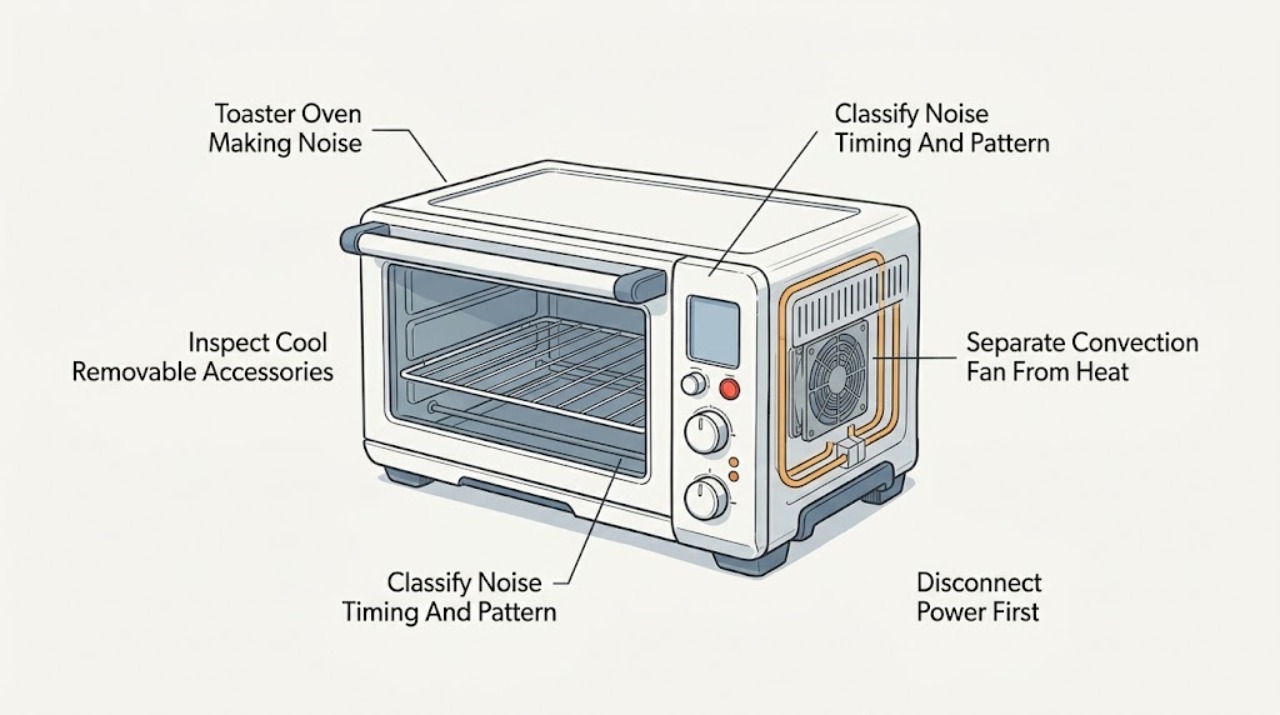
First record when the Breville toaster oven makes the sound. A fan that continues after cooking can be normal on applicable Smart Oven models because Breville says the cooling fans protect electronics until temperatures fall; element power pulsing can also be normal temperature control. A brief click or tick that follows a heat cycle may be control switching or metal cooling, but Breville does not give one universal sound signature for every model. A new grinding, scraping, squealing, rattling, loud buzzing, or high-pitched electrical sound—especially when the convection fan starts, when the tray moves, or together with smoke, burning odor, abnormal heat, flickering, or a breaker trip—should be treated as a fault. Switch the oven off, unplug it only after stopping safely, let it cool fully, and check only the removable crumb tray, rack, pan, and visible loose debris. Do not reach through vents, touch fan blades or heating elements, remove covers, or operate it to reproduce an unsafe noise; persistent fan, control, or electrical noise needs Breville or qualified appliance service.
Before you begin
Safety first
- This article covers sound classification, normal off/cool/unplugged inspection of removable accessories and visible debris, and one ordinary model-documented control comparison when no danger sign exists. A qualified professional must handle the fan, fan guard, motor, heater, thermal protection, control board, internal wiring, supply components, and energized diagnosis.
Work through in order
Diagnostic checks
Use only checks that match the exact appliance or system and its official guide.
-
Check 1
From a safe position, note whether the sound starts during preheating, only with convection, during heating-element cycling, at the end of a cycle, while the oven is cooling, or while it is sitting idle. Describe it as a steady airflow, brief click or tick, tray or rack scrape, loose rattle, grinding, squeal, loud buzz, or high-pitched electrical sound. Do not restart the oven solely to reproduce a dangerous noise.
Expected result: The sound is airflow after cooking, a repeated short sound synchronized with heat cycling, a sound that follows convection, a scrape or rattle that changes when a removable accessory is moved, or a noise that is loud, new, persistent, or electrical-sounding.
Next step: Use the timing pattern to choose the next safe check: inspect removable accessories after cooling, compare only documented convection settings if no danger sign exists, and stop for any electrical, burning, or worsening mechanical pattern.
Stop if: Do not continue operating to see whether a grinding, scraping, loud buzzing, smoke, odor, spark, abnormal heat, or repeated protection trip resolves itself.
Why this matters
Why: Post-cycle airflow is consistent with the cooling-fan behavior documented for applicable Smart Oven models. Element cycling can include normal pulsing, and a brief heat-related click may be control switching or metal movement, but neither proves that every model's sound is normal. A convection-linked grinding or a tray-linked scrape points to a different path, while persistent buzzing or an electrical smell is a stop condition.
-
Check 2
Press START/CANCEL or the normal off control, unplug the oven, and wait until the oven and accessories are fully cool. Remove and inspect only the crumb tray, wire rack, broil rack, and baking pan. Clear loose crumbs or food, check for foil or a loose accessory, and reinstall the dry crumb tray and accessories exactly as the model manual shows. Do not reach through vents or touch the elements or fan.
Expected result: The sound source is a loose or mis-seated tray or rack, debris or foil is visible, an accessory is bent or damaged, or the removable parts and visible interior are clear.
Next step: Remove only the clearly loose or permitted debris, dry and reinstall the tray, then make one normal use check only if there were no danger signs. If the sound remains, becomes louder, or is not clearly from an accessory, stop and arrange service.
Stop if: Do not use metal tools, reach into fan or element openings, scrape the heating elements aggressively, operate without the crumb tray, or continue with melted, scorched, cracked, or wet parts.
Why this matters
Why: A loose accessory or visible debris can explain a rattle or scrape without proving a motor or heater fault. Foil, grease buildup near elements, or a damaged accessory can create overheating or fire risk. Clear removable parts with a normal cool cleaning does not rule out an internal fan or control problem.
-
Check 3
Only when the oven is intact, dry, and free of smoke, odor, sparks, abnormal heat, or damaged parts, use the model's ordinary control to compare a documented function that uses convection with a comparable permitted function that does not. Observe from outside; do not block the fan, insert anything through a vent, or leave the oven unattended.
Expected result: The noise appears only when convection is selected, continues after the oven is off as a smooth airflow, occurs in every heating mode, or occurs even when no cycle is running.
Next step: If the sound is smooth airflow and fades during normal cooling, record it as a likely documented fan behavior. If it is grinding, scraping, squealing, or present while idle, switch off, unplug when safe, and arrange Breville or qualified appliance service.
Stop if: Do not remove a fan guard, lubricate or restrain the fan, touch moving parts, or run further comparisons after an abnormal or electrical sound appears.
Why this matters
Why: A noise that follows convection makes the fan or its airflow path more likely than a loose tray alone. Smooth post-cycle airflow matches the documented cooling-fan behavior on applicable models. A noise in every mode or while idle raises concern for a shared control, supply, or internal mechanical issue and cannot be diagnosed by sound alone.
-
Check 4
With the oven off and cool, record whether the sound begins exactly with a control change, an element cycle, the end of cooking, or plugging into the outlet. Check only visible dry external conditions and the normal control response; do not remove the plug, outlet, rear cover, or any electrical panel to investigate a buzz or click.
Expected result: A short sound follows normal element switching, the cooling fan runs after the cycle, the oven makes a persistent sound while idle or immediately when connected, the display or lights flicker, or a breaker operates.
Next step: Treat only a quiet, repeatable, documented operating pattern without other symptoms as a monitor-and-record condition. For idle, electrical, flickering, hot, or protection-related noise, stop using the oven and arrange prompt service.
Stop if: Do not perform an energized electrical test, reset protection repeatedly, use a damaged cord or outlet, or attempt to quiet an internal control or transformer.
Why this matters
Why: A brief heat-cycle sound can be consistent with normal control switching or thermal movement, but the manuals do not make that inference a universal model diagnosis. A persistent idle buzz, flicker, breaker operation, or sound from the supply path is an electrical warning rather than a user-adjustable setting.
-
Check 5
After the oven has cooled and one permitted accessory or control check is complete, record whether the sound is gone, fades with normal cooling, returns only with convection, or persists independently of a cycle. Include the model, function, approximate timing, and any visible accessory condition for Breville support.
Expected result: The sound fades as the cooling fan stops, disappears after a loose accessory is corrected, returns as a new grinding or scraping sound, remains while idle, or is accompanied by odor, smoke, heat damage, flicker, or a protection trip.
Next step: Keep the oven out of service for any recurring or abnormal noise and arrange Breville or qualified appliance service. Provide the model and the exact sound timing instead of attempting an internal repair.
Stop if: Do not open the oven, replace a fan or control, straighten internal guards, repair wiring, or continue cooking to test a persistent abnormal sound.
Why this matters
Why: A smooth sound that fades with normal cooling or a rattle that disappears after a correctly re-seated accessory is more consistent with the documented operating path. Recurring grinding, scraping, persistent idle noise, or any safety sign indicates an unresolved fan, mechanical, control, heating, or electrical fault.
Use your observations
Decision map
Find the observation that best matches what you see, then follow the next safe action.
-
PATH 01Safety boundary
What you see
The sound is a smooth airflow after cooking or a quiet, repeatable sound that follows the documented heat-cycle pattern, with no grinding, scraping, electrical warning, smoke, odor, abnormal heat, or protection trip.
Do this next
Let the oven complete its normal cooling and record the model and timing. If the sound changes, becomes loud, persists while idle, or gains any warning sign, stop using it and arrange service.
Why this path and its safety boundary
Why it matters: On applicable Breville Smart Oven models, a cooling fan after cooking and pulsing heating elements are documented operating behavior. A brief click or tick may be related to control switching or thermal movement, but the manuals do not make that sound alone a universal diagnosis.
Safety stop: Do not unplug during a documented cooling-fan period unless there is an immediate safety emergency; do not place hands or tools inside while hot.
-
PATH 02Safety boundary
What you see
After complete cooling and unplugging, a loose or mis-seated crumb tray, rack, pan, foil, or visible food debris clearly corresponds to a rattle or scrape.
Do this next
Clean and dry only the permitted removable parts, reinstall them correctly, and make one normal check. If the sound returns or cannot be localized to the accessory, stop and arrange service.
Why this path and its safety boundary
Why it matters: A removable accessory or visible debris is more likely than an internal motor or control fault, provided there is no scorching, melting, smoke, or damage.
Safety stop: Do not use metal tools, operate without the crumb tray, or continue with wet, bent, melted, scorched, or cracked parts.
-
PATH 03Safety boundary
What you see
The sound begins with convection and is grinding, scraping, squealing, rattling, or noticeably louder than the documented smooth airflow, or the fan appears to stop or vary abnormally.
Do this next
Switch off, unplug after stopping safely, let the oven cool, and arrange Breville or qualified appliance service. Do not use a different mode as a workaround if the internal fan sound is abnormal.
Why this path and its safety boundary
Why it matters: A fan, guard, airflow obstruction, or internal mechanical issue is more likely than normal cooling behavior; sound alone cannot identify the failed component.
Safety stop: Do not reach through vents, touch fan blades, lubricate the fan, remove a guard, or continue operating to see whether the sound improves.
-
PATH 04Safety boundary
What you see
The oven buzzes or clicks persistently while idle, the noise is paired with flickering, smoke, burning odor, abnormal heat, sparks, damaged insulation, or a breaker or other protection device operates.
Do this next
Stop using the oven, switch it off, and unplug only from a safe dry position after the operation has stopped. Keep it out of service and arrange prompt Breville or qualified appliance service.
Why this path and its safety boundary
Why it matters: An electrical, control, heating, or wiring fault may create shock or fire risk; this is outside normal user troubleshooting.
Safety stop: Do not restart, repeatedly reset protection, open the cabinet, remove an electrical cover, or attempt to isolate the sound with an energized test.
Helpful context
Understand the symptom
Timing is the first noise test
A Smart Oven may make a fan sound while cooking and after the cycle ends; Breville says this cooling fan can continue until sensitive electronics are cool. The manual also describes heating elements pulsing to regulate temperature. Those documented patterns are different from a sound that is tied to the convection fan, comes from a loose tray or pan, or sounds like grinding, scraping, rattling, or electrical buzzing. Note the function, whether the oven is preheating or cooling, and whether the sound stops as the unit cools without repeatedly restarting it.
Only removable accessories and cool visible debris are user checks
With the oven off, unplugged, and completely cool, the safe inspection area is the crumb tray, rack, pan, door area, and visible loose food or foil. Breville warns that the crumb tray must be dry and reinserted before operation, and that metal foil or utensils can create overheating or shock hazards. Do not put fingers, tools, or a vacuum nozzle through ventilation openings to reach the fan or elements.
A new or worsening mechanical or electrical sound is a service boundary
A sound alone cannot prove whether a fan bearing, guard, control, heater, thermal protection, or wiring is involved. If the noise is loud, new, worsening, present while idle, or accompanied by smoke, a burning smell, sparks, heat damage, flickering, or a breaker trip, stop using the oven. Breville's manuals direct damaged appliances and maintenance beyond cleaning to support or authorized service; provide the full model and a description of the sound pattern rather than opening the cabinet.
Safety boundary
Stop conditions
- Stop using the toaster oven for smoke, sparks, burning odor, abnormal heat, melting or scorching, a damaged cord or plug, flickering, or a breaker that trips again; unplug only if it is safe to do so and arrange prompt professional help.
- Do not reach through vents, touch fan blades or heating elements, remove covers, alter wiring, lubricate internal parts, or perform an energized electrical test.
- Before removing the crumb tray, rack, pan, or other accessory, switch the oven off, unplug it, and allow it and the parts to cool completely; do not operate with a wet or missing crumb tray.
- If grinding, scraping, squealing, persistent idle buzzing, or a new worsening noise remains after the permitted cool accessory check, keep the oven out of service and arrange Breville or qualified appliance service.
Only after diagnosis
Potential parts
- Breville model-matched convection fan or fan-motor assembly
Consider this category only after a qualified technician confirms that a persistent grinding, scraping, squealing, or abnormal convection-linked sound is from the internal fan path rather than a tray, pan, debris, or normal cooling fan.
Confirm the complete Breville model and technician diagnosis before ordering; fan and guard access is internal work and is not established by sound alone. - Breville model-matched control, heater, or thermal-protection assembly
Consider this category only when professional testing links a persistent control, heating, or protection symptom to a specific component after removable accessories and normal operating patterns have been ruled out.
Verify the full model and qualified component identification; do not substitute a control or heater based only on a click, buzz, or temperature complaint.
When checks do not resolve it
Need a professional?
Safety scope: This article covers sound classification, normal off/cool/unplugged inspection of removable accessories and visible debris, and one ordinary model-documented control comparison when no danger sign exists. A qualified professional must handle the fan, fan guard, motor, heater, thermal protection, control board, internal wiring, supply components, and energized diagnosis.
Common questions
FAQ
Is a fan sound after my Breville toaster oven turns off normal?
On applicable Smart Oven models, Breville says cooling fans can remain on after cooking to protect sensitive electronics until the oven is cool enough. A smooth airflow that fades normally is different from grinding, scraping, squealing, or a sound accompanied by odor, smoke, heat, or electrical symptoms.
Is a clicking or ticking sound from a Breville oven always a failure?
Not necessarily. Breville documents pulsing heating-element power for temperature control, so a brief sound that follows a heat cycle may be control switching or thermal movement. There is no universal sound signature for every model; a new, loud, persistent, or electrical-sounding click should be treated as a service issue.
Why does my Breville toaster oven scrape or grind when convection starts?
A sound that begins with convection makes the fan or its airflow path more likely than a loose tray, especially if it is grinding, scraping, or squealing rather than smooth airflow. Turn the oven off, unplug after stopping safely, let it cool, and arrange service; do not reach through vents or touch the fan.
Can a crumb tray or rack cause a Breville toaster oven to rattle?
A loose or mis-seated removable tray, rack, pan, foil, or visible food debris can cause a rattle or scrape. Switch off, unplug, and allow complete cooling before inspecting and reinstalling removable parts. If the sound remains or any part is melted, scorched, wet, or damaged, stop and call service.
When should I stop using a noisy Breville toaster oven?
Stop for grinding or scraping that persists, a loud idle buzz, smoke, sparks, burning odor, abnormal heat, flickering, damaged insulation, or a breaker trip. Keep the oven out of service and arrange prompt Breville or qualified appliance service; do not open the cabinet or perform an energized test.
Read the exact guide
Official sources
- the Smart OvenBreville · Official Breville-hosted manual for the BPZ820 family; apply its cooling-fan and element-control observations only as model-specific examples for other toaster ovens.
- the Smart Oven® Compact ConvectionBreville · Official Breville-hosted instruction book for the BOV670 family; controls, accessories, and functions vary across other Breville toaster ovens.
- Product Hub – Find Support, Spare Parts & Service for Your MachineBreville · Official Breville support hub; available manuals, parts, and service options depend on the exact product and region.
Community feedback
Share a repair observation
Share a plain-text repair observation. Accepted observations are published automatically; this page may take a moment to update.