
On this page
Start here
Quick answer
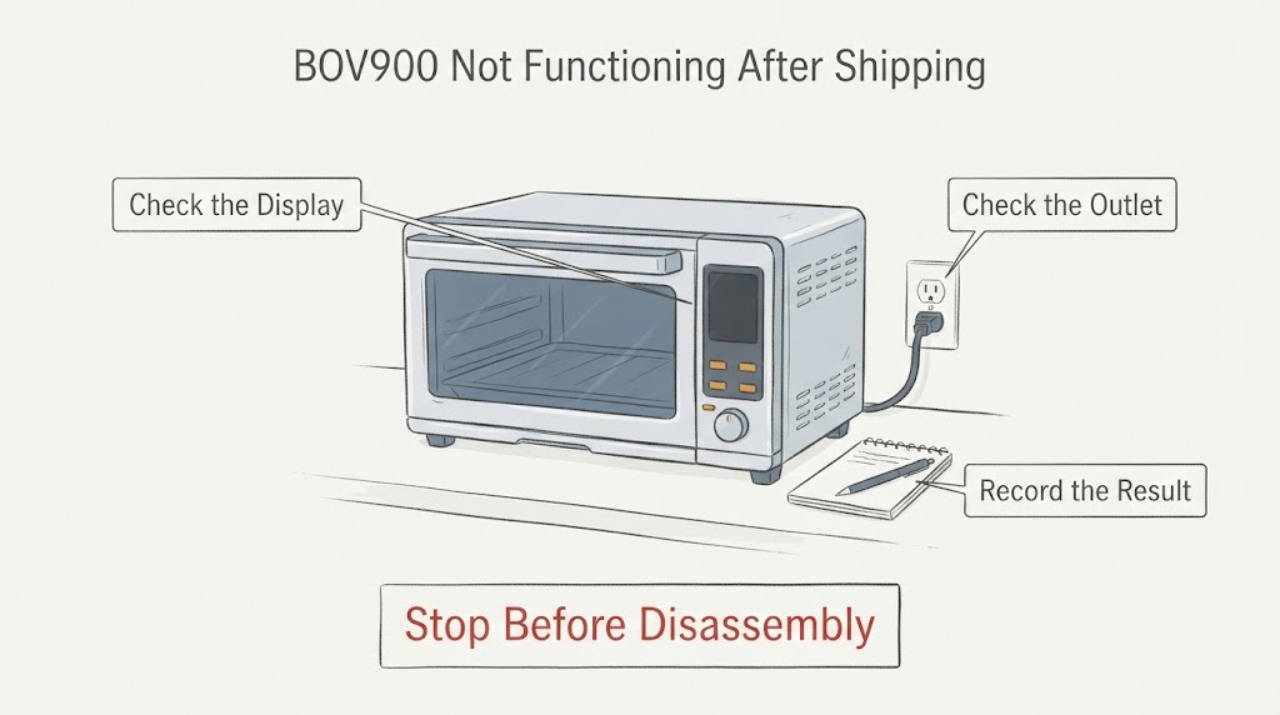
If a Breville BOV900 toaster oven stopped working after shipping damage, do not open it to repair or replace a suspected PCB. First unplug it and inspect the outside, plug, and cord for shipping damage without removing covers. If the cord, plug, housing, door, controls, or display is damaged, or if the oven was dropped and now malfunctions, stop using it and contact Breville Consumer Support or the seller with photos and proof of purchase. If there is no visible damage, the BOV900 manual lists a secure plug, an independent or different outlet, and a circuit-breaker check as the only basic no-power checks. A circuit that trips again, smoke, burning smell, sparking, heat damage, or a dead display after those checks requires authorized service; a PCB fault cannot be confirmed safely from outside.
Work through in order
Diagnostic checks
Use only checks that match the exact appliance or system and its official guide.
-
Check 1
Unplug the BOV900 and inspect the package evidence and accessible appliance surfaces: shipping box, padding, housing, door, display, controls, plug, and power cord. Do not remove covers.
Expected result: There may be a dent, crack, loose control, damaged cord or plug, display damage, a door that does not sit correctly, or no visible damage.
Next step: Photograph the condition, retain packaging and purchase evidence, and contact Breville or the seller before attempting repair. Continue to a basic outlet check only when the oven is intact and dry.
Why this matters
Why: Visible transport damage or a malfunction after a drop is a stop condition under the model safety guidance. No visible damage leaves the external supply check available but does not prove that internal electronics are safe.
-
Check 2
If the oven appears intact, confirm the plug is securely seated and try a suitable independent or different outlet. Check the relevant circuit breaker once, without opening the oven or bypassing grounding.
Expected result: The outlet may be dead, the oven may power on, the breaker may be tripped, or protection may trip again.
Next step: Stop if the breaker trips again, the plug or cord heats, or there is smoke, smell, or sparking. If the supply is normal and the oven remains dead, arrange authorized service.
Why this matters
Why: A failed outlet or single tripped breaker keeps the supply path open. A repeat trip points to an electrical safety issue. A normal supply with a dead oven leaves an appliance-side fault possible but does not identify a PCB.
-
Check 3
If only the LCD backlight appears off and there is no damage or hazard, press START/STOP or turn a control once to check whether the oven is in standby.
Expected result: The LCD may re-illuminate and controls may respond, or the screen and oven may remain unresponsive.
Next step: Use the oven only if it responds normally and has no damage or abnormal behavior. Otherwise unplug it and contact support; do not remove the control panel.
Why this matters
Why: A response supports the manual's standby explanation. No response, a damaged display, or a unit that was dropped keeps a malfunction or transport-damage path open.
-
Check 4
Record the failure pattern without attempting a PCB test: whether the display is blank, whether controls respond, whether heating or fan functions are affected, and whether the problem began immediately after delivery or after use.
Expected result: The oven may be completely dead, partially responsive, or powered but unable to perform one or more functions.
Next step: Send the pattern, model and serial details, photos, and proof of purchase through Breville's support or the seller's damage route. Keep the oven unplugged if it is damaged or malfunctioning.
Why this matters
Why: This timing and symptom split helps support choose a transport claim, return, or service assessment. It cannot establish that the PCB is the failed part.
-
Check 5
Use authorized service for any internal diagnosis or repair, including a suspected broken PCB, loose internal connector, fuse, control board, or heat-damaged wiring.
Expected result: Support or an authorized technician may determine that the oven needs inspection, repair, replacement, or return handling.
Next step: Do not open, bypass, solder, or replace the PCB yourself. Follow the support or warranty instructions and use the prescribed return or shipping process if one is provided.
Why this matters
Why: The internal cause and the appropriate remedy depend on inspection and purchase or transport circumstances. A board replacement cannot be selected safely from the symptom alone.
Use your observations
Decision map
Find the observation that best matches what you see, then follow the next safe action.
-
PATH 01Next step
What you see
The oven or cord is visibly damaged, the box shows impact, or the BOV900 began malfunctioning immediately after shipment.
Do this next
Keep it unplugged, preserve photos, packaging, and purchase evidence, and contact Breville or the seller for the authorized repair, replacement, or return path.
Why this path and its safety boundary
Why it matters: Transport damage is the leading routing condition, and continued operation could create an electrical or fire hazard. The PCB should not be assumed or opened by the owner.
-
PATH 02Next step
What you see
The oven is intact, the outlet works, the breaker stays on, but the BOV900 remains completely dead after the listed external checks.
Do this next
Unplug the oven and arrange authorized service. Do not repeatedly reset the breaker or attempt board-level repair.
Why this path and its safety boundary
Why it matters: An appliance-side power, control, or display fault remains possible. The symptom does not identify a broken PCB or justify cabinet access.
-
PATH 03Next step
What you see
Only the LCD backlight was off and the display returns after START/STOP or a control is turned, with no damage or abnormal operation.
Do this next
Use the oven only under normal supervision and stop for recurrence, damage, unusual smell, smoke, sparking, or loss of function.
Why this path and its safety boundary
Why it matters: The manual's standby behavior is a plausible explanation rather than a confirmed hardware failure.
-
PATH 04Next step
What you see
The breaker trips again, the cord or plug is hot or damaged, or there is smoke, burning smell, sparking, cracking, or water exposure.
Do this next
Stop using the oven, isolate power only if safe, keep clear of the appliance, and contact qualified service or appropriate electrical help.
Why this path and its safety boundary
Why it matters: This is an immediate electrical or fire safety boundary, not a troubleshooting opportunity.
Helpful context
Understand the symptom
Treat shipping damage as a safety and claim decision first
A toaster oven that arrives dented, dropped, cracked, or with a loose control or display has a different first step from an oven that simply stops during normal use. Unplug the BOV900 and photograph the shipping box, padding, exterior, plug, cord, door, and display before moving or opening anything. Keep the packaging and purchase records. Breville's BOV900 manual says not to use the appliance after damage or malfunction and directs servicing to an authorized representative.
Do only the external no-power checks when the oven is intact
If there is no visible shipping or electrical damage, confirm the plug is firmly inserted and try the oven's plug in an independent or different suitable outlet. Check the relevant circuit breaker once. Do not use an extension arrangement that is unsafe for the appliance, bypass grounding, or keep restoring a breaker that trips. If the display is merely dark after inactivity, press a control or turn a dial because the BOV900 can enter standby; that does not explain a unit that remains dead or was damaged in transit.
Do not diagnose or repair a suspected PCB yourself
A broken PCB is an internal electrical diagnosis, not an external user check. Opening the enclosure can expose live or heat-related parts, create a new fault, and affect warranty or return handling. The official BOV900 manual contains no user procedure for PCB repair and says servicing should be performed by an authorized service representative. Ask the support route to assess repair, replacement, or return after reviewing the shipping evidence.
Separate a standby display from a failed appliance
The BOV900 manual says the LCD backlight can turn off in standby and that pressing START/STOP or turning a control re-illuminates it. If the controls and functions return normally, monitor one ordinary use while staying nearby. If there is no display, no response, a damaged screen, a recurring failure, or a new abnormal sound or smell, stop and use the service boundary rather than repeatedly cycling power.
Give support evidence that preserves the correct route
Tell Breville or the seller when the damage was first noticed, whether the box or oven was dented, whether the display powers on, what outlet and breaker checks showed, and whether the cord, plug, door, controls, or enclosure were affected. Include the model and serial details, photos, purchase record, and any error or symptom. Do not send a claim as a confirmed PCB failure unless an authorized technician has diagnosed it.
When checks do not resolve it
Need a professional?
Use Breville or authorized service when the BOV900 remains dead after the manual's external checks, when it malfunctioned after shipping, or when a PCB or other internal part is suspected. Stop immediately for a damaged cord or plug, smoke, sparking, burning smell, heat damage, water exposure, a repeat breaker trip, or a cabinet that was dropped or cracked. Do not open the oven or attempt board-level repair.
Common questions
FAQ
Can I repair a broken PCB in a Breville BOV900 toaster oven?
Do not open or repair the PCB yourself. The BOV900 manual directs servicing to an authorized representative, and the symptom does not prove that the PCB is the failed part. Route the case through Breville or the seller, especially when shipping damage is involved.
What should I check when the BOV900 will not turn on?
If the oven is intact and dry, check that the plug is secure, try an independent or different suitable outlet, and check the circuit breaker once. Stop if protection trips again or any damage or electrical warning appears.
Could a blank BOV900 display be standby mode?
Yes, the BOV900 manual says its LCD backlight can turn off in standby; pressing START/STOP or turning a control should re-illuminate it. A damaged or unresponsive oven needs service rather than repeated resets.
Read the exact guide
Official sources
- the Smart Oven Air Fryer Pro Instruction BookletBreville · Exact official instruction booklet for the assigned B900/BOV900 toaster oven model.
- the Smart Oven Air Fryer Pro - OVENS Support & FAQsBreville · Official B900/BOV900 product hub used for model identity and support route selection.
- WarrantyBreville · Official warranty terms used to route a shipping-damage or unauthorized-repair case; coverage depends on jurisdiction and purchase circumstances.
Community feedback
Share a repair observation
Share a plain-text repair observation. Accepted observations are published automatically; this page may take a moment to update.