
On this page
Start here
Quick answer
For a Breville Mini Smart Oven, first confirm the label and manual match the Mini Smart Oven/BOV450 family. A frozen dinner should be cooked with the package's oven-safe instructions and the model's Bake setup, not judged while the oven is still preheating. On the BOV450 manual, Bake is the function intended for prepackaged frozen meals such as lasagna and pot pies; the separate FROZEN FOOD option adds time for specific frozen bread, bagel, pizza, or cookie-dough functions and should not be assumed to apply to every frozen dinner. Select the documented function, temperature, time, and rack position, press START/CANCEL, keep the door closed through preheat, and confirm that the timer begins. If the oven completes a correctly started cycle but the dinner remains cold, or the display, outlet, cord, or elements show a fault or hazard, stop using it and arrange Breville or qualified appliance service rather than replacing an element or fuse by guesswork.
Work through in order
Diagnostic checks
Use only checks that match the exact appliance or system and its official guide.
-
Check 1
Read the appliance label and record the complete model, such as BOV450XL if shown, along with the food package's required oven mode, temperature, container, and time. Compare the label with Breville's Mini Smart Oven product hub before using a model-specific control instruction.
Expected result: The appliance matches the Mini Smart Oven/BOV450 family, or the label identifies a different Breville oven or an unreadable model.
Next step: Use the matching manual when the identity is clear. If it is not, stop the model-specific path and use the exact Breville manual or support route rather than copying the frozen-food setting.
Stop if: Do not use a different model's temperature, button sequence, rack position, or frozen-food behavior as a substitute.
Why this matters
Why: Breville has several countertop oven platforms with different controls and manuals. The frozen-meal guidance in the BOV450 manual is not proof for another model.
-
Check 2
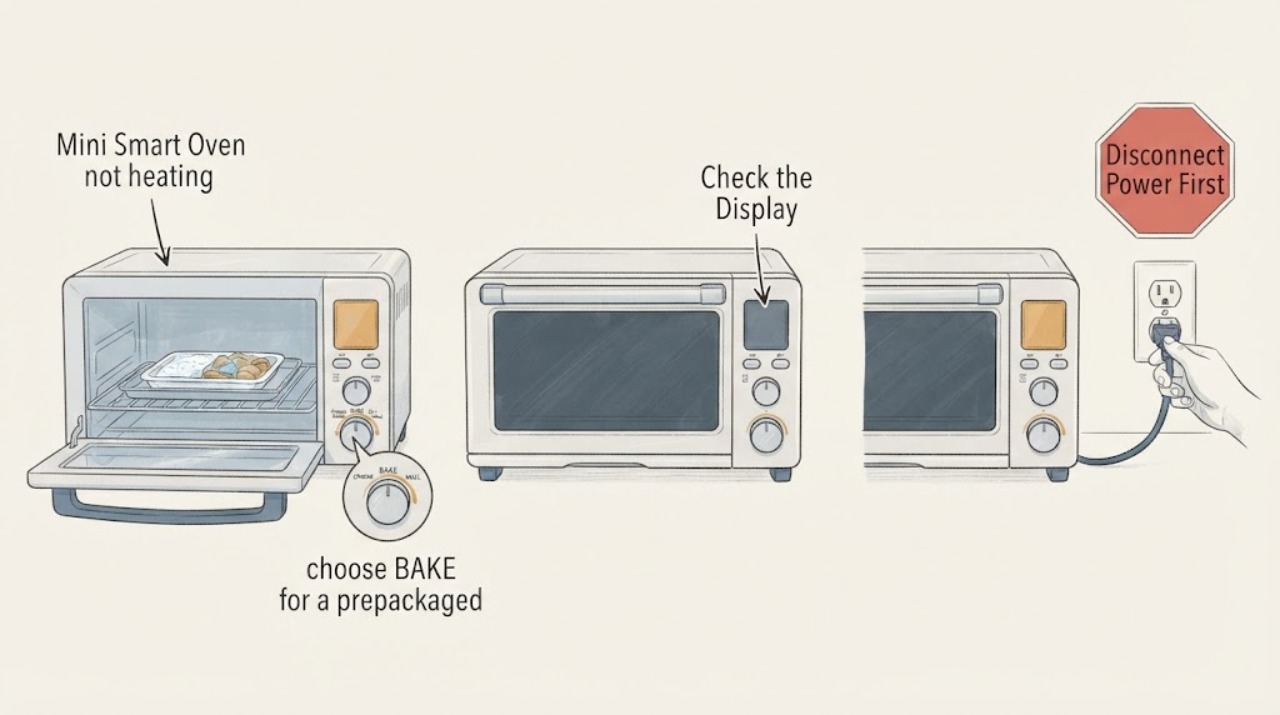
With the oven cool and safe, choose BAKE for a prepackaged frozen dinner when the BOV450 manual and package instructions call for baking. Set the package-compatible temperature and time, use the documented rack position and oven-safe dish, and press START/CANCEL so the cycle actually begins.
Expected result: The display shows an active cycle or PREHEATING, the timer begins after the preheat alert, or the oven remains in standby and the timer never starts.
Next step: If the cycle has not started, repeat only the documented control sequence once. If it starts, keep the door closed through preheat and continue to the frozen-setting and heat-observation checks.
Stop if: Do not use undocumented button combinations, wedge the door, or repeatedly start and cancel a cycle to force heat.
Why this matters
Why: On the BOV450, a selected function is not the same as a running cycle. The preheat indication and subsequent timer start distinguish setup from an oven that has completed a heating cycle without warming the food.
-
Check 3
Check the FROZEN FOOD indicator before starting or while setting the cycle. Use it only when the exact BOV450 manual and the selected function call for it; for a frozen dinner, do not assume that the button is required just because the meal came from a freezer.
Expected result: The frozen indicator is off during Bake, is on for a function and food type the manual supports, or its meaning is uncertain on the identified model.
Next step: Follow the package and exact manual for the selected meal and function. If the setting cannot be identified or the model differs, leave the control unchanged and obtain model-specific guidance.
Stop if: Do not compensate for an undercooked meal by selecting arbitrary extra time or temperature, especially when the container or food package is not rated for the oven.
Why this matters
Why: The BOV450 manual describes FROZEN FOOD as an optional additional-time setting for specified frozen bread, bagel, pizza, or cookie-dough cycles, while Bake is the function described for prepackaged frozen meals. A frozen indicator alone does not prove that the heating elements have failed.
-
Check 4
During one correctly started cycle, observe only from outside whether the LCD remains in PREHEATING, changes to the active countdown, and whether the upper or lower quartz elements show normal cycling. Keep the door closed except when the package instructions require a safe check.
Expected result: The preheat completes and the timer counts down, an element cycles or appears dark between bursts, the timer never begins, or the oven stays cold after the documented cycle time.
Next step: If the cycle completes normally, evaluate the food against the package instructions and allow for the food's starting state. If the oven remains cold after a correctly started cycle, stop further testing and arrange service.
Stop if: Do not touch, scrape, bend, or probe a quartz element, and do not open the cabinet for voltage or continuity tests.
Why this matters
Why: Breville's Element IQ system regulates heating, so a dark element at one moment is not enough to prove failure. A cycle that never advances or completes with no heat is more concerning than normal pulsing, but it still does not identify a particular element, relay, sensor, or board.
-
Check 5
After the oven is switched off, unplugged, and completely cool, inspect only the user-removable tray, rack, pan, door seal area, cord, plug, and visible cavity for loose packaging, foil, heavy residue, moisture, or damage. Clean only as Breville's care guidance allows and let every cleaned surface dry before reconnecting.
Expected result: A tray or rack is wet or misplaced, loose packaging or residue is visible, the cord or plug is damaged, an element is cracked or displaced, or the visible interior is clean and intact.
Next step: Correct only an obvious removable setup or cleaning issue, then make one normal cycle test if there is no hazard. For damage, smoke, odor, or persistent no-heat, keep the oven unplugged and contact Breville or qualified appliance service.
Stop if: Do not use oven cleaner on quartz elements, restore power while surfaces are wet, operate with a damaged cord, or remove the enclosure.
Why this matters
Why: A wet or obstructed cavity can affect safe cooking and creates a fire concern, while a clean, intact exterior with persistent no-heat after a full cycle points toward an internal heating or control fault that cannot be localized safely.
Use your observations
Decision map
Find the observation that best matches what you see, then follow the next safe action.
-
PATH 01Next step
What you see
The appliance matches the Mini Smart Oven/BOV450 family, Bake is selected, START/CANCEL has started the cycle, preheat completes, and the frozen dinner cooks according to the package instructions.
Do this next
Keep the package and model instructions as the reference for future meals. Do not add the FROZEN FOOD setting unless that exact function and food type call for it.
Why this path and its safety boundary
Why it matters: The earlier complaint was more consistent with a function, timing, or frozen-food-setting misunderstanding than a failed heater. The BOV450 manual specifically positions Bake for prepackaged frozen meals.
-
PATH 02Next step
What you see
The oven is identified as BOV450, but the display never leaves standby or PREHEATING, the timer never begins, or a correctly started cycle produces no heat.
Do this next
Stop cooking tests, unplug the oven if safe, and arrange Breville or qualified appliance service with the model, display state, selected function, and cycle result.
Why this path and its safety boundary
Why it matters: The problem is no longer explained by the frozen dinner's setting alone. A control, power, sensing, switching, or heating issue is possible, but the user checks do not identify the failed component.
-
PATH 03Next step
What you see
The oven heats, but the frozen dinner remains cold or unsafe because the wrong container, rack, temperature, time, or food-specific setting was used.
Do this next
Restart only with the package's oven-safe setup and the exact manual's matching function. Do not use arbitrary extra heat or time to compensate for an unknown container or setting.
Why this path and its safety boundary
Why it matters: This is a cooking-setup branch rather than proof that the Mini Smart Oven has failed. The BOV450 manual separates Bake's frozen-meal use from the FROZEN FOOD option for particular frozen foods.
-
PATH 04Next step
What you see
The label does not match BOV450, the manual is unavailable, or the oven has smoke, burning odor, arcing, liquid near controls, damaged cord, repeated breaker trips, cracked elements, or other unsafe heat.
Do this next
Keep the oven out of use and disconnect only from a safe dry position. Use the matching Breville support path or qualified appliance/electrical service; use local emergency procedures for active fire or immediate danger.
Why this path and its safety boundary
Why it matters: The BOV450 frozen-food decision cannot be transferred to another platform, and a visible electrical or heat hazard is not a cooking-setting problem.
Helpful context
Understand the symptom
Frozen dinner versus a cold oven
A frozen dinner can remain cold when the oven is in standby, the Bake cycle was never started, the timer has not begun because preheat is incomplete, or the package and rack setup do not match the model instructions. Breville's Mini Smart Oven product information identifies separate Bake, Reheat, Pizza, and other functions, so a frozen dinner should not be diagnosed from a single visual glance at one quartz element.
Use the frozen setting carefully
The BOV450 manual distinguishes the Bake function, which is described for prepackaged frozen meals, from the FROZEN FOOD button, which adds recommended time for particular frozen bread, bagel, pizza, or cookie-dough cycles. That distinction is the key topic-specific decision: do not press the frozen button simply because any food started frozen. Follow the food package and the exact manual for the selected function.
When checks do not resolve it
Need a professional?
Have this ready
- Provide the exact model, package and selected function, temperature and time, rack and container setup, whether PREHEATING completed and the timer counted down, frozen-setting state, visible element behavior, and any safety symptoms.
Common questions
FAQ
Should I press FROZEN FOOD for every frozen dinner in a Breville Mini Smart Oven?
No. The BOV450 manual describes Bake as suitable for prepackaged frozen meals, while FROZEN FOOD adds time for specified frozen bread, bagel, pizza, or cookie-dough functions. Follow the exact package and model instructions.
Why is my frozen dinner cold even though the Breville oven is on?
Check that the cycle actually started, that PREHEATING completed and the timer began, and that the Bake temperature, time, rack, and oven-safe container match the package and manual. If a correctly started cycle completes with no heat, arrange service rather than guessing at a part.
Is a dark Breville heating element proof that the oven is broken?
Not by itself. The Mini Smart Oven uses Element IQ to regulate heat, so an element may not look continuously bright. Judge the complete cycle and cooking result; stop using the oven for cracks, smoke, odor, arcing, or persistent no-heat.
Read the exact guide
Official sources
- the Mini Smart OvenBreville · Official Breville BOV450XL manual used for the assigned Mini Smart Oven/frozen-dinner topic; exact model and market must match before its controls or food settings are copied.
- How to clean a toaster oven: Tips & tricksBreville · Official Breville care article opened for the limited safe inspection, unplugged/cool cleaning, drying, and heating-element safety boundary; it does not diagnose a no-heat component.
- Mini Smart Toaster Oven | Breville (US)Breville · Official Breville product page opened to confirm the Mini Smart Oven/BOV450 identity, functions, Element IQ system, LCD preheat/cooking behavior, and support documentation routing.
Community feedback
Share a repair observation
Share a plain-text repair observation. Accepted observations are published automatically; this page may take a moment to update.