
On this page
Start here
Quick answer
On the BOV800XL, the FUNCTION dial is supposed to move the indicator through cooking functions on the LCD. If turning it slowly still skips choices, moves in the wrong direction, or changes inconsistently, first stop a cooking cycle, let the oven cool, and perform only Breville’s documented unplug-and-reconnect reset. Check whether the LCD follows the dial afterward. Do not spray cleaner into the control, remove the panel, probe the switch, or replace an internal control part. If the fault persists or an E01, E02, or E05 message appears, unplug the oven and contact Breville for examination, repair, or adjustment.
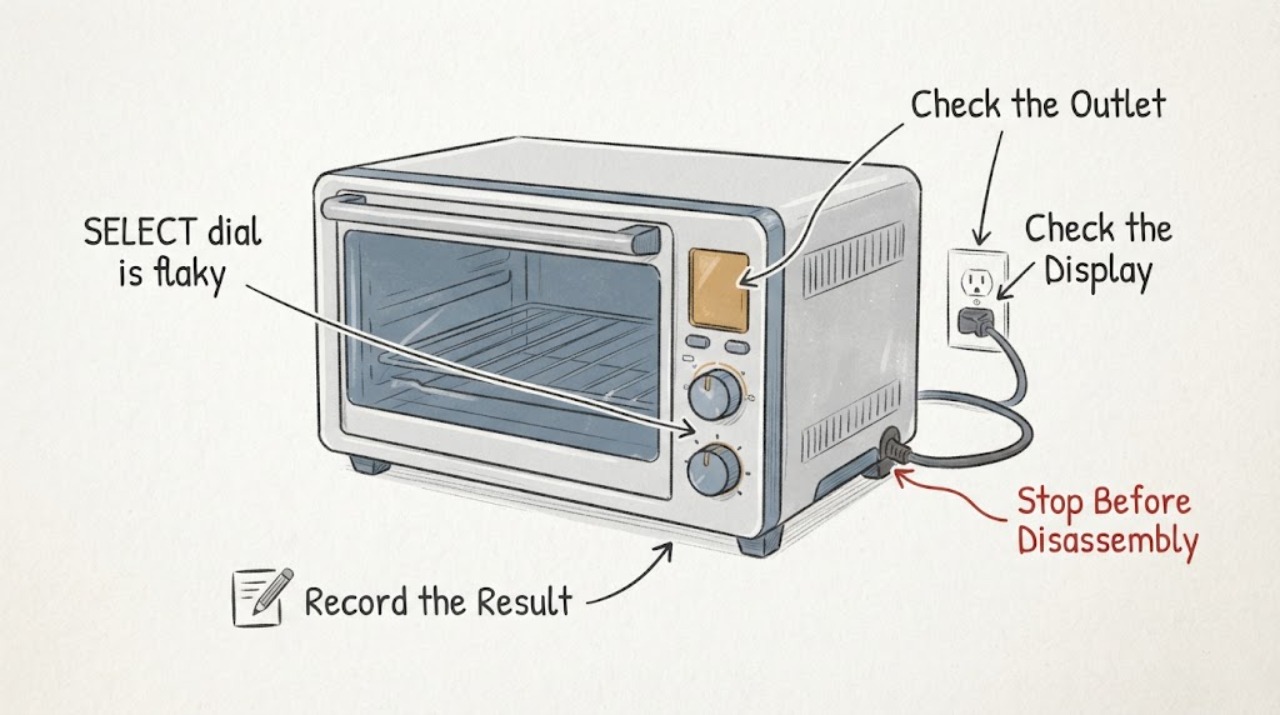
Work through in order
Diagnostic checks
Use only checks that match the exact appliance or system and its official guide.
-
Check 1
If the oven is cooking, press START/CANCEL so the red button surround goes out. Let the hot surfaces cool completely, then remove the plug from the wall outlet before inspecting or resetting the control. Do not test the dial while the oven is hot or running.
Expected result: The cooking cycle stops normally and the oven cools, or the control will not stop the cycle, the plug/cord is damaged, or the oven shows smoke, arcing, or another immediate hazard.
Next step: For a normal stop, continue only after the oven is cool and unplugged. For a cycle that will not stop, damage, smoke, or arcing, keep clear, disconnect power only if safe, and contact Breville or emergency services as appropriate; do not open the housing.
Why this matters
Why: Breville identifies the button surround as the ON/OFF cooking indication and warns that the outer oven surfaces remain hot. A cycle that will not stop or any electrical/fire sign is outside a dial check.
-
Check 2
With the oven cool and unplugged, note the physical condition of the external FUNCTION knob without removing it. After reconnecting only for a normal user test, turn the FUNCTION dial one detent at a time as the manual describes and watch whether the LCD indicator follows the selected function. Do not force the knob, pull it off, or spray into the control.
Expected result: The LCD follows each turn, or the indicator skips functions, reverses direction, changes without a corresponding turn, or does not change at all.
Next step: If the LCD follows the dial, the earlier problem may have been a one-time control state; continue normal use while monitoring. If it remains flaky, stop repeated testing and use the documented reset once before requesting service.
Why this matters
Why: The manual establishes the expected user interaction: the FUNCTION dial moves the LCD indicator to a cooking function. A repeatable mismatch is evidence of a control-selection fault, but it does not identify the defective internal component.
-
Check 3
Press START/CANCEL to leave any cooking state, remove the plug from the wall outlet, wait five seconds, and plug it back in. This is the BOV800XL manual’s documented way to restore default settings; do not cycle power repeatedly or use a disassembly procedure.
Expected result: After the reset, the LCD returns to normal and the FUNCTION dial selects consistently, or the same skipped/wrong selection returns.
Next step: If selection is normal, stop resetting and monitor. If it is still flaky, leave the oven unplugged when not needed and contact Breville for examination, repair, or adjustment; do not open the control panel.
Why this matters
Why: Breville says unplugging for five seconds restores each function’s default settings. That can clear a stored setting state, but a repeated physical-input mismatch remains a service issue rather than proof that the internal switch can be cleaned or replaced by the user.
-
Check 4
If the LCD shows an error while the selection fault occurs, record the exact code and remove the power plug as the manual directs. If there is no code but the dial remains unreliable after the reset, record which functions are skipped and whether START/CANCEL and the heating cycle otherwise behave normally.
Expected result: The LCD shows E01, E02, or E05, shows E03 or E04, or shows no code but the FUNCTION dial remains inconsistent.
Next step: For E01, E02, E05, or persistent no-code dial failure, keep the oven unplugged and contact Breville. For E03, follow the manual’s cool-down instruction and call if it continues; for E04, relocate only as the manual directs. Do not diagnose or replace the SELECT switch, encoder, board, or wiring yourself.
Why this matters
Why: Breville classifies E01, E02, and E05 as non-resettable issues requiring unplugging and Customer Service; E03 is an over-temperature condition and E04 is a room-temperature condition with separate documented steps. No-code selection failure is still not a consumer internal repair procedure.
Use your observations
Decision map
Find the observation that best matches what you see, then follow the next safe action.
-
PATH 01Next step
What you see
The oven is cool, the LCD indicator moves to each function as the FUNCTION dial is turned, and no error code appears.
Do this next
Stop testing and monitor normal use. Do not open the panel merely to look for a switch.
Why this path and its safety boundary
Why it matters: The documented user control path is responding normally at the time of the check; the prior flaky behavior is not reproduced.
-
PATH 02Next step
What you see
The LCD skips, reverses, or ignores FUNCTION-dial turns after the five-second unplug reset.
Do this next
Keep the oven unplugged when not in use and contact Breville for examination, repair, or adjustment. Do not spray cleaner, pull the knob, solder, or replace an internal switch or board.
Why this path and its safety boundary
Why it matters: The persistent symptom is a control-selection fault, but the exact BOV800XL manual does not identify which internal component causes it.
-
PATH 03Next step
What you see
The LCD displays E01, E02, or E05.
Do this next
Remove the plug from the wall outlet and call Breville Customer Service; do not continue cooking or open the oven.
Why this path and its safety boundary
Why it matters: Breville treats these as non-resettable appliance issues rather than a user-adjustable dial setting.
-
PATH 04Next step
What you see
The oven will not stop, emits smoke/arcing, has a damaged cord or plug, or remains electrically unsafe while the dial is being tested.
Do this next
Stop using it, disconnect power only if safe, keep clear of smoke or fire, and use Breville service or emergency response as appropriate. Do not touch internal wiring.
Why this path and its safety boundary
Why it matters: This is an immediate electrical or fire safety condition, not a selector-dial troubleshooting branch.
Helpful context
Understand the symptom
Separate a control-selection fault from a cooking fault
The BOV800XL manual describes the FUNCTION dial as the control that moves the LCD indicator through the oven functions. A flaky dial can therefore be documented by comparing the physical turn with the on-screen selection. That observation does not identify whether the cause is the knob, the control input, the display logic, or another internal part.
Use the documented reset, then stop at the service boundary
Breville’s manual gives a short unplug-and-reconnect procedure for restoring default settings and says that maintenance other than cleaning should go through Breville. Use that reset once after the oven is cool; a persistent selection fault is a repair request, not a reason to open the control panel or spray a cleaner into it.
When checks do not resolve it
Need a professional?
Contact Breville for examination, repair, or adjustment when the BOV800XL FUNCTION/SELECT control still skips or ignores settings after the documented reset, when an E01, E02, or E05 code appears, or when the oven will not stop normally.
Common questions
FAQ
What does the SELECT or FUNCTION dial do on the Breville BOV800XL?
The BOV800XL instruction book identifies it as the FUNCTION dial and says to turn it until the LCD indicator reaches the desired cooking function. A skipped or reversed indicator is a control-input symptom, not a confirmed part diagnosis.
Can unplugging fix a flaky BOV800XL selector?
Breville documents unplugging for five seconds and reconnecting to restore default function settings. Perform that reset once after the oven is cool; if the selector remains inconsistent, request examination or repair rather than repeating resets or opening the panel.
Should I spray contact cleaner into the SELECT switch?
No. The BOV800XL manual directs maintenance other than cleaning to Breville and does not authorize spraying, panel removal, or internal switch work. Keep the oven unplugged and request service for a persistent flaky control.
What should I do if the oven shows E01, E02, or E05?
Breville says to remove the power cord from the wall outlet and call its Customer Service Center for these non-resettable issues. Do not continue cooking or attempt an internal repair.
Is a flaky SELECT dial safe to keep using if the oven still heats?
If the control can select unpredictably, stop relying on it for a cooking cycle. The manual’s safe boundary is to stop and contact Breville for examination, repair, or adjustment when maintenance beyond cleaning is needed; smoke, arcing, a damaged cord, or a cycle that will not stop requires immediate power-off if safe.
Read the exact guide
Official sources
- the Smart Oven™ Instruction Book - BOV800XLBreville · Exact BOV800XL instruction book. Supports the FUNCTION dial/LCD interaction, safe stop and cool-down, unplug-and-reconnect default reset, error-code handling, and Breville service boundary. It does not identify or authorize repair of an internal rotary switch, encoder, control board, or wiring.
Community feedback
Share a repair observation
Share a plain-text repair observation. Accepted observations are published automatically; this page may take a moment to update.