
On this page
Start here
Quick answer
First identify whether this is a carafe-and-filter brewer, a portafilter espresso machine, a pod/capsule machine, or a bean-to-cup machine. Slow flow and a short cup can come from a blocked or incorrectly fitted filter path, an excessive espresso dose or grind, a model-specific grinder setting, scale, or a programmed drink volume. Unplug the appliance before accessible cleaning, inspect only user-removable parts shown in its own manual, and use only the manual's approved cleaning or descaling method. Do not apply a De’Longhi dial position, cleaner, dose, needle, tool, or disassembly step to an unidentified machine.
Before you begin
Safety first
- Do not open the casing, probe live circuits, dismantle a pump or heater, enter an unknown service mode, force a filter or pod path, insert tools into an unidentified outlet, or use a cleaner, dose, grind setting or descaling recipe copied from another model.
Work through in order
Diagnostic checks
Use only checks that match the exact appliance or system and its official guide.
-
Check 1
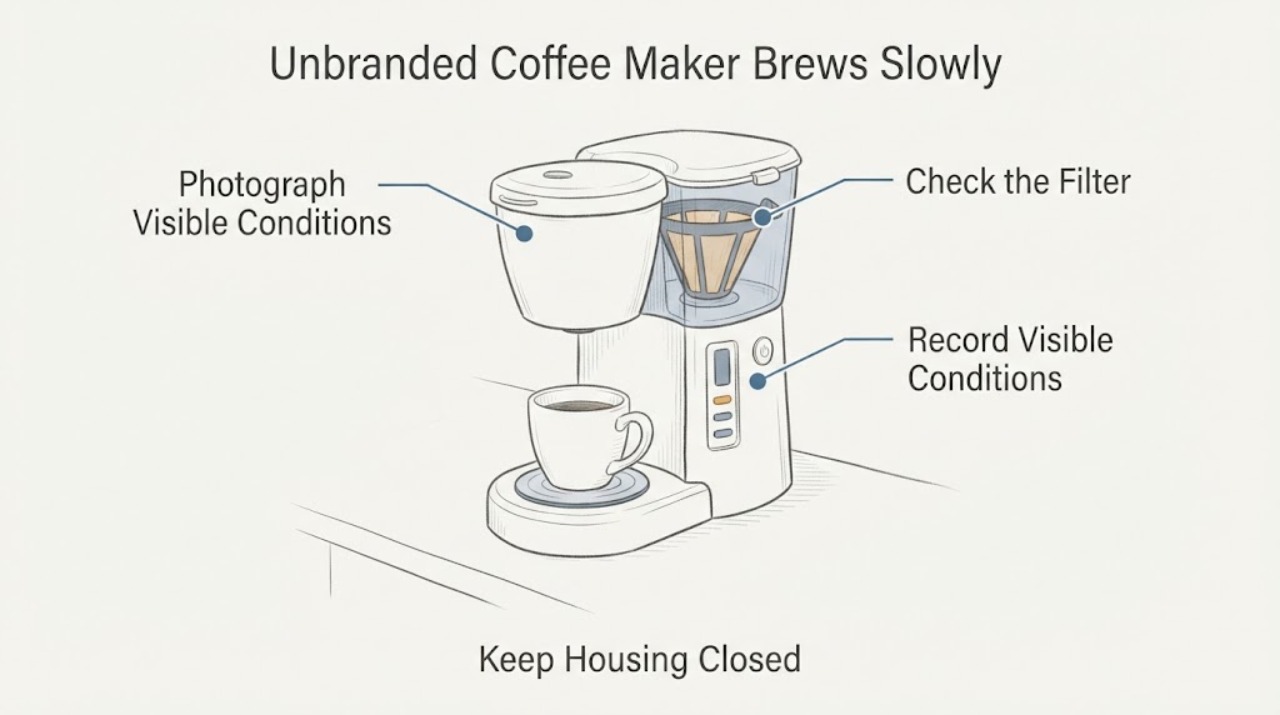
Stop brewing, unplug the machine from the accessible plug, allow hot surfaces and liquid to cool, and photograph the rating label and visible brew design. Classify it as carafe/filter, portafilter, pod/capsule, or bean-to-cup before touching a filter, grinder, needle, or cleaning control.
Expected result: The machine type and model label are clear; only the type is clear; or the type, model and access points remain unclear.
Next step: Continue only with the matching branch and the owner manual for that model. If the label or access design cannot be identified, stop at visible observations and request manufacturer or qualified service guidance.
Why this matters
Why: A clear type allows the matching external branch. An unknown type means a brand-specific filter, cleaner, grind setting or disassembly instruction could be wrong.
-
Check 2
If the appliance has a water reservoir, filter basket and carafe, verify that only the filter type allowed by its manual is installed, that the carafe lid engages the filter-holder release, and that the visible filter-holder tab or spring is present and moves freely without force. Inspect the accessible water path for visible scale or debris, then use descaling only if the exact manual authorizes it.
Expected result: The filter or carafe mechanism is misfitted, a tab or spring is missing or stuck, visible scale/debris is present, or the visible path appears clear.
Next step: Correct only a user-removable, manual-confirmed fit and retest with the same measured water amount. If hardware is missing, damaged, or the output remains slow/short after the manual-approved maintenance cycle, keep the machine unplugged and arrange service.
Why this matters
Why: De’Longhi’s drip guidance treats filter selection, carafe engagement, filter-holder hardware and scale as separate causes of slow or absent flow. A clear external path does not prove an internal pump or heater fault.
-
Check 3
If the appliance uses a portafilter, with power disconnected check the basket and gasket for visible coffee residue, confirm the basket and any filter are the combination named by the manual, and record the dose and tamp used. Do not add a second filter, overfill the basket, or change grind/tamping aggressively while trying to correct the symptom.
Expected result: The basket is obstructed, two filters are fitted, the dose is visibly excessive, tamping is unusually firm, or the basket and visible outlet are clear.
Next step: Restore only the filter, dose, grind and tamp arrangement specified by the exact manual, then compare flow and measured volume. If the basket or gasket is damaged, or slow flow persists after manual-approved cleaning, stop and use qualified service.
Why this matters
Why: De’Longhi’s manual-espresso guidance associates slow delivery with excess coffee, using permanent and paper filters together, excessive tamping, an unsuitable grind, or a filter that needs cleaning/descaling. These are category-specific observations, not proof of a fault in an unknown machine.
-
Check 4
If the machine has a bean hopper, grinder and dispensing spouts, empty only the user-accessible grounds container or tray as the manual directs and inspect the spout openings for visible residue. Do not insert a wire, needle, brush, vacuum nozzle, or hand into an opening unless the exact manual identifies that action. Change a grinder setting only when the exact model manual or support page explicitly permits it.
Expected result: The spouts are visibly restricted, the grinder setting is known and manual-adjustable, water/grounds warnings are present, or the accessible path is clear.
Next step: Clean the identified user-accessible part only by the exact manual and make no generic grinder adjustment. If the machine remains slow or the cup remains short, record the model and observed warnings for service rather than opening the grinder or pump circuit.
Why this matters
Why: De’Longhi’s fully automatic guidance treats dirty spouts and too-fine grounds as separate causes, while its Magnifica Start page gives a model-specific adjustment rule. That setting and timing cannot be transferred to another brand or model.
-
Check 5
After a matching external check, run one test using the same water level, cup, coffee format and programmed drink each time. Record the elapsed brew time, delivered volume and whether the flow is steady, intermittent, or only a few drops.
Expected result: Flow and volume return to normal, flow improves but the volume is still short, flow remains slow from the start, or a leak, burning smell, unusual noise, or repeated warning appears.
Next step: If the symptom persists or any hazard appears, stop using the machine, unplug it, and provide the model label, machine type, test volume/time, visible condition and exact manual-approved steps to qualified service.
Why this matters
Why: Improvement after a category-appropriate external check supports a maintenance or setup issue. A normal flow with a short programmed volume points to a setting/manual question; persistent restriction or a hazard requires service rather than a guessed part diagnosis.
Use your observations
Decision map
Find the observation that best matches what you see, then follow the next safe action.
-
PATH 01Next step
What you see
The appliance has a carafe and filter basket, and the carafe lid engages a visible filter-holder release.
Do this next
Follow the exact manual for the filter and cleaning procedure, then repeat one measured brew. Do not apply espresso dose, pod-needle, grinder, or portafilter instructions.
Why this path and its safety boundary
Why it matters: The drip-brewer flow path is the relevant category; filter choice, carafe engagement, visible filter-holder hardware and model-approved descaling are the supported first checks.
-
PATH 02Next step
What you see
The appliance uses a handle-mounted basket that locks into a brew group, rather than a paper-filter carafe or bean-to-cup spouts.
Do this next
Use the exact manual to restore the filter and dose arrangement and to authorize cleaning or descaling. Stop before removing panels or testing a pump, heater or control circuit.
Why this path and its safety boundary
Why it matters: Dose, filter combination, tamping, grind and visible basket condition can affect flow, but De’Longhi’s settings are examples for its own machines only.
-
PATH 03Next step
What you see
The machine has a bean hopper, grinder, grounds container and one or more dispensing spouts.
Do this next
Use only the exact manual’s accessible cleaning and adjustment instructions. Do not copy a numbered dial position or timing from another model.
Why this path and its safety boundary
Why it matters: Spout residue and grind setting may affect delivery, but the grinder adjustment and cleaning access are model-specific.
-
PATH 04Next step
What you see
The machine type or model cannot be identified, or slow flow is accompanied by a leak, burning smell, damaged cord, steam leak, unusual electrical noise, or repeated warning.
Do this next
Keep it unplugged and obtain the rating-label model and manufacturer instructions or qualified service. Do not continue brewing to see whether the restriction clears.
Why this path and its safety boundary
Why it matters: The evidence does not support selecting a cleaner, replacement part, internal access point or electrical test for this appliance.
Helpful context
Understand the symptom
Classify the brewer before choosing a check
A carafe with a filter basket, a portafilter, a pod or capsule chamber, and a bean hopper with grinder and dispensing spouts have different flow paths. The manufacturer pages opened for these categories give different checks, so the symptom alone does not justify one cleaner, grind setting, dose, needle, or internal procedure. Photograph or record the nameplate and control panel, then use the branch that matches the visible design.
A short cup is a measurement clue, not a part diagnosis
Measure the liquid delivered into a marked cup and note whether the flow is slow from the beginning, starts normally and then fades, or finishes at a normal rate but stops at a smaller programmed volume. Keep the machine type, water level, selected drink or brew setting, and whether the filter path was recently cleaned with the observation. Do not infer a failed pump, heater, valve, flow meter, or control board from cup volume alone.
When checks do not resolve it
Need a professional?
Arrange qualified service when a model cannot be identified, the cup remains short after the exact manual-approved external maintenance, flow is persistently restricted, a visible part is damaged, or any leak, burning smell, electrical symptom, steam leak or repeated warning appears.
Safety scope: Do not open the casing, probe live circuits, dismantle a pump or heater, enter an unknown service mode, force a filter or pod path, insert tools into an unidentified outlet, or use a cleaner, dose, grind setting or descaling recipe copied from another model.
Have this ready
- Provide the rating-label model, machine category, coffee format, selected drink or brew setting, measured water input and output, brew time, visible flow pattern, recent cleaning/descaling and any warning shown.
Common questions
FAQ
Can I descale an unbranded coffee maker with any descaler?
Do not choose a chemical or dose by brand analogy. Find the exact model manual first and use only its approved product and cycle. If the model cannot be identified, limit the check to visible, user-removable maintenance and ask the manufacturer or a qualified technician.
Does a short cup prove the pump is failing?
No. A short cup can reflect a programmed quantity, a filter or flow restriction, a dose or grind issue, or an appliance-specific setting. Compare measured input, output and flow pattern before considering service; do not diagnose an internal part from volume alone.
Should I make the grind finer to improve a weak or short coffee?
Only if the exact manual supports a grinder adjustment for the identified bean-to-cup or espresso machine. A finer grind can slow flow, and a numbered setting from another model is not transferable.
What if the machine is slow but still produces coffee?
Classify the design, inspect only the matching accessible path, and run one measured comparison after the manual-approved check. Persistent slow flow, a leak, burning smell, electrical symptom or warning requires unplugging and qualified service.
Read the exact guide
Official sources
- Why is my drip coffee brewing slowly or not at all?De’Longhi Canada · Conditional category evidence for a carafe-and-filter brewer only; no De’Longhi brand or model is assigned to this task.
- Why is the coffee coming out too slowly?De’Longhi Singapore · Conditional category evidence for a portafilter espresso machine only; De’Longhi dose, filter and grind guidance is not generalized to other machines.
- Why does the coffee drip out slowly from my Fully Automatic coffee machine?De’Longhi Canada · Conditional category evidence for a bean-to-cup machine with dispensing spouts; it does not identify the unbranded task or authorize tools for another model.
- The coffee is delivered too slowly - Magnifica Start ECAM22X.2Y - ECAM22X.3YDe’Longhi Coffee Machines Help Center · Model-specific example used only to show why grinder settings cannot be copied to an unbranded machine.
Community feedback
Share a repair observation
Share a plain-text repair observation. Accepted observations are published automatically; this page may take a moment to update.