
On this page
Start here
Quick answer
When a Dacor refrigerator is not cooling, first read the complete model number and check that the display responds, the temperature settings are not in a model-specific off, demo, vacation, or other reduced-cooling state, and any available Power Cool or equivalent mode is used only as the owner's guide describes. Confirm both doors close against their gaskets, shelves and food are not blocking visible vents, and the cabinet has room to reject heat. Check the actual interior temperature after allowing the appliance time to respond rather than relying only on the setpoint. A faint fan or compressor cycle can be normal, but no cooling with no operating sound, repeated clicking, one compartment warm while the other stays cold, frost that blocks airflow, a control error, burning smell, or rapid warming after a power event needs Dacor service. Do not remove covers, probe wiring, bypass a sensor, handle refrigerant, or diagnose a compressor or sealed system yourself.
Before you begin
Safety first
- Do not remove refrigerator covers, probe or bypass wiring, defeat a door or temperature sensor, handle refrigerant, open the sealed system, force an integrated unit out of its installation, or perform live voltage or compressor tests. Stop immediately for smoke, a burning odor, damage, or water near power. Dacor advises owners not to attempt self-repair when a safety issue or uncertainty is present.
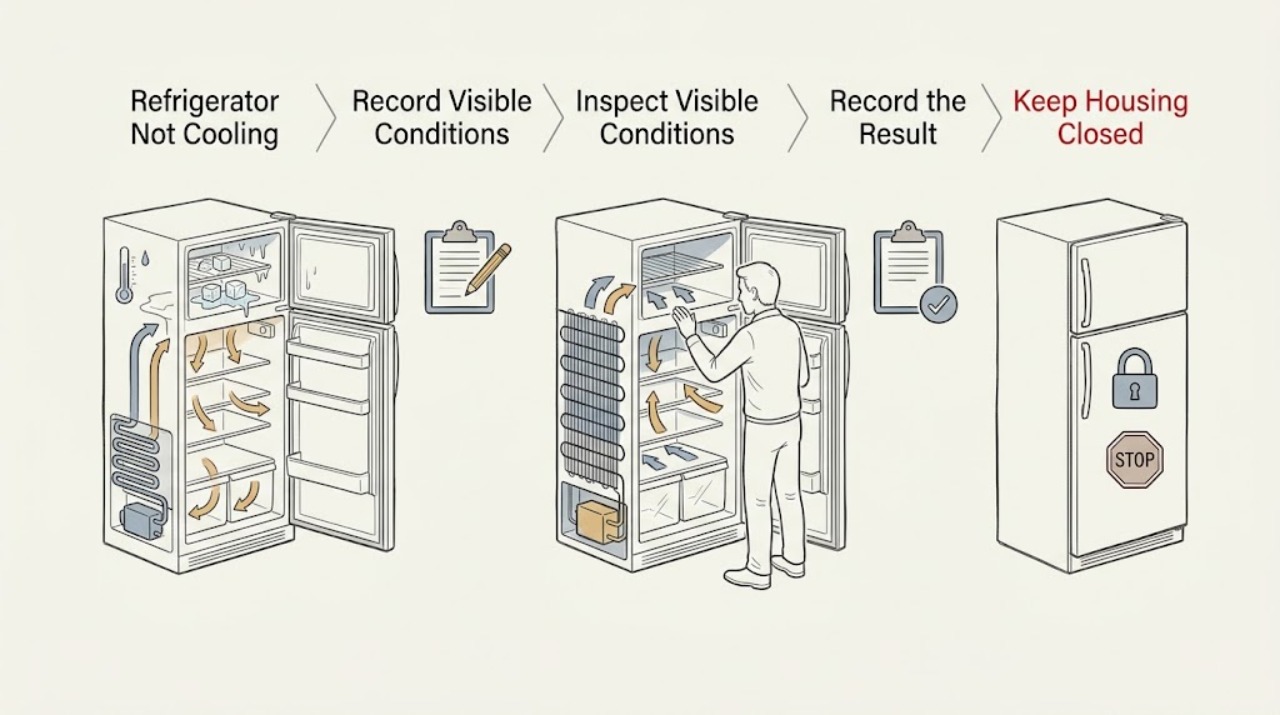
Work through in order
Diagnostic checks
Use only checks that match the exact appliance or system and its official guide.
-
Check 1
Record the full Dacor model number and inspect the user-facing control panel. Confirm the refrigerator has power, the display responds normally, the temperature setpoints are not in an identified off, demo, vacation, or reduced-cooling state, and any Power Cool or equivalent option is used only according to that model's guide.
Expected result: The panel is blank or unresponsive, a reduced-cooling mode is active, a control error is shown, or the settings appear normal.
Next step: Use only the normal model-specific control action to leave an identified reduced-cooling state and allow the refrigerator time to respond. If the panel remains blank, an error returns, or the settings are normal but temperatures rise, stop changing settings and arrange Dacor service.
Why this matters
Why: A control state can make a healthy cooling system appear warm, while a blank panel or persistent error raises a power, user-interface, control, or service issue. Dacor's controls and named modes differ by product family.
-
Check 2
Check the door and airflow boundary without moving panels. Close each door slowly and look for a gasket folded away from the cabinet, a drawer or shelf preventing closure, food pressing against the door, or food covering the visible interior air outlets. Confirm the doors remain closed rather than relying on a control display alone.
Expected result: A door does not seal, a drawer or package holds it open, a gasket is visibly displaced or damaged, a vent is blocked, or the doors and visible vents are clear.
Next step: Reposition only accessible food, shelves, or drawers so the model's normal door and airflow path is restored; do not force a damaged gasket. If the gasket will not seal, frost is covering an outlet, or cooling remains poor with a clear path, arrange service rather than removing panels.
Why this matters
Why: Warm air entering through a poor seal or blocked internal circulation can make one or both compartments warm. A clear external check does not rule out a hidden evaporator fan, damper, sensor, or frost problem.
-
Check 3
Inspect the surrounding installation and load. Look for direct sun or a nearby heat source, a cabinet or wall crowding the appliance, unusually dense or recently added food, and containers placed against cold-air outlets. Do not pull out a built-in unit or disturb its installation hardware to inspect the rear.
Expected result: The cabinet is hot or tightly enclosed, the refrigerator is exposed to heat, the interior is overfilled or vents are covered, or the environment and load appear normal.
Next step: Remove only an obvious load or obstruction and restore the model's documented surrounding clearance without altering the installation. If the unit is still warm after it has had time to stabilize, obtain Dacor service; do not access the rear cooling components yourself.
Why this matters
Why: Heat around the cabinet and an overloaded or obstructed interior can reduce heat rejection or circulation. Dacor's refrigeration designs are integrated and model-specific, so installation clearances must come from the installation guide rather than a guessed universal distance.
-
Check 4
Measure or otherwise verify the actual refrigerator and freezer temperatures with a reliable method allowed by the model guide, and note the pattern rather than changing several settings at once. Compare the result with the exact model's target range and note whether one compartment is cold while another is warm.
Expected result: Both compartments are above their model targets, only the refrigerator section is warm, only the freezer is warm, or the displayed and measured conditions disagree.
Next step: Keep a short record of measured temperatures and the time they were taken. If either compartment is outside the model target after the normal response period, protect perishable food and arrange service rather than attempting a sensor or refrigerant test.
Why this matters
Why: Both compartments warming points toward a shared control, power, compressor, or sealed-system issue; one warm compartment makes airflow, damper, sensor, or local frost more plausible. A display/setpoint mismatch makes sensing or control interpretation more likely, but does not identify a failed part.
-
Check 5
Listen and look from the user-accessible side while the refrigerator is connected normally: note whether interior lights and controls work, whether a normal cooling cycle or airflow can be heard, whether the cabinet is warming rapidly, and whether there is clicking, repeated restarting, unusual vibration, or an error. Do not touch exposed electrical parts or insert tools through vents.
Expected result: There is normal intermittent operation and stable temperature, no operating sound with rising temperature, repeated clicking or restarting, unusual vibration, or a warning/error.
Next step: If the refrigerator is warming, stop using it as the sole food-preservation device and arrange Dacor service. Do not remove the back cover, test live voltage, bypass a control, or attempt to restart a compressor or fan by hand.
Why this matters
Why: A normal cycle with stable measured temperature may be expected operation. No sound with warming, repeated start attempts, or a warning makes a power, control, fan, compressor, or sealed-system problem more likely; the sound alone cannot identify which part failed.
-
Check 6
Stop the external diagnosis when frost covers a circulation area, water is present near power, the appliance is damaged, smoke or a burning odor is present, or cooling does not return after the model-specific control, door, airflow, environment, load, and observation checks. Record the model, measured temperatures, control state, door/gasket condition, and sound pattern for the service request.
Expected result: A safety symptom is present, the cabinet remains warm, or the user-accessible causes are normal but the refrigerator still does not cool.
Next step: If smoke, burning odor, damage, or water near power is present, stop using the appliance and isolate power only from a safe position; then contact Dacor or a qualified technician. Otherwise keep the doors closed as much as possible, protect food, and arrange service without opening the cabinet.
Why this matters
Why: This pattern is outside a dependable user repair and may involve a fan, damper, thermistor, control board, compressor, refrigerant circuit, or other sealed-system component. Dacor warns against self-repair when safety is uncertain and offers qualified servicer support.
Use your observations
Decision map
Find the observation that best matches what you see, then follow the next safe action.
-
PATH 01Next step
What you see
The panel is blank or unresponsive, shows a persistent error, or a model-specific reduced-cooling mode is active.
Do this next
Use the refrigerator only after the normal control state returns without a warning. For a blank panel, recurring error, or normal settings with warming, arrange Dacor service and do not open the control area.
Why this path and its safety boundary
Why it matters: Recovery after the documented control action supports a settings or user-interface state. Persistent failure makes a power, control, sensor, or service issue more likely.
-
PATH 02Next step
What you see
A door is held open, a gasket does not contact the cabinet, food blocks an accessible outlet, or the load is unusually dense.
Do this next
Keep the gasket and visible airflow path clear and monitor the model's measured target. If the gasket is damaged, frost remains, or cooling does not recover, arrange service rather than removing panels or forcing the door.
Why this path and its safety boundary
Why it matters: Improvement supports warm-air entry or circulation restriction. No improvement with a clear seal and load makes hidden frost, fan, damper, sensor, or refrigeration faults more likely.
-
PATH 03Next step
What you see
The refrigerator is exposed to unusual heat, its installation is crowded, or the interior was recently overloaded.
Do this next
Maintain the model-specific installation and load guidance. If the refrigerator remains warm, protect food and arrange Dacor service; do not pull out an integrated unit or work on rear components.
Why this path and its safety boundary
Why it matters: Improvement supports an environmental or load-related limitation. Continued warming under normal conditions makes a shared cooling or control fault more likely.
-
PATH 04Next step
What you see
The freezer and refrigerator sections have different temperature patterns after the controls, doors, airflow, and load appear normal.
Do this next
Do not remove covers or attempt a manual defrost, fan, sensor, compressor, or refrigerant test. Record the pattern and arrange Dacor service, especially if food is warming quickly.
Why this path and its safety boundary
Why it matters: A single warm compartment makes local airflow, damper, sensor, or frost problems more plausible; both warming together make a shared control, compressor, or sealed-system issue more plausible. These observations cannot safely identify a replacement part.
-
PATH 05Next step
What you see
The appliance has no normal operating sound while warming, repeatedly clicks or restarts, vibrates unusually, emits a burning odor, or shows a safety concern.
Do this next
Stop using the refrigerator. Isolate power only from a safe position when smoke, odor, damage, or water near power is present, and contact Dacor support or a qualified servicer; do not open panels or perform live tests.
Why this path and its safety boundary
Why it matters: This is not a setting or load diagnosis. It may involve electrical controls, a fan, compressor, or sealed system, and a safety symptom requires immediate cessation rather than further testing.
Helpful context
Understand the symptom
Dacor sells more than one refrigeration architecture. Its built-in French-door line uses hidden touch controls, PreciseCooling technology, a digital compressor, and model-specific compartments, while its column refrigerators use their own control and cooling configuration. That means a displayed temperature, a Power Cool control, a diagnostic option, and the location of vents can vary. Identify the full model before treating a symptom as a fault, and use that model's User and Care Manual for any setting or target temperature.
The checks below stay outside the sealed cabinet and electrical compartments. A door, load, or control-state correction may be user-accessible; a persistent warm cabinet, abnormal frost, failed fan, sensor or control, compressor problem, or sealed-system fault is not. Stop if the appliance is damaged, emits smoke, smells hot or burning, or has a wet or damaged power area. Dacor says to contact support or a qualified technician when the repair safety is uncertain.
When checks do not resolve it
Need a professional?
Arrange Dacor or qualified appliance service when the panel is unresponsive, an error persists, temperatures remain above the model target after safe external checks, frost blocks circulation, one compartment stays warm, the refrigerator repeatedly clicks or restarts, or the fan, sensor, control, compressor, or sealed-system fault is suspected. Use Dacor's servicer finder for a certified servicer or installer.
Safety scope: Do not remove refrigerator covers, probe or bypass wiring, defeat a door or temperature sensor, handle refrigerant, open the sealed system, force an integrated unit out of its installation, or perform live voltage or compressor tests. Stop immediately for smoke, a burning odor, damage, or water near power. Dacor advises owners not to attempt self-repair when a safety issue or uncertainty is present.
Have this ready
- Provide the full model number, measured refrigerator and freezer temperatures, setpoints and active modes, time since the symptom began, door and gasket condition, visible airflow or frost observations, load and surrounding conditions, light/display status, sounds or error messages, and any smoke, odor, leak, or power event.
Common questions
FAQ
Why is my Dacor refrigerator warm even though the display shows a cold setting?
The setpoint is not the same as the measured cabinet temperature. Check the full model's control state, any reduced-cooling mode, door and gasket closure, visible airflow, load, and surrounding heat, then measure the actual refrigerator and freezer temperatures. If the measured temperature remains above the model target, arrange Dacor service rather than changing several controls or opening the cabinet.
What does it mean if only the refrigerator section is warm?
A single warm compartment makes a local airflow, damper, frost, or sensor issue more plausible than a conclusion about one specific part. Check the door seal, accessible food placement, and visible outlets. If the pattern persists or frost blocks circulation, do not remove panels; arrange Dacor service.
Can a Dacor refrigerator's cooling mode cause it to seem warm?
It can if the exact model has a showroom, vacation, or other reduced-cooling state and that state is active. Dacor uses different electronic control layouts across refrigeration families. Use the complete model number and its User and Care Manual to identify and leave a mode; if the display is unresponsive or cooling stays poor, call service.
Should I test the fan, compressor, or refrigerant system myself?
No. A fan, sensor, control board, compressor, or sealed-system diagnosis can require disassembly, electrical testing, or refrigerant work. Dacor says not to proceed when a repair safety issue or uncertainty is present; record the temperatures and observable sounds, then use Dacor support or a certified servicer.
Read the exact guide
Official sources
- Find a Dacor ServicerDacor · Escalation to a specialized Dacor servicer or installer for cooling and installation faults
- 36-Inch Built-In French Door with SteelCool — DacorDacor · Dacor built-in French-door controls, dual icemaker, internal water dispenser, PreciseCooling technology, digital compressor, and SmartThings monitoring for the specified model
- Contact Us — DacorDacor · Support escalation for unresolved or safety-related appliance problems
- 30-Inch Column Refrigerator — DacorDacor · Dacor column refrigerator architecture, hidden touch control, PreciseCooling technology, dedicated cooling design, internal water dispenser, and model-specific filter accessory
- Self-Repair — DacorDacor · Safety boundary, model-specific repair guidance, qualified-technician escalation, and power isolation for Dacor appliances
Community feedback
Share a repair observation
Share a plain-text repair observation. Accepted observations are published automatically; this page may take a moment to update.