
On this page
Start here
Quick answer
A portable dehumidifier is not expected to remove nearly 100% of the moisture from room air. The practical question is whether it can reach the humidity range required by the room and the sensitive equipment, measured with a separate hygrometer. EPA guidance generally keeps indoor relative humidity at 30% to 50%, while manufacturer guidance commonly places the lowest portable setting around 35% and warns that a room below about 40% contains little water for extraction. Set a realistic target from the equipment manufacturer, allow the unit time to operate, and check the bucket, filter, airflow, room temperature, moisture sources and capacity. If the unit cannot approach its documented target under suitable conditions, then a model-specific service evaluation is reasonable; a request for near-zero humidity is an environmental-control or system-design requirement rather than proof of a failed appliance.
Before you begin
Safety first
- Do not open the cabinet, perform live electrical tests or bypass a bucket/float safety; leave sealed-system work to a qualified technician and do not promise an RH level outside the exact model and sensitive-equipment specifications.
Work through in order
Diagnostic checks
Use only checks that match the exact appliance or system and its official guide.
-
Check 1
Record the sensitive equipment manufacturer's allowed RH range and measure the room with a separate hygrometer placed away from the dehumidifier outlet, exterior walls, windows, direct sunlight and obvious moisture sources. Let the gauge stabilize before comparing it with the appliance display.
Expected result: The separate gauge agrees with the display, differs materially, or the equipment maker has not supplied an RH limit.
Next step: Use the equipment maker's documented range and the separate gauge as the decision reference. If the requirement is below the dehumidifier's documented range, plan a suitable environmental-control system rather than forcing a portable unit to an unsupported target.
Why this matters
Why: A target cannot be judged from “nearly 100%” or from one unverified display. A missing equipment RH limit is a specification gap, not evidence that the dehumidifier is defective.
-
Check 2
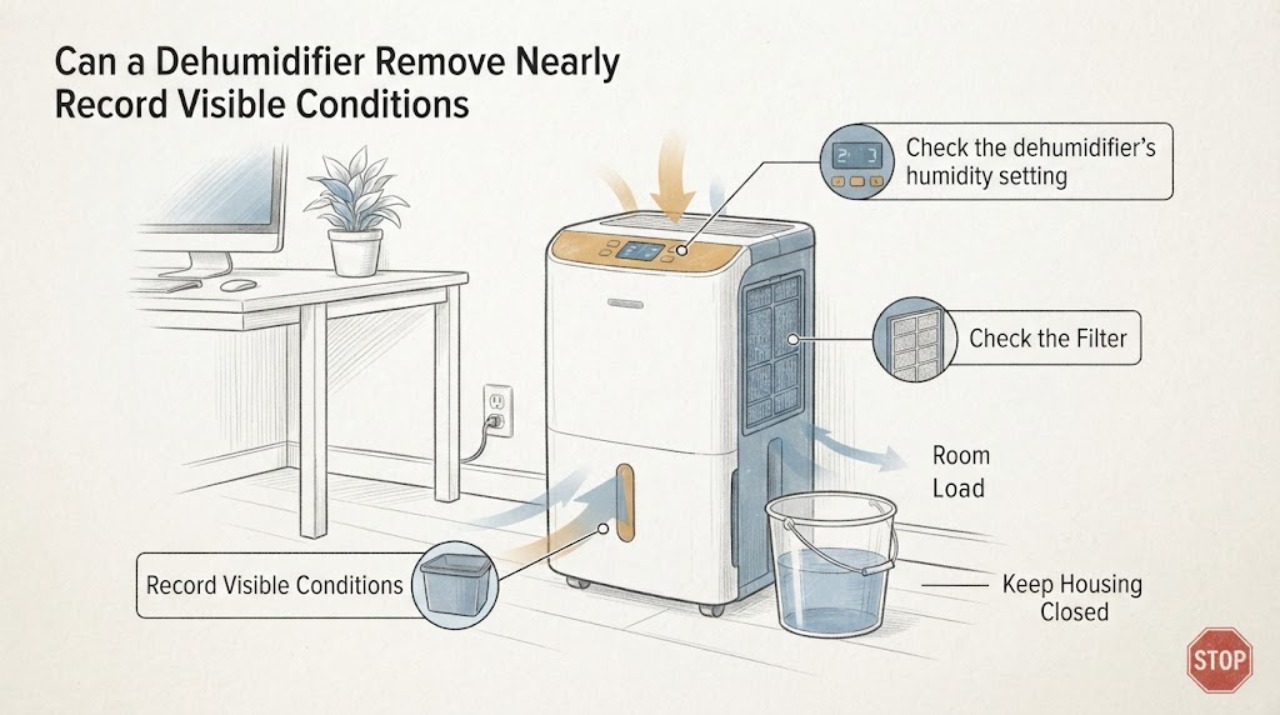
Check the dehumidifier's humidity setting, and select the lowest documented setting or Continuous mode only if the exact manual allows it. Run it long enough for the room to respond; for a newly damp room, Frigidaire advises allowing up to 24 hours before judging the result.
Expected result: The setpoint is above the required range, Continuous mode is unavailable or misused, or the unit has had a full operating period at a suitable setting.
Next step: Set a realistic target within the unit manual and equipment specification, then reassess with the separate gauge. If the target is reached, the original expectation was outside normal operation; if not, continue with airflow and room-load checks.
Why this matters
Why: A unit cycles off at its humidity setpoint. Continuous operation can help during a high-moisture event, but it does not promise near-zero RH and may be inappropriate once the room is already dry.
-
Check 3
With the unit switched off, verify that the bucket is empty and seated, the filter is clean as directed by the manual, and the front/rear air grilles have clear space. Check the room temperature against the exact manual; Frigidaire warns that operation below 41°F (5°C) may be unsatisfactory for its units.
Expected result: The bucket is full or mis-seated, the filter or grille is blocked, the room is cold, or these external conditions are normal.
Next step: Empty and reseat the bucket, clean the filter and restore clear airflow only as the manual permits. Correct the room condition if possible, then retest at the documented target; do not open the cabinet.
Why this matters
Why: A full bucket can pause the unit, blocked airflow can reduce performance, and low temperature can limit dehumidification. These observations support an external correction but do not identify a sealed-system fault.
-
Check 4
Inspect the room from outside the appliance: look for open doors/windows, damp materials, condensation, plumbing or foundation leaks, drying laundry, cooking/showering moisture, or a large space and moisture load for the unit. Do not seal a combustion appliance or block required ventilation.
Expected result: A continuing moisture source or air leakage is present, or the room is closed and the source/capacity appears appropriate.
Next step: Address the visible moisture source and keep moisture-producing appliances vented as required. Compare room size and wetness with the exact unit rating; use supplemental/building-level humidity control for a business or sensitive-equipment space when a portable unit is not sufficient.
Why this matters
Why: GE notes that humid air can enter through walls, doors and windows and that clothes dryers and similar equipment add moisture. A unit that is undersized for a wet space may run continuously without reaching the desired RH.
-
Check 5
After the target, measurement, setting, run time, bucket, filter, airflow, temperature, room load and capacity have been checked, observe whether the unit starts, moves air, collects water and responds to its controls. Do not remove covers, test live wiring or bypass a float/safety switch; sealed-system work belongs to a qualified technician.
Expected result: The unit will not start, has no airflow, leaks, freezes repeatedly, displays a model-specific fault, or cannot lower RH toward its documented target in a suitable closed room; alternatively it operates and the remaining gap is only to the unsupported near-100% expectation.
Next step: For an appliance symptom, keep the unit safe and arrange service with its exact model and observations. For a normal-running but insufficient system, consult the equipment maker/HVAC or environmental-control professional about capacity, room sealing, monitoring and backup protection.
Why this matters
Why: A repeatable failure under suitable conditions can justify model-specific service. If the appliance operates normally but the requested RH is below its specification or the room load exceeds its capacity, the problem is environmental-control design rather than a proven appliance failure.
Use your observations
Decision map
Find the observation that best matches what you see, then follow the next safe action.
-
PATH 01Next step
What you see
The separate hygrometer reaches the equipment maker's allowed RH range even though the appliance display or original expectation says the room should be drier.
Do this next
Keep monitoring with the separate gauge and follow the equipment manufacturer's humidity limits. Do not lower RH further unless the equipment specification requires it.
Why this path and its safety boundary
Why it matters: The appliance is meeting the relevant environmental target; the near-100% request is not the correct acceptance criterion.
-
PATH 02Next step
What you see
The bucket is full, airflow is blocked, the filter is dirty, the room is too cold for the manual, or the unit is set above the desired range.
Do this next
Correct the documented external condition, allow the room time to respond and reassess with the separate hygrometer. Escalate only if the unit still fails its documented target.
Why this path and its safety boundary
Why it matters: A user-level operating condition can explain poor dehumidification without proving a failed component.
-
PATH 03Next step
What you see
The unit runs and collects water but RH stays high while doors/windows, leaks, wet materials or moisture-producing equipment continue adding moisture, or the room is larger/wetter than the unit rating.
Do this next
Reduce the moisture source, improve appropriate ventilation/sealing and obtain a capacity assessment for the business or sensitive-equipment space. Do not promise a near-zero RH from one portable appliance.
Why this path and its safety boundary
Why it matters: The moisture load or building envelope may exceed the portable unit's capacity. Continuous running alone does not prove the appliance is broken.
-
PATH 04Next step
What you see
The room is within the unit's documented size and temperature range, moisture sources are controlled, the bucket/filter/airflow are normal, and the unit still will not start, move air, collect water or approach its documented setpoint.
Do this next
Stop opening or modifying the unit and arrange manufacturer or qualified appliance service with the exact model, measured RH, room conditions, setting, run time and water-collection behavior.
Why this path and its safety boundary
Why it matters: The remaining symptom is a plausible appliance fault, but the exact component cannot be diagnosed safely from RH alone.
Helpful context
Understand the symptom
The title question describes a performance expectation rather than a confirmed component failure. Relative humidity is a percentage of the air's moisture capacity at its temperature; reaching 0% or “close to 100% moisture removal” is not the normal operating target for a room dehumidifier. First write down the RH range required by the sensitive equipment manufacturer, then compare it with a separate humidity gauge in the room.
If the target is within the unit's documented range, the checks below can separate a setting, measurement, room-load or capacity issue from a possible appliance fault. Do not dry the room beyond the equipment manufacturer's limits, and do not improvise refrigerant, electrical or sealed-system repairs.
When checks do not resolve it
Need a professional?
Arrange service when the unit fails to start, move air, collect water or approach its documented humidity setting after external conditions are suitable, or when it leaks, repeatedly freezes or shows a model-specific fault.
Safety scope: Do not open the cabinet, perform live electrical tests or bypass a bucket/float safety; leave sealed-system work to a qualified technician and do not promise an RH level outside the exact model and sensitive-equipment specifications.
Have this ready
- Provide the exact model, separate hygrometer readings, room temperature, room dimensions, RH setting, run time, bucket/filter/airflow observations, visible moisture sources and whether water is being collected.
Common questions
FAQ
Can a portable dehumidifier remove nearly 100% of the moisture from a room?
No practical room target should be expressed that way. EPA recommends 30% to 50% indoor RH, and manufacturer guidance commonly places portable settings around 35% at the low end. Use the sensitive equipment manufacturer's RH range and a separate hygrometer as the acceptance test.
Why is the dehumidifier running but the room is still humid?
Check the setpoint, full bucket, filter, airflow, room temperature, moisture sources and room size. Humid air entering through doors, windows or walls and moisture from dryers or other equipment can make continuous operation normal, while an undersized unit may not reach the target.
Should I set Continuous mode to protect sensitive equipment?
Only if the exact manual supports it and the equipment maker allows the resulting RH. Frigidaire describes Continuous mode for high-humidity conditions and says little water can be extracted below 40% RH at low room temperatures. Monitor RH with an independent gauge rather than assuming Continuous mode will reach zero moisture.
Read the exact guide
Official sources
- Dehumidifier - Not Collecting WaterFrigidaire · Opened the Frigidaire support article. It recommends 40%-60% RH for health and safety, says lowest settings are normally 35%, describes Continuous mode as short-duration high-humidity use, and lists airflow, temperature, filter and service checks. It does not support a near-100% RH-removal promise.
- Dehumidifier - Automatic Humidistat (Humidity Control) OperationGE Appliances · Opened GE Appliances support guidance. It explains that the unit cycles around a selected RH and may run continuously when humid air enters through walls, doors/windows or moisture-producing equipment; it does not establish a universal model capacity.
- Dehumidifier - Room is not dry enoughFrigidaire · Opened the Frigidaire support article. It says settings can be lowered or set to Continuous, the lowest setting is typically 35%, high room moisture may require up to 24 hours, airflow must be clear, a full bucket pauses operation and operation below 41°F (5°C) may be unsatisfactory. It is family-level guidance, not a claim about an unknown model.
- Dehumidifier - SizingGE Appliances · Opened GE Appliances sizing guidance. It says a properly sized unit should maintain its setpoint, gives room-size guidance by pint capacity and distinguishes damp, very damp, wet and extremely wet conditions. It is not a fitment or performance claim for an unknown model.
- A Brief Guide to Mold, Moisture and Your HomeU.S. Environmental Protection Agency · Opened the EPA moisture guide. It says to keep indoor RH below 60%, ideally 30%-50%, and to act on condensation, leaks and wet areas; it supports room-level checks rather than appliance-part diagnosis.
- Care for Your Air: A Guide to Indoor Air QualityU.S. Environmental Protection Agency · Opened the EPA guide. It recommends keeping indoor humidity between 30% and 50% and using a humidity gauge; it does not promise a dehumidifier can reach zero RH or specify a particular appliance.
Community feedback
Share a repair observation
Share a plain-text repair observation. Accepted observations are published automatically; this page may take a moment to update.