
On this page
Start here
Quick answer
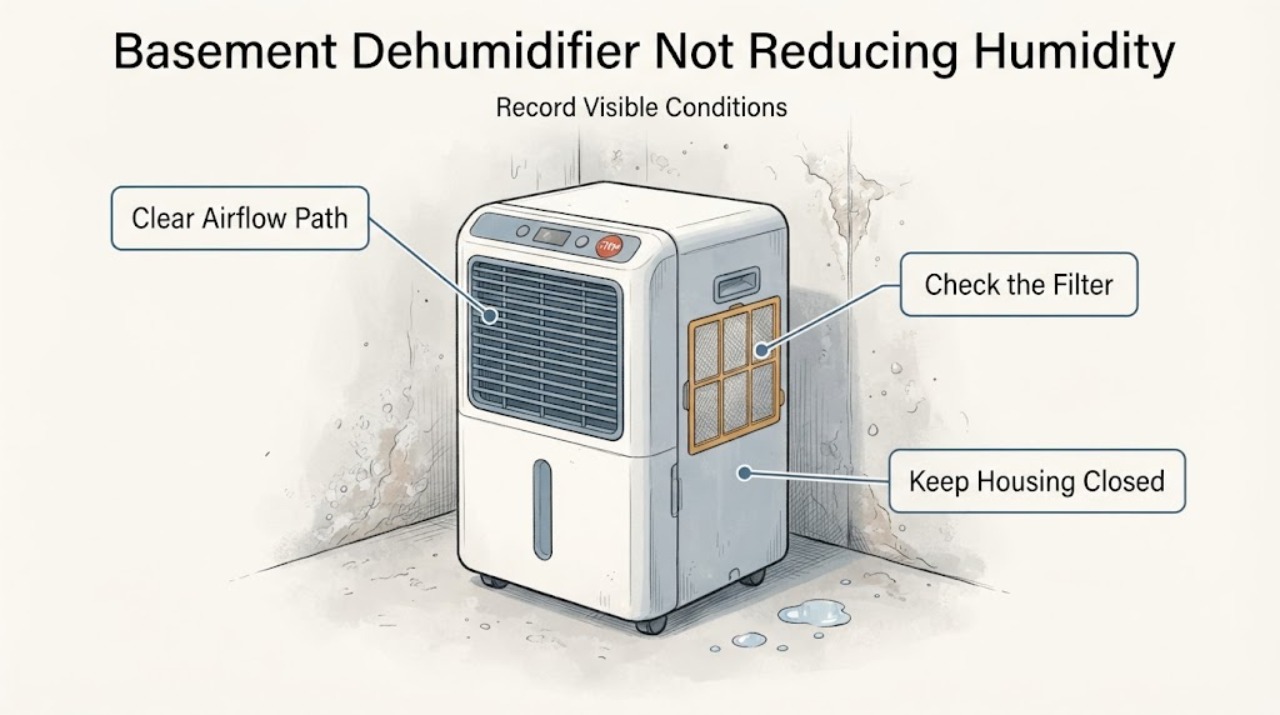
A dehumidifier that is not lowering basement humidity is not automatically worn out. First compare the room's relative-humidity reading with the unit's setpoint using a separate hygrometer, then check whether doors and windows are closed, airflow is clear, the filter and bucket are in the correct condition, the unit is large enough for the room's moisture load, and the basement is warm enough for the model. ENERGY STAR says capacity depends on room size and how damp the space is, and that low temperatures can frost coils and reduce moisture removal. Manufacturer guidance also says a new or recently restarted unit may need days to dry moisture held in walls and objects. If measured RH stays high after the unit has a clear airflow path, correct settings, adequate run time and suitable temperature, stop guessing at compressor or refrigerant failure and arrange model-specific service.
Work through in order
Diagnostic checks
Use only checks that match the exact appliance or system and its official guide.
-
Check 1
Place a separate hygrometer near the dehumidifier but away from its exhaust, doors, windows and direct moisture. Record RH, room temperature, the unit's displayed RH/setpoint and bucket water over a consistent period; do not use a musty smell alone as the humidity measurement.
Expected result: The independent RH is already at or below the setpoint, the unit's sensor disagrees substantially, or the independent RH remains high while the unit runs.
Next step: If readings disagree, use the independent measurement and the exact manual's sensor/settings guidance. If RH remains high, continue with airflow, load, temperature and source checks before calling the unit worn out.
Why this matters
Why: ENERGY STAR says a humidistat cycles a unit around its desired RH and recommends a separate hygrometer when the unit does not show RH. A reading at the setpoint means low water collection may be normal; a persistent independent high reading points to operating conditions, moisture load, sizing or a fault that needs further separation.
-
Check 2
Close basement windows and doors while testing, and leave the unit's intake and discharge clear of furniture, curtains, storage and dust. Check whether a dryer, bathroom, open stairwell, leak, wet foundation area or other moisture source is adding load to the basement.
Expected result: The space is open to outside air or a moisture source, airflow is blocked, or the enclosure and airflow are appropriate but RH stays high.
Next step: Close or correct the identified source where safe, restore clear airflow and compare RH again. If the space is already enclosed and clear, continue to temperature, filter, bucket and capacity checks rather than replacing a component by guess.
Why this matters
Why: GE says closed doors/windows and unobstructed front/back airflow are needed for moisture removal, and that a dryer can affect dehumidifier performance. ENERGY STAR lists foundation drainage, venting and other moisture sources as ways basement humidity can rise.
-
Check 3
Check the control setting against the exact owner manual, make sure the water bucket is fully seated and not full, and clean the user-accessible air filter and grille as the manual permits. Do not open the sealed refrigeration system or remove electrical covers.
Expected result: The setpoint is higher than the measured RH, the bucket is full/misaligned, the filter or grille is dirty, or those conditions are correct while RH remains high.
Next step: Correct only the documented setting, bucket, filter or grille condition and observe the RH trend. If the accessible checks are already correct, continue running under suitable conditions for the documented time and prepare service information.
Why this matters
Why: Frigidaire says a high setpoint, full bucket or blocked grille can stop or limit dehumidification; GE says controls must match the model and a clogged filter restricts airflow. These findings do not prove a compressor or refrigerant failure.
-
Check 4
Measure the basement temperature near the unit and look through the grille for heavy frost or a unit that repeatedly stops and restarts. Compare the temperature with the exact model's stated low-temperature range; do not scrape coils, add heat or bypass a frost control.
Expected result: The basement is below the model's specified range, frost persists, or the temperature is suitable and the coil remains clear.
Next step: If the temperature is outside the model range or frost is present, switch the unit off and allow the manual-approved defrost process; improve the environment or use equipment specified for the basement temperature. If conditions are suitable and frost persists, request service rather than diagnosing the sealed system.
Stop if: Do not chip ice, use a heat gun, open the refrigerant circuit or bypass a sensor/guard.
Why this matters
Why: GE says many units do not operate satisfactorily below 41°F and may frost; ENERGY STAR says temperatures below 65°F can cause coil frost on products not specified for lower-temperature use and reduce moisture removal. A cold basement condition can mimic a worn-out unit.
-
Check 5
Compare the unit's rated capacity and actual basement conditions with the room size and moisture load. Note whether this is a new/restarted unit, whether the basement has damp walls or seepage, and how long the unit has run under closed-room conditions; do not infer capacity from the bucket fill rate alone.
Expected result: The capacity is undersized for the measured dampness, the unit is newly installed/restarted, or the capacity and run time are adequate while measured RH remains high.
Next step: Address moisture entry and sizing with a qualified HVAC/building professional when needed. If capacity, airflow, settings, temperature and run time are appropriate but RH remains high, arrange model-specific service for a performance diagnosis; do not order a compressor or recharge refrigerant yourself.
Why this matters
Why: ENERGY STAR ties capacity to room size and dampness, while GE says a new or restarted unit may need 3-4 days as moisture leaves building materials. A high moisture load or undersized unit is not evidence that the appliance has worn out.
Use your observations
Decision map
Find the observation that best matches what you see, then follow the next safe action.
-
PATH 01Next step
What you see
An independent hygrometer shows the basement is at or below the unit's setpoint, even though the bucket is collecting little water.
Do this next
Continue monitoring RH at a consistent location and use the exact manual to resolve any sensor disagreement. Do not lower the setpoint indefinitely just to force water collection.
Why this path and its safety boundary
Why it matters: Low collection can be normal when the target RH has been reached; it does not demonstrate that the dehumidifier is worn out.
-
PATH 02Next step
What you see
RH falls after doors/windows are closed, airflow is cleared, the filter is clean and the bucket/control conditions are corrected.
Do this next
Keep the room enclosure, airflow and maintenance routine consistent and address any continuing moisture source. Use service only if the same symptom returns with those conditions controlled.
Why this path and its safety boundary
Why it matters: The earlier condition was environmental or user-maintainable; the result does not support an age-related internal failure.
-
PATH 03Next step
What you see
The basement is cold enough for frost or outside the exact model's low-temperature range, and moisture removal is poor.
Do this next
Switch the unit off and follow the exact manual's defrost/environment guidance. Do not scrape coils or open the sealed system; arrange service if frost returns in a suitable environment.
Why this path and its safety boundary
Why it matters: Low-temperature operation or coil frost is a supported explanation; it is not proof that the compressor has worn out.
-
PATH 04Next step
What you see
Measured RH remains high after suitable temperature, closed-room airflow, correct settings, clean filter, seated bucket, adequate capacity and documented run time are all confirmed.
Do this next
Keep the unit safe and request model-specific service with RH/temperature logs, capacity, moisture-source observations and filter/bucket findings. Do not open the refrigeration circuit or buy a guessed part.
Why this path and its safety boundary
Why it matters: A performance fault is now more plausible, but the evidence still does not identify a compressor, fan, sensor, refrigerant or other internal part.
Helpful context
Understand the symptom
Separate a measurement problem from an appliance problem
The word “humidity” can mean a high sensor reading, a damp smell, condensation or simply less water in the bucket. A dehumidifier can run without collecting much water when the room is already near its setpoint, when the air is too cold, or when moisture is entering faster than the unit can remove it. Use an independent RH reading and record the room temperature before deciding that age has caused a failure.
Basements can keep releasing moisture after the air improves
GE explains that a newly installed or restarted unit first removes moisture from the air and then from floors, walls, ceilings and other materials. ENERGY STAR also lists foundation drainage, ventilation and other moisture sources that can change the basement load. A slow RH response therefore does not by itself prove a worn compressor or refrigerant leak.
Common questions
FAQ
Can a dehumidifier wear out and stop lowering basement humidity?
It can eventually need service, but age is not a diagnosis. First verify RH with a separate hygrometer, room temperature, airflow, settings, filter, bucket, capacity, run time and moisture load. If those are correct and measured RH remains high, arrange service rather than guessing a compressor or refrigerant problem.
Why is my basement damp but the dehumidifier collects little water in winter?
GE says basement air may be too cold for a dehumidifier to pull moisture effectively, and ENERGY STAR warns that frost below a product's specified operating temperature can reduce performance. Check the exact manual's low-temperature range and do not chip ice or bypass frost controls.
Should I set the dehumidifier to continuous mode or the lowest setting?
Use the exact owner manual and an independent RH reading. A lower setpoint can demand more operation, but it will not correct a blocked filter, full bucket, unsuitable temperature, undersized unit or continuing moisture source. Do not use setting changes to conceal a persistent performance fault.
Read the exact guide
Official sources
- DehumidifiersENERGY STAR · Opened the ENERGY STAR product guidance. It applies to portable and whole-home dehumidifier selection and operation at general product level; it is used for measurement, capacity, temperature and moisture-source reasoning, not for diagnosing a specific internal part.
- Dehumidifier - Ideal Operating ConditionsGE Appliances Support · Opened the official GE Appliances support page. It states that low-temperature capability varies by model, so the article uses the 41°F guidance as a manufacturer example and tells the reader to check the exact manual rather than treating it as universal.
- Dehumidifier - Room is not dry enoughFrigidaire Owner Support · Opened the official Frigidaire support page. It is cross-model guidance from another manufacturer and is used only for generic user-visible checks; no Frigidaire setting, part, compatibility or failure diagnosis is transferred to the unbranded task.
- Dehumidifier - Not Reaching Proper Humidity LevelGE Appliances Support · Opened the official GE Appliances support page. It is family-level manufacturer guidance, not a model-specific manual for this unbranded task; its environment and user-maintainable checks are used without transferring GE-specific parts or settings.
- Dehumidifier - Moisture Collection Less After Initial OperationGE Appliances Support · Opened the official GE Appliances support page. It supports the distinction between initial building-material moisture and an internal failure, and explicitly discusses cold basements; it does not establish any specific appliance's age or failed component.
Community feedback
Share a repair observation
Share a plain-text repair observation. Accepted observations are published automatically; this page may take a moment to update.