
On this page
Start here
Quick answer
A low hum, fan sound, clicking during compressor cycling, or water dripping can be normal on some dehumidifiers, but a new unit that vibrates, rattles, or grinds deserves an external setup check. Turn it off and unplug it from a dry, safe location before moving it; place it on a firm level surface, make sure the bucket and filter cover are seated, and keep the air path clear. If the noise is grinding, violent, accompanied by a burning smell or damaged cord, or remains after the accessible checks, stop using the unit and use the retailer, installer, or manufacturer service route. Because no brand or model was supplied, the exact model manual controls whether that sound is listed as normal.
Before you begin
Safety first
- Do not open the cabinet, touch the fan or compressor, test live wiring, access the refrigerant circuit, bypass a water or safety control, or keep restarting a unit that smells burnt, smokes, shakes violently, leaks toward electrical parts, or has cord damage.
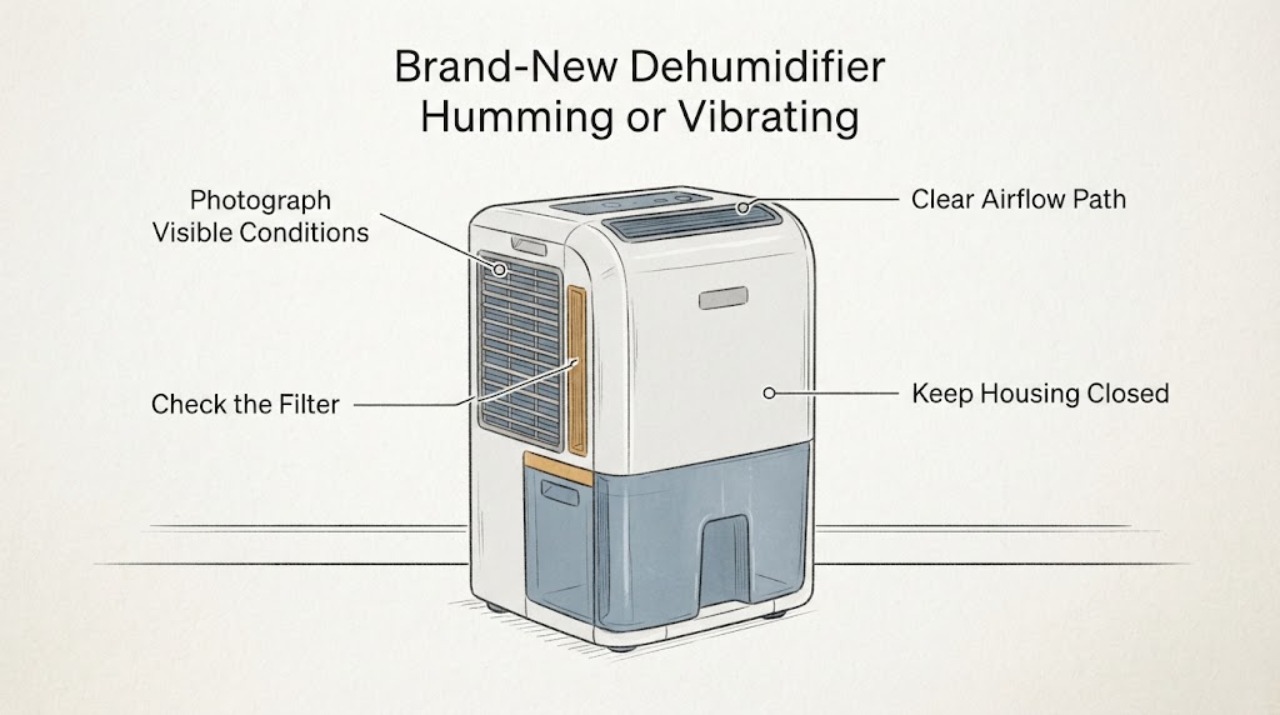
Work through in order
Diagnostic checks
Use only checks that match the exact appliance or system and its official guide.
-
Check 1
With the dehumidifier off, write down the brand, full model number, noise type, and when it occurs: startup, steady operation, compressor cycling, fan-only operation, or water collection. Photograph the rating label and the relevant manual page without opening the cabinet.
Expected result: The sound is a steady low hum or airflow sound, a brief click or water drip, a surface vibration/rattle, or a grinding/metallic sound; the exact manual may list or exclude it.
Next step: Use the exact model manual for the sound list and send the recording, model, and timing to the retailer or manufacturer if the sound is excluded or cannot be classified.
Why this matters
Why: Compressor, fan, cycling, and water sounds can be normal on some families, while the original case and an unknown model do not establish that this unit is safe. A missing model identity prevents model-specific noise and waiting-time claims.
-
Check 2
From a dry, safe position, switch the unit off and unplug it before moving it. Set it on a firm, flat, level surface with all supports or castors evenly seated, and leave clearance so it cannot touch a wall or furniture. Confirm that the water bucket and filter cover are fully seated and are not the accessible source of a rattle.
Expected result: The vibration changes or stops when the unit is level and clear of contact, or it remains unchanged despite the accessible setup being correct.
Next step: Keep the corrected setup only if the sound is mild and the unit operates normally. If vibration remains strong or the cover will not seat, stop and request service rather than opening the housing.
Why this matters
Why: A change with level support or cover seating points to an external installation or loose accessible-cover condition; unchanged noise means an internal diagnosis is still unproven.
-
Check 3
After the unit is safely positioned and fully disconnected, inspect only the user-accessible filter, intake, and outlet. Clean and dry the filter exactly as the model manual directs, keep the airflow path clear, and use the room conditions and humidity setting specified for that model. Do not touch the fan, compressor, wiring, or refrigerant circuit.
Expected result: The filter or airflow path is obstructed, the room is outside the manual's operating conditions, or those external conditions are normal while the noise continues.
Next step: Correct only the accessible condition and make one normal observation cycle if the manual permits. If the sound persists, record it and use service or return support instead of testing internal parts.
Why this matters
Why: Restricted airflow or unsuitable conditions can affect operation and noise, but a clear filter does not prove a compressor, fan, or electrical part has failed.
-
Check 4
For a new unit, check whether it was transported on its side or upside down and follow the exact manual's upright waiting instruction before any further run. Do not repeatedly power-cycle a unit that has a damaged cord, water near electrical parts, smoke, burning odor, grinding, or violent vibration.
Expected result: The unit has a transport concern but becomes quiet after the manual's waiting condition, or the abnormal sound remains or a hazard sign is present.
Next step: For persistent grinding, violent vibration, burning odor, smoke, cord damage, leakage toward electrical parts, or an unsafe unit, unplug only from a safe location if possible, keep it out of service, and contact the retailer, installer, or manufacturer service route.
Why this matters
Why: Honeywell warns that grinding after unpacking can indicate shipping damage and directs the owner toward retailer return or exchange support; persistent or hazardous noise cannot be cleared by a generic reset.
Use your observations
Decision map
Find the observation that best matches what you see, then follow the next safe action.
-
PATH 01Next step
What you see
The sound is a low hum, airflow, brief click, or water drip; the unit is level, stable, collecting water as expected, and the exact manual lists that sound or does not flag it.
Do this next
Monitor without opening the unit and follow the exact manual. If the noise becomes metallic, much louder, or affects dehumidification, stop and request service.
Why this path and its safety boundary
Why it matters: This pattern is consistent with normal operating sounds described by several manufacturer guides, but it is not a model-specific clearance for an unidentified appliance.
-
PATH 02Next step
What you see
The vibration or rattle changes when the appliance is placed level, kept clear of nearby surfaces, or its accessible bucket or filter cover is reseated.
Do this next
Keep the appliance on the corrected support and recheck only under the manual's normal conditions. If the cover cannot seat or the vibration returns strongly, stop and contact service.
Why this path and its safety boundary
Why it matters: The observed change makes an external support or accessible-cover condition more likely than it makes an internal component diagnosis.
-
PATH 03Next step
What you see
The noise is grinding or metallic, the cabinet shakes violently, the noise began after unpacking, or there is a burning smell, smoke, damaged cord, or water near electrical parts.
Do this next
Stop using the dehumidifier and do not open it or run another test. From a safe dry location disconnect power if that can be done without touching a hazard, then use retailer return, installer, or manufacturer service support.
Why this path and its safety boundary
Why it matters: These observations are outside a safe generic normal-sound explanation; Honeywell specifically treats grinding after unpacking as a possible shipping-damage reason for retailer contact.
Helpful context
Understand the symptom
Separate normal operating sounds from a mechanical warning
GE describes compressor and condenser-fan noise, water dripping, and normal cycling as sounds a dehumidifier can make; Haier likewise lists compressor sound, clicking when the compressor or auto-shutoff starts or stops, and fan air movement. Those examples do not prove that every model's noise is acceptable. A sound that is metallic, grinding, rapidly worsening, or paired with strong movement is different from a steady low hum, especially on a brand-new unit.
Start with support, seating, and accessible covers
Frigidaire's dehumidifier noise guide says humming or vibration can occur when the appliance is not properly supported or is not resting evenly on its castors. It also directs owners to check the bucket and filter cover for rattling. Move only a switched-off, unplugged unit to a firm level surface, keep it away from walls or furniture that can amplify contact, and reseat only the accessible bucket or cover described by the applicable manual.
Use the model manual for operating conditions
A portable dehumidifier needs the conditions specified for its design. Honeywell's support material distinguishes compressor and desiccant models, recommends an enclosed area with doors and windows closed, and calls for a clean, dry filter and clear airflow. It also says a unit that was transported on its side or upside down should stand upright for the period specified in its instructions before operation. Do not transfer a temperature range, waiting time, or control sequence from another brand to an unidentified unit.
When checks do not resolve it
Need a professional?
Use retailer or installer support for a brand-new unit, especially if grinding began after unpacking. Contact manufacturer service when the noise remains after the safe external checks or when the exact manual excludes it. Stop immediately for smoke, burning odor, violent vibration, damaged cord, or water near electrical parts.
Safety scope: Do not open the cabinet, touch the fan or compressor, test live wiring, access the refrigerant circuit, bypass a water or safety control, or keep restarting a unit that smells burnt, smokes, shakes violently, leaks toward electrical parts, or has cord damage.
Have this ready
- Provide the brand and full model from the rating label, purchase and unpacking history, whether the unit was transported on its side, a short recording, when the sound occurs, whether the unit is level, whether the bucket/filter cover is seated, and whether it still dehumidifies.
Common questions
FAQ
Is a dehumidifier's compressor hum always a fault?
No. GE and Haier describe compressor and fan sounds, cycling clicks, and water sounds as potentially normal. A steady low hum is different from grinding, violent vibration, or a sound that the exact model manual excludes. Without the brand and model, the safe answer is to verify the manual and check level support and accessible covers.
What is the first way to reduce a new dehumidifier's vibration?
Turn it off and unplug it before moving it, then place it on a firm level surface with supports or castors evenly seated and no wall or furniture contact. Confirm that the accessible bucket and filter cover are seated. Frigidaire identifies uneven support and loose accessible covers as checks for humming, vibration, or rattling.
Should I open the cabinet to find the vibrating part?
No. A noise does not identify a compressor, fan, mount, or electrical failure, and the assigned unit has no confirmed model scope. Keep the checks external and use service for internal inspection; do not touch moving parts, live wiring, or the refrigerant circuit.
What should I do if a brand-new unit grinds after unpacking?
Stop using it and contact the retailer or manufacturer rather than repeatedly testing it. Honeywell's support guidance says grinding after unpacking may indicate shipping damage. Keep the packaging and provide the model, unpacking and transport history, and a recording if it is safe to make one without running the unit again.
Read the exact guide
Official sources
- Brand new dehumidifier making a humming/vibration noise, not on the list of ‘Normal noises’ in the manualReddit · Opened the exact Reddit post. It matches the symptom but does not identify the brand or model and contains no verified repair outcome; it is used only as a symptom report and not as manufacturer evidence.
- Dehumidifier Noise GuideFrigidaire · Opened the official Frigidaire support page. Its guidance is used as a bounded manufacturer example: rattling can warrant bucket/filter-cover checks, humming or vibration can relate to uneven support, and a flat level surface is recommended. It is not presented as the unidentified unit's exact manual.
- Portable DehumidifierHoneywell · Opened Honeywell's official portable-dehumidifier support page. It distinguishes compressor and desiccant models, covers upright stabilization after transport, filter and airflow checks, room conditions, and says grinding after unpacking can indicate shipping damage. These instructions are not transferred as exact model-specific values to the unbranded task.
- Dehumidifier - Normal SoundsGE Appliances · Opened the official GE Appliances support page. It describes compressor and condenser-fan noise, water dripping, and normal cycling as expected sound examples for applicable GE dehumidifiers; it is cross-family context rather than a model match.
- Haier - Dehumidifier Normal SoundsHaier Appliances · Opened the official Haier support page. It lists compressor sounds, clicks when the compressor or auto shutoff starts or stops, and fan air movement as possible normal sounds for applicable Haier dehumidifiers; no Haier model is assigned here.
Community feedback
Share a repair observation
Share a plain-text repair observation. Accepted observations are published automatically; this page may take a moment to update.