
On this page
Start here
Quick answer
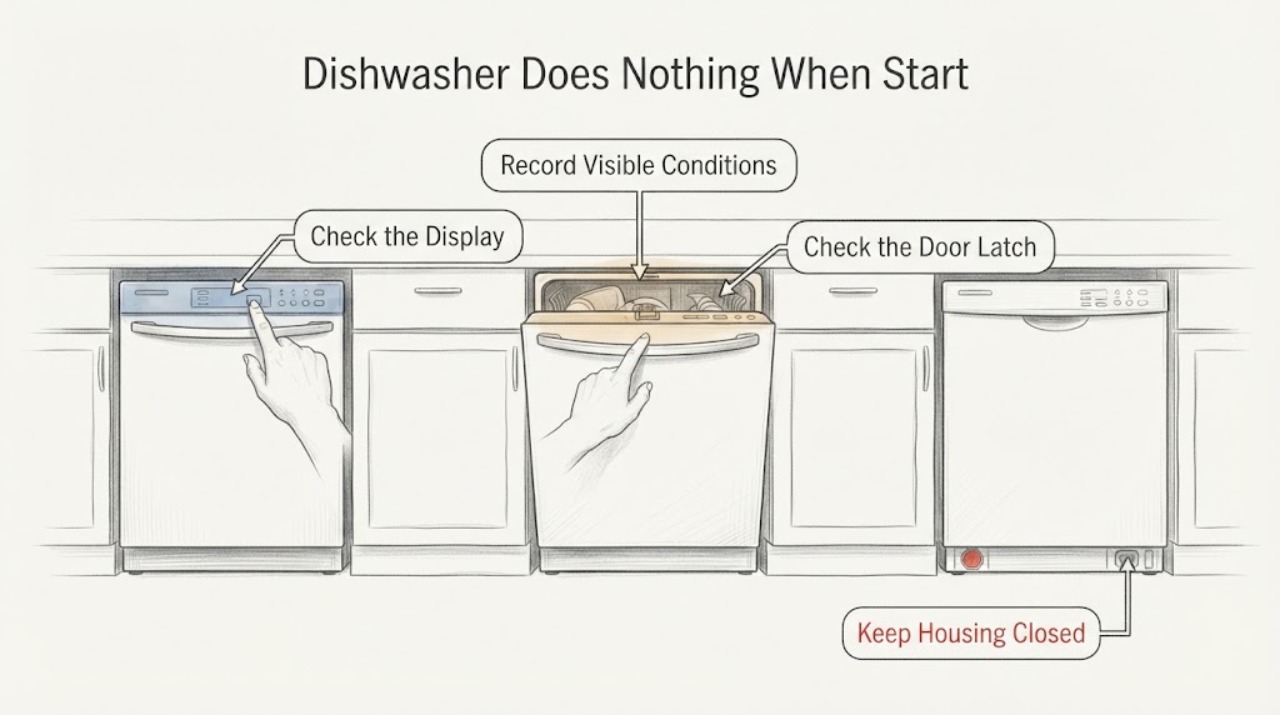
If pressing Start on a Whirlpool Quiet Partner I appears to do nothing, first read the complete model number from the door or frame because Quiet Partner variants use different panels and documented procedures. Check whether Control Lock or Delay Wash is active, wake the dishwasher by opening and closing the door, confirm the door fully latches, and verify the water valve is open. Whirlpool says a dishwasher that is not latched will not start or resume, and a 30-second power disconnect can reset the control. Do not copy a button-sequence diagnostic from another Quiet Partner model, open the console, bypass the latch, or order a control board from the symptom alone. If the panel remains unresponsive after the documented checks, arrange service with the exact model number and observed lights.
Work through in order
Diagnostic checks
Use only checks that match the exact appliance or system and its official guide.
-
Check 1
Read the complete model number from the dishwasher door edge, frame or rating label and record which buttons or LEDs respond when Start is pressed. Do not begin with a reset sequence copied from an unidentified Quiet Partner panel.
Expected result: The label identifies a specific Whirlpool Quiet Partner I variant and some controls respond, or the label/model suffix is missing and the panel is entirely unresponsive.
Next step: Use the exact model for any further manual lookup. If the panel is completely dead, continue only with the external power and service boundary; do not open the console.
Why this matters
Why: Whirlpool uses the model number to locate manuals and product literature; a family name alone cannot establish the correct button layout, Control Lock key or diagnostic sequence.
-
Check 2
Check the control panel for a Control Lock indicator and for Delay Wash or other selected delay status. If Control Lock is shown, use only the exact model's labeled unlock key or the Whirlpool instruction for that panel; wake the dishwasher by opening or closing the door or pressing Start.
Expected result: The lock/delay indicator clears and the panel accepts cycle selections, or buttons still do nothing.
Next step: Select a cycle and use the model-specific Start/Resume instruction. If the controls remain unresponsive, continue to the latch and power checks without forcing keys.
Why this matters
Why: Whirlpool says Control Lock disables buttons and that standby/sleep or Delay Wash can make the machine appear not to start. Clearing those states does not prove a board or Start-key failure.
-
Check 3
Close the dishwasher door firmly and listen/feel for the latch to engage, with no item or rack obstructing the seal. Do not hold the latch closed by hand or run the dishwasher with the door misaligned.
Expected result: The latch engages and the Start command is accepted, or the door will not latch / Start remains unresponsive.
Next step: If it latches, retry the documented Start action once. If it does not latch or the panel remains silent, stop and arrange service with the model number rather than bypassing the latch.
Why this matters
Why: Whirlpool states that a door that is not fully latched will not start or resume a cycle. A latch response is a start condition, not proof that the latch switch or control board is defective.
-
Check 4
Check the accessible water-supply valve under the sink and confirm it is open, and note whether the dishwasher has power at the panel. Do not remove the junction box cover or work on house wiring.
Expected result: The water valve was closed/restricted, the panel is powered but the cycle will not start, or no LEDs/display respond.
Next step: Open only a closed valve normally and retry the model-specific start once. If there is no power or the panel remains dead, use an electrician/qualified service boundary; do not disassemble the electrical connection.
Why this matters
Why: Whirlpool lists water supply among no-start checks. A powered but non-starting panel and a completely dead panel point to different service paths, but neither identifies a replaceable component.
-
Check 5
If the dishwasher is safe to access, disconnect its power for 30 seconds by unplugging it or switching off its dedicated breaker, then restore power and observe the panel before selecting a cycle. Do not repeatedly cycle power or use an unverified diagnostic key sequence.
Expected result: The panel returns and accepts the exact model's Start/Resume command, or the same silent/locked behavior returns.
Next step: If it recovers, monitor the next cycle and record any returning lights. If it remains unresponsive or the fault returns, schedule service with the model, panel symptoms and latch/power observations.
Why this matters
Why: Whirlpool documents a 30-second control reset. A temporary recovery is not proof of a failed board, and recurrence requires the exact model manual or service diagnosis.
Use your observations
Decision map
Find the observation that best matches what you see, then follow the next safe action.
-
PATH 01Next step
What you see
Control Lock or Delay Wash is shown and clears with the model-specific control, after which the panel accepts a cycle.
Do this next
Use the exact model's normal Start/Resume procedure and keep the model number with the manual.
Why this path and its safety boundary
Why it matters: The Start button was blocked by a documented operating state rather than proving a failed part.
-
PATH 02Next step
What you see
The door will not latch or the Start command works only when the door is pressed or moved.
Do this next
Stop manipulating the latch and request service with the exact model number. Do not bypass the door interlock or run the unit with the door held shut.
Why this path and its safety boundary
Why it matters: The start interlock condition is not reliably satisfied; the observation does not identify whether alignment, latch hardware or a switch is responsible.
-
PATH 03Next step
What you see
The panel is powered, the door latches, locks/delay are off, water is available, and the 30-second reset does not restore Start.
Do this next
Schedule service and provide the model suffix, which LEDs respond, whether Start flashes, and whether the machine was interrupted mid-cycle. Do not order a board from this symptom alone.
Why this path and its safety boundary
Why it matters: The public Whirlpool guidance does not narrow this to a keypad, user interface, wiring or control-board component.
-
PATH 04Next step
What you see
No LEDs respond and the dishwasher has no apparent power after the external supply check.
Do this next
Have the dedicated supply and appliance connection checked by a qualified professional; do not open the junction box or probe wiring.
Why this path and its safety boundary
Why it matters: This is a power-path/service condition rather than a Start-button diagnosis.
Helpful context
Understand the symptom
Quiet Partner I is a family label, not a complete service identity
The title does not include the door-label model suffix. Whirlpool says manuals and product literature are located by model number, and control-lock labels and button layouts vary. Record the exact model before using any reset or diagnostic sequence; a sequence found for another Quiet Partner or another Whirlpool panel may not apply.
Treat a silent Start button as a decision path
No response can mean locked controls, standby or delay, a door that did not latch, missing water supply, interrupted cycle state, or a control fault. The checks below remain external and model-gated. They do not support opening the console or naming an internal replacement part.
Common questions
FAQ
Why does my Whirlpool Quiet Partner I do nothing when I press Start?
The family label does not identify the exact panel. Check Control Lock, Delay Wash/standby, door latching, water supply and one 30-second control reset using the exact model instructions. If the panel still ignores Start, service must identify the fault.
Can I use a Quiet Partner reset sequence found online?
Only if it is printed for the exact model number and panel. Whirlpool says manuals and troubleshooting are located by model number; do not transfer a button sequence from another Quiet Partner variant.
Should I replace the control board or Start button first?
No part is established by this symptom. Confirm the model, lock/delay state, latch, water and power checks first, then use service to distinguish the user interface, latch circuit and control.
Read the exact guide
Official sources
- Using Control LockWhirlpool Product Help · Opened official Whirlpool guidance. It explains that Control Lock disables touch input, identifies the lock indicator/key concept and directs model-specific literature for the actual panel.
- Not Starting or Operating - DishwasherWhirlpool Product Help · Opened official Whirlpool Product Help. It is a general Whirlpool dishwasher guide; exact Quiet Partner I button layout and model-specific diagnostics remain gated by the door-label model.
Community feedback
Share a repair observation
Share a plain-text repair observation. Accepted observations are published automatically; this page may take a moment to update.