
On this page
Start here
Quick answer
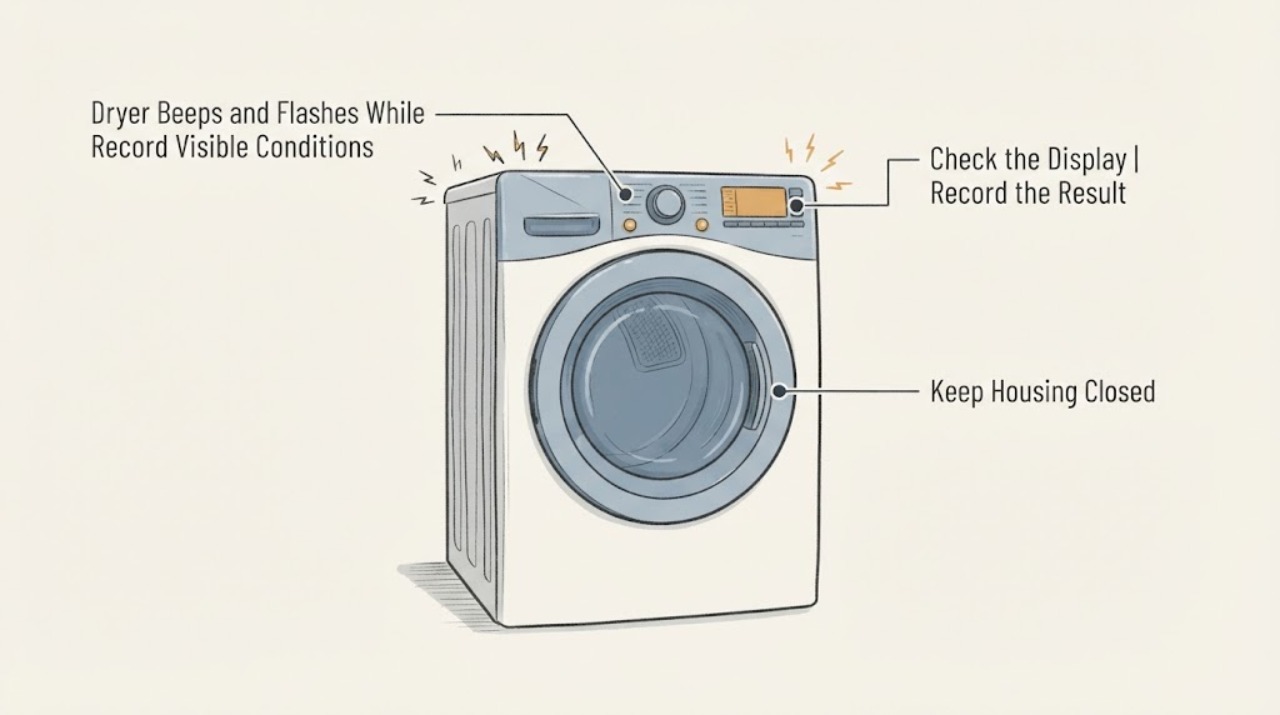
A dryer that beeps and flashes while empty may be signaling a normal model-specific status, an end or damp-load feature, or a fault; the pattern cannot be decoded safely without the brand and model. First record the timing and confirm that the drum, heat, and controls are actually idle. GE documents that some of its dryers can make a faint periodic beep while not in use with a blinking diagnostic light, while Whirlpool says dryer tones and their controls vary by model. Those examples do not identify the assigned dryer or authorize a cross-brand button sequence. Find the model label and matching manual, do only the manual's external checks, and stop using the dryer if it starts, heats, trips power, smells burnt, smokes, or shows damaged wiring.
Work through in order
Diagnostic checks
Use only checks that match the exact appliance or system and its official guide.
-
Check 1
Make a short video and write down the exact sequence: number of beeps, pause length, flashing light, time of day, and whether the dryer is empty, the drum is still, and heat or airflow is present.
Expected result: The sound is a faint regular pulse with no drum movement or heat, a cycle-end or damp-related signal appears, or the drum, heat, motor, or controls become active while the dryer should be idle.
Next step: Keep the recording and use it with the exact model label in the matching manual or service request. If the dryer moves, heats, or starts by itself, stop using it and arrange qualified appliance service without trying to reproduce it.
Why this matters
Why: A repeatable idle signal may be a model feature, while movement or heat at rest is a safety-relevant behavior. The pattern alone cannot identify a component or code without the model manual.
-
Check 2
Confirm the dryer is truly idle: the selected cycle has ended, the door is closed normally, the drum is not turning, and no end-of-cycle or damp-load indicator is active. Do not start a cycle just to make the sound happen.
Expected result: The signal follows a completed cycle or a damp-load indication, or it appears with no cycle, no load, and no visible active status.
Next step: Use only the matching owner's manual to confirm or change a documented signal setting. If the sound occurs with no documented condition or continues at idle, preserve the pattern and request model-specific service.
Why this matters
Why: End and damp signals are available only on some models and can vary in availability or default settings. An empty idle signal needs the assigned model's documentation rather than a generic reset.
-
Check 3
Find the dryer's full model and serial or product number on the appliance label, then open the manual or support page for that exact model. Compare the recorded light and tone pattern with that document before pressing or holding any control combination.
Expected result: The exact manual defines the signal and a user-accessible setting, the manual covers only a different variant, or no matching explanation is found.
Next step: Follow a documented setting or external check only when the model and variant match. If the manual does not explain the pattern, send the model information, video, and timing to the manufacturer's or a qualified service provider's support channel.
Why this matters
Why: Manufacturer tone behavior is model-specific. A different brand's manual, a similar-looking panel, or a search snippet cannot establish the meaning or safe button sequence for this dryer.
-
Check 4
Inspect only the accessible power path: look at the plug, cord, outlet, and breaker without pulling the dryer apart. Stop immediately if there is a burning odor, smoke, unusual heat, water at the connection, visible cord damage, or a breaker that trips again.
Expected result: The power path is visibly damaged, the breaker trips again, or there is no external hazard and the dryer has stable power while the signal continues.
Next step: Keep the dryer off and contact qualified appliance or electrical service for any hazard or repeat trip; do not re-energize it to test. With no hazard, continue only with the exact manual and model-specific service path.
Why this matters
Why: A repeat trip or physical damage is an electrical safety issue, not a tone-setting problem. Stable external power does not prove that an internal control or sensor is good.
Use your observations
Decision map
Find the observation that best matches what you see, then follow the next safe action.
-
PATH 01Next step
What you see
The dryer is empty and fully idle, the sound is faint and regular, and the only visible activity is a repeating light pulse.
Do this next
Use the exact model manual to confirm whether the signal is a normal status. Do not import a GE setting or button sequence into another brand.
Why this path and its safety boundary
Why it matters: Some dryer families document this kind of idle indication as normal, but the opened GE statement is limited to GE dryers and does not identify the assigned appliance.
-
PATH 02Next step
What you see
The beeps occur immediately after a completed cycle or alongside a documented damp-load or end-of-cycle indicator.
Do this next
Check the matching owner's manual for the documented signal and setting, then change it only if that manual supports the exact model.
Why this path and its safety boundary
Why it matters: The dryer may be announcing a user-selectable cycle status; availability and defaults differ across models.
-
PATH 03Next step
What you see
The dryer drum turns, heats, blows air, or appears to start while empty and no cycle is active.
Do this next
Stop using the dryer, disconnect power only if it is safe to do so, and arrange qualified appliance service. Do not run another cycle to compare the pattern.
Why this path and its safety boundary
Why it matters: This is not merely an idle tone observation; unexpected motion or heat creates a use and safety boundary that the generic cross-brand sources do not diagnose.
-
PATH 04Next step
What you see
The pattern repeats at idle, no matching manual explanation is found, or the panel becomes unresponsive.
Do this next
Leave the dryer off if the behavior continues, and give service the exact model/serial, video, beep spacing, flashing light, and any power or hazard observations.
Why this path and its safety boundary
Why it matters: The evidence is insufficient to name a code, control, sensor, or other failed part from the symptom alone.
-
PATH 05Next step
What you see
There is smoke, a burning smell, unusual heat, visible cord or outlet damage, water at the electrical connection, or a breaker that trips again.
Do this next
Keep people away from the appliance, leave it off, and contact qualified emergency, electrical, or appliance service as appropriate. Do not keep resetting power or open the cabinet.
Why this path and its safety boundary
Why it matters: The immediate issue is an electrical or fire safety risk, not a setting to troubleshoot from the control panel.
Helpful context
Understand the symptom
An empty drum does not identify the beep by itself
The assigned problem has no brand or model and describes a dryer that is empty, beeping, and flashing. Start by separating a quiet standby or feature signal from a dryer that is actually running: note whether the drum moves, heat is present, a fan or motor can be heard, or a cycle is shown as active. GE's official support page documents a faint one-second-on/one-second-off beep with a blinking diagnostic light as normal on some GE dryers when they are not in use. That is useful context, not a diagnosis for this unknown dryer.
Do not copy another brand's tone or reset sequence
Whirlpool's official guidance says not all dryer models have the same beeps. It describes an End Beep/Cycle Signal and a Damp Beep whose availability and defaults vary by model, and directs the reader to the owner's manual. Therefore, a repeated three-beep pattern, a flashing light, or a button combination has no universal meaning. Use the model and serial or product label to locate the matching manual before changing a signal setting or treating the pattern as an error code.
Keep the checks external and preserve the pattern
The useful evidence is the sequence and the dryer's state when it occurs. Record a short video, the number and spacing of beeps, which light flashes, whether the door is closed, and whether the drum, heat, or controls become active. Check only the accessible plug, cord, outlet, and breaker for obvious damage or a trip; do not remove panels, probe live wiring, bypass a door switch, or run repeated cycles to reproduce a suspected fault. If the pattern repeats while idle or the dryer behaves as if it is starting by itself, leave it off and provide the recording and model information to qualified service.
When checks do not resolve it
Need a professional?
Arrange model-specific appliance service when the dryer acts as if it is starting while idle, the panel remains unresponsive, the signal repeats without a documented feature explanation, or the exact manual does not resolve the pattern. Keep it off and seek qualified electrical or appliance service for smoke, burning odor, unusual heat, visible cord or outlet damage, water at the connection, or a repeat breaker trip.
Common questions
FAQ
Does beeping with an empty drum prove that the dryer has a bad control board?
No. GE documents a faint idle beep and blinking diagnostic light as normal on some of its dryers, and Whirlpool says tone behavior varies by model. The assigned dryer has no verified brand or model, so the pattern cannot identify a board or any other part.
Can I use another dryer's button combination to stop the flashing?
No. Whirlpool's guidance says tone features and availability vary by model. Find the exact model manual and use a documented control sequence only when the manual matches the appliance.
What should I record before calling service?
Record the exact model and serial or product number, a short video, the beep count and pause length, the flashing light, whether the drum or heat becomes active, whether a cycle had ended, any displayed code, and whether one safe observation of the accessible breaker or outlet revealed a hazard. Do not repeatedly run the dryer to recreate it.
Read the exact guide
Official sources
- Understanding a Dryer’s Beeps and TonesWhirlpool Product Help · Official Whirlpool example that tone meanings and availability vary by model; it is not used to transfer a button sequence or error meaning to the unknown assigned dryer.
- Dryer - Faint Beeping NoiseGE Appliances · Cross-brand context that some dryers can have a normal idle signal; it is not a diagnosis, model identification, or control sequence for the unbranded assigned dryer.
Community feedback
Share a repair observation
Share a plain-text repair observation. Accepted observations are published automatically; this page may take a moment to update.