
On this page
Start here
Quick answer
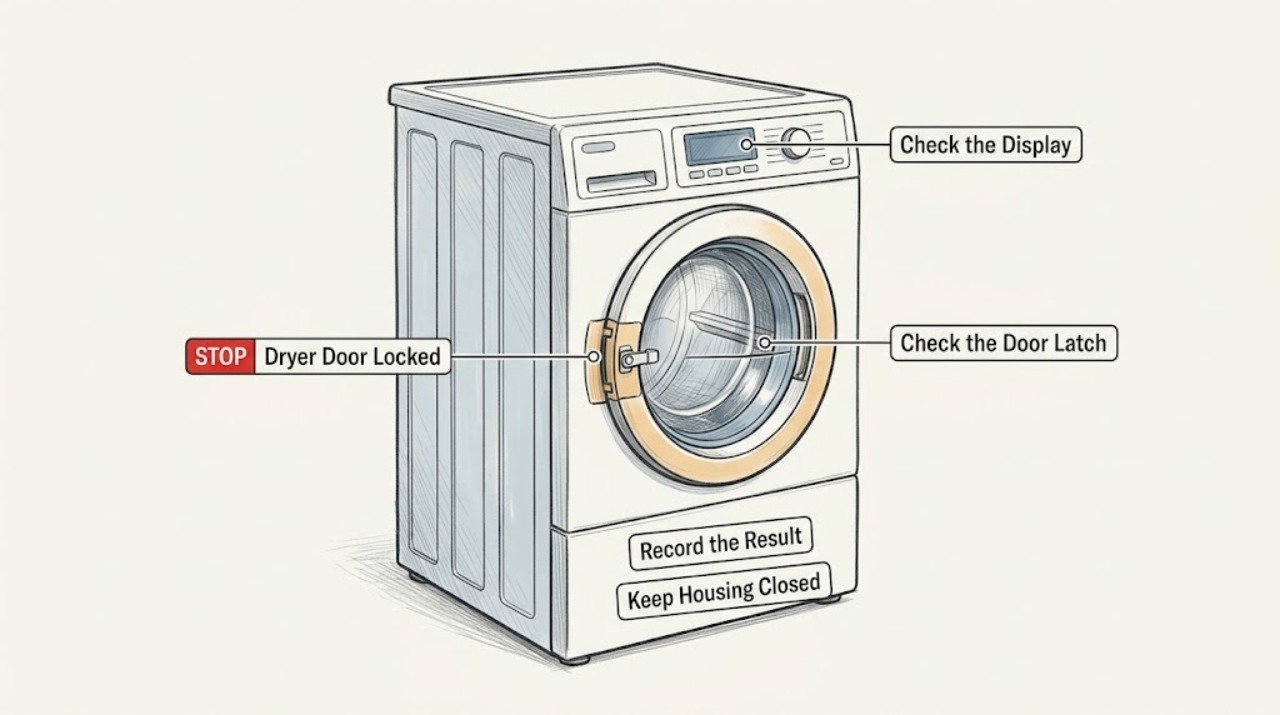
First determine whether the control panel is locked or the dryer door is physically latched. If a control-lock icon is on and the door opens normally, use the exact model manual to unlock the controls; GE lists a few common button combinations, but they vary by model. If the door itself will not open, stop the cycle, wait until the drum has completely stopped and the dryer is safe to approach, and never pry or force the latch. If the door remains physically locked while the dryer is off, or the dryer reports that the door is open when it is closed, arrange GE service for the model-specific latch, switch, or alignment diagnosis.
Work through in order
Diagnostic checks
Use only checks that match the exact appliance or system and its official guide.
-
Check 1
Look at the display and handle to identify whether this is a control lock or a physically latched door.
Expected result: A control-lock icon or lock message is present while the handle opens normally, or the handle will not open even after the cycle is stopped.
Next step: If only the controls are locked, continue to the model-specific unlock check. If the door itself is latched, stop the appliance and do not pull harder or insert anything into the latch.
Why this matters
Why: A responsive door with locked controls points to the user-selectable Control Lock feature; a handle that will not release points to a physical latch, door alignment, or safety-state problem instead.
-
Check 2
If the door opens normally and only the controls are locked, use the full model number to find the owner's manual and follow its Control Lock procedure.
Expected result: Your panel has the exact button pair described by the manual, or the listed controls do not match your panel.
Next step: Use the matching procedure only when your model manual identifies those controls; hold the buttons for the manual's stated interval and confirm that the lock icon turns off. If the controls do not match, stop experimenting and obtain the correct manual rather than guessing.
Why this matters
Why: GE states that the unlock method varies by model. GE gives common examples such as holding Extended Tumble and Minus together, or holding Light, but those instructions are not universal.
-
Check 3
If a cycle is active or the drum is moving, stop the cycle using the normal control and wait for the drum to come to a complete stop before touching the door.
Expected result: The drum stops and the door releases, or the drum stops but the door remains physically latched.
Next step: If the door releases, remove laundry normally and inspect only the visible opening. If it stays latched, leave the dryer off and arrange service; do not bypass the latch or reach through the door gap.
Why this matters
Why: A moving drum is a safety boundary, not evidence that the latch should be forced. A door that remains latched after the appliance is stopped needs model-specific diagnosis.
-
Check 4
With the dryer disconnected from power and the door accessible, inspect the visible door opening, gasket area, and latch face for a trapped garment, lint, or obvious physical damage.
Expected result: A garment or debris is visibly caught in the opening, the latch or door edge is bent or damaged, or nothing is visible and the door still will not release.
Next step: Remove only loose material that is plainly accessible without tools or force. Do not pry the latch or remove panels. If hardware is damaged or the door remains locked, stop and request service.
Why this matters
Why: A visible obstruction can prevent the door from seating or releasing; bent hardware or no visible cause makes a latch, hinge, or alignment fault more likely.
-
Check 5
If the door opens but the dryer will not start or reports an open door, check that it closes firmly and visually inspect the accessible door-switch area for scorching or a pushed-in switch.
Expected result: The door closes tightly and the switch looks normal, or the switch is scorched, pushed in, loose, or the dryer still reports an open door.
Next step: If the door closes and the switch looks normal, retry only the model's normal start sequence once. If the switch is damaged or the door-status problem remains, leave the dryer off and have the door-switch circuit diagnosed.
Why this matters
Why: GE identifies a door that is not closed tightly and a scorched or pushed-in door switch as reasons a dryer may not operate; either visible damage or a persistent door-status message requires service.
-
Check 6
After a control unlock or visible obstruction correction, make one supervised start attempt with the door fully closed and no hands near the drum.
Expected result: The lock icon is gone and the dryer starts normally, or the lock/door message returns and the dryer will not start.
Next step: If it starts normally, use the dryer according to the model manual. If the message returns, stop repeated attempts and arrange GE or authorized service; do not substitute a latch or switch without model-specific confirmation.
Why this matters
Why: Normal operation after the control procedure supports an accidental control lock or loose obstruction. A returning message indicates that the user-level checks did not resolve the underlying door-status condition.
Use your observations
Decision map
Find the observation that best matches what you see, then follow the next safe action.
-
PATH 01Next step
What you see
Do this next
Use the exact owner's manual for the model's Control Lock unlock sequence. GE's common button examples apply only when those buttons exist on the panel.
-
PATH 02Next step
What you see
Do this next
Leave the dryer off and do not pry, probe, or bypass the latch. Arrange model-specific GE service.
-
PATH 03Next step
What you see
Do this next
Confirm the door closes firmly without forcing it. If the status remains or the switch is damaged, stop using the dryer and request service.
-
PATH 04Next step
What you see
Do this next
Continue using the model's normal controls and keep the owner's manual available. If the lock returns without being selected, arrange service rather than repeatedly cycling the controls.
Helpful context
Understand the symptom
Two different problems look like a locked door
On some GE dryers, Control Lock prevents button selections but does not mean the door itself is mechanically locked. A physical door that stays shut, a door that will not close securely, and a dryer that reports an open door are different conditions. The controls, latch design, and unlock method vary by model, so use the full model number to select the correct owner's manual.
Do not force the door
Never pry the door, insert tools into the latch, or reach into a moving drum. If the door will not release after the safe checks below, leave the appliance off and have the latch or door-switch circuit assessed by GE or an authorized servicer.
Only after diagnosis
Potential parts
- model-specific dryer door latch or door switch
Only consider a latch or switch after the correct manual and a service diagnosis indicate that the physical door-status fault is the failed component.
Confirm the complete model number and GE parts documentation before ordering; do not substitute a latch or switch by appearance alone.
When checks do not resolve it
Need a professional?
Stop and arrange service if the door remains physically locked after the drum has stopped, the latch or door switch is damaged, the dryer repeatedly reports an open door, the door will not close securely, or there is scorching, smoke, burning odor, or electrical damage. Disconnect power when safe to do so and do not resume operation until the door-status fault is resolved.
Common questions
FAQ
Does GE Control Lock physically lock the dryer door?
GE describes Control Lock as a control-panel lock that prevents selections. If the handle opens normally but buttons do not respond, use the model-specific Control Lock procedure. A handle that remains physically latched is a different problem and should not be forced.
Which buttons unlock a GE dryer Control Lock?
The method varies by model. GE lists common examples including holding Extended Tumble and Minus together, or holding Light, but you should use those only if the exact model manual identifies the same controls.
What if my GE dryer says the door is open even though it is closed?
Check that the door closes tightly and visually inspect the accessible door-switch area with power disconnected. GE notes that a scorched or pushed-in switch can prevent operation. If the message remains or damage is visible, stop and request service.
Can I pry open a GE dryer door that is stuck locked?
No. Wait until the drum has completely stopped, leave the dryer off, and do not insert tools or bypass the latch. A physically locked door with no accessible obstruction requires model-specific service.
Read the exact guide
Official sources
- Dryer - Will Not Run or StartGE Appliances · Manufacturer troubleshooting guidance for door closure, door-switch condition, controls, and power checks; model-specific instructions still govern.
- Dryer - Control LockGE Appliances · Manufacturer guidance for the user-selectable dryer control lock; button combinations vary by model.
- DryerGE Appliances · Older model-specific use-and-care book; use only for its safety boundary and operating context, not as a universal GE dryer manual.
Community feedback
Share a repair observation
Share a plain-text repair observation. Accepted observations are published automatically; this page may take a moment to update.