
On this page
Start here
Quick answer
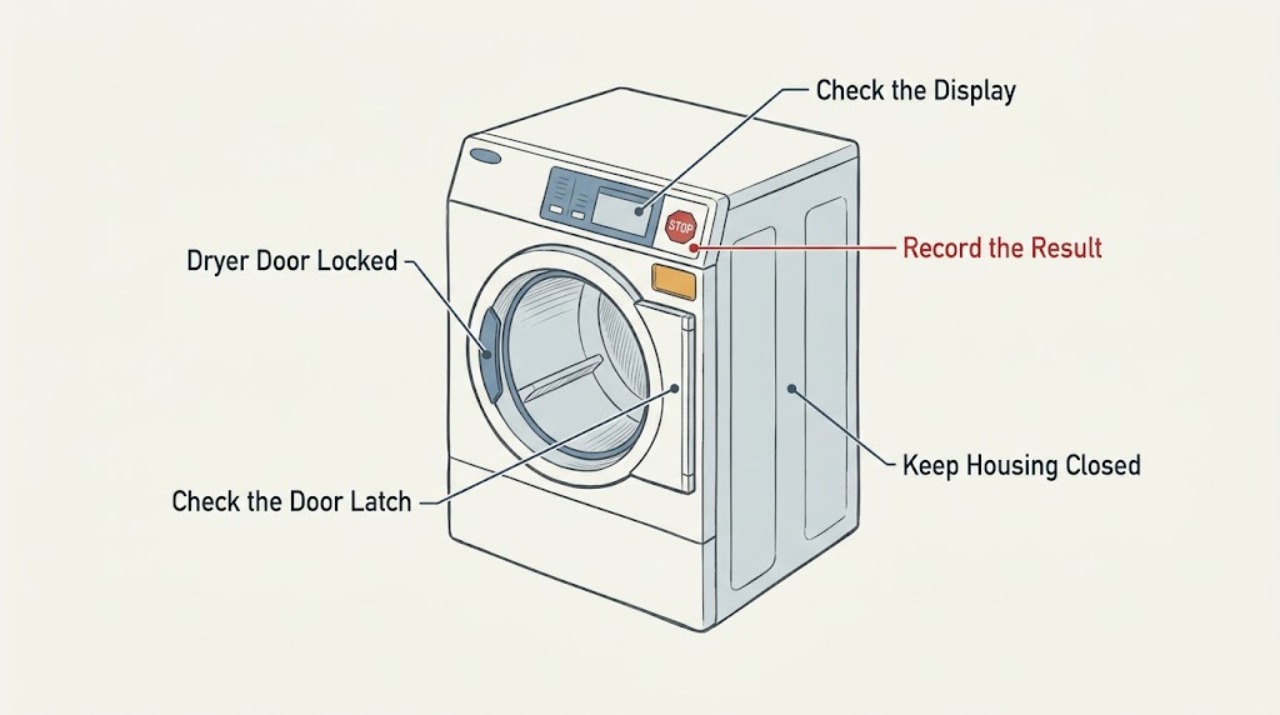
On a Maytag dryer, “door locked” may mean the electronic Controls Locked feature is on rather than that the physical door is locked. If the display shows Loc or the Controls Locked light is on, press and hold the model’s Control Lock key for three seconds; the key combination varies by model. If there is no control-lock indication, treat the symptom as a door-latch or no-start problem: remove clothing from the latch area, close the door firmly, and check for an ERR code. Do not pry the door or open the cabinet. If the lock returns, the door will not latch after the obstruction is cleared, or the dryer still will not start, use the exact model manual or arrange service.
Work through in order
Diagnostic checks
Use only checks that match the exact appliance or system and its official guide.
-
Check 1
With the dryer stopped, read the display and status lights before pressing buttons. Record whether it says Loc or shows Controls Locked, whether the door is physically closed but not latched, whether an ERR code appears, and whether the panel responds to any touch.
Expected result: A Loc message or lock light appears; the panel responds but the door will not click shut; ERR appears; or there is no lock indication and the dryer is simply not starting.
Next step: Use the control-unlock check for Loc or a lock light, inspect the latch opening for a door-closure problem, or use the no-start check when the panel has no lock indication.
Why this matters
Why: Loc or Controls Locked identifies an electronic control lock, not proof that the physical door is locked. A door that will not latch or an ERR code points to the physical latch path. No lock indication shifts attention to the start, power, or door-closure checks rather than a control-lock shortcut.
-
Check 2
If Loc or the Controls Locked light is present, press and hold the Control Lock key identified by the exact owner’s manual for three seconds. If the panel labels are unclear, do not guess a key combination; Maytag says some models use a stand-alone key and others use a dual-function key.
Expected result: The machine counts down and the lock indication clears; the indication remains; or the controls work only intermittently after unlocking.
Next step: After the lock clears, close the door and run a short model-approved test. If the lock remains or repeatedly returns, record the display and model number and arrange service.
Why this matters
Why: A cleared indication shows that the electronic control lock was preventing operation. A lock that will not clear with the model-specific three-second command, or one that immediately returns, is not a reason to pry the door or remove the console; it needs model-specific troubleshooting or service.
-
Check 3
If there is no control-lock indication, stop the dryer and inspect only the accessible door opening and latch area. Remove any clothing caught between the door and cabinet, check for visible lint or packing material obstructing the latch, and close the door firmly without slamming or forcing it.
Expected result: The door now clicks shut and the dryer recognizes it; it still looks closed but does not latch; ERR appears; or the latch or door strike is visibly damaged or loose.
Next step: If the door latches normally, continue to the start test. If ERR or the latch problem remains, stop using the dryer and arrange service rather than bypassing the door safety circuit.
Why this matters
Why: A door that works after an obstruction is removed supports a closure problem. A door that looks shut but produces ERR or will not latch leaves the latch alignment, strike, or door-sensing path unresolved; visible damage is not a safe adjustment to improvise.
-
Check 4
If the control lock is cleared and the door latches, press and hold Start, Push to Start, or Hold to Start for the two to five seconds Maytag specifies for the model. If the dryer remains dark or stops immediately, check the household breaker or fuses without opening the appliance; do not keep resetting a breaker that trips again.
Expected result: The cycle begins; the display is lit but the motor does not start; the outlet or breaker is abnormal; or the breaker trips again.
Next step: If power is normal but the dryer still will not start, preserve any code and request service. If a breaker trips again, leave the dryer disconnected and use a qualified electrician or appliance professional.
Why this matters
Why: Starting after the correct hold and a secure latch makes an input or closure issue more likely than a locked door. Stable power with a continuing no-start points to a model-specific control, motor, or door-sensing diagnosis. A repeated trip is a household electrical or appliance safety concern, not a door-lock setting.
-
Check 5
If ERR appears, confirm that the door is fully closed and latched, then perform only the model-appropriate power cycle described by Maytag: turn the dryer’s circuit breaker off for five minutes, restore it, start a timed-dry cycle, and monitor it for five minutes. Do this only when the circuit and dryer are otherwise safe and the breaker is not repeatedly tripping.
Expected result: ERR stays cleared during the monitored test; ERR returns; or the door still cannot latch.
Next step: Stop using the dryer and arrange a qualified inspection when ERR returns or the latch remains unreliable. Do not bypass the door switch or operate the dryer with the door unsecured.
Why this matters
Why: A clean monitored test after a secure latch is consistent with a transient control state or an imperfect closure. A returning ERR or a door that still cannot latch keeps the door-sensing or latch problem active; a power cycle is not proof that a failed part is repaired.
Use your observations
Decision map
Find the observation that best matches what you see, then follow the next safe action.
-
PATH 01Next step
What you see
Loc or a Controls Locked light is present, the physical door closes normally, and the panel ignores normal commands.
Do this next
Use the exact manual’s three-second Control Lock command. If the indication will not clear or returns immediately, stop at user-level checks and request service with the display and model number.
Why this path and its safety boundary
Why it matters: The pattern makes the electronic Control Lock more likely than a physically jammed door. Maytag notes that the lock prevents the dryer from starting or operating, while the exact unlocking key is model-dependent.
-
PATH 02Next step
What you see
There is no control-lock indication, the door is visibly obstructed or will not click shut, or ERR appears after the door is closed.
Do this next
Clear only visible obstructions and close the door firmly. If ERR or the latch failure remains, do not bypass the safety circuit or force the door; arrange service.
Why this path and its safety boundary
Why it matters: The pattern makes a closure or latch-sensing problem more likely than Control Lock. Clothing in the opening can keep the door from closing completely, and Maytag says some dryers require both upper and lower latches to engage.
-
PATH 03Next step
What you see
The lock is cleared, the door latches, and the dryer still will not start; the panel is lit and power is stable.
Do this next
Hold Start for the model’s specified two to five seconds and check the selected cycle. If the dryer still will not start, stop repeated attempts and request service rather than opening the cabinet.
Why this path and its safety boundary
Why it matters: This pattern is less consistent with a locked door and more consistent with the start input, selected cycle, or an internal door-sensing/control fault. It cannot identify a replaceable part without the model and further testing.
-
PATH 04Next step
What you see
The breaker trips again, the cord or latch is visibly damaged, the door remains physically jammed after visible obstructions are removed, or ERR returns after the documented test.
Do this next
Keep the dryer off and arrange a qualified appliance inspection; use an electrician for a household breaker or outlet that remains abnormal. Do not pry the door, bypass the door switch, or remove panels.
Why this path and its safety boundary
Why it matters: These are stop conditions. They indicate an electrical, mechanical, or door-sensing fault that cannot be safely identified from the generic ‘door locked’ wording alone.
Helpful context
Understand the symptom
Separate a control lock from a physically stuck door
A Maytag dryer can be electronically locked while the door itself remains a normal manually latched door. A Loc message or Controls Locked light points to the control setting. A door that will not click shut, an ERR message, or clothing caught at the opening points instead to the latch path. Use the matching check below; do not force the handle or insert a tool around the door.
Model-specific controls matter
Maytag uses more than one control-lock arrangement. The Control Lock key may be a dedicated key or a dual-function key, and Maytag directs owners to the manual for the exact model. Find the model number before ordering a latch or control part; Maytag lists locations including the upper-left rear cabinet, the rear frame inside the opening, and inside the door.
Only after diagnosis
Potential parts
- dryer door latch or strike
Consider this category only when the door cannot latch after visible clothing and debris are removed, or when the latch or strike is visibly damaged; the generic door-locked wording does not identify a failed part.
Confirm the complete Maytag model number and the manufacturer’s fit information before ordering. Do not assume a latch fits every Maytag dryer. - dryer door switch or door-sensing assembly
Consider this category only when the door closes and latches correctly but ERR or a no-start symptom persists after the model-appropriate checks; diagnosis requires model-specific testing.
Match the exact model and revision through Maytag or a qualified technician; do not bypass or short the safety circuit.
When checks do not resolve it
Need a professional?
The physical door will not latch or open after visible obstructions are removed., Loc or Controls Locked will not clear using the exact model-specific command, or the lock returns., ERR returns, the dryer will not start with a secure latch and stable power, or a breaker trips again.
Have this ready
- The complete Maytag dryer model number and serial number.
- The exact display text or status light, whether the door clicks shut, and whether any clothing or obstruction was found.
- Whether the dryer started after one model-appropriate power cycle and whether the household breaker remained stable.
Common questions
FAQ
Does Controls Locked mean the physical Maytag dryer door is locked?
Not necessarily. Maytag describes Control Lock as an electronic lockout that prevents the dryer from starting or operating. If the door itself will not latch, looks obstructed, or produces ERR, use the separate door-closure and latch checks instead of treating the control light as proof of a mechanical lock.
Which button unlocks a Maytag dryer showing Loc?
Hold the Control Lock key for three seconds, but identify that key in the owner’s manual for the exact model. Maytag says the control may use a stand-alone key or a dual-function key; do not assume the same shortcut applies to every dryer.
Why does my Maytag dryer say ERR when the door looks closed?
Maytag says ERR appears when the door is not completely closed and latched. Clothing caught between the cabinet and door can block the latch, and some models have upper and lower latches that both must engage. Clear only visible obstructions and close the door firmly; if ERR returns, stop and arrange service.
Can I force open or bypass a locked Maytag dryer door?
No. Do not pry the door, bypass the door switch, or remove panels as a user-level workaround. If the door remains physically jammed after visible obstructions are removed, or the latch is damaged, leave the dryer off and have a qualified technician inspect it.
Where do I find the Maytag dryer model number before calling?
Maytag lists several dryer locations: on the upper-left rear cabinet, inside on the rear frame when the door is open, inside the door, or behind the access panel on gas dryers. Record it before ordering a latch or asking for model-specific control-lock instructions.
Read the exact guide
Official sources
- ERR - Error Code - DryerMaytag · Maytag dryer models that display ERR or exhibit an unlatched-door no-start condition
- Dryer Not Starting or No OperationMaytag · Maytag dryer no-start symptoms, including a door that appears closed but is not latched
- Loc - Error Code - DryerMaytag · Maytag dryer models that display Loc or provide a Controls Locked feature; exact key varies by model
- Contact Us | MaytagMaytag · Maytag dryer owners needing the exact model number or service support
Community feedback
Share a repair observation
Share a plain-text repair observation. Accepted observations are published automatically; this page may take a moment to update.