
On this page
Start here
Quick answer
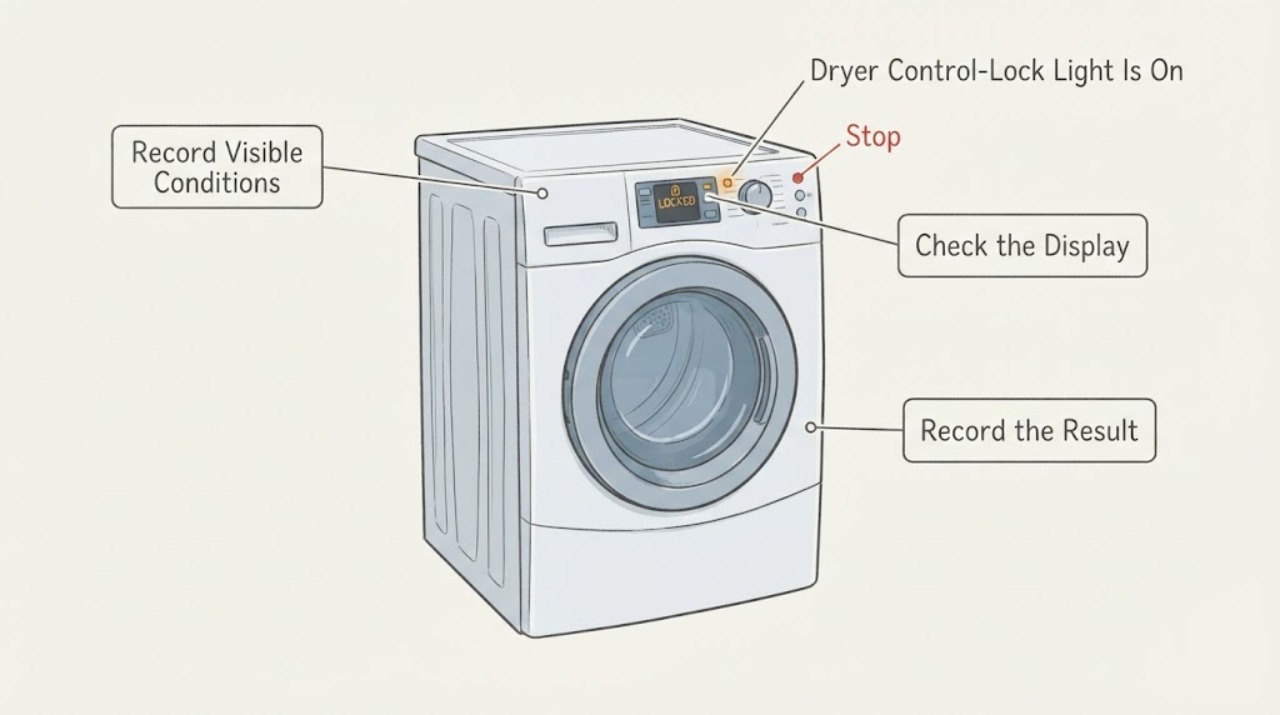
The title’s “Contol locked” appears to be a misspelling of “Control locked,” and a lit lock indicator with otherwise unresponsive buttons is consistent with a control-lock or child-lock state. The task provides no brand or model, so do not copy a key combination from Whirlpool, GE, Samsung or another dryer. Read the full model label, dry your hands and the panel, and use only the matching owner manual’s unlock instruction. If the manual-specific unlock does not clear the light, the panel remains unresponsive, or the dryer is hot, running, sparking or smells burnt, stop user testing and arrange qualified service. Do not open the console, bypass the lock or diagnose a control board from the light alone.
Work through in order
Diagnostic checks
Use only checks that match the exact appliance or system and its official guide.
-
Check 1
Read and record the complete dryer brand, model, suffix and the exact lock wording or icon shown; do not rely on the misspelled title alone.
Expected result: The brand/model is readable, or it remains unknown; the display shows a lock indicator, a text message, or only an unresponsive panel.
Next step: Use only the manual that names the recorded dryer. If identity remains unknown, continue with the moisture and safety checks but do not try a guessed button combination.
Stop if: Do not remove panels or open the console to find a model label.
Why this matters
Why: A matching manual is required because control-lock locations and names vary by model. An unresponsive panel without a confirmed lock indicator does not prove a control-lock state.
-
Check 2
With the dryer idle and cool, dry your hands and wipe the accessible control surface with a clean, dry cloth; do not spray cleaner into the panel.
Expected result: The panel begins responding after moisture is removed, or the lock light and unresponsive controls remain unchanged.
Next step: Use the matching manual’s lock procedure if the indicator remains. If the panel stays dead or behaves erratically, stop testing and request service.
Stop if: Stop for liquid entering the controls, arcing, a burning smell or a damaged panel.
Why this matters
Why: Whirlpool says moisture on the panel or hands can reduce touch response. If the lock indicator remains, moisture was not a complete explanation; if it clears, continue to use the model manual.
-
Check 3
Open the owner manual for the recorded model and follow only its stated Control Lock or Child Lock unlock instruction; do not substitute another brand’s two-button combination.
Expected result: The lock indicator turns off and controls respond, or the indicator/panel remains unchanged.
Next step: If it unlocks, run no further repair test unless the manual requires it. If it does not, keep the dryer out of service and arrange qualified service.
Stop if: Do not hold random buttons, bypass the lock, disconnect internal wiring or force the control panel.
Why this matters
Why: A successful manual-matched unlock supports a lock state. Failure after the correct model procedure means the symptom is no longer explained by an ordinary lock setting alone; it still does not prove a board or keypad failure.
-
Check 4
If the dryer is running, hot, sparking, smells burnt, trips power, or remains unresponsive after the model-specific unlock, stop the cycle only by the safe procedure in the manual and contact qualified service.
Expected result: The dryer is cool and idle with only a lock indicator, or there is heat, motion, smoke, smell, electrical noise or a continuing unresponsive panel.
Next step: Provide the model, lock wording/icon, whether the panel was wet, any power interruption and the exact manual step attempted to the service provider.
Stop if: Do not open the console, probe live wiring, bypass a door lock or continue a dryer with smoke, burning smell or damaged controls.
Why this matters
Why: A lock indicator alone can be an operating state; heat, smoke, electrical symptoms or persistent failure require a service boundary rather than repeated button tests.
Use your observations
Decision map
Find the observation that best matches what you see, then follow the next safe action.
-
PATH 01Next step
What you see
The model manual’s lock procedure turns off the indicator and the controls respond.
Do this next
Return to normal use only if the dryer is otherwise safe and the manual permits it. Keep the manual’s exact procedure with the appliance.
Why this path and its safety boundary
Why it matters: The symptom was consistent with a model-specific control-lock state; it does not indicate a failed control board.
-
PATH 02Next step
What you see
The lock light remains on or the controls remain unresponsive after the exact model procedure and the panel is dry.
Do this next
Keep the dryer out of service and request qualified service with the complete model and the steps already attempted.
Why this path and its safety boundary
Why it matters: The available generic evidence cannot distinguish a stuck key, panel fault, power/control issue or another model-specific condition.
-
PATH 03Next step
What you see
The dryer is hot or running unexpectedly, sparks, smells burnt, trips power or has liquid inside the controls.
Do this next
Use only the safe stop procedure in the model manual if it can be done without touching damaged or wet controls; otherwise keep clear and obtain service.
Why this path and its safety boundary
Why it matters: The issue has moved beyond a normal lock-state check and may involve heat or electrical hazards.
Helpful context
Understand the symptom
Correct the wording without changing the assigned URL
“Contol locked” is treated as the title’s spelling error for “Control locked.” The assigned slug and canonical path are preserved exactly, including the spelling. The symptom itself is usable, but there is no brand, model, control layout or manual, so a precise button sequence cannot be published for this identity.
A lock light can explain total button silence
Whirlpool documents that an active Control Lock lights the lock indicator and prevents touch commands. GE likewise says the way to lock or unlock a dryer varies by model. These sources support the interpretation of the symptom, not a cross-brand key combination or a diagnosis of the electronic console.
Keep the checks external
Dry the panel and your hands before deciding that a button has failed. Read the model label and use the matching owner manual. Do not pry open the console or bypass a lock or door safety to make the dryer respond.
When checks do not resolve it
Need a professional?
Call qualified service when the correct model-specific unlock does not restore the controls, the model cannot be identified, or the dryer has heat, smoke, burning smell, sparking, liquid intrusion or damaged controls. Do not continue operation while those hazards remain.
Common questions
FAQ
Is the word ‘Contol’ itself an error code?
It is treated here as a spelling error for ‘Control.’ The task provides no brand, model or official display reference, so it cannot support a code-specific meaning or button sequence.
Can I try a button combination from another dryer?
No. GE states that control-lock methods vary by model, and Whirlpool directs owners to the model manual. Record the dryer identity first and use only its instructions.
What if the panel stays locked after the correct manual step?
Dry the panel, stop repeated testing, keep the dryer out of service and request qualified service. The symptom alone does not identify a keypad, board, wiring or lock-switch failure.
Read the exact guide
Official sources
- Control buttons on Samsung dryer do not respondSamsung · Opened official Samsung guidance. Used only as another manufacturer example that lock procedures vary by model and that persistent unresponsiveness requires service; no Samsung steps are assigned to this unidentified dryer.
- Controls are Not Working - DryerWhirlpool · Opened official Whirlpool dryer guidance. Used for the meaning of a lit Control Lock indicator, moisture affecting touch response and the service boundary; no Whirlpool model is assigned to this task.
- Dryer - Control LockGE Appliances · Opened official GE guidance. Used only to establish that lock methods vary by model and require the matching owner manual; its example combinations are intentionally not transferred to the unidentified dryer.
Community feedback
Share a repair observation
Share a plain-text repair observation. Accepted observations are published automatically; this page may take a moment to update.