
On this page
Start here
Quick answer
First record whether the dryer stops during sensing, heating, tumbling, cooling, wrinkle care, or after an end indicator, and note whether the clothes are dry, damp, hot, or still wet. A timer that appears still can be normal on some automatic cycles, and Wrinkle Prevent can tumble without heat after drying is complete. A persistent stop or damp load usually points to a door or control state, a load or sensor issue, restricted airflow, loss of heat, an over-temperature protection event, or—on condenser and heat-pump models—a full water container or drainage path. Use only the checks that match the dryer type, perform one safe reset at most, and stop for service if the symptom returns or any fire, electrical, water, or mechanical hazard appears.
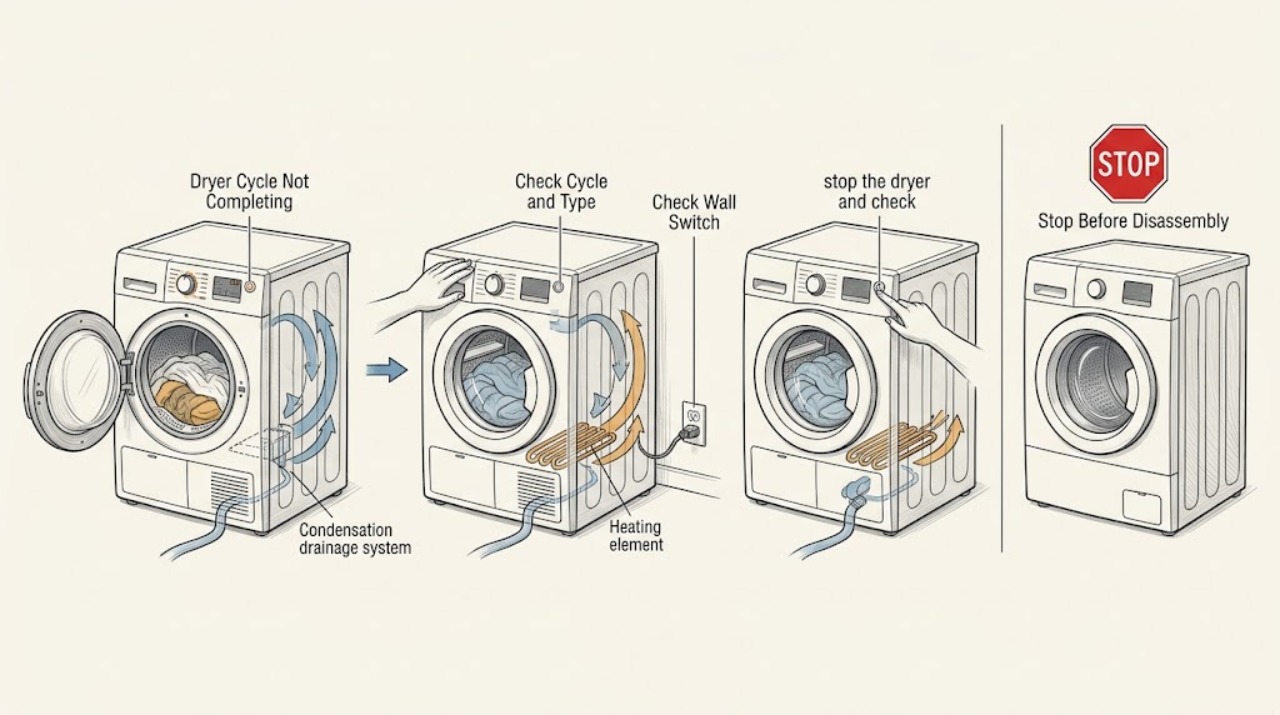
Work through in order
Diagnostic checks
Use only checks that match the exact appliance or system and its official guide.
-
Check 1
From a dry position, stop the dryer and check for smoke, a burning or melted smell, scorching, visible arcing, a hot or damaged plug, repeated breaker trips, water near electrical parts, or drum movement that is violent or striking the cabinet.
Expected result: No hazard is present and the dryer is stable, or one of the danger signs is present.
Next step: If any danger sign is present, stop using the dryer, disconnect power only if it can be done without touching wet or damaged equipment, keep clear of smoke or gas exhaust, and arrange qualified help. Otherwise continue to identify the phase.
Why this matters
Why: A stable, dry dryer can receive low-risk observations. Fire, electrical, water-contact, or severe mechanical signs are not ordinary cycle symptoms and can worsen if the dryer is restarted.
-
Check 2
Write down the model, dryer type if known (vented, condenser, or heat pump), selected cycle and options, exact display message, and the point where it stops: before starting, sensing, heating, tumbling, cooling, or after the end indicator. Note whether the load is empty, lightly loaded, mixed, bulky, dry, damp, or very hot.
Expected result: The stop is repeatable at one phase, or it is only an apparent pause with a changing estimate, reversing drum, cool-down, or wrinkle-care movement.
Next step: Follow the branch below that matches the observed phase and use the model manual for any exact code or option behavior.
Why this matters
Why: A repeatable phase narrows the cause. Automatic timers can advance sporadically, reverse-tumble can briefly pause, and post-cycle wrinkle care can be normal; these should not be confused with a motor or timer failure.
-
Check 3
If the dryer stops before or just after starting, confirm from outside that the door is fully closed, the cycle and heat setting are selected, the Start control has been held as the manual requires, and no control lock or delayed-start state is active. Do not defeat the door switch.
Expected result: The dryer starts and the drum turns, or it remains idle with a door, control, or start indication.
Next step: Close the door normally, clear only the labeled lock or delay option, and retry once. If the door will not latch, the switch is damaged, or the dryer remains idle, stop and request service.
Why this matters
Why: An incompletely latched door, invalid cycle selection, control lock, or required press-and-hold can look like an incomplete cycle. A scorched or physically damaged switch is a service condition.
-
Check 4
If the dryer ends very quickly with clothes damp, check whether the selected programme is a sensor or automatic cycle and whether the load is extremely small, mixed with light and heavy fabrics, or absent. With power off and the drum cool, wipe the accessible moisture-sensor bars using the model's cleaning instructions and a soft cloth; dry them before use.
Expected result: The cycle is a sensor programme and the load or sensor bars could make the machine think the load is dry, or a time-based programme ends at its set time.
Next step: Use a load size and cycle suited to the fabric, adjust dryness only where the manual permits, or use a time-based cycle for a suitable load. If a normal load still ends early after sensor cleaning, request service.
Why this matters
Why: Sensor cycles stop when their moisture measurement reaches the selected dryness, while manual cycles stop at their predetermined time. Light items can contact sensors before heavier items are dry, and residue can interfere with sensing.
-
Check 5
If the cycle runs for a long time or never reaches the end, clean the lint filter after the dryer is off and cool, then check the accessible vent hose and outside hood for crushing, kinks, lint, or weak exhaust. Never operate a vented dryer without its lint filter, and do not insert tools into a hot or running appliance.
Expected result: The lint filter or vent is obstructed, the outside airflow is weak, a vent warning is shown, or airflow is clear.
Next step: Correct only an accessible lint or hose-position issue and have the full vent run professionally cleaned when its length, bends, or internal condition is uncertain. If the warning or long cycle returns with clear airflow, stop and request service.
Why this matters
Why: Restricted airflow prevents hot moist air from leaving, lengthens drying, can reduce heat, and raises fire risk. A vent warning is a clue to the exhaust path, not proof that an internal part should be replaced.
-
Check 6
If the dryer is a condenser or heat-pump model, identify whether it has a removable condensation tank, drain hose, filter, or heat exchanger that the manual permits the user to clean. With the dryer cool and off, empty and reseat a full tank and clean only the named filters; do not open sealed refrigeration or electrical compartments.
Expected result: A full tank or blocked user-accessible filter is indicated, or the tank is empty and the permitted drainage path is clear.
Next step: Run one supervised programme appropriate to the dryer design. If the tank refills unusually fast, the drain pump or hose does not work, water leaks, or the programme aborts with an empty tank, stop and request service.
Why this matters
Why: Some condenser dryers abort the next programme when the water container is full. A dirty heat exchanger can extend drying, while heat-pump cleaning and access rules are model-specific.
-
Check 7
If the dryer stops during heating or leaves clothes hot and damp, check the load size and garment care labels, confirm the front and intake areas are not blocked, and note whether heat disappears before the stop. Do not test a gas burner, heating element, thermal device, wiring, or live terminal.
Expected result: The load is tightly packed or the appliance is unusually hot, or a normally sized load has no heat or loses heat and stops.
Next step: Let the dryer cool fully, reduce the load, clear only external obstructions, and test once if there is no hazard. If it overheats, stops again, has no heat, or shows a temperature fault, stop and request service.
Why this matters
Why: Overloading and blocked ventilation can cause heat buildup and poor drying. Complete loss of heat or repeated thermal cutout symptoms can indicate a heater, sensor, airflow, power, or gas-system fault that requires model-specific testing.
-
Check 8
If the dryer appears to continue after the clothes are dry or an end message is lit, check whether Wrinkle Prevent, Wrinkle Shield, anti-crease, cool-down, or a similar option is selected. Observe whether the drum turns intermittently without heat and whether opening the door or using the labeled option control ends that feature.
Expected result: The drum only tumbles periodically without heat, or it continues heating, runs continuously, or will not stop when the option is canceled.
Next step: Use the model's normal Power or option control to end wrinkle care. If heat continues, the drum will not stop, or the feature returns unexpectedly, disconnect the dryer safely and arrange service.
Why this matters
Why: Selected wrinkle-care features can intentionally tumble after the heated cycle, while continued heat or nonstop operation is not explained by ordinary wrinkle care and may indicate a control or heating fault.
-
Check 9
Record any exact code or indicator before clearing it, then consult the owner's manual for that model and dryer type. Treat a vent, door, temperature, airflow, water-container, or voltage indication as a diagnostic clue; do not substitute a code from another brand or platform.
Expected result: The manual gives a permitted external check, or the code is different, persistent, or accompanied by a hazard.
Next step: Perform only the manual's low-risk check, preserve the code and phase notes, and stop for service if it returns or no model-specific guidance is available.
Why this matters
Why: Code labels and reset sequences are not universal. A persistent or safety-related code may require service without further home testing.
-
Check 10
After the dryer is cool, dry, stable, and free of the hazards above, perform no more than one model-documented power reset: switch it off or disconnect power as the manual directs, wait the stated interval, reconnect, and run one suitable supervised test load. Do not repeatedly reset a breaker or restart an overheating dryer.
Expected result: The cycle completes normally once, or it stops again at the same phase or displays the same indication.
Next step: If it completes, monitor the next load and maintain the filter and vent. If it fails again, stop using the dryer and provide the service provider with the model, phase, code, load, heat, airflow, and water-container observations.
Why this matters
Why: A single reset may clear a transient control state, but recurrence indicates an unresolved door, sensor, airflow, heat, drainage, motor, or control fault.
Use your observations
Decision map
Find the observation that best matches what you see, then follow the next safe action.
-
PATH 01Safety boundary
What you see
The dryer is only tumbling intermittently after an end indication and produces no heat
Do this next
Treat wrinkle-care or cool-down as a possible normal feature and use the labeled control or open the door according to the manual.
Why this path and its safety boundary
Safety stop: Continue with the phase where heat or drum movement actually stops.
-
PATH 02Safety boundary
What you see
The cycle ends quickly while clothes remain damp
Do this next
Check sensor-cycle selection, load size and fabric mix, and clean accessible moisture sensors with power off and the drum cool.
Why this path and its safety boundary
Safety stop: Continue to the long-cycle, heating, or water-container branch.
-
PATH 03Safety boundary
What you see
The cycle runs long, remains damp, or shows a vent warning
Do this next
Clean the lint filter and inspect accessible vent routing and the outside hood; arrange professional vent cleaning when the full run is uncertain.
Why this path and its safety boundary
Safety stop: Continue to heat, load, or condenser checks.
-
PATH 04Safety boundary
What you see
A condenser or heat-pump dryer reports a full water container or stops with water collected
Do this next
Empty and reseat the user-accessible container and follow the manual for the permitted filter or drain check.
Why this path and its safety boundary
Safety stop: Do not apply condenser instructions to a vented dryer; continue with the relevant phase branch.
-
PATH 05Safety boundary
What you see
The dryer stops while heating, is unusually hot, or loses heat
Do this next
Let it cool, check only external load and airflow conditions, and request service for recurrence, no heat, or any overheating sign.
Why this path and its safety boundary
Safety stop: Continue to the code and one-reset path.
-
PATH 06Safety boundary
What you see
The door, controls, or start state prevents the cycle from beginning
Do this next
Close the door normally, clear only the labeled control or delay state, and retry once; do not defeat the door switch.
Why this path and its safety boundary
Safety stop: Follow the actual cycle-stage branch.
-
PATH 07Safety boundary
What you see
The same phase or display fault returns after one safe reset
Do this next
Stop using the dryer and provide model, phase, code, load, temperature, airflow, and water-container notes to qualified service.
Why this path and its safety boundary
Safety stop: Monitor one suitable supervised load and stop if the symptom or any hazard returns.
Helpful context
Understand the symptom
Do not assume the displayed time is a countdown. Automatic or sensor cycles can revise their estimate, and some dryers pause briefly when reversing the drum or entering cool-down. On selected machines, Wrinkle Prevent or Wrinkle Shield periodically tumbles a load after the heated cycle ends, even while an end message is visible. The useful clue is the combination of phase, heat, drum movement, load dryness, and any display message.
The appliance type matters. A vented dryer exhausts moist air outdoors; a condenser or heat-pump dryer collects water in a tank or sends it to a drain. Controls, codes, sensor locations, and cleaning access vary by model. Use the owner's manual for the exact buttons and never apply a brand-specific code interpretation to an unidentified dryer.
Safety boundary
Stop conditions
- Stop immediately for smoke, a burning or melted smell, scorching, visible sparks or arcing, a damaged or hot plug, or repeated breaker trips.
- Stop immediately if water reaches the outlet, cord, controls, or another electrical connection; do not touch wet plugged-in equipment.
- Stop for a gas smell or suspected combustion problem: avoid switches and flames, leave the area, and seek emergency or utility guidance from a safe location.
- Stop if the dryer is unusually hot, the load is scorching, heat continues after controls are canceled, or the drum moves violently or strikes the cabinet.
- Do not bypass a door switch, test live wiring, open a gas path, remove a heater or thermal device, or open sealed heat-pump or refrigeration components.
Only after diagnosis
Potential parts
- door switch or latch assembly
Consider only if the door is correctly closed but the model-specific switch or latch test indicates the cycle cannot start or stay running.
Confirm the exact dryer model and fit information; never bypass the safety switch. - moisture sensor assembly
Consider only if a normal load ends early after the permitted sensor cleaning and model-specific sensor checks.
Sensor design and fit vary by model; confirm compatibility before ordering. - vent or airflow component
Consider only after the complete vent route has been cleaned and airflow remains poor or a model-specific blower or duct fault is confirmed.
A restricted household vent may need a vent specialist rather than an appliance part; confirm the model and installation requirements. - heating or thermal protection component
Consider only after external airflow and load checks are clear and a qualified diagnostic confirms loss of heat or a failed thermal component.
Gas, electric, condenser, and heat-pump designs differ; do not infer a part from a symptom or generic code. - condensation pump or water-level component
Consider only for a condenser or heat-pump dryer whose tank or drain path remains faulty after the user-accessible tank and filter checks.
Verify dryer design and exact model; sealed heat-pump and refrigeration work belongs to qualified service.
When checks do not resolve it
Need a professional?
Arrange qualified appliance or vent service when the cycle repeatedly stops, a vent remains restricted, a condenser tank refills or leaks unexpectedly, a door switch or control fails, heat is absent or uncontrolled, or any stop condition occurs.
Common questions
FAQ
Why does a dryer timer seem stuck during a cycle?
Automatic or sensor programmes may revise their time estimate and advance sporadically. A brief pause can also occur during cool-down or drum reversal. If the same phase remains stalled, the load stays damp, a warning appears, or heat becomes abnormal, use the matching airflow, load, water-container, and service checks.
Why does my dryer stop before clothes are dry?
A sensor cycle may decide the load is dry too soon when the load is very small, mixed, or the sensor bars have residue. A vent restriction, lost heat, blocked filter, or model fault can also leave clothes damp. Clean only permitted user-accessible areas and request service if the symptom repeats.
Can Wrinkle Prevent make it look like the dryer never finished?
Yes. On selected models it periodically tumbles the load after the heated cycle, often without heat, and may remain active while an end indication is shown. If the drum keeps heating or runs continuously after the option is canceled, stop using the dryer and request service.
Why does a condenser dryer stop with water still in the load?
A full condensation container or a restricted permitted drain path can abort or interrupt some programmes. Empty and reseat the user-accessible container only when the dryer is cool and off, and use the manual for filter access. Unexpected refilling, leaks, or a repeat stop needs service.
Should I keep resetting a dryer that stops?
No. After the dryer is cool, dry, stable, and hazard-free, perform at most one model-documented reset. If it stops again, preserve the phase and code notes; repeated resets can hide an airflow, heating, electrical, or control fault.
Read the exact guide
Official sources
- Dryer - Timer Stops During the CycleGE Appliances · GE dryer timer appearance, automatic-cycle timing, no-load sensing, leveling, and overheating checks
- Why is cleaning or replacing the vent of your Samsung dryer important?Samsung Canada · Samsung dryer vent restriction, moisture exhaust, cycle length, and vent-alert guidance
- Wrinkled Clothing - DryerWhirlpool Product Help · Whirlpool dryer load size and Wrinkle Prevent or Wrinkle Shield post-cycle behavior
- AF or "Check Vent" - Dryer - Product Help | WhirlpoolWhirlpool Product Help · Whirlpool dryer restricted-airflow indicator, lint screen, vent hose, and outside hood checks
- What should I do if my dryer stops operating?Electrolux · Electrolux dryer motor overheat, load reduction, thermal limiter, and service boundary
- CPSC Urges Flood Victims to Take Steps to Prevent CO Poisoning, Electrocution, Explosion and FiresU.S. Consumer Product Safety Commission · Electrical safety around wet appliances and emergency response to suspected gas leaks
- Samsung dryer displays an error codeSamsung · Samsung dryer error-code recording, vent-related indications, and model-specific service escalation
- Cycles, settings, and features on your Samsung dryerSamsung · Samsung dryer sensor, manual, cool-down, wrinkle, load, and dryness-cycle behavior
- Dryer - Will Not Run or StartGE Appliances · GE dryer door, cycle selection, Start control, and external power checks
- How to clean your tumble dryerBosch Home Appliances · Bosch tumble-dryer filter, condensation container, heat-exchanger, and humidity-sensor maintenance
- How to clean and maintain your Samsung dryerSamsung Canada · Samsung dryer lint filter, moisture sensor, and exhaust-vent maintenance guidance
Community feedback
Share a repair observation
Share a plain-text repair observation. Accepted observations are published automatically; this page may take a moment to update.