
On this page
Start here
Quick answer
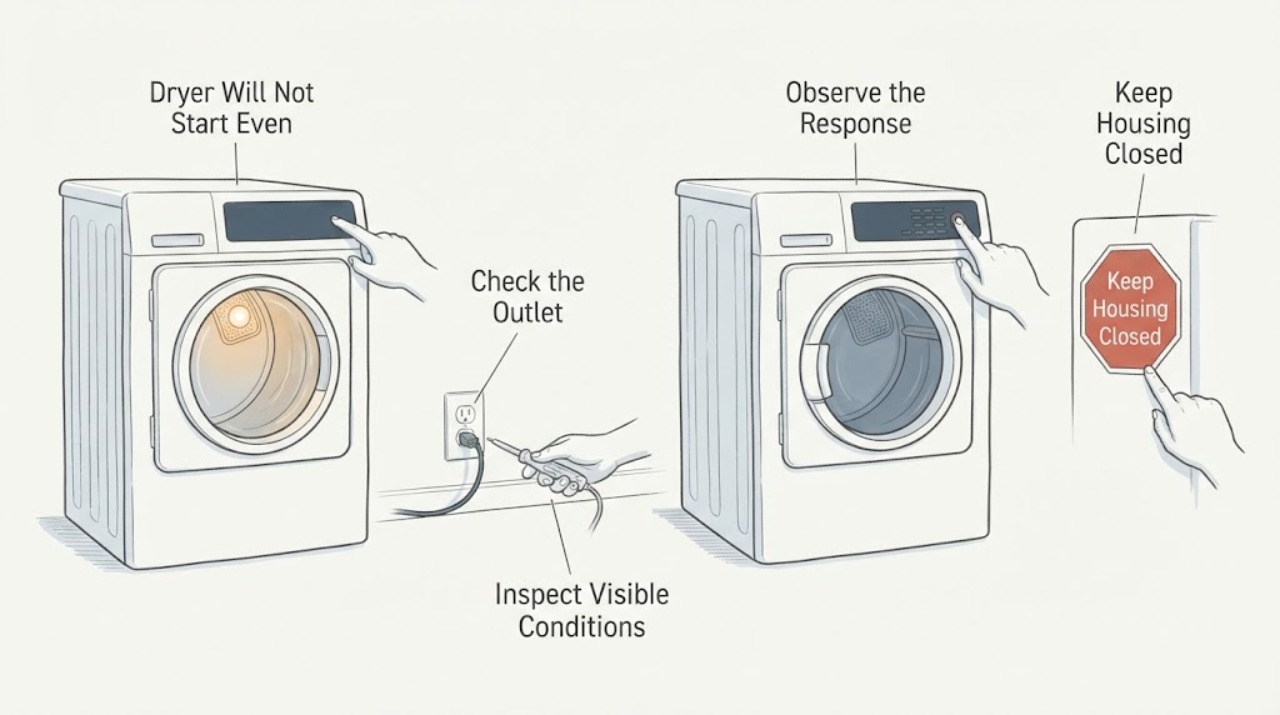
An interior or drum light working does not prove that the control panel, door interlock, or start circuit is operating. With the dryer stopped, check only from the outside: look for a tripped breaker or visible cord/outlet damage with power isolated, check whether a model-specific Control Lock or Child Lock indicator is on, and make sure the door closes without clothing or debris blocking the latch. Do not use a meter, remove the console, bypass the door switch, or guess a fuse or control-board failure. If the panel stays dark or unresponsive after safe external checks, leave the dryer off and arrange service; damaged wiring, burn marks, repeated breaker trips, or a burning smell require an electrician or qualified appliance technician.
Work through in order
Diagnostic checks
Use only checks that match the exact appliance or system and its official guide.
-
Check 1
Stop the dryer. If there is a burning smell, smoke, a hot or damaged plug, scorch marks, buzzing at the outlet, or a breaker that trips again, switch the circuit off if it can be done safely from a dry location and do not reconnect the dryer.
Expected result: There is visible electrical damage or an abnormal smell/heat, or the dryer is simply dark at the controls with no damage visible.
Next step: For damage, loose/incorrect wiring, or repeated trips, contact a licensed electrician or qualified appliance technician. If no danger sign is present, keep the dryer stopped while continuing only with the checks below.
Stop if: Do not touch a damaged cord, outlet, terminal or wet area, and do not restore power after a breaker trips repeatedly.
Why this matters
Why: Damage or repeated tripping is an electrical safety condition, not a reason to keep resetting the appliance. A dark control panel without damage still needs model-specific external checks and may require service.
-
Check 2
With power off, look at the breaker position and the accessible plug/cord and outlet without removing a cover or testing live voltage. If the installation is electric and uses a two-pole breaker, do not assume that one side being on means the dryer has a valid supply.
Expected result: The breaker was visibly tripped and resets once without damage, or it will not reset/returns to a trip; the cord and outlet are intact or show damage/looseness.
Next step: If the breaker will not hold, or any cord/outlet connection is damaged or loose, leave power off and call an electrician. If the supply is visibly intact and the panel remains dark, stop trying to restore power and arrange appliance service.
Why this matters
Why: Samsung notes that dryer circuits can appear on while partly tripped, but damaged or incorrect power connections require an electrician. A reset breaker does not prove that the control panel or dryer electronics are healthy.
-
Check 3
Look at the control panel for a Control Lock, Child Lock, or lock icon. If an indicator is present, use only the unlock combination printed on that exact panel or in its manual; do not copy a two-button sequence from another dryer.
Expected result: A lock indicator is on and the panel identifies its release controls, or no lock indicator is present and the panel remains completely unresponsive.
Next step: Use the exact model instructions once. If the panel remains dark or unresponsive, leave the dryer off and request service; do not remove the console or bypass the lock.
Why this matters
Why: Whirlpool and Samsung both document locked controls as a reason buttons may not respond, but Samsung says the button combination varies by model. No lock indicator makes a control-lock explanation less supported but does not identify an internal fault.
-
Check 4
With the dryer cool and stopped, open and close the door gently and inspect the accessible door edge and latch opening for clothing, lint or packing material. Do not force the door, insert a tool, or hold the door switch closed.
Expected result: The door closes evenly with no obstruction, or it does not latch, sits crooked, or has a damaged latch/strike or trapped item.
Next step: Remove only a loose item that is plainly accessible, then close the door normally. If the latch is damaged, the door remains misaligned, or the panel is still dark, leave the dryer off and arrange service.
Why this matters
Why: Whirlpool says the door may look shut without being latched and that an obstruction can prevent starting. A damaged latch or switch cannot be diagnosed safely from outside and must not be bypassed.
-
Check 5
Read the brand, complete model number and fuel type from the rating label, then use that model's manual for the Start/Hold-to-Start behavior and lock indicator. Record that the interior light works while the panel does not, rather than guessing a part.
Expected result: The exact manual gives a model-specific lock/start check, or the model cannot be identified safely and the panel remains dark.
Next step: Follow only the matching manual's external instructions. If the control panel remains dark or no safe model-specific check resolves it, leave the dryer disconnected and request qualified appliance service.
Why this matters
Why: Whirlpool says manuals and troubleshooting are model-number dependent, and Samsung says available controls and lock combinations vary by model. The light symptom alone does not establish a fuse, board, motor or door-switch failure.
Use your observations
Decision map
Find the observation that best matches what you see, then follow the next safe action.
-
PATH 01Next step
What you see
There is a burn mark, damaged cord or outlet, loose wiring, smoke, burning smell, wet electrical area, or a breaker that will not stay on.
Do this next
Keep power off and contact a licensed electrician or qualified appliance service. Do not open the console, test live voltage, or reconnect the dryer to see whether the panel returns.
Why this path and its safety boundary
Why it matters: The dryer or its installation may present an electrical or fire hazard; repeated resets cannot distinguish the source safely.
-
PATH 02Next step
What you see
A lock icon is lit and the exact panel or manual identifies a lock-release action.
Do this next
Use only the printed/model-specific release action once. If the controls remain dark or unresponsive, leave the dryer off and request service.
Why this path and its safety boundary
Why it matters: The controls may be intentionally disabled rather than electrically failed; Samsung says the release combination varies by model.
-
PATH 03Next step
What you see
The door does not latch evenly, clothing or lint is trapped at the latch, or the door/strike is visibly damaged.
Do this next
Remove only a plainly accessible obstruction without tools. If the latch or door is damaged or the dryer still will not start, keep it off and arrange service; do not bypass the door interlock.
Why this path and its safety boundary
Why it matters: A dryer can refuse to start when the door is not actually latched, but the external symptom does not prove whether the latch, switch or alignment is defective.
-
PATH 04Next step
What you see
The interior light works, the door appears secure, there is no lock indicator or visible power damage, and the control panel remains dark or unresponsive.
Do this next
Leave the dryer off and provide the exact model, fuel type, panel symptom, breaker history and visible checks to qualified appliance service. Do not open the console or perform live tests.
Why this path and its safety boundary
Why it matters: The remaining problem is inside the model-specific power/control/start path; the light does not identify a failed board, fuse, switch or wiring component.
Helpful context
Understand the symptom
The drum light narrows the symptom but does not identify the failed part
A working interior light shows that at least one lighting path responds when the door is opened, but it does not prove that the control panel has the correct supply or that the dryer is receiving a valid door/start signal. Manufacturer support pages treat a dark or unresponsive panel, a locked control, an unlatched door, and a power-supply problem as separate possibilities. Because this task has no brand or model, do not assign the symptom to a thermal fuse, control board, door switch, or wiring fault.
Keep power and control checks external
The safe scope is to operate the breaker or unplug from a dry, accessible location, inspect for visible damage while disconnected, check the model's labeled lock status, and verify the door can close without an obstruction. A panel that remains dark or unresponsive after those checks needs model-specific service. Do not open the console or make live voltage measurements to prove a board, fuse, or door switch is bad.
When checks do not resolve it
Need a professional?
Give the technician the brand and complete model number, gas or electric type, whether the drum/interior light works, whether the panel is dark or merely unresponsive, the breaker/outlet observations, lock indicator status, door-latch condition, and any smell, heat, mark or trip event.
Common questions
FAQ
Does a working interior light prove that the dryer has enough power to start?
No. It shows that a light circuit responds, but it does not prove that the control panel or start path is operating. Use the exact model's power guidance and stop for damaged wiring, repeated breaker trips or a dark panel.
Could Control Lock or Child Lock make the dryer panel seem broken?
Yes, on models that provide that feature. Whirlpool and Samsung both document locked controls as a reason buttons may not respond, but the indicator and release combination vary by model. Use only the exact panel or manual instructions.
Should I replace the thermal fuse or control board because the light works but the panel is dark?
Do not guess a part from this symptom. The supplied evidence supports external power, lock and latch checks only; a fuse, board, door switch or wiring diagnosis requires the exact model and qualified service.
Can I hold the door switch closed or open the panel to test it?
No. Do not bypass the door interlock or open the console for a live test. If the door does not latch normally or the panel remains unresponsive, leave the dryer off and arrange service.
Read the exact guide
Official sources
- Not Starting or Not Operating - DryerWhirlpool · Whirlpool family guidance used for documented external check categories only; the assigned task has no brand or model, so no Whirlpool-specific control sequence is generalized.
- Samsung dryer loses power or won't turn onSamsung · Samsung family guidance used for external electrical safety boundaries only; no live test or wiring inference is transferred to the generic task.
- Control buttons on Samsung dryer do not respondSamsung · Samsung model-family guidance used to establish that lock behavior and button combinations vary by model; it is not used to assign a Samsung code or sequence to the generic dryer task.
Community feedback
Share a repair observation
Share a plain-text repair observation. Accepted observations are published automatically; this page may take a moment to update.