
On this page
Start here
Quick answer
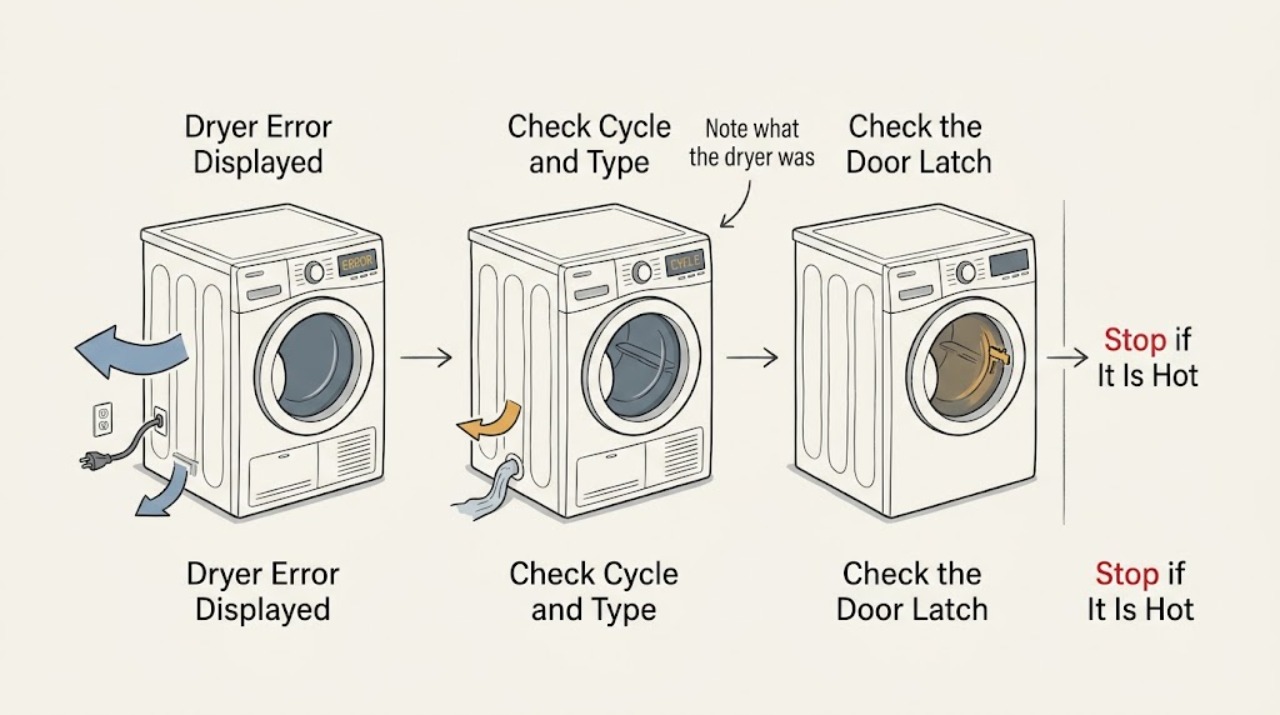
A dryer error displayed on the panel is a symptom, not a universal diagnosis. Write down the complete code or icon, the brand and model, whether the dryer is electric, gas, vented, condenser, or heat-pump, and the cycle stage when it appeared. Do not interpret a code from another brand or guess a part. Use the exact owner's manual for the one authorized reset and for model-specific checks such as a door, lint path, water container, or drain. Stop using the dryer after smoke, burning smell, unusual heat, arcing, a damaged or hot connection, repeated breaker trips, a gas odor, a carbon-monoxide alarm, or a leak near electrical parts.
Work through in order
Diagnostic checks
Use only checks that match the exact appliance or system and its official guide.
-
Check 1
Photograph or write down the complete displayed code, icon sequence, beeps, and flashing pattern before pressing Cancel or Power. Record the brand, full model number, dryer type, selected cycle, load condition, and exact stage when the message appeared.
Expected result: A complete code with model and timing gives the manual or technician a usable identity; a partial code or an icon copied from memory may lead to the wrong procedure.
Next step: Use the owner's guide for that exact model. If the brand or model cannot be identified, treat the code as unresolved and use only the safe external checks below.
Why this matters
Why: Error messages are model-specific signals. They do not establish a universal meaning across electric, gas, vented, condenser, or heat-pump dryers.
-
Check 2
Note what the dryer was doing when the message appeared: it would not start, stopped while tumbling, ran without heat, became unusually hot, ended early, or stopped during condensation or drain handling. Do not infer an error meaning from the cycle name alone.
Expected result: A door or control symptom differs from an airflow, heating, power, water-container, or drain symptom. The same display shape can represent different systems on different models.
Next step: Compare the complete event with the model's troubleshooting table. If the message returns immediately or the appliance behaves abnormally, stop and arrange service.
Why this matters
Why: Timing narrows the manual section and the safe inspection path without authorizing cabinet work or a part purchase.
-
Check 3
With the dryer off and cool, check that the door closes and latches without obstruction, the lint screen is present and clean, and the visible exhaust outlet is not blocked. Inspect only the accessible duct for crushing, disconnection, or heavy lint.
Expected result: A blocked screen or exhaust, weak outside airflow, a crushed duct, or a door that cannot close can explain a maintenance or airflow-related message. Smoke, scorching, glowing lint, or an unusually hot cabinet is a stop condition.
Next step: Correct only an obvious accessible obstruction according to the model instructions and reconnect any duct before use. If the error remains, the dryer overheats, or internal lint is suspected, keep it off and call qualified service.
Why this matters
Why: CPSC warns that lint and exhaust restriction can reduce airflow and create excessive heat; an external check cannot certify the internal heater, motor, or control.
-
Check 4
Only if the dryer is a condenser or heat-pump model and the manual identifies these features, check the accessible water container, drain hose, filter, and condenser or heat-exchanger access area. Do not force a panel or run a cycle with a water leak.
Expected result: A full container, kinked drain, or filter restriction may match a model-specific drain or airflow message. A leak, standing water near controls, damaged seal, or inaccessible component requires service.
Next step: Follow the exact manual procedure once. If the message returns or water reaches electrical parts, stop using the dryer and arrange qualified appliance or electrical help.
Why this matters
Why: Water handling is not present or user-serviceable in every dryer. Do not apply a condenser procedure to a vented or gas dryer.
-
Check 5
Inspect the accessible power connection with the dryer off: plug, cord, outlet, and breaker or fuse status. Confirm the major appliance is connected directly to its intended wall outlet, not an extension cord or power strip; do not install a larger fuse or breaker.
Expected result: A hot, loose, wet, melted, discolored, smoking, or sparking connection, a damaged cord, or a breaker that trips again is an electrical hazard. A normal connection does not prove the internal dryer is safe.
Next step: Stop using the dryer and do not keep resetting the breaker. Call a qualified electrician or appliance technician; use emergency help for smoke, fire, or immediate danger.
Why this matters
Why: Some displayed messages reflect power or control supply, but an electrical odor or repeat trip must not be diagnosed by running another cycle.
-
Check 6
If the exact owner's guide authorizes a reset, perform only that single documented reset after the dryer is cool and no safety warning is present. Observe whether the code clears and whether it returns before or during a normal cycle; do not open the cabinet to press a hidden reset.
Expected result: A code that clears and does not return may have followed a documented power interruption or transient condition. A returning code, immediate stop, no heat, excessive heat, unusual noise, or unsafe odor indicates an unresolved fault.
Next step: If the code returns, leave the dryer off and provide the technician the code, model, cycle stage, and prior checks. Do not repeat resets to keep the dryer running.
Why this matters
Why: A reset is a diagnostic observation, not a repair. The correct sequence and whether a reset is permitted depend on the exact model.
Use your observations
Decision map
Find the observation that best matches what you see, then follow the next safe action.
-
PATH 01Next step
What you see
The code is incomplete, the brand or model is unknown, or the code is being interpreted from another brand's list.
Do this next
Do not guess its meaning or order a part. Identify the appliance and consult the exact owner's guide or qualified service.
-
PATH 02Next step
What you see
The message accompanies a door obstruction, clean lint screen, visible exhaust restriction, or a model-specific maintenance prompt.
Do this next
Perform only the accessible check named by the exact manual, then clear the message or run the documented maintenance cycle once. Escalate if the message returns.
-
PATH 03Next step
What you see
The dryer is a condenser or heat-pump model and the manual identifies a full container, drain, filter, or condenser path for the displayed message.
Do this next
Follow that model-specific water or filter procedure once. Stop for a leak, water at electrical parts, or an inaccessible component.
-
PATH 04Next step
What you see
The displayed code returns after the manual-authorized reset, or the dryer stops, will not heat, overheats, or makes unusual noise.
Do this next
Leave the dryer off and arrange qualified appliance service with the complete code, model, dryer type, cycle stage, and observations. Do not bypass a safety device.
-
PATH 05Next step
What you see
The dryer has a gas odor, carbon-monoxide alarm, smoke, flame, visible arc, hot connection, water near electrical parts, or repeat breaker trip.
Do this next
Stop immediately and follow the appropriate emergency, gas, electrical, or fire response. Do not use the appliance to reproduce the code.
Helpful context
Understand the symptom
A code is only useful with the appliance identity
Record every character, dash, icon, or flashing pattern before clearing the display. Also record the brand, full model number, dryer type, cycle, load condition, and whether the code appeared at startup, while heating, during tumbling, during draining, or after the cycle ended. Similar-looking codes can mean different things on different models, so a generic code list should not decide a repair or replacement part.
Safe checks that apply only when the manual allows them
With the dryer off and cool, accessible checks may include the door, lint screen, visible exhaust outlet, and—on a condenser or heat-pump model—the water container or drain path. The manual determines which features your dryer has and how to clear them. Do not remove cabinet panels, reach into a heater or burner, bypass a door switch, or measure live electricity.
When the code means stop
An error accompanied by smoke, burning odor, excessive heat, arcing, damaged wiring, a gas odor, a carbon-monoxide alarm, or water near electrical parts is a safety event. Keep the dryer off and obtain the appropriate emergency, gas, electrical, or appliance help rather than trying to reproduce the code.
When checks do not resolve it
Need a professional?
Call a qualified appliance technician when the code is not explained by the exact owner's guide, returns after its authorized reset, or is associated with no heat, overheating, unusual noise, a door fault, drainage, or a suspected internal component. Call a qualified electrician for a hot, damaged, wet, sparking, or repeatedly tripping power connection. For gas odor or a carbon-monoxide alarm, leave first and contact emergency or gas service from a safe location.
Common questions
FAQ
Can I use another brand's dryer code list?
No. Record the complete code, brand, model, dryer type, and cycle stage, then use the matching owner's guide. Similar-looking codes are not proof of the same fault or part.
What should I check when a dryer shows an airflow message?
With the dryer off and cool, check the lint screen, visible exhaust outlet, and accessible duct for blockage, crushing, or disconnection. Stop if the dryer is hot, smoking, or damaged, and use qualified service for internal lint or recurring errors.
When should I stop trying to clear a dryer error?
Stop after the exact manual's authorized reset if the code returns, and stop immediately for smoke, burning odor, unusual heat, arcing, a hot connection, repeated breaker trips, a gas odor, a carbon-monoxide alarm, or water near electrical parts.
Read the exact guide
Official sources
- Basement and Garage Fire SafetyU.S. Fire Administration · Washer and dryer lint, vent duct, outlet, clutter, and laundry-area fire safety
- Recognizing and Responding to Pipeline EmergenciesU.S. Department of Transportation Pipeline and Hazardous Materials Safety Administration · Natural gas odor and suspected gas emergency response in homes and workplaces
- Overheated Clothes Dryers Can Cause FiresU.S. Consumer Product Safety Commission · Clothes dryer lint, exhaust blockage, overheating, fire prevention, and volatile-contamination safety
- CPSC Guide to Home Wiring HazardsU.S. Consumer Product Safety Commission · Appliance cord, plug, outlet, overheating, smoke, sparks, arcing, and breaker-trip safety
- Appliance and Electrical Fire SafetyU.S. Fire Administration · Major appliance outlet, extension-cord, damaged-cord, and residential fire safety
Community feedback
Share a repair observation
Share a plain-text repair observation. Accepted observations are published automatically; this page may take a moment to update.