
On this page
Start here
Quick answer
When a dryer has no lights and no response, start at the household supply rather than guessing at an internal part. Confirm the cord is fully seated and the outlet is live, then check the dryer circuit: an electric dryer normally uses two household fuses or breaker poles, while a gas dryer uses one, according to the opened Maytag guidance. Reset a tripped breaker only once if there is no odor, smoke or visible damage. If power is stable but the panel remains completely dark, or the breaker trips again, unplug the dryer and arrange qualified appliance service or an electrician. Do not remove the terminal cover, measure live voltage, bypass a fuse or replace an internal part from a no-power symptom alone.
Before you begin
Safety first
- Do not open the terminal block or control console, probe live 240-volt wiring, bypass a fuse or door switch, repeatedly reset a breaker, or replace an internal part from a no-power symptom alone. Keep the appliance disconnected for smoke, burning odor, water, damaged insulation or a gas odor, and contact the appropriate professional from a safe location.
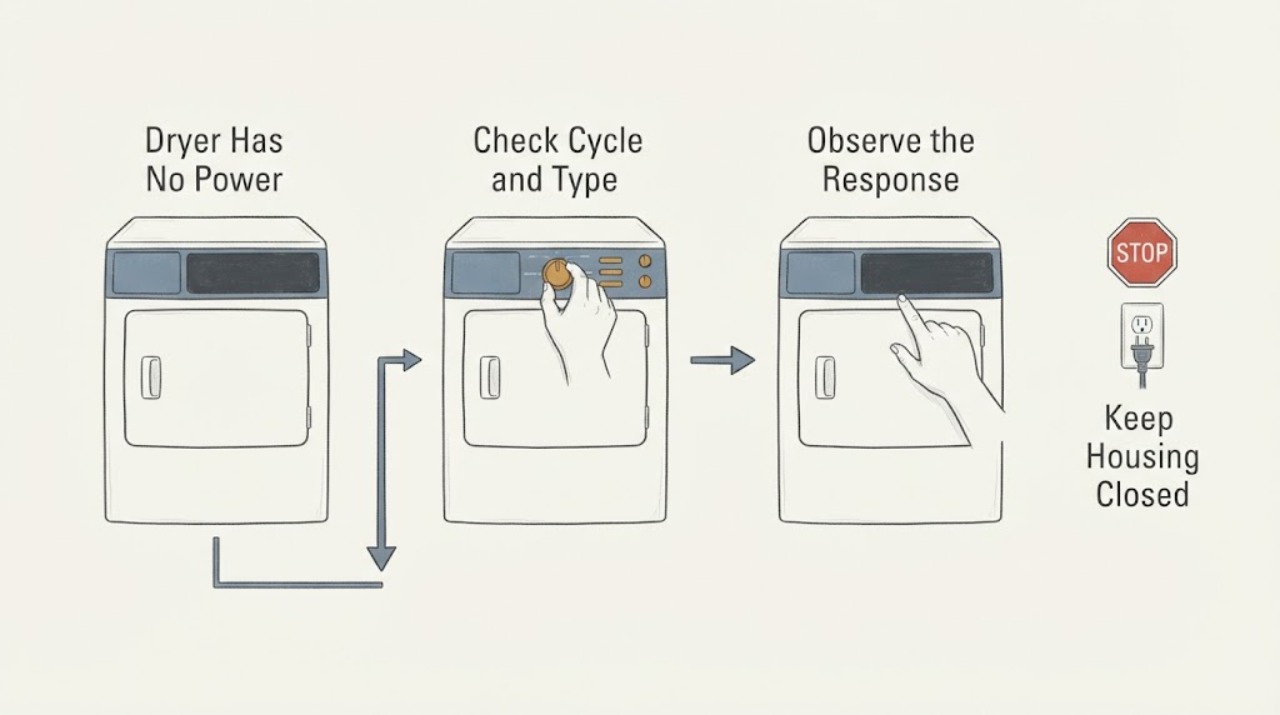
Work through in order
Diagnostic checks
Use only checks that match the exact appliance or system and its official guide.
-
Check 1
Look at the dryer type and installation label without opening any panel, then inspect the accessible plug and receptacle for a fully seated connection or visible damage; do not touch exposed conductors.
Expected result: The plug is loose or damaged, the receptacle appears damaged, the dryer is gas or electric, or the cord and receptacle look intact.
Next step: If the plug, cord or receptacle is damaged, leave the dryer disconnected and call a qualified electrician or appliance technician. If the connection looks sound, continue to the appropriate household protection check; do not remove the terminal cover.
Why this matters
Why: A loose/damaged connection can remove all lights and response. Electric and gas dryers have different supply arrangements, so the number of household breakers or fuses cannot be inferred from the symptom alone.
-
Check 2
From a dry, safe position, check the household breaker or fuse serving the dryer: an electric dryer may have two fuses or breaker poles, while a gas dryer may have one; reset a tripped breaker only once when there is no smoke, burning odor, water or visible damage.
Expected result: A fuse is blown or a breaker is tripped, the breaker trips again immediately, or the protection remains on but the dryer is still completely dark.
Next step: If the protection trips again or a fuse blows again, leave the dryer off and call an electrician or qualified appliance service. If it stays on, restore power only once and observe whether any light or display returns; do not keep cycling the breaker.
Why this matters
Why: A tripped or blown protective device can explain total loss of lights. A repeat trip indicates an unresolved electrical or appliance fault; a stable breaker with no lights moves the next check to the cord/receptacle and qualified diagnosis, not an assumed internal part.
-
Check 3
If the breaker/fuse and accessible supply are stable but the panel and drum light remain dark, record the dryer type, model number, recent installation or power event, and whether the outlet has been verified by a qualified person; do not probe the 240-volt outlet or dryer terminals yourself.
Expected result: No indicators return after a stable supply, or the dryer briefly lights and then loses power again.
Next step: Keep the dryer disconnected and arrange qualified appliance service or an electrician. Provide the exact model and supply observations rather than opening the rear, terminal block or control console.
Why this matters
Why: The no-power condition remains unresolved inside the appliance or its supply connection. The available general guidance does not distinguish a thermal fuse, cord connection, control supply, switch or board from the symptom alone.
-
Check 4
Only if the controls or drum light return, close the door firmly and follow the exact model manual for the Start, Push to Start, Hold to Start, cycle and Control Lock controls; keep hands and clothing clear of the drum.
Expected result: The dryer starts after the documented control sequence, or the display is on but the dryer still will not start or the door will not latch.
Next step: Use the exact model manual once. If the door will not latch, the controls remain locked/unresponsive, or the dryer stops again, disconnect it and arrange service; do not bypass the door switch or Control Lock.
Why this matters
Why: The symptom is now a no-start or door/control branch rather than total loss of power. Manufacturer guidance says start timing, door latches, cycles and Control Lock vary by model.
Use your observations
Decision map
Find the observation that best matches what you see, then follow the next safe action.
-
PATH 01Next step
What you see
A breaker trips again or a fuse blows again after one safe reset/replacement attempt.
Do this next
Leave the dryer disconnected and call a qualified electrician or appliance technician. Do not open the terminal block or control panel.
Why this path and its safety boundary
Why it matters: The protective device is detecting an unresolved electrical or appliance fault; repeated resets are not a safe diagnosis.
-
PATH 02Next step
What you see
The dryer is electric and both supply protections are on, but the controls and drum light remain dark.
Do this next
Keep the dryer unplugged and arrange qualified appliance service or an electrician to verify the supply and appliance connection; do not measure live 240-volt power yourself.
Why this path and its safety boundary
Why it matters: The household protection check did not restore operation. The exact internal cause is unresolved and cannot be selected from a no-power symptom.
-
PATH 03Next step
What you see
The dryer is gas, its single household protection is stable, and the control panel remains completely dark.
Do this next
Leave the dryer off and arrange qualified service. If there is a gas odor, do not operate switches or relight anything; leave the area and contact the gas utility or emergency service from a safe location.
Why this path and its safety boundary
Why it matters: Gas heat is not the first explanation for an entirely dark control panel; the remaining electrical supply or appliance fault needs model-specific diagnosis.
-
PATH 04Next step
What you see
Power returns and the display lights, but the dryer still will not start or the door will not latch.
Do this next
Use the exact model manual for the visible controls once. If the latch or controls remain unreliable, disconnect power and schedule service without bypassing a safety switch.
Why this path and its safety boundary
Why it matters: The issue has moved to model-specific Start, Control Lock, cycle or door-latch behavior rather than total loss of power.
Helpful context
Understand the symptom
No lights means check supply before start controls
A locked control, door latch or cycle selection matters when a dryer has power but will not run. When the display and drum light are both absent, the opened manufacturer troubleshooting path sends the diagnosis to the no-power checks first: household protection, the cord and the supply. Do not treat a dark panel as proof that a motor, timer or control board has failed.
Electric and gas dryers do not have the same circuit
Identify the dryer type from its model label or installation information before interpreting the breaker. The opened Maytag pages say an electric dryer uses two household fuses or breakers and a 240-volt supply, while a gas dryer uses one household fuse or breaker for its electrical operation. That distinction does not authorize a homeowner to test the 240-volt receptacle or open the terminal area.
If power returns, use model-specific start checks
Once the controls or drum light come back, the problem has changed from total loss of power to a no-start condition. Manufacturer guidance then points to the exact model's Start or Hold to Start control, door latch, cycle selection and Control Lock. These controls vary by model, so do not apply a three-second or two-to-five-second instruction unless the appliance manual supports it.
When checks do not resolve it
Need a professional?
Call a qualified electrician or appliance technician when the dryer remains completely dark after the accessible supply and protection checks, when a breaker trips again or a fuse blows again, when the cord/receptacle is damaged, or when power returns but the controls or door remain unreliable.
Safety scope: Do not open the terminal block or control console, probe live 240-volt wiring, bypass a fuse or door switch, repeatedly reset a breaker, or replace an internal part from a no-power symptom alone. Keep the appliance disconnected for smoke, burning odor, water, damaged insulation or a gas odor, and contact the appropriate professional from a safe location.
Common questions
FAQ
Why does my dryer have no lights at all?
Start with the household supply, not a guessed internal part. Check the accessible plug and receptacle, then the dryer breaker or fuse arrangement. Electric dryers may use two household fuses or breaker poles and gas dryers one; if protection is stable but the dryer remains dark, service is needed.
Can I reset the dryer breaker more than once?
Reset a tripped breaker only once when there is no visible damage, odor, smoke or water. If it trips again or a fuse blows again, leave the dryer off and call a qualified electrician or appliance technician instead of repeating the reset.
Does a dark dryer panel mean the thermal fuse or control board is bad?
No. A dark panel can result from the receptacle, breaker/fuse, cord or supply connection, and the general symptom does not distinguish a thermal fuse, switch, wiring fault or control board. Keep the dryer disconnected and let qualified service diagnose the exact model.
What if the dryer lights come back but it still will not run?
That is a no-start branch. Use the exact manual for the Start or Hold to Start control, door latch, selected cycle and Control Lock. Manufacturer guidance says these features vary by model; do not bypass the door switch or keep testing if the latch or controls are unreliable.
Read the exact guide
Official sources
- No Power - Electric DryerMaytag Product Help · The opened official page directly addresses an electric dryer with no power, including two household fuses/breaker poles, 240-volt supply, power-cord installation and electrician escalation. The assigned task has no brand or model, so it supports a clearly labeled electric-dryer branch and does not prove any internal part failure.
- No Power - Gas DryerMaytag Product Help · The opened official page directly addresses a gas dryer with no power and says to check the household fuse or breaker, then contact an electrician if the problem continues. It supports the gas branch only and does not establish a gas-valve or internal electrical diagnosis for an unbranded dryer.
- Not Starting or Not Operating - DryerMaytag Product Help · The opened official page states that absent drum-light or control illumination belongs to the no-power path, then documents model-dependent Start, door-latch, cycle and Control Lock checks once power is present. It is used as general manufacturer guidance with exact-model caveats, not as a claim about an unspecified brand or component.
- Dryer Not Starting or No OperationMaytag Product Help · The opened official Maytag support page distinguishes electric and gas fuse/breaker arrangements and lists Start, door, cycle and Control Lock checks. It is used only for general symptom branching and safety escalation because the assigned task supplies no brand or model.
Community feedback
Share a repair observation
Share a plain-text repair observation. Accepted observations are published automatically; this page may take a moment to update.