
On this page
Start here
Quick answer
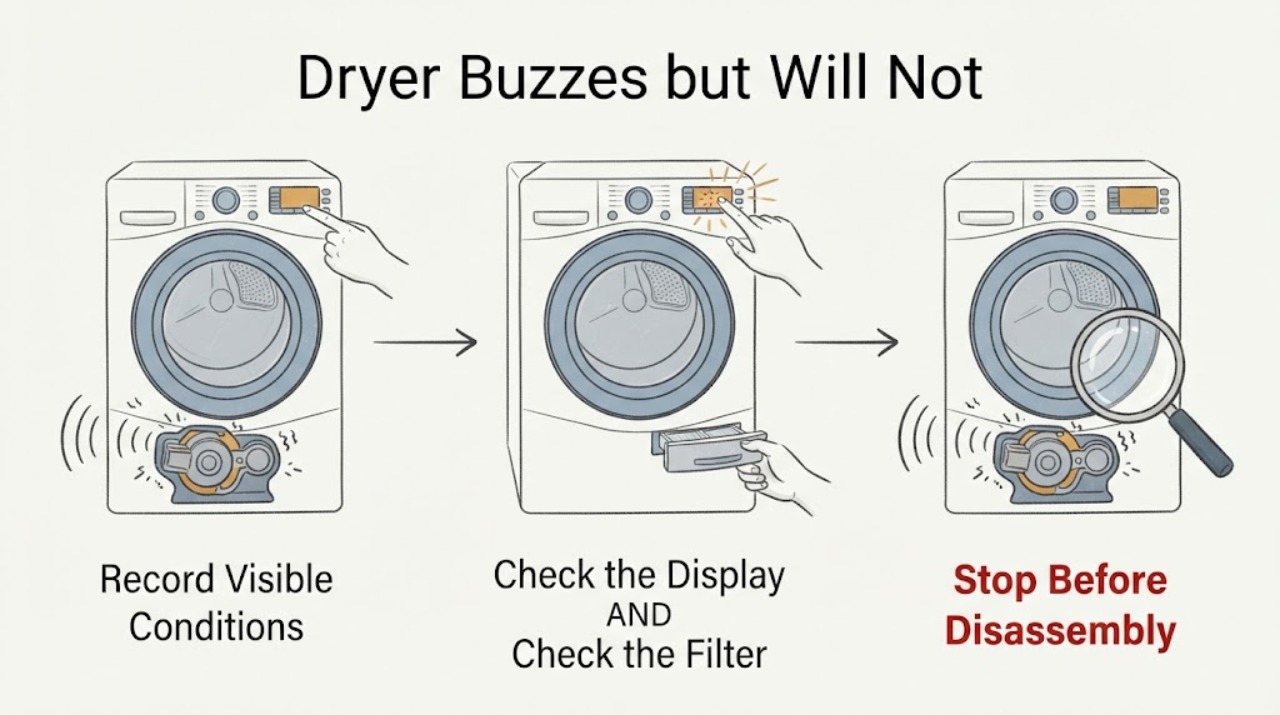
A dryer that only buzzes when Start is pressed and never begins the cycle should not be diagnosed from the sound alone. First note whether the controls light, the door closes, a program is selected and the start control is being held as the exact manual requires. With power disconnected, remove only visible objects from the drum or lint-filter opening and check for an external obstruction. Do not open the cabinet, reach into moving or live parts, bridge a door switch, or keep retrying a stalled start. If the drum still does not begin, or there is heat, a burning smell, smoke, a tripped breaker or a repeated buzz, stop using the dryer and arrange qualified service; the brand and model are needed before any component or part claim.
Work through in order
Diagnostic checks
Use only checks that match the exact appliance or system and its official guide.
-
Check 1
Watch one start attempt from outside the dryer without opening panels. Record whether the display or drum light is on, whether a program is selected, whether the door closes fully, whether the drum moves at all and exactly when the buzz begins. Do not keep repeating the start command.
Expected result: The controls are dark, the door does not close, no program is selected, the drum starts and then stops, or the dryer only buzzes while the drum remains still.
Next step: Use the exact manual for the assigned model's start and door requirements. If the controls are dead, the door cannot close, or the drum remains still after the correct start command, stop testing and arrange service.
Why this matters
Why: These observations separate a basic power/door/program issue from a no-movement symptom, but none identifies a motor, capacitor, belt or control fault.
-
Check 2
With the dryer unplugged, check the external power connection and controls without removing the terminal cover. Confirm the plug is seated and the household breaker/fuse status is known; for an electric dryer, have a qualified electrician verify the supply if power is uncertain. Do not perform a live voltage test.
Expected result: The controls remain dark, a breaker/fuse is tripped, the cord or outlet is hot/damaged, or the dryer has normal display power but still only buzzes on Start.
Next step: If there is heat, scorching, smoke, water or repeated tripping, leave the dryer disconnected and contact an electrician/service provider. Otherwise provide the exact model and supply observations to appliance service rather than opening the cabinet.
Why this matters
Why: A supply or installation issue can prevent starting, while normal display power with a stalled buzz leaves the cause unresolved. A household protection event or damaged outlet is an electrical boundary.
-
Check 3
After disconnecting power and allowing the dryer to stop, inspect only the drum and lint-filter opening for a visible coin, clip, garment item or other object that could interfere with movement. Use care around sharp sheet-metal edges; do not reach deeper into the cabinet or remove a belt, motor or switch.
Expected result: A visible object is present and can be removed without reaching into the cabinet, or the drum area appears clear but the buzz remains on a start attempt.
Next step: Remove only the visible obstruction with power disconnected. If the buzz/no-start condition remains, stop using the dryer and schedule qualified service.
Why this matters
Why: A visible object may explain a rattle or scraping sound, but a clear opening does not prove an internal drive fault and does not make a stalled buzz safe to operate.
-
Check 4
If the dryer can be identified, record the complete brand and model from its rating plate and give service the sound timing, whether the drum ever moved, the control/display state and any odor, heat, smoke or breaker event. Do not use a generic motor, capacitor or belt procedure from another brand.
Expected result: The sound persists after the door, program, power and visible-obstruction checks, or any physical/electrical warning accompanies it.
Next step: Keep the dryer out of service and arrange qualified appliance service; if the household outlet or breaker is implicated, include a qualified electrician. Do not bridge an interlock or continue testing to make the drum start.
Why this matters
Why: The symptom is beyond safe generic external checks. Official manufacturer guidance routes persistent no-start or unusual-noise conditions to professional diagnosis rather than a component conclusion from sound alone.
Use your observations
Decision map
Find the observation that best matches what you see, then follow the next safe action.
-
PATH 01Next step
What you see
The dryer has no display or drum light, or the breaker/fuse is tripped.
Do this next
Do not open the cabinet or perform live testing. Have the supply checked by a qualified electrician and use the exact manual before any controlled restart.
Why this path and its safety boundary
Why it matters: The appliance may not be receiving the required supply; the buzz description alone cannot distinguish a household-supply issue from an appliance fault.
-
PATH 02Next step
What you see
The controls are on, a program is selected, the door closes and the dryer only buzzes while the drum remains still.
Do this next
Stop repeating start attempts, keep the dryer out of service and arrange diagnosis using the complete brand/model information.
Why this path and its safety boundary
Why it matters: This is a persistent no-start/no-movement symptom. The available generic guidance does not establish whether the cause is a motor, belt, capacitor, interlock or control.
-
PATH 03Next step
What you see
A visible object is found in the drum or lint-filter opening and can be removed with power disconnected.
Do this next
Remove only that visible object, then follow the exact manual's normal start procedure once. If the buzz/no-start condition remains, stop and call service.
Why this path and its safety boundary
Why it matters: The object may explain a noise, but its removal does not prove that the start circuit or drive system is healthy.
-
PATH 04Next step
What you see
There is a burning smell, smoke, hot/scorched plug or outlet, water near electrics, repeated tripping, or the buzz becomes harsher while the dryer remains stopped.
Do this next
Stop immediately, disconnect power only if safe, keep clear of damaged parts and arrange qualified appliance/electrical service. Do not bypass an interlock or attempt a live test.
Why this path and its safety boundary
Why it matters: The condition may involve an electrical, fire or mechanical hazard that cannot be evaluated safely from an external sound description.
Helpful context
Understand the symptom
Separate a normal operating sound from a failed start
A manufacturer may describe a hum or buzz during a normal dryer cycle, but that does not make a buzz with no drum movement normal. First establish whether the display and cycle start, whether the drum ever moves, and whether the sound occurs only after a genuine start command. The sound by itself cannot identify the failed component, especially when the brand and model are not supplied.
Keep the inspection outside the cabinet
Use the exact owner's manual for the appliance's controls and model-specific start behavior. For this unidentified dryer, keep the checks to power status, the door, the selected program and visible objects around the drum or lint-filter opening. Disconnect power before cleaning or looking into an access opening, and stop if the noise continues or any electrical or burning warning appears.
Common questions
FAQ
Does a buzzing dryer always have a bad motor or capacitor?
No. A buzz can occur during normal operation on some dryers, but a buzz with no drum movement is a symptom, not a component diagnosis. The brand, model and exact start behavior are needed before any internal conclusion.
Can I keep pressing Start until the dryer begins turning?
No. Repeated attempts can worsen an unresolved electrical or mechanical condition. Make the external checks with power disconnected where required, then stop and arrange service if the drum remains still or the buzz returns.
What should I check before calling a technician?
Record whether the controls light, the door closes, a program is selected, the start control is held as the exact manual requires, the drum moves, and whether the outlet or breaker shows a warning. With power disconnected, remove only visible objects from the drum or lint-filter opening. Do not open the cabinet or perform live measurements.
Read the exact guide
Official sources
- Not Tumbling or Spinning - DryerWhirlpool Product Help · Opened official Whirlpool product help as a general external-check reference for an unidentified dryer. It supports checking power, a selected program, the model-specific start/hold control and supply installation, with qualified service for unresolved no-tumble symptoms. It does not authorize transferring Whirlpool-specific controls or electrical values to another brand.
- Dryer Troubleshooting: Dryer is not turning onBosch Home Appliances · Opened official Bosch dryer troubleshooting as a general symptom reference because the task has no brand/model. It supports checking the cord, fully closed door, selected program and household protection, and sending unresolved no-start symptoms to professional diagnosis. Bosch-specific values or controls are not transferred.
- Dryer - NoisesGE Appliances · Opened official GE dryer guidance as a general symptom reference because the task supplies no brand or model. It supports distinguishing operating noises from persistent unusual noise, unplugging before maintenance, checking only visible objects around the lint-filter opening and discontinuing use when noise persists. It does not identify a component for this unidentified dryer.
Community feedback
Share a repair observation
Share a plain-text repair observation. Accepted observations are published automatically; this page may take a moment to update.