
On this page
Start here
Quick answer
An Electrolux dryer that tumbles but leaves clothes damp usually needs an airflow, cycle, load, moisture-sensing, or heat-supply check. Start with a clean, dry lint screen and the selected cycle, then check that the load can tumble freely and that the exhaust path and outside hood are clear. If the dryer shows a ventilation or sensor code, has no heat, has a gas smell, overheats, or still dries poorly after the user-safe checks, stop and arrange qualified service. Do not operate a gas dryer without an exhaust duct vented outdoors.
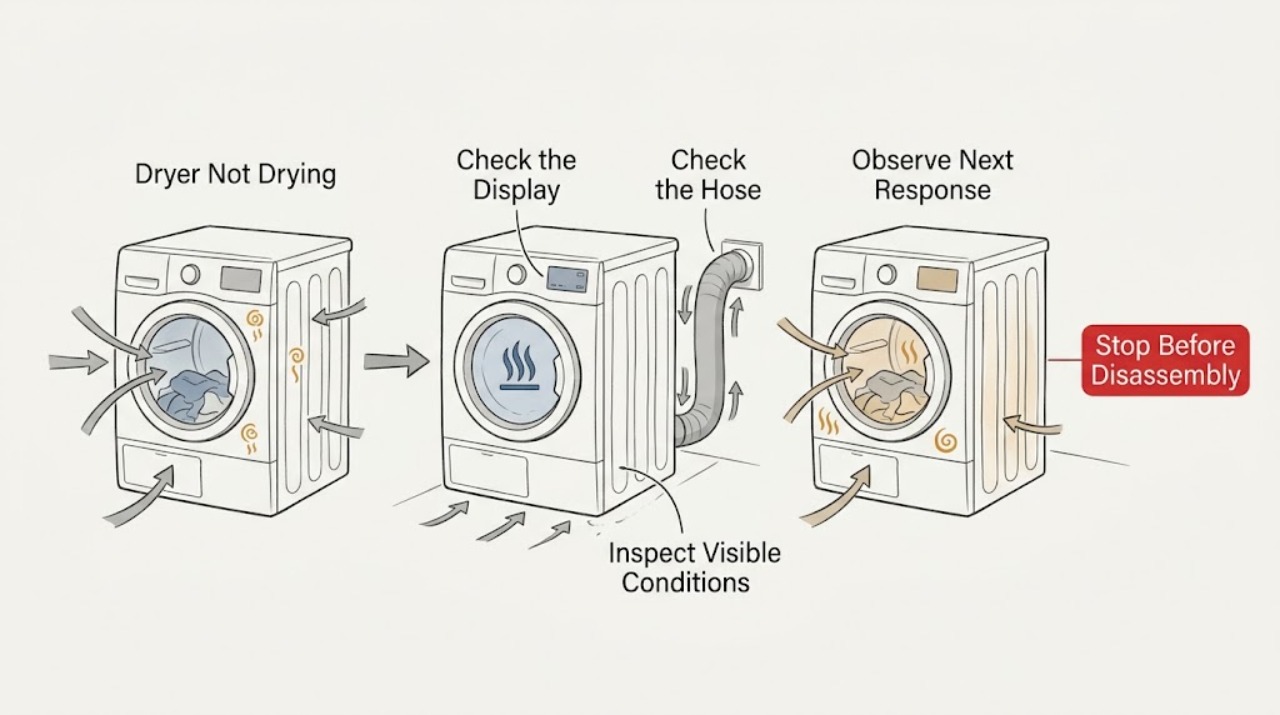
Work through in order
Diagnostic checks
Use only checks that match the exact appliance or system and its official guide.
-
Check 1
Run through the symptom without opening the cabinet: note whether the drum tumbles, whether the load feels warm near the end of a cycle, whether the cycle ends unusually early, and whether the display shows a ventilation or sensor-related code.
Expected result: The drum tumbles with no warmth, the load is warm but still damp, the cycle ends early, or a code is displayed.
Next step: Continue to Action 2 for the cycle and load check, then use Action 5 for any displayed code or unresolved heat issue.
Why this matters
Why: No warmth shifts attention to the selected cycle and heat or supply path. Warm but damp results shift attention to airflow, load, humidity, and sensing. A code can identify a model-specific branch that should be followed before replacing anything.
-
Check 2
Check the selected cycle and temperature against the owner's guide. Confirm that Air Fluff or another no-heat selection was not chosen, then reduce an overloaded load or add enough similar items for free tumbling. Avoid mixing heavy, dense items with very light fabrics for this comparison.
Expected result: A heat-producing cycle and a balanced, freely tumbling load dry better, or the same damp result remains.
Next step: If the result is unchanged, let the dryer cool if it has been running and continue with the lint and exhaust checks in Action 3.
Why this matters
Why: Improvement confirms a setting or load issue rather than proving a failed part. No improvement means airflow, sensing, supply, or a service fault remains possible.
-
Check 3
Turn the dryer off and let it cool. Clean the lint screen, dry it thoroughly, and reinstall it. From accessible, safe locations, look for a kinked or crushed exhaust duct, lint at the duct connection, and an outside hood that cannot open freely during operation; do not dismantle the dryer or reach into the duct with the machine running.
Expected result: The screen is coated, the duct is restricted, or the outside hood is blocked; or the accessible airflow path looks clear.
Next step: Correct only the accessible lint or external restriction and retest a normal load. If the restriction is inside the wall or the problem returns, arrange authorized vent cleaning; a gas model must have outdoor exhaust before operation.
Why this matters
Why: A coated screen or restricted exhaust can reduce airflow and extend drying. A clear accessible path does not rule out a concealed blockage or internal airflow fault.
-
Check 4
For an automatic cycle, locate the moisture sensor bars using the exact owner guide. With the dryer off and cool, look for visible fabric-softener residue on the accessible bars and wipe them only by the guide's method. Note whether the room is unusually humid or the dryer is enclosed without adequate ventilation.
Expected result: Residue is present, the dryer is in a poorly ventilated enclosure, or the bars and surrounding airflow appear clean and adequate.
Next step: After cleaning and restoring clearance, compare an automatic cycle with a time-based cycle only if the model provides it and the owner's guide permits it. Persistent sensor errors or early termination need service.
Why this matters
Why: Residue can interfere with moisture sensing, while high humidity and insufficient room ventilation can lengthen drying. A clean sensor and suitable environment make a persistent early-stop or damp-load symptom more significant.
-
Check 5
If the display shows a ventilation, humidity-sensor, wiring, or power-related code, record it exactly and use the Electrolux guide for that code. Do not test outlet supply, heater wiring, gas pressure, or internal components yourself.
Expected result: The code identifies a blocked vent or sensor branch, or it indicates wiring, supply, or a persistent sensor fault.
Next step: Clear only an accessible airflow restriction and retest if safe. For a persistent code, no heat, gas concern, or suspected supply problem, stop the dryer and arrange professional help.
Why this matters
Why: A vent code supports cleaning the lint filter and accessible exhaust path. Wiring, supply, gas, or persistent sensor faults require an installer, qualified electrician, gas professional, or authorized appliance service as appropriate.
-
Check 6
After the safe checks, use one correctly sized load of similar fabrics and observe the full cycle from outside the appliance. Record whether drying time improves, whether air exits at the hood, and whether the dryer overheats, stops early, or repeats the code.
Expected result: The normal load dries with clear airflow, or it remains damp, has weak airflow, overheats, stops early, or repeats a code.
Next step: Stop troubleshooting and contact Electrolux support or qualified service with the model, cycle, load type, code, and results. Do not open the cabinet or continue operating a gas dryer without outdoor exhaust.
Why this matters
Why: Improvement supports a load, setting, humidity, or maintenance cause. Persistent poor drying, weak exhaust, overheating, early termination, or a repeat code indicates that user maintenance has not resolved the fault.
Use your observations
Decision map
Find the observation that best matches what you see, then follow the next safe action.
-
PATH 01Safety boundary
What you see
Does the dryer tumble but produce no warmth?
Do this next
Verify that a no-heat cycle was not selected. If the selected cycle should heat, stop before internal diagnosis and arrange qualified service; electrical and gas checks are not user tests.
Why this path and its safety boundary
Safety stop: Use the airflow, load, and moisture-sensing branches for a warm-but-damp result.
-
PATH 02Safety boundary
What you see
Is the lint screen, exhaust duct, or outside hood restricted?
Do this next
Clean the accessible screen and clear only accessible external debris with the dryer off and cool. Use authorized vent cleaning for concealed restrictions.
Why this path and its safety boundary
Safety stop: Do not assume the internal air path is clear; continue with load, sensor, and service checks.
-
PATH 03Safety boundary
What you see
Does an automatic cycle stop while clothes remain damp, or does a moisture-sensor code appear?
Do this next
Check accessible sensor bars for residue using the owner's guide, then retest. A persistent code or early stop needs service.
Why this path and its safety boundary
Safety stop: Continue with load size, fabric sorting, humidity, and exhaust observations.
-
PATH 04Safety boundary
What you see
Is this a gas dryer without a confirmed exhaust duct vented outdoors, or is there a gas smell?
Do this next
Do not operate it. Leave the appliance off, move away from a gas smell without creating an ignition source, and contact the appropriate qualified gas or appliance service.
Why this path and its safety boundary
Safety stop: Continue only with the user-safe lint, cycle, load, sensor, and accessible ventilation checks.
-
PATH 05Safety boundary
What you see
After a clean screen, suitable cycle, balanced load, and accessible clear exhaust, is the load still damp or is the dryer overheating or repeating a code?
Do this next
Stop using the dryer and arrange Electrolux or qualified service. Provide the model, code, cycle, load, and observations; do not replace a heater, sensor, motor, or wiring based on a guess.
Why this path and its safety boundary
Safety stop: Use the improved cycle and maintenance routine, and monitor for a return of the symptom.
Helpful context
Understand the symptom
Separate no heat from slow or incomplete drying
First note what the dryer actually does. A cycle that tumbles with no warmth points toward the selected cycle, a supply problem, or a heater fault. Warm air with very long drying time points more strongly toward restricted airflow, a blocked exhaust path, an overloaded or very small load, high humidity, or moisture sensing that ends the cycle at the wrong time. Electrolux recommends model-specific instructions for sensor-bar location and installation details, so do not assume every control or vent arrangement is the same.
Airflow is the first performance boundary
Lint must be removed from the screen after each load, and the exhaust duct and outside hood must be free of bends, restrictions, and debris. A dryer installed in a closet or under a counter may not receive enough ventilation. For a gas dryer, the exhaust must vent outdoors; do not keep testing it without that duct. If the duct is inaccessible or the blockage returns, have it cleaned by an authorized provider.
Sensor and load checks come before parts
Items need room to tumble, but a nearly empty load can also tumble poorly. Sort similar fabrics and weights together and compare a normal-sized load with the original symptom. Fabric-softener residue can coat moisture sensor bars and interfere with sensing; clean only the accessible bars as the owner's guide permits. Parts should be considered only after the result of these checks points to a component and the exact model fit is confirmed by service documentation.
Safety boundary
Stop conditions
- Do not operate a gas dryer without an exhaust duct that vents outdoors.
- Stop immediately for a gas smell, smoke, scorching, sparking, damaged wiring, severe overheating, or an unsafe outlet or cord.
- Do not open the cabinet, test live voltage, check gas pressure, bypass a safety device, or replace internal parts as a first troubleshooting step.
- Stop after the user-safe checks if poor drying, weak airflow, a persistent code, or repeated early termination remains; arrange qualified service.
When checks do not resolve it
Need a professional?
Arrange Electrolux or qualified appliance service when the dryer has no heat on a heat-producing cycle, a ventilation or moisture-sensor code persists, exhaust remains restricted after accessible cleaning, the dryer overheats, or clothes remain damp after a clean screen, suitable cycle, balanced load, and adequate ventilation. Gas odor, electrical symptoms, and missing outdoor exhaust require stopping immediately.
Common questions
FAQ
Why is my Electrolux dryer running but not drying clothes?
Check the cycle and temperature, lint screen, load size, moisture-sensor bars, room ventilation, exhaust duct, and outside hood. If there is no heat on a heat-producing cycle or drying remains poor after those checks, arrange service.
Can a blocked vent make an Electrolux dryer take too long to dry?
Yes. Electrolux identifies blocked or restricted lint and exhaust paths as causes of extended drying. Clean the accessible lint screen and check the accessible duct and outside hood with the dryer off and cool; use authorized vent cleaning for concealed restrictions.
Why does my Electrolux automatic cycle stop while clothes are still damp?
Moisture-sensor residue, a very small or poorly tumbling load, high humidity, or airflow problems can affect the result. Check the sensor bars according to the owner guide and compare a correctly sized load; persistent early stopping or a sensor code needs service.
Is it safe to keep using an Electrolux gas dryer if it is not drying?
Only if the exhaust duct is correctly installed and vents outdoors and there is no gas smell or other safety symptom. Do not operate a gas dryer without outdoor exhaust, and leave gas or internal heating diagnosis to qualified service.
Read the exact guide
Official sources
- My dryer is running, but does not seem to be heating. What should I do?Electrolux · Electrolux dryer no-heat symptoms and professional electrical or gas boundaries
- Laundry Dryer Error Code GuideElectrolux · Electrolux laundry dryer display codes, ventilation blockage, moisture sensing, wiring, and service guidance
- Dryer - Not Drying and Extended Drying TimeElectrolux · Electrolux dryer drying performance, lint, cycle, load, sensor, ventilation, and exhaust guidance
Community feedback
Share a repair observation
Share a plain-text repair observation. Accepted observations are published automatically; this page may take a moment to update.