
On this page
Start here
Quick answer
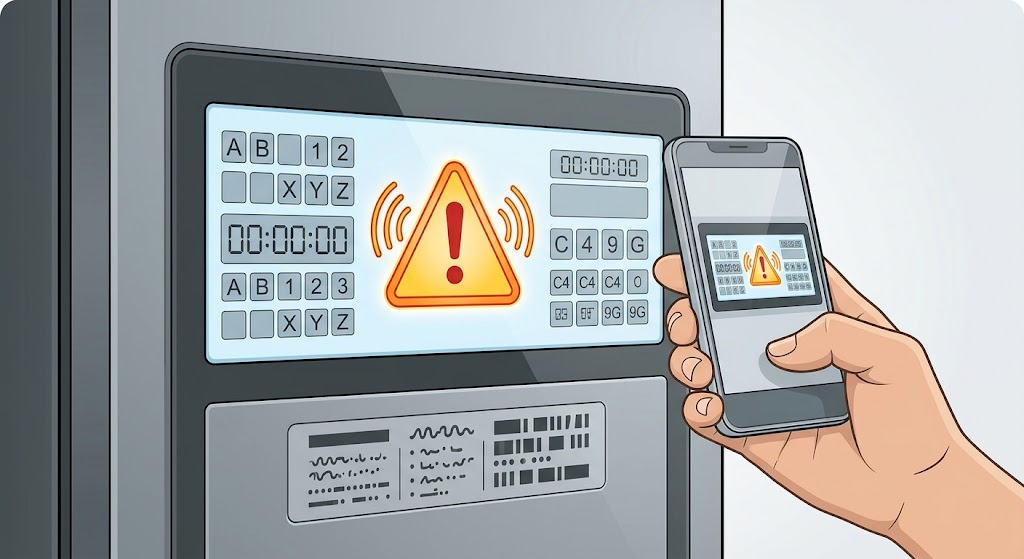
An Electrolux refrigerator does not have one universal meaning for an error display; the exact code, icons, alarm, model, and recent event matter. Photograph or write down the complete display before clearing anything, including spaces, dashes, letters, and flashing indicators, and find the model-specific Use & Care manual. If the display is PF after a power event, H or HI with a high-temperature alarm, Door Ajar, Sb/SB, or DI SP/DISP, use the matching Electrolux guidance: check the related external condition and follow the documented acknowledgment or manual procedure. An unfamiliar code, a code that returns after the documented step, loss of cooling, a hot cabinet, leaking, burning smell, or abnormal electrical behavior is a service boundary. Do not guess a code meaning, repeatedly reset the refrigerator, open the control area, or test live wiring.
Before you begin
Safety first
- This article covers identification, visible door and gasket checks, documented operating-mode or alarm acknowledgment, and ordinary-access ice-jam checks only. Control, sensor, fan, wiring, interlock, compressor, and sealed refrigeration diagnosis belongs to qualified service.
Work through in order
Diagnostic checks
Use only checks that match the exact appliance or system and its official guide.
-
Check 1
From a safe position, check for smoke, burning smell, sparking, a hot or damaged power connection, a water leak near electrical parts, unusual heat, or food-storage temperatures that are clearly unsafe. Do not open panels or touch wiring to investigate the display.
Expected result: The refrigerator is operating without an immediate hazard and the display is the main symptom; or an electrical, water, heat, or food-safety hazard is present.
Next step: If safe, continue by recording the complete display. If a hazard is present, stop using the refrigerator when safe, keep people away, and arrange appropriate qualified or emergency help from a safe location.
Stop if: Do not touch wet electrical areas, repeatedly power-cycle a hot appliance, or continue testing after smoke, sparking, burning smell, or a damaged cord or plug.
Why this matters
Why: A normal external state permits code identification. An immediate hazard takes priority over interpreting or resetting the display.
-
Check 2
Photograph or transcribe the entire display before acknowledging or resetting it, including letters, numbers, spaces, dashes, icons, audible alarms, and which compartment indicator is active. Record the complete model number from the appliance label or owner documentation.
Expected result: The display gives a complete recognizable code or alarm name; only an icon or partial code is visible; or the display changes or disappears before it can be recorded.
Next step: Use the exact model manual or Electrolux support search with the recorded code. If the code cannot be captured or is unfamiliar, preserve the photo and arrange service rather than guessing.
Stop if: Do not remove the display, enter a diagnostic mode, or clear the code before recording it.
Why this matters
Why: A complete code and model allow the manual to distinguish an alarm, operating mode, ice-jam indication, or service code. A partial or changing display is insufficient for a reliable code interpretation.
-
Check 3
Compare the recorded display with the model manual and the documented Electrolux alarm categories: PF or Power Failure, H/HI or High Temp, Door Ajar, Sb/SB, or DI SP/DISP. Treat a different Er code or an unlisted pattern as unknown rather than mapping it to the closest-looking label.
Expected result: The display matches one documented category; the code is a different service-style pattern such as Er CE or Er T1 through Er T6; or no category matches.
Next step: Follow only the documented branch for the matching category. For an Er code or unknown display, keep the code photo and model details and arrange qualified service.
Stop if: Do not substitute another Electrolux model's code table or perform a factory or diagnostic reset as a guess.
Why this matters
Why: A matching category has a specific external condition to check. Electrolux says the listed Er codes could indicate authorized service, while an unlisted pattern cannot be interpreted safely without the model manual.
-
Check 4
For H/HI or Door Ajar, check from outside that every refrigerator and freezer door is fully closed, the visible gasket is contacting the cabinet around the perimeter, and no food or drawer is holding a door open. Do not dismantle the door or gasket to make the check.
Expected result: A door was ajar or obstructed and closes with an even visible seal; the doors appear closed but H/HI remains; or the cabinet is warm, the gasket is damaged, or cooling is abnormal.
Next step: Correct only the visible obstruction and follow the model's documented alarm acknowledgment. If the alarm remains, cooling is not normal, or the gasket cannot seal, protect temperature-sensitive food as appropriate and arrange service.
Stop if: Do not alter temperature settings repeatedly, remove the door seal, or continue using the appliance when food-safety temperature cannot be maintained.
Why this matters
Why: Electrolux links H/HI and Door Ajar to door and temperature conditions, but a persistent alarm after a normal closed-door state can indicate a temperature or cooling problem rather than a reminder.
-
Check 5
For PF, Sb/SB, or DI SP/DISP, use the matching model-specific user guidance: note whether there was a power interruption, whether Sabbath mode is active, or whether the dispenser chute has visible loose ice. Perform only the documented external acknowledgment or ordinary-access ice clearing for that category.
Expected result: PF follows a power event; Sb/SB is shown and dispenser or controls are disabled; DI SP/DISP accompanies a visible ice-chute jam; or the code has no matching condition.
Next step: Follow the exact manual for the matching category and record whether the display clears. If it does not clear, cooling is abnormal, or the chute cannot be safely cleared from ordinary access, stop and arrange service.
Stop if: Do not force an ice chute, reach into moving parts, disassemble the dispenser, or use a random reset sequence for a different model.
Why this matters
Why: These displays point to different branches: power recovery, an operating mode, or an ice-dispenser jam. A mismatch or persistent code needs model-specific diagnosis.
-
Check 6
After one documented model-specific acknowledgment or external correction, reassess the display and appliance behavior without repeatedly resetting the refrigerator. Leave unknown or persistent displays for qualified diagnosis.
Expected result: The display clears and cooling, doors, dispenser, and alarms behave normally; the code returns; an unfamiliar Er code remains; or the refrigerator is not cooling, leaking, overheating, or behaving electrically abnormally.
Next step: Arrange Electrolux-authorized or qualified refrigerator service and provide the model, code photo, timeline, recent outage or installation event, temperatures or cooling symptoms, and the documented step already attempted.
Stop if: Do not open the control compartment, test energized components, bypass a sensor or interlock, or work on the sealed refrigeration system.
Why this matters
Why: A cleared alarm with normal operation supports a resolved event. A returning or unknown display, especially with impaired cooling or another hazard, is not proven fixed by a reset and may involve controls, sensors, fans, wiring, or refrigeration components.
Use your observations
Decision map
Find the observation that best matches what you see, then follow the next safe action.
-
PATH 01Safety boundary
What you see
The display is PF or Power Failure and a recent outage or power interruption is plausible, with normal cooling and no immediate hazard.
Do this next
Use the exact model's documented alarm acknowledgment and monitor whether normal operation resumes. Escalate if PF returns without another power event or cooling is abnormal.
Why this path and its safety boundary
Why it matters: This pattern is more consistent with a power-event notification than a confirmed component failure.
Safety stop: Do not repeatedly cycle power or investigate the electrical supply internally.
-
PATH 02Safety boundary
What you see
H/HI or Door Ajar is shown, with a door that was open, obstructed, poorly sealed, or a cabinet that is warmer than expected.
Do this next
Close the doors, remove only visible obstructions, inspect the visible gasket, and follow the model-specific acknowledgment. Arrange service if the alarm or warm condition persists.
Why this path and its safety boundary
Why it matters: The alarm is more likely tied to door closure or temperature recovery than to an unidentified display-board fault, but it must clear only after normal conditions return.
Safety stop: Do not remove the gasket or continue storing temperature-sensitive food if cooling cannot be maintained.
-
PATH 03Safety boundary
What you see
Sb or SB is displayed and portions of the control, display, lights, or dispenser are unavailable without another hazard.
Do this next
Use only the button sequence in the exact model's manual to exit the mode if that is appropriate. If the display remains in Sb/SB or the manual does not match, arrange service.
Why this path and its safety boundary
Why it matters: Electrolux identifies this as Sabbath mode, an operating mode that disables portions of the refrigerator rather than a generic hardware fault.
Safety stop: Do not enter an unrelated diagnostic mode or repeatedly press controls without the model procedure.
-
PATH 04Safety boundary
What you see
DI SP or DISP is shown, or the alarm accompanies a visible jam in an ice dispenser chute or bin path.
Do this next
Follow the model manual to clear only ordinary-access loose ice and dry or reseat the bin as specified. Arrange service if the jam cannot be cleared safely or the code returns.
Why this path and its safety boundary
Why it matters: The display points to an ice-path condition, not automatically to the refrigerator's cooling or main control system.
Safety stop: Do not reach into the chute, force the auger, chip frozen parts, or remove dispenser panels.
-
PATH 05Safety boundary
What you see
The code is incomplete or unfamiliar, an Er code remains, a documented acknowledgment fails, or cooling, electrical, water, or food-safety behavior is abnormal.
Do this next
Leave the refrigerator out of service when necessary and arrange qualified service with the complete code, model, photos, timeline, and observed symptoms.
Why this path and its safety boundary
Why it matters: The available common-alarm guidance cannot safely identify the cause; continued resets could hide evidence or leave a real appliance fault operating.
Safety stop: Do not guess from another model, open panels, bypass sensors or interlocks, or test live controls or sealed refrigeration components.
Helpful context
Understand the symptom
An error display is a starting point, not a diagnosis
The same-looking alarm category can have different controls and recovery steps across Electrolux refrigerator families. The manufacturer's four-door guidance explicitly says meanings may vary by model. Keep the full code and model number together, and use the exact manual before pressing a reset or changing a setting.
Separate a user-action alarm from a fault that needs service
PF, Door Ajar, Sb, H/HI, and DI SP can describe a power event, door condition, operating mode, temperature condition, or ice-chute jam. Those are not interchangeable. If the documented external condition is corrected but the display returns, or if cooling, food safety, water, or electrical behavior is abnormal, stop treating the display as a simple reminder and arrange qualified service.
Record before clearing
A reset can remove the evidence a technician needs. Photograph the display and note whether the refrigerator is cooling, whether the freezer is cold, whether doors seal, whether the dispenser or ice chute is involved, and whether there was an outage, cleaning, move, filter change, or other recent event. Do not infer an internal board, sensor, fan, or sealed-system part from an unidentified code.
Safety boundary
Stop conditions
- Stop using the refrigerator for smoke, burning smell, sparking, a damaged or hot power connection, water near electrical parts, uncontrolled heat, or a sealed-system or wiring concern.
- Do not repeatedly reset an unknown display, enter diagnostic mode, open control panels, bypass sensors or interlocks, or perform live electrical tests.
- Persistent or unfamiliar codes, Er CE, Er T1 through Er T6, unresolved high-temperature conditions, and any internal control, fan, sensor, wiring, or refrigeration repair require qualified Electrolux or appliance service.
When checks do not resolve it
Need a professional?
Arrange qualified service when the complete code is unfamiliar, returns after the exact model's documented acknowledgment, matches a service-style code, or accompanies loss of cooling, abnormal heat, a leak, or electrical symptoms. Provide the code photo and model number rather than ordering a part from the display alone.
Safety scope: This article covers identification, visible door and gasket checks, documented operating-mode or alarm acknowledgment, and ordinary-access ice-jam checks only. Control, sensor, fan, wiring, interlock, compressor, and sealed refrigeration diagnosis belongs to qualified service.
Common questions
FAQ
What should I do first when my Electrolux refrigerator shows an error?
Check for an immediate electrical, water, heat, or cooling hazard, then photograph or transcribe the complete display and record the model number before acknowledging or resetting it. Electrolux says alarm meanings can vary by model, so use the exact Owner's Manual.
Does every Electrolux refrigerator use the same error codes?
No. Electrolux's common-alarm guidance says meanings may vary by model. Treat PF, H/HI, Door Ajar, Sb/SB, and DI SP/DISP as documented categories only when the display and model guidance match; an unfamiliar code needs model-specific service guidance.
What does H or HI mean on an Electrolux refrigerator?
Electrolux describes H or HI as a high-temperature alarm. An extended-open door or poor gasket seal can contribute, but if the door is closed and the alarm or warm condition persists, arrange qualified service rather than repeatedly resetting it.
What do Sb or SB and DI SP or DISP mean?
Electrolux identifies Sb/SB as Sabbath mode, which disables portions of the controls and dispenser, while DI SP/DISP indicates an ice jam in the chute or ice path. Follow the exact model procedure for the matching condition; they are not interchangeable general faults.
When should an Electrolux refrigerator error display become a service call?
Arrange service for an unfamiliar or returning code, a service-style code, a code that does not clear after the model's documented step, loss of cooling, abnormal heat, a leak, smoke, sparking, or any need to open controls or test wiring. Give the technician the full code photo, model, timeline, and symptoms.
Read the exact guide
Official sources
- What do the alarms or error messages mean on my Four-Door refrigerator?Electrolux · Electrolux owner support article for refrigerators, including French Door, Side by Side, and Top Freezer families; it states meanings may vary by model.
- RefrigeratorsElectrolux · Electrolux official refrigerator support category linking to model-family alarm, display, ice, cooling, and manual guidance.
- Refrigerator Error Code SB SB - Sabbath ModeElectrolux · Electrolux owner support guidance for refrigerators showing SB or Sb and operating in Sabbath mode.
- Refrigerator Error Code H or HI - High TemperatureElectrolux · Electrolux owner support guidance for H or HI blinking temperature and audible alarm on refrigerators.
- Refrigerator Error Code DI SP or DISP - Ice JamElectrolux · Electrolux owner support guidance for refrigerators showing DI SP or DISP and for ice jams in the dispenser path.
Community feedback
Share a repair observation
Share a plain-text repair observation. Accepted observations are published automatically; this page may take a moment to update.