
On this page
Start here
Quick answer
If a Beko refrigerator is displaying an error or warning, do not assume that every icon means the same thing on every model. First record the exact symbol or flashing temperature combination and the model number. A display that wakes when you open the door or press a key may only be in energy-saving mode; an exclamation mark after a warm load or a long-open door can be temporary. Check the actual internal temperature with a thermometer rather than relying on the set temperature shown on the door. If the error remains, the refrigerator is not cooling, or the display identifies a sensor fault, keep food safe and arrange qualified service using the exact manual for the appliance.
Before you begin
Safety first
- The user should not remove covers, bypass sensors, handle refrigerant tubing, or work on live wiring.
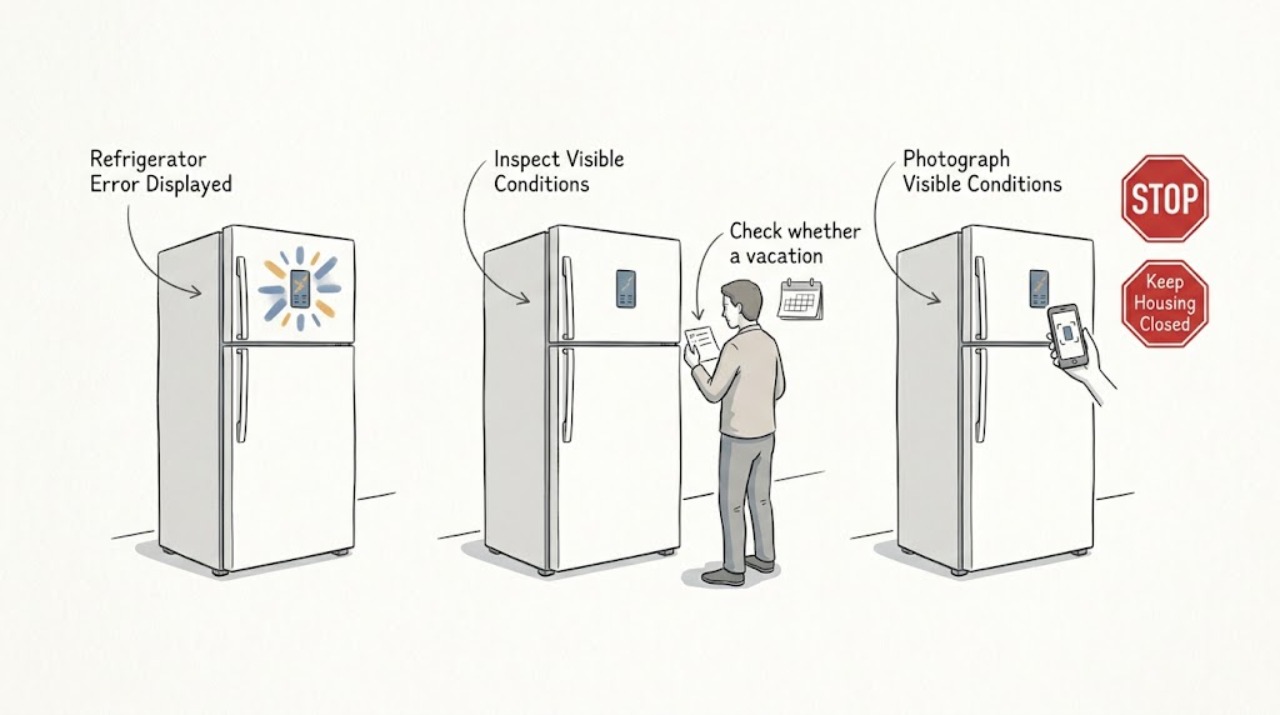
Work through in order
Diagnostic checks
Use only checks that match the exact appliance or system and its official guide.
-
Check 1
Record the exact error symbol, letter, number, flashing temperature combination, and when it appears; photograph the panel if useful, then locate the refrigerator model number and open the matching Beko manual.
Expected result: The indication is listed for the exact model, the panel pattern is different from the manual, or only a generic exclamation mark is visible.
Next step: Follow only the user-level remedy stated for the exact model. If the indication is unlisted or the manual directs the user to service, stop troubleshooting at the panel and arrange qualified help.
Why this matters
Why: Error indicators are model-dependent, so the exact pattern is needed before interpreting it. A generic symbol alone does not identify a failed sensor, compressor, or control board.
-
Check 2
Open the refrigerator door or press one control key once and observe whether the normal panel returns; do not change settings until you know whether the panel was simply in its display-off energy-saving state.
Expected result: The display returns to normal after the door is opened or a key is pressed, or the error indication remains unchanged.
Next step: If the panel returns and the refrigerator is cooling normally, monitor it. If the indication remains, continue with the actual-temperature and mode checks.
Why this matters
Why: A display that wakes normally can be an energy-saving presentation rather than an error. An unchanged indication needs interpretation from the exact manual rather than repeated button presses.
-
Check 3
Check whether a vacation or cooler-compartment-off mode is active, and compare the icon or setting with the exact model manual before changing it.
Expected result: The cooler compartment is explicitly shown as off or a vacation icon is active, or no such mode is active.
Next step: If the mode was selected accidentally, cancel it using the model instructions and recheck cooling. Do not store perishable food in a compartment that the manual says is not actively cooling; if the warning persists, arrange service.
Why this matters
Why: On models with this feature, an intentional off or vacation mode can stop active cooling in the cooler compartment and resemble an appliance fault. If no such mode is active, the displayed error needs the next temperature check.
-
Check 4
Measure the refrigerator compartment with a thermometer in a glass of water on the middle shelf and allow the reading to stabilise according to Beko's temperature guidance; compare that result with the set temperature shown on the panel.
Expected result: The measured temperature is within the model's expected range and cooling is otherwise normal, or the measured compartment is warmer than expected while the error remains.
Next step: If the cabinet is warm, minimise door opening and protect perishable food while arranging qualified service. Do not diagnose a compressor, fan, or sensor from the display alone.
Why this matters
Why: An external display can show the set temperature rather than the actual temperature. A normal measured temperature makes a temporary warning or display state more plausible; a warm measured compartment makes the error more consequential and can indicate inadequate cooling or a sensor condition.
-
Check 5
After the refrigerator has had a closed-door period, check whether the same error or flashing pattern returns and note unusual cooling behaviour, repeated alarm activity, or a complete loss of cooling.
Expected result: The warning clears after the contents cool, or it returns with inadequate cooling or a sensor-related message.
Next step: Keep the model number, display pattern, measured temperature, and timing for the service call. If cooling is lost or the cabinet is warming, move food only when safe to do so and do not open the appliance to repair it.
Why this matters
Why: A warning that clears after a warm load or long-open door can be transient on supported models. A recurring warning with poor cooling is more consistent with a condition requiring professional diagnosis.
Use your observations
Decision map
Find the observation that best matches what you see, then follow the next safe action.
-
PATH 01Next step
What you see
Only an exclamation mark appeared after warm food was loaded or the door was left open, and the refrigerator is cooling normally.
Do this next
Close the door, allow the contents to cool, and monitor the indication. If it returns without that trigger or the actual temperature is warm, use the model manual and arrange service.
Why this path and its safety boundary
Why it matters: On Beko panel guidance that includes this behaviour, the warning can be a temporary high-temperature alert rather than proof of a component failure.
-
PATH 02Next step
What you see
The display shows only an energy-saving or display-off state and returns when a key is pressed or the door is opened.
Do this next
Check the actual cooling and settings. Escalate only if the display will not wake, the refrigerator is warm, or another error appears.
Why this path and its safety boundary
Why it matters: The panel is responding, so the blank display by itself is less likely to be a control failure; it may be the model's normal energy-saving presentation.
-
PATH 03Next step
What you see
A vacation or cooler-off icon is active and the cooler compartment is not cooling, but the freezer or other compartment behaves normally.
Do this next
Cancel the mode using the exact manual and protect food in the affected compartment. If the mode was not selected or cooling does not return, arrange qualified service.
Why this path and its safety boundary
Why it matters: The displayed state may be an intentional mode rather than a sensor fault; models with this function can stop active cooling in the cooler compartment.
-
PATH 04Next step
What you see
The error persists with a warm measured compartment, repeated flashing temperature indicators, or a sensor-related message.
Do this next
Keep the door closed, protect perishable food, and arrange qualified refrigerator service. Do not remove covers or replace a sensor or control board based on the display alone.
Why this path and its safety boundary
Why it matters: The combination is more concerning than a temporary display state and is consistent with inadequate cooling or a sensor condition that requires model-specific diagnosis.
Helpful context
Understand the symptom
An error display is a symptom, not a diagnosis
Beko refrigerator panels differ by model. Write down every visible letter, number, icon, and flashing pattern before pressing buttons repeatedly. The same-looking warning can represent a temporary high-temperature condition on one model or a sensor-related condition on another, so use the manual for the exact appliance.
Protect the food while you check
Keep the door closed as much as practical while you observe the display and temperature. Do not remove covers, handle refrigerant tubing, bypass a sensor, or work on live wiring. If the cabinet is warm and perishable food has been exposed for an uncertain period, use your local food-safety guidance rather than relying on the displayed set temperature.
Only after diagnosis
Potential parts
- refrigerator temperature sensor
Consider this only if a technician confirms a sensor fault after checking the display pattern and actual temperature; an error icon alone does not identify the sensor.
Confirm the exact Beko model, sensor position, and approved fit information before ordering. - refrigerator control module
Consider this only after qualified diagnosis confirms a control problem; temporary high-temperature or mode warnings do not justify replacing a module.
Control modules vary by exact Beko model and revision; verify compatibility through the model-specific service documentation.
When checks do not resolve it
Need a professional?
A technician should assess a recurring error display, inadequate cooling with an error, or a sensor-related indication after the model-specific user checks.
Safety scope: The user should not remove covers, bypass sensors, handle refrigerant tubing, or work on live wiring.
Common questions
FAQ
Why is my Beko refrigerator showing an exclamation mark?
On supported Beko panels, an exclamation mark can appear temporarily after warm food is loaded or a door stays open for a long time. If it clears after the cabinet cools and the measured temperature is normal, monitor it; if it returns or cooling is poor, use the exact manual and arrange service.
Why is my Beko fridge display blank?
Some panels enter an energy-saving display state. Press a key or open the door once and see whether the display returns. If it does not wake, or the refrigerator is not cooling, treat it as a support issue rather than opening the control panel.
Is the temperature shown on my Beko door display the actual temperature?
Not necessarily. Beko says some external displays show the set temperature rather than the actual cabinet temperature. Use a thermometer in a glass of water on the middle shelf according to the manufacturer's temperature-check guidance.
What should I do if the Beko error display keeps returning?
Record the complete symbol or flashing combination and the model number, check the exact manual, and measure the actual temperature. A recurring warning with inadequate cooling or a sensor-related message needs qualified service; do not replace a sensor or control module based only on the display.
Read the exact guide
Official sources
- Fridge RepairsBeko UK · Beko refrigerator error displayed when the warning persists or cooling is not restored
- Why is my fridge not cooling?Beko UK · Beko refrigerator error displayed with a warm cabinet or persistent cooling problem
- Beko Manuals and User GuidesBeko UK · Beko refrigerator error displayed when the panel pattern or remedy varies by model
- Control Panel of the ProductBeko · Beko refrigerator error displayed, including error status, temporary high-temperature warning, energy-saving display, and cooler-off mode
- I want to check the temperature is correct in my Beko fridge, how would I do this?Beko UK · Beko refrigerator error displayed when the user needs to distinguish a set temperature from the actual cabinet temperature
Community feedback
Share a repair observation
Share a plain-text repair observation. Accepted observations are published automatically; this page may take a moment to update.