
On this page
Start here
Quick answer
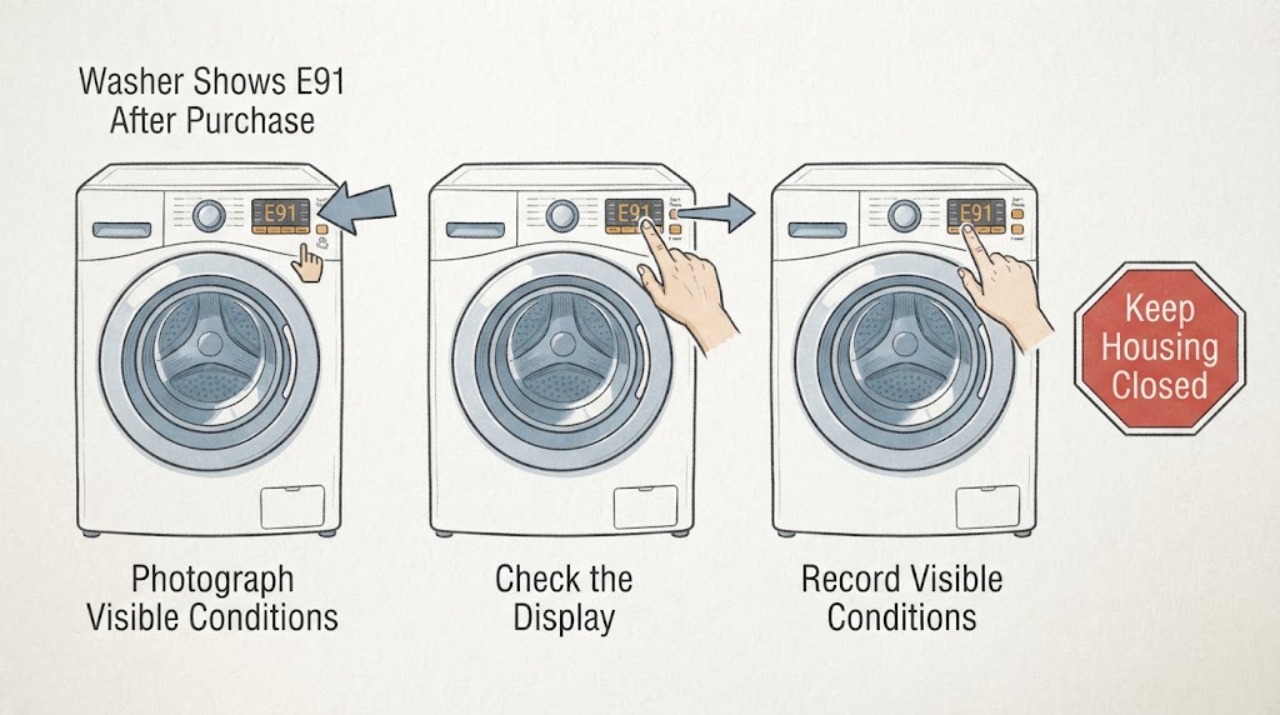
On the Electrolux TW41K7138, first preserve the exact display and rating-plate identity rather than treating E91 as a failed part. Electrolux's opened E90/E91/E92/E93/E94 support article describes these messages as configuration or communication problems with electronic parts, applies the guidance to top-load washers, and recommends removing the plug for 30 seconds before contacting an Authorized Service Center if the message remains. The exact TW41K7138 manual identifies PNC 913102343, while Electrolux's model lookup lists several PNC variants, so record every digit and the purchase market. If the washer is dry, there is no burning smell, smoke, leak, damaged cord, or electrical trip, perform that one manufacturer-documented reset once. If E91 returns, or if the appliance is unsafe, stop using it and use the seller, installer, Electrolux, or authorized-service warranty route. Do not open the cabinet, handle wiring, reconfigure boards, enter service mode, perform live tests, or choose a replacement part from E91 alone.
Before you begin
Safety first
- Do not open the washer, handle wiring or electronic boards, enter service mode, perform live tests, or repeatedly energize it to reproduce E91. Keep it off for smoke, burning smell, abnormal heat, damaged cord, water near electrical areas, a leak, or a repeated electrical trip.
Work through in order
Diagnostic checks
Use only checks that match the exact appliance or system and its official guide.
-
Check 1
With the washer stopped, photograph the entire display and rating plate. Record TW41K7138, every digit of the PNC (including any suffix), serial number, purchase country, language shown on the controls, and whether E91 is steady, flashing, or accompanied by another message.
Expected result: The display clearly shows E91 and the label confirms TW41K7138/PNC 913102343 or a longer PNC variant, or the display or label is incomplete or different.
Next step: Keep the photographs for the seller, installer, Electrolux, or authorized service. Do not map an incomplete code to a board or connector.
Stop if: Stop if the appliance label is damaged, the display is accompanied by smoke, burning smell, water near electrical areas, a hot or damaged cord, or a repeated electrical trip.
Why this matters
Why: The exact manual identifies TW41K7138 with PNC 913102343, while the official model lookup lists multiple PNC versions. An abbreviated PNC, different regional label, or similar-looking code can select the wrong support document.
-
Check 2
Write down the new-purchase timeline without opening the washer: delivery date, first installation or power-up, whether E91 appeared before the first cycle, whether an installer connected the water and power, and any move, interruption, moisture, or prior reset.
Expected result: E91 appeared on the first power-up, appeared after installation or a supply interruption, appeared only after a cycle, or the timing is unknown.
Next step: Give the timeline and photographs to the seller or installer first when the error began at delivery or installation; otherwise use Electrolux or authorized service. Preserve the receipt and installation record.
Stop if: Do not move the washer, remove panels, re-seat connectors, or continue using it to create more examples of the error.
Why this matters
Why: The timing separates a delivery/installation handoff from a later recurring display problem, but it does not prove a loose wire, failed board, or other internal cause.
-
Check 3
From the dry exterior, check only whether the controls respond, the plug and cord look dry and undamaged, the floor is dry, and there is no smoke, burning smell, unusual heat, or breaker/RCD event. Do not touch exposed conductors or test the machine while energized.
Expected result: The washer is dry and electrically uneventful, or there is a leak, moisture, damaged cord, burning smell, smoke, abnormal heat, or a trip.
Next step: For a hazard, stop using the washer, turn off the water supply for a leak, and isolate power only when this can be done without touching water or damaged parts; arrange qualified appliance or electrical help. If safe, continue only to the documented reset.
Stop if: Do not reconnect power after a smoke, burning smell, damaged cord, moisture at electrical areas, or repeated trip until the appliance is assessed.
Why this matters
Why: A safe exterior permits the single owner-level reset documented by Electrolux. Any water or electrical hazard takes priority over interpreting E91 and makes further energizing inappropriate.
-
Check 4
Only when the washer is dry, stable, and free of the hazards above, remove the plug from its socket, wait 30 seconds, and plug it back in once, exactly as Electrolux's E91 support article documents. Do not enter a hidden diagnostic mode or repeat the reset.
Expected result: The display returns normally without E91, or E91 returns immediately or after a normal control interaction.
Next step: If E91 returns, leave the washer out of service and contact the seller, installer, Electrolux, or authorized service with the code, full PNC, serial number, and timeline. If it clears, do not repeatedly power-cycle; contact the warranty channel if it reappears.
Stop if: Stop immediately if the reset produces a smell, heat, smoke, water entry, abnormal sound, or another electrical trip.
Why this matters
Why: A clear display after one reset can be a transient state, but it does not certify the electronics or installation. A returning E91 is the manufacturer's service branch, not a user-level part diagnosis.
-
Check 5
Prepare the warranty/service handoff: display and rating-plate photos, full model and PNC, serial number, market and language, receipt or order record, delivery/installation details, E91 timing, reset result, and any water or electrical observations.
Expected result: The provider can match the complete identity and purchase record, or the PNC, market, installation record, or code remains uncertain.
Next step: Request an authorized diagnosis or warranty assessment and ask the provider to verify the exact PNC variant and installation history. Do not order or install a board, display, harness, or other part from E91 alone.
Stop if: Keep the washer off if E91 recurs, the controls are unresponsive, or the provider cannot yet match the model and PNC.
Why this matters
Why: Electrolux's exact-model documentation asks owners to have model, PNC, and serial number available, and its manual lookup uses model code or PNC to select documentation. A new appliance should be assessed through the responsible seller/installer or authorized channel before any internal repair decision.
Use your observations
Decision map
Find the observation that best matches what you see, then follow the next safe action.
-
PATH 01Next step
What you see
E91 clears after the single safe 30-second reset and there is no water, heat, smell, smoke, cord damage, or electrical trip.
Do this next
Do not repeat resets. Keep the identity and reset record, and use the warranty channel if E91 returns or controls behave abnormally.
Why this path and its safety boundary
Why it matters: The code may have been transient, but the reset does not identify or clear an underlying platform or installation defect on a recently purchased washer.
-
PATH 02Next step
What you see
E91 returns immediately or the controls remain unresponsive after the documented reset.
Do this next
Leave the washer off and request seller, installer, Electrolux, or authorized-service assessment with the exact display, full PNC, serial number, and timeline.
Why this path and its safety boundary
Why it matters: Electrolux treats a persisting E90–E94 message as a service condition involving electronic configuration or communication; the public guidance does not select a user-replaceable part.
-
PATH 03Next step
What you see
E91 was present at first installation or power-up, or followed immediately after delivery, movement, or installation work.
Do this next
Preserve delivery, installation, receipt, and identity records and route the issue through the seller/installer or warranty process before any non-authorized work.
Why this path and its safety boundary
Why it matters: The new-purchase and installation timeline is materially different from an established in-service fault, but it still does not prove a wiring or board cause.
-
PATH 04Next step
What you see
There is smoke, burning smell, abnormal heat, moisture near electrical parts, a damaged cord, a leak, or repeated electrical protection operation.
Do this next
Stop using the washer, turn off water for a leak, isolate power only when safely accessible, and arrange qualified appliance or electrical service. Do not perform another reset or cycle.
Why this path and its safety boundary
Why it matters: This is an electrical, water, or fire-safety stop independent of whether E91 is correctly read.
Helpful context
Understand the symptom
E91 is a communication/configuration message, not a reliable diagnosis of a control board, display, harness, or other replacement part. The opened Electrolux support article covers both front-load and top-load washers, but the exact manual and full rating-plate PNC still determine the correct regional documentation. The TW41K7138 manual's product-information sheet names PNC 913102343; the UK model lookup shows suffix variants, so keep the complete label record with the appliance's purchase market.
Because this washer was recently purchased, the useful decision is whether the error is a safe transient that clears once or a delivery, installation, or early-life fault that should be handed back through the warranty channel. Preserve the delivery and installation timeline, do not alter wiring or electronics, and do not let a one-time reset become repeated testing.
When checks do not resolve it
Need a professional?
Request seller, installer, Electrolux, or authorized service for a recurring E91, an E91 present at first installation, an unresponsive control, or an unresolved model/PNC match. Use qualified electrical help when the supply or cord shows damage or repeated protection operation.
Safety scope: Do not open the washer, handle wiring or electronic boards, enter service mode, perform live tests, or repeatedly energize it to reproduce E91. Keep it off for smoke, burning smell, abnormal heat, damaged cord, water near electrical areas, a leak, or a repeated electrical trip.
Have this ready
- Provide the full TW41K7138 model, every digit of the PNC, serial number, purchase country and language, receipt or order record, delivery and installation timeline, display photograph, E91 timing, one-reset result, and any water, heat, smell, smoke, or electrical observations.
Read the exact guide
Official sources
- Washing machine displays error message E90, E91, E92, E93 or E94Electrolux · The opened UK Electrolux support article says these messages indicate configuration or communication problems with electronic parts, applies to front-load and top-load washing machines, documents a 30-second unplug reset, and directs owners to an Authorized Service Center if the message remains.
- Model TW41K7138 - Spares & Accessories - Electrolux UKElectrolux · The opened official model page identifies TW41K7138 and states that a PNC must be selected to view compatible material; it lists PNC variants 91310234300, 91310234304, 91310234302, 91310234301, and 91310234303. It does not define E91 or justify a part diagnosis.
- TW41K7138 washing machine user manualElectrolux · The opened official Norwegian/Swedish manual cover identifies TW41K7138. Its product-information sheets identify PNC 913102343, and its service section asks for model, PNC, and serial number; the manual does not define E91 or authorize internal electronics work.
- Search for user manuals | ElectroluxElectrolux · The opened official UK manual lookup instructs owners to use the model code or Product Number (PNC) from the rating plate, identifies the rating-plate fields, and says purchases outside the UK or Ireland should use the country-of-purchase website.
Community feedback
Share a repair observation
Share a plain-text repair observation. Accepted observations are published automatically; this page may take a moment to update.