
On this page
Start here
Quick answer
First identify whether the appliance is a DishDrawer or a traditional drop-door Fisher & Paykel dishwasher, and whether it is paused, showing a fault, left with water, or stopping without a code. Check the closed drawer or door, keylock and delayed start, then the water supply and visible drain path. Use the exact model guide for any A/F code; do not keep resetting a persistent fault or work inside the powered appliance.
Before you begin
Safety first
- Do not operate a damaged or partially disassembled dishwasher, bypass a door or drawer interlock, perform live electrical tests, or work inside the appliance. If water is near electrical parts, stop the cycle, keep hands dry, turn off power from a safe accessible point, and close the water supply if it can be done safely.
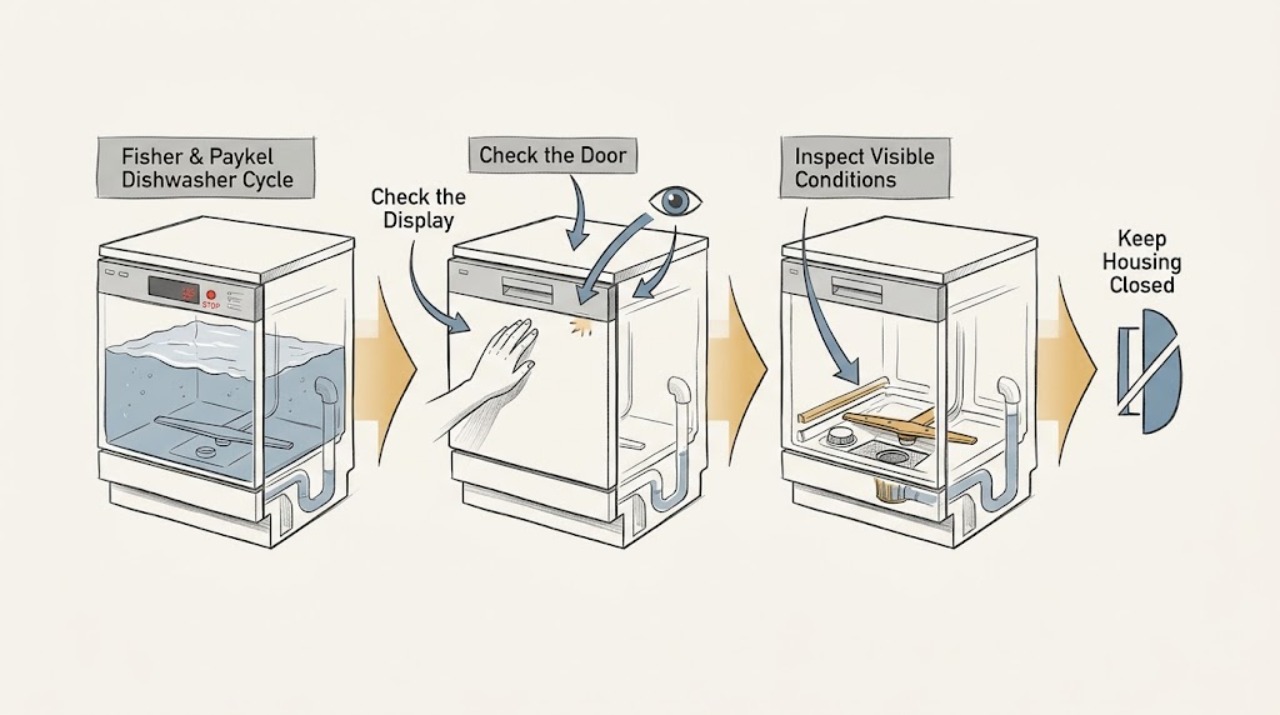
Work through in order
Diagnostic checks
Use only checks that match the exact appliance or system and its official guide.
-
Check 1
Identify the machine as a DishDrawer (one or two sliding drawers) or a drop-door dishwasher, and note the model number, the affected drawer if there are two, and exactly where the program stops.
Expected result: A DishDrawer may show a flashing wash modifier or fault pattern for one drawer, while a drop-door model may show a flashing display code; no code may mean the program is paused or the supply was interrupted.
Next step: Continue with the checks below, but use the matching user guide for the displayed code and record the code before clearing it.
Why this matters
Why: Fisher & Paykel documents these as two different platforms, and double DishDrawer models can have a different fault in each drawer. A platform/model match is required before interpreting a code.
-
Check 2
With the appliance safe to handle, check that the drawer or door is fully closed, keylock is not enabled, and delayed start or an intentional pause is not active. For an integrated DishDrawer, use its documented pause control rather than pulling the drawer open during a wash.
Expected result: The controls respond and the cycle resumes after the door/drawer is closed or the pause/delay is cleared; or the controls remain unresponsive and a lock or fault indicator remains.
Next step: If the cycle resumes, observe one complete rinse or wash. If it does not, stop repeated attempts and proceed to the supply and code checks.
Why this matters
Why: A DishDrawer can remain paused when its drawer is opened after delayed start, can beep intermittently while paused, and may not start if it is not firmly closed or keylock is on. A drop-door model also will not run correctly if its door is obstructed.
-
Check 3
Check the household water supply is on and, without moving the appliance or opening plumbing connections, look at the accessible inlet hose for a bend or visible damage.
Expected result: The tap is off, the inlet hose is kinked, or the machine reports a no-water/supply fault; or the supply is on and the hose is unobstructed.
Next step: Restore only an obviously closed tap or straighten an accessible hose without disassembling anything, then follow the model guide's resume/reset instruction once. If the supply is present but the fault returns, arrange service.
Why this matters
Why: The DishDrawer guide maps A1 to a water-supply fault, while the drop-door guide maps A10 to no water and lists a closed tap, insufficient supply, or a crimped inlet hose as possible causes.
-
Check 4
After the program has stopped and the appliance is cool, look for standing water and inspect only the user-accessible filter area and visible drain-hose route described by the model guide. Wear cut protection when handling dishes and do not reach into a pump housing containing possible glass.
Expected result: Water remains above the filter or in the tub/drawer, the visible drain hose is bent, the waste connection is blocked, or the filter is visibly blocked; or the appliance drains normally.
Next step: Correct only a plainly accessible hose bend or clean the user-removable filter as instructed for that model. Do not remove panels, pump covers, or wiring; persistent standing water or an inaccessible blockage needs a technician.
Why this matters
Why: Fisher & Paykel identifies A3 on the cited DishDrawer guide as a drain restriction and A20 on the cited drop-door guide as a drain fault; both guides also identify hose, drain connection, filter, or pump restrictions as model-dependent causes.
-
Check 5
Read and record any A or F code, flashing modifier, continuous beep, or sanitize/foam alert before attempting the model guide's single reset. On a double DishDrawer, check whether one or both drawers are reporting a fault.
Expected result: The alert clears and the appliance completes a test rinse, or the same code/beeping returns, the drawer remains full of foam, or a safety-related fault remains.
Next step: If the guide's safe correction does not clear the fault, turn off water and power at accessible controls and arrange Fisher & Paykel service. Do not bypass interlocks or test internal electrical, heating, pump, or control parts.
Why this matters
Why: The DishDrawer guide describes A7 auto-recovery for excess foam and A09 when sanitize conditions were not met after an interruption; it also says persistent codes should be recorded and referred to Customer Care. The drop-door guide uses A10 for no water and A20 for drain faults, so codes cannot be transferred between models.
Use your observations
Decision map
Find the observation that best matches what you see, then follow the next safe action.
-
PATH 01Next step
What you see
Do this next
Close the drawer/door and clear the applicable pause, delay, or keylock using the model guide. If it repeatedly pauses without user input, stop using it and book service for the sensor/control issue.
-
PATH 02Next step
What you see
Do this next
Verify the external supply and visible hose condition, then use the model guide's one resume attempt. A returning code requires service rather than repeated resets.
-
PATH 03Next step
What you see
Do this next
Inspect the visible hose route and user-accessible filter only as the model guide permits. Escalate if water remains, a pump cover is needed, or sharp debris is present.
-
PATH 04Next step
What you see
Do this next
Allow only the guide-described recovery to finish, use the specified domestic dishwasher detergent, and repeat sanitize only when the guide permits. Persistent alerts or a drawer that remains full should go to Customer Care.
-
PATH 05Next step
What you see
Do this next
Record the affected drawer and its code, leave the faulty drawer unused if it has water or a persistent alert, and contact Fisher & Paykel if the guide's reset does not restore it.
Helpful context
Understand the symptom
Start with the platform and the stopping point
Fisher & Paykel's current range includes DishDrawer models with one or two independently operated drawers and conventional drop-door models. A drawer that is paused, a double unit with only one affected drawer, and a drop-door machine that retains water are different diagnostic paths. Record the model number and the exact light, display, or beep pattern before clearing anything.
What counts as a completed cycle
A fan or a short drying phase after the wash can be normal on a DishDrawer. A cycle that stops with standing water, repeatedly returns to a fault, or never resumes after a supply or door interruption is not the same as normal end-of-cycle behavior.
Model-specific codes matter
The examples below are from specific Fisher & Paykel guides, not a universal code chart. Treat A1/A3/A6/A7/A09 and A10/A20 as guide-dependent examples, and use the code and model together when contacting Fisher & Paykel.
When checks do not resolve it
Need a professional?
Arrange Fisher & Paykel service when a fault code or continuous beeping returns, a drawer or tub remains full of water or foam, a leak or damaged hose is present, the appliance trips power, or diagnosis would require panels, pump covers, wiring, heating components, or control access.
Safety scope: Do not operate a damaged or partially disassembled dishwasher, bypass a door or drawer interlock, perform live electrical tests, or work inside the appliance. If water is near electrical parts, stop the cycle, keep hands dry, turn off power from a safe accessible point, and close the water supply if it can be done safely.
Common questions
FAQ
Is a DishDrawer fan running after the cycle a sign that the cycle failed?
Not necessarily. The cited DishDrawer guide says the fan may continue after a wash to assist drying. Treat standing water, a returning fault, or an appliance that never reaches its end state as the stronger signs of an incomplete cycle.
Can I use the same Fisher & Paykel fault-code table for every dishwasher?
No. Fisher & Paykel publishes separate guides for DishDrawer and drop-door platforms and for specific model groups. For example, the cited guides use A3 for a DishDrawer drain fault and A20 for a cited drop-door model, so confirm the model before acting.
What should I do if the same fault returns after a reset?
Record the code and affected drawer or appliance, stop repeated resets, and contact Fisher & Paykel Customer Care or an authorized service partner. The official guides direct persistent faults to service.
Read the exact guide
Official sources
- DISHDRAWER™ DISHWASHERFisher & Paykel · Fisher & Paykel DishDrawer dishwasher models DD24DTX6I1, DD24DTX6HI1, DD24STX6I1, DD24STX6HI1, DD24DTX6PX1, and DD24STX6PX1
- Explore Our Range Of Dishwashers | Fisher & Paykel USAFisher & Paykel · Fisher & Paykel dishwasher configurations
- Dishwashing | Fisher & Paykel USAFisher & Paykel · Fisher & Paykel dishwasher platform overview
- Help & Support | Book A Service | Repair | Technician | Fisher and Paykel USAFisher & Paykel · Fisher & Paykel product support and authorized service
- DISHWASHER INSTALLATION GUIDEFisher & Paykel · Fisher & Paykel drop-door dishwasher models DW24U6I1 and DW24U2I1
- USER GUIDE — DISHWASHER — CONTEMPORARYFisher & Paykel · Fisher & Paykel drop-door dishwasher models DW60FC1X2, DW60FC1X3, and DW60FC1B2
Community feedback
Share a repair observation
Share a plain-text repair observation. Accepted observations are published automatically; this page may take a moment to update.