
On this page
Start here
Quick answer
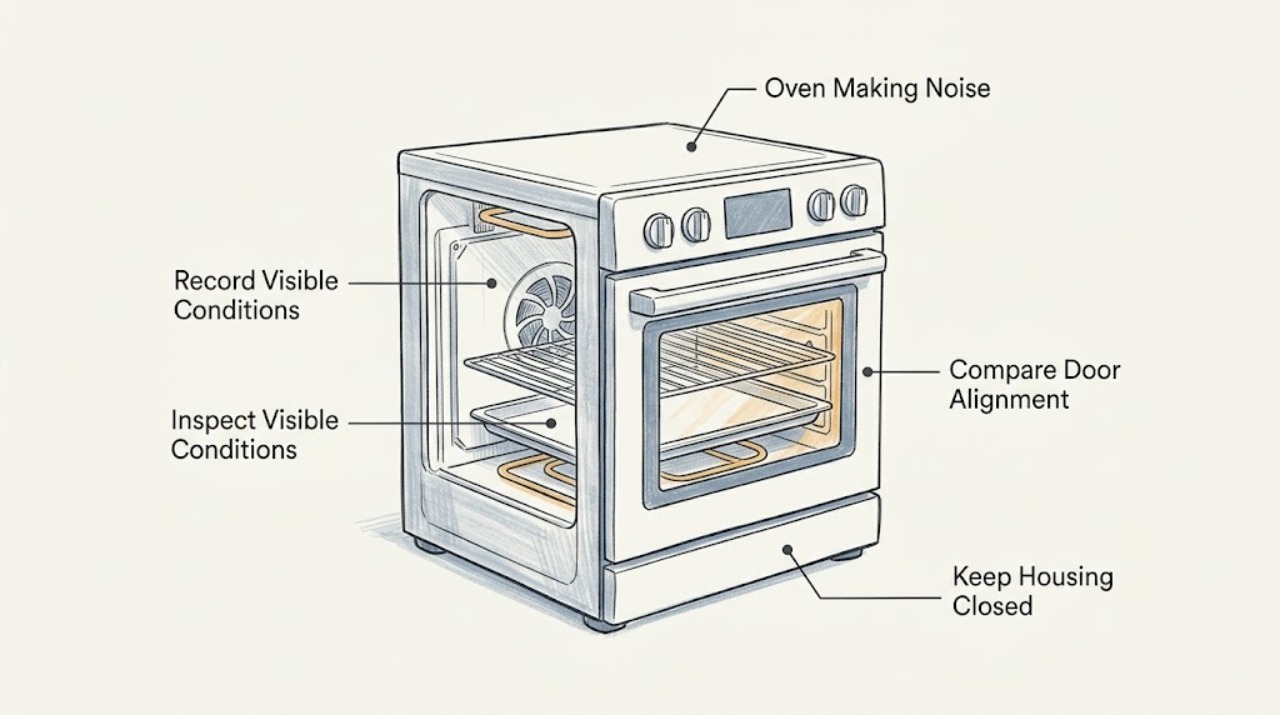
If a Fisher & Paykel oven is making noise, first record when the sound occurs: a cooling fan may run during cooking and after shutoff, and the oven fan may run during preheating on matching models. A loose rack or tray can also rattle. With the oven cool and no gas or electrical warning, remove only accessible loose items and observe whether the sound follows a fan or an empty cavity. Do not block vents, reach into a fan, remove panels, or perform live electrical or gas tests. Stop using the oven for scraping or grinding, repeated banging or delayed ignition, gas odor, smoke, burning smell, abnormal heat, exposed wiring, a cracked door glass, or a repeated breaker trip, and arrange qualified Fisher & Paykel service.
Work through in order
Diagnostic checks
Use only checks that match the exact appliance or system and its official guide.
-
Check 1
With the oven cool and no gas odor, smoke, burning smell, abnormal heat, or electrical warning, make one supervised observation from outside. Record whether the sound occurs during preheating, fan-assisted cooking, temperature cycling, door movement, or after the controls are turned off; describe it as airflow, hum, tick, rattle, scrape, grinding, or bang.
Expected result: A fan or airflow sound that tracks preheating or cool-down can match the documented operation of applicable Fisher & Paykel ovens. A harsh scrape, grinding sound, repeated bang, or sound with a safety symptom is a different branch.
Next step: Use the fan, removable-item, and safety checks below only when the sound is safe to observe. Stop immediately for gas odor, smoke, burning smell, abnormal heat, exposed wiring, flame trouble, or a repeated breaker trip.
Stop if: Stop if any gas, smoke, heat, flame, electrical, or damaged-glass warning appears.
Why this matters
Why: Timing separates documented operating sounds from a possible fan, mechanical, combustion, or installation fault. Sound alone does not prove that an unsafe oven is normal.
-
Check 2
If the sound continues after cooking, return the controls to Off and observe from a safe position whether clean warm air is leaving the designed vent area while the oven cools. Keep the vent clear; do not put hands or objects into it and do not disconnect power while the appliance is hot unless an emergency procedure requires it.
Expected result: The Fisher & Paykel manual describes cooling fans continuing after the oven is turned off and switching off automatically after cooling. A clean fan sound that ends after cool-down may be normal on a matching model; scraping, grinding, hot smell, or a fan that never settles is not explained by normal airflow alone.
Next step: Allow one complete cool-down if the sound is clean airflow and there are no warnings. If the sound is rough or persists after the oven is cool, stop using the oven and arrange qualified service.
Stop if: Stop if the fan scrapes, smells hot, the controls become unusually hot, or the sound continues after a complete cool-down.
Why this matters
Why: The cooling path protects the oven door, controls, and surrounding installation. Blocking or dismantling it can turn a noise investigation into an overheating risk.
-
Check 3
On a cool oven, remove only loose, user-accessible racks, trays, or cookware as the exact manual permits. Check for an item touching the cavity or another rack, then refit each item squarely; do not remove a fan guard, burner cover, element, panel, or door hinge.
Expected result: If the rattle disappears when a removable item is removed or correctly seated, the item was the likely vibration source. If the noise remains with the cavity empty, it points toward an internal fan, support, panel, or other component.
Next step: Use only correctly seated, undamaged accessories and make one supervised observation if no warning is present. If the empty cavity still makes the noise, stop and arrange service instead of tightening or dismantling internal parts.
Stop if: Stop if a rack, tray, door, or support is bent, loose in a way the manual does not describe, or hot or damaged.
Why this matters
Why: Separating removable accessories from the appliance is a low-risk diagnostic step that avoids opening the gas or electrical enclosure.
-
Check 4
Compare one ordinary bake or equivalent non-fan function with one fan-assisted function only if the oven is otherwise safe. Note whether the sound appears only when the fan is selected or during preheating. Do not touch the fan, rear guard, heating element, or hot cavity.
Expected result: The Fisher & Paykel manual says the oven fan may run during preheating even for a function that does not use a fan and may turn off at the set temperature. A new scrape, wobble, grinding sound, or abnormal vibration that follows the fan is not established as normal by that statement.
Next step: If the sound is clean airflow and follows the documented preheat or cooking sequence, keep vents clear and monitor. If it is mechanical or worsening, stop use and request trained service.
Stop if: Stop if the fan sound is accompanied by smoke, a burning smell, abnormal heat, contact noise, or a breaker event.
Why this matters
Why: Function and temperature timing can identify normal airflow without requiring access to the fan. The exact manual remains controlling because functions and fan layouts differ by model.
-
Check 5
Inspect only the visible outer door, control area, vent outlet, surrounding cabinet, and nearby objects after the oven is cool. Look for an object vibrating against the appliance, a blocked vent, scorch mark, cracked glass, or a door that does not close or align as the manual describes; do not move a built-in oven by its handle.
Expected result: A nearby object or removable item can create a buzz or rattle that changes when it is moved. A cracked or shattered door pane, scorch mark, abnormal heat, restricted vent, or damaged control is a safety or installation condition, not a noise adjustment.
Next step: Remove only a harmless nearby object without disturbing the appliance. For damaged glass, heat, vent obstruction, installation movement, or visible electrical damage, stop use and arrange qualified service or installer inspection.
Stop if: Do not use the oven if the door glass is cracked, chipped, or shattered, or if there is scorching, abnormal heat, or exposed wiring.
Why this matters
Why: External inspection can identify a non-appliance source while preserving the sealed gas and electrical boundary. Fisher & Paykel documentation treats damaged oven glass as a reason not to use the oven and to contact trained service.
-
Check 6
For a gas Fisher & Paykel cooker, use only the exact manual's normal ignition sequence once, from outside the appliance, and observe whether ignition is prompt and the flame remains stable. Keep hands clear; do not use a match, repeatedly retry ignition, adjust a jet or valve, or bypass flame protection.
Expected result: A brief ignition click can be part of an ignition sequence, but repeated clicking with no stable flame, gas hiss without ignition, delayed whoosh, popping, yellow or unstable flame, or repeated flame failure changes the issue to a combustion or gas-safety branch.
Next step: Turn the control off if safe, stop retrying, ventilate or leave the area according to local gas-safety guidance, and arrange qualified gas or appliance service for delayed ignition, unstable flame, repeated popping, or gas odor.
Stop if: Stop immediately for gas odor, a flame outside the burner area, smoke, delayed ignition, repeated bang, or a flame that will not remain stable.
Why this matters
Why: A sound cannot establish safe gas combustion. Gas and flame symptoms require qualified diagnosis, and repeatedly supplying gas while investigating can create a hazard.
-
Check 7
Write down the full model and product number, selected function, temperature, noise description, start and stop times, fan state, door and rack observations, flame behavior if applicable, and any error or power event. Keep this record for the Fisher & Paykel trained service technician.
Expected result: A model-specific record allows service to match the correct user guide and distinguish expected cooling or preheat fan behavior from a persistent mechanical, gas, or electrical symptom.
Next step: Arrange qualified appliance service for persistent noise, a noise from an empty cavity, internal access, damaged glass, overheating, or any combustion or electrical warning. Do not dismantle the oven before service.
Stop if: Stop all testing once an internal component, gas part, electrical part, or damaged safety barrier would need access.
Why this matters
Why: The product page and warranty guidance make model identity and trained service relevant; a generic noise description is not enough to select a part or authorize an internal repair.
Use your observations
Decision map
Find the observation that best matches what you see, then follow the next safe action.
-
PATH 01Next step
What you see
The sound is clean airflow during preheating, fan-assisted cooking, or a short period after shutoff and ends when the oven cools.
Do this next
Keep vents clear and allow the documented cooling sequence to finish on the matching model. Arrange service if the sound becomes scraping, grinding, hot-smelling, or persists after cool-down.
-
PATH 02Next step
What you see
A rattle disappears after a cool, accessible rack, tray, cookware item, or nearby object is removed and correctly seated.
Do this next
Use only the correctly seated, undamaged item described by the exact manual and monitor one cycle. Do not improvise spacers or alter a rack, panel, or door.
-
PATH 03Next step
What you see
The noise continues with an empty cavity, follows the fan with scraping or grinding, or is accompanied by unusual heat at the controls.
Do this next
Stop using the oven and arrange qualified Fisher & Paykel service. Do not remove the rear guard, fan, heating element, gas assembly, cabinet, or electrical panel.
-
PATH 04Next step
What you see
A gas model has repeated clicking without a stable flame, delayed ignition, popping, a gas hiss, yellow or unstable flame, or repeated flame failure.
Do this next
Turn the control off if safe, stop retrying ignition, follow local gas-safety guidance, and arrange qualified gas or appliance service. Do not adjust jets, valves, pressure, or flame-safety parts.
-
PATH 05Next step
What you see
There is gas odor, smoke, burning smell, flame outside the burner area, cracked door glass, exposed wiring, abnormal heat, or a repeated breaker trip.
Do this next
Stop immediately, avoid switches and ignition attempts as appropriate, leave the area if needed, isolate power only when safe, and follow local emergency guidance before arranging qualified service.
Helpful context
Understand the symptom
Classify the sound before touching anything
A clean airflow sound during preheating or a short period after shutoff is a different branch from a scrape, grinding sound, metallic rattle, repeated bang, or a sound that remains with an empty cavity. Note the cooking function, whether the convection or cooling fan is running, whether the door is closed, and when the sound starts and stops. Fisher & Paykel models vary, so use the manual for the exact model rather than assuming every oven has the same fan behavior.
Keep gas, heat, and electrical parts behind the service boundary
Only inspect cool, user-accessible racks, trays, the visible door, and nearby objects. Never block the vent, reach through a fan opening, remove a rear fan guard, open the cabinet, adjust a gas component, or test live wiring. On a gas model, a gas smell, repeated ignition clicking without a stable flame, delayed whoosh, or a bang is a stop condition; turn controls off if safe and use qualified gas or appliance service.
Use the exact model guide to decide what is normal
Record the model and product number before requesting help. The Fisher & Paykel documentation supports model-specific fan and cooling explanations, while persistent mechanical noise, damaged glass, overheating, or any internal part needing access requires trained service. Do not continue cooking just because the oven still heats.
Safety boundary
Stop conditions
- Do not use the oven with gas odor, smoke, burning smell, flame outside the burner area, abnormal heat, exposed wiring, or a repeated breaker trip.
- Do not use the oven if the door glass is cracked, chipped, or shattered.
- Do not block vents, reach into fan openings, remove guards or panels, perform live electrical tests, or adjust gas components.
- Stop testing when the noise persists with an empty cavity or an internal component would need access.
When checks do not resolve it
Need a professional?
Professional diagnosis is appropriate for persistent cooling or convection-fan noise, internal mechanical noise, damaged door or rack hardware, combustion or ignition symptoms, electrical symptoms, or any condition requiring the cabinet or a safety barrier to be opened.
Common questions
FAQ
Is fan noise after I turn off a Fisher & Paykel oven normal?
On matching models, Fisher & Paykel documentation says cooling fans can continue after the oven is switched off and stop automatically after the oven cools. Clean airflow may be normal; scraping, grinding, hot smell, or noise that remains after cool-down needs service.
Why does my Fisher & Paykel oven fan run during preheating?
The Fisher & Paykel freestanding-cooker guide describes the oven fan coming on during preheating even for some functions that do not use a fan, then possibly turning off at the set temperature. Check the exact model guide before calling that behavior normal.
Can a loose rack or tray make a Fisher & Paykel oven rattle?
A loose, user-accessible rack, tray, cookware item, or nearby object can vibrate. Only when cool, remove and refit accessible items as the exact manual permits. If the sound remains with an empty cavity, arrange service rather than removing a guard or panel.
When should I stop using a noisy Fisher & Paykel oven?
Stop for gas odor, smoke, burning smell, a flame outside the burner area, cracked door glass, exposed wiring, abnormal heat, a repeated breaker trip, or a persistent scrape or grind. Do not block vents, open the cabinet, adjust gas parts, or perform live electrical tests.
What information should I give Fisher & Paykel service?
Provide the full model and product number, selected function and temperature, exact sound, when it starts and stops, fan and flame behavior if applicable, whether the noise remains with the cavity empty, and any heat, smoke, gas, glass, wiring, error, or breaker symptom.
Read the exact guide
Official sources
- Warranty | Appliance, Parts & Service WarrantyFisher & Paykel · Official Fisher & Paykel UK warranty guidance; service and normal-noise statements are used as a general boundary and may vary by market and model.
- 60cm Series 5 Contemporary OvenFisher & Paykel · Official Fisher & Paykel product page for one built-in oven family; it supports the need for model-specific function and cooling information, not universal compatibility across all ovens.
- Professional Freestanding Cooker User GuideFisher & Paykel · Official Fisher & Paykel user guide for specified freestanding-cooker families; use its fan and safety details only when the appliance design and exact model guide match.
Community feedback
Share a repair observation
Share a plain-text repair observation. Accepted observations are published automatically; this page may take a moment to update.