
On this page
Start here
Quick answer
A JennAir oven can make normal fan, element-cycling, thermal expansion, or gas-ignition sounds, but persistent scraping, impact, electrical buzzing, repeated failed ignition, gas odor, smoke, sparks, or a noise paired with abnormal heat needs service. First record the exact model, electric/gas/dual-fuel type, oven cavity, cooking mode, and when the sound occurs. JennAir says a cooling fan may run during or after a cycle, convection fans may cycle during cooking, electric elements can cycle to regulate temperature, and short gas-ignition clicks or a whoosh can be normal on gas models. Do not remove panels, reach around hot parts, or work on gas components; stop immediately for a safety symptom.
Before you begin
Safety first
- Only cool, ordinary-access observations and exact-model control guidance are described. Do not open panels, test live wiring, adjust gas components, bypass a door or lock, or relight a hazardous appliance.
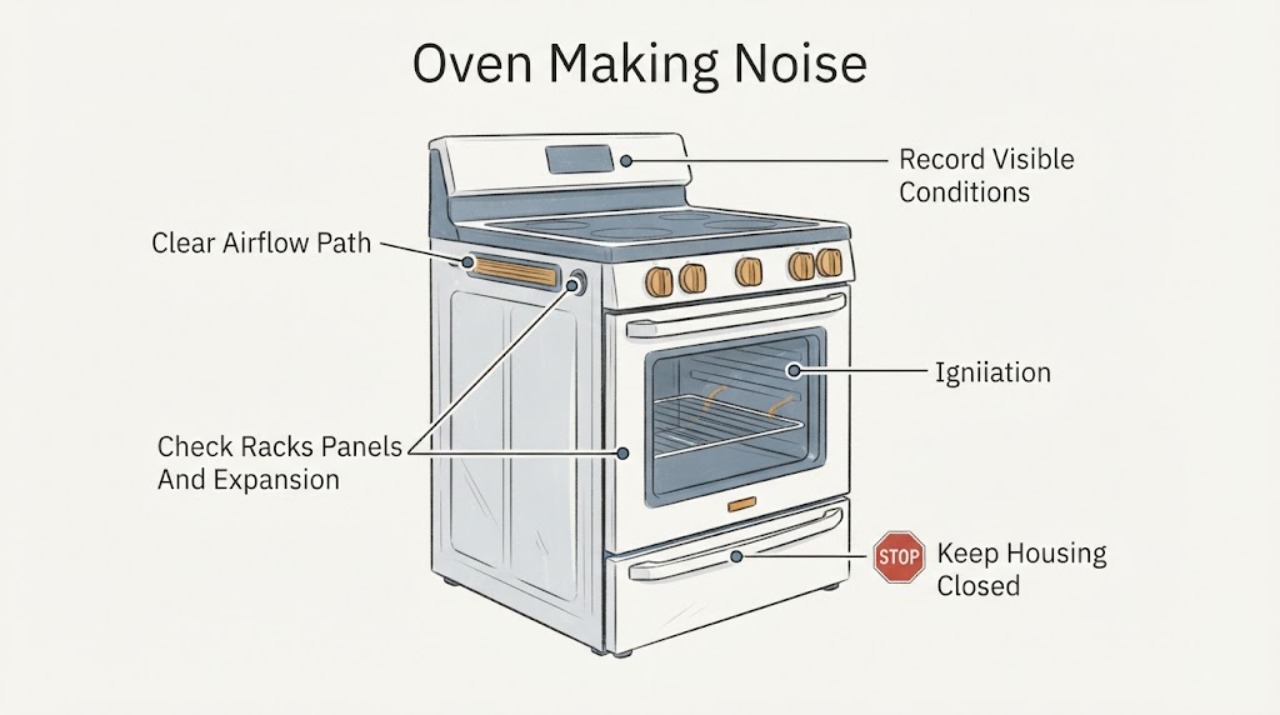
Work through in order
Diagnostic checks
Use only checks that match the exact appliance or system and its official guide.
-
Check 1
From a safe position, record the exact JennAir model, electric/gas/dual-fuel type, cavity, selected function, set temperature, and the sound’s character and timing. Note whether it is a hum, airflow, click, pop, whoosh, buzz, rattle, scrape, bang, or repeated spark-like sound, and whether the oven is heating or cooling.
Expected result: The sound may occur only during preheat, at regular intervals while heating, after the cycle, when the convection fan runs, when a gas burner lights, or continuously and independently of a cycle.
Next step: Compare the observation with the exact model manual and the sound branches below. Stop immediately for gas odor, smoke, sparks, abnormal heat, visible flame outside normal operation, or a breaker trip.
Stop if: Stop observing if the door, controls, cabinet, plug, or gas connection is hot, damaged, smoky, sparking, or leaking.
Why this matters
Why: Timing links the sound to a possible fan, element, gas-ignition, or thermal-expansion event. A continuous or worsening mechanical/electrical sound is not classified as normal from the sound alone.
-
Check 2
Determine whether the sound is airflow or humming from the cooling or convection fan. Check only that external vents are not visibly blocked and that the oven door and controls are in the expected position; do not insert tools into vents or touch the fan.
Expected result: JennAir says a cooling fan can run during and after a cycle to cool the cavity and electronics, and a convection fan can operate or cycle during preheating and other cooking functions.
Next step: If the sound matches the manual’s fan behavior, allow the cool-down phase to complete. If it is abnormal or persistent outside the documented function, stop use and arrange qualified service.
Stop if: Stop for a rubbing or impact sound, smoke, burning odor, abnormal heat, sparks, or a breaker trip.
Why this matters
Why: A steady airflow sound that tracks a hot cycle or a documented convection function can be normal. Rubbing, metal-on-metal, grinding, wobble, a fan error, or a fan that runs with abnormal heat suggests a fan, airflow, or control problem.
-
Check 3
When the oven is fully cool and power is not being accessed, remove only loose cookware and racks that the owner manual permits you to handle. Check for a visibly loose rack, removable bottom panel, or item contacting the cavity; do not remove fixed panels or liners.
Expected result: A light pop or crack may occur as porcelain and steel heat or cool. JennAir also notes that a removable oven bottom can make a noise if it is not positioned correctly. A repeated bang, sharp scrape, loose part, or visible damage is different.
Next step: Re-seat only a removable part exactly as the model manual describes while the oven is cool. If the sound remains, grows louder, or comes from behind fixed panels, leave the appliance off and arrange service.
Stop if: Stop if a panel is warped, sharp, hot, loose beyond ordinary re-seating, or if the sound is a violent impact or metal-on-metal scrape.
Why this matters
Why: Thermal expansion or a user-accessible loose rack/panel can explain an occasional sound. A persistent mechanical sound or damaged panel needs service and should not be corrected by reaching into a hot cavity.
-
Check 4
For an electric JennAir model, note whether the sound or visible glow occurs as Bake or Broil elements cycle during an active function. Do not touch the element or use an improvised thermometer; observe only from outside the hot cavity.
Expected result: JennAir says electric oven elements can turn on and off during a cycle through a limiter to regulate temperature and prevent overheating. The door can also change broil-element behavior on some models.
Next step: If the pattern matches the manual and no hazard is present, continue observing only as needed. If the element or heater behavior is abnormal, stop use, isolate power only by a safe external method, and arrange service.
Stop if: Stop for arcing, smoke, burning odor, abnormal heat, visible damage, or a circuit trip.
Why this matters
Why: Regular element cycling during the selected function can be normal. A loud snap, arc, smoke, persistent element operation after Cancel, or heat that continues outside the model’s cycle points to a control, element, wiring, or safety issue.
-
Check 5
For a gas or dual-fuel JennAir model, determine whether the sound is a short ignition click or a brief whoosh/pop that occurs as Bake or Broil gas lights. Do not repeatedly relight, inspect burner ports while hot, adjust a regulator, or continue if the flame does not establish normally.
Expected result: JennAir describes short igniter clicks until flame detection and a whoosh or single pop as gas ignites during Bake or Broil as normal on applicable models. Continuous clicking, delayed ignition, unlit gas, a large bang, yellow or unstable flame, or gas odor is not a normal confirmation.
Next step: If the sound is not brief or the flame behavior is abnormal, stop the function, avoid ignition sources, leave the area for gas odor, and seek qualified gas or appliance help from a safe location.
Stop if: Stop immediately for gas odor, delayed ignition, an unlit burner with continued gas flow, a loud explosion-like bang, smoke, sparks, or abnormal flame.
Why this matters
Why: A brief, repeatable sound paired with normal flame behavior can be an ignition event. Persistent ignition noise or any fuel-safety symptom requires the gas appliance to remain off and be assessed by qualified service.
Use your observations
Decision map
Find the observation that best matches what you see, then follow the next safe action.
-
PATH 01Safety boundary
What you see
Gas odor, smoke, sparks, arcing, visible flame outside normal operation, severe heat, damaged wiring, or a repeated breaker trip is present.
Do this next
Stop the oven. If safe, isolate power without touching wet or damaged components. For gas odor, do not operate switches or create an ignition source; leave the area and contact the appropriate emergency or gas authority from a safe location. Arrange qualified help.
Why this path and its safety boundary
Why it matters: This is a safety event, not a normal oven-sound branch.
Safety stop: Do not re-energize, relight, or open the appliance until the hazard is assessed.
-
PATH 02Safety boundary
What you see
The sound is steady airflow or a hum that occurs during or after a hot cycle and the heating has stopped or follows the selected convection function.
Do this next
Use the exact manual to identify the fan and allow the documented cooldown to finish. Arrange service if the sound becomes rubbing, grinding, impact-like, or inconsistent with the manual.
Why this path and its safety boundary
Why it matters: JennAir describes cooling-fan and convection-fan operation in these contexts as normal on applicable models.
Safety stop: Stop for abnormal heat, smoke, odor, sparks, a fault display, or a metal-on-metal sound.
-
PATH 03Safety boundary
What you see
An electric oven’s elements cycle on and off during an active cooking function without smoke, arcing, odor, or abnormal heat.
Do this next
Continue only within the normal selected function and consult the exact manual if the sound changes. Stop and arrange service if an element remains on after Cancel or arcs.
Why this path and its safety boundary
Why it matters: JennAir says element cycling through a limiter can regulate temperature and prevent overheating.
Safety stop: Stop for sparks, smoke, burning odor, abnormal heat, or a circuit trip.
-
PATH 04Safety boundary
What you see
A gas or dual-fuel oven makes brief clicks or a brief whoosh/pop exactly as a normal Bake or Broil flame establishes, with no gas odor or delayed ignition.
Do this next
Use the exact model manual for expected ignition behavior. If the sound becomes continuous or the flame does not establish promptly, stop and use qualified gas service.
Why this path and its safety boundary
Why it matters: JennAir identifies short igniter clicks and a brief gas-ignition whoosh as normal on applicable models.
Safety stop: Stop for gas odor, a large bang, unlit gas, abnormal flame, smoke, or sparks.
-
PATH 05Safety boundary
What you see
An occasional pop or crack occurs as the cool oven heats or cools, or a removable bottom panel is visibly mis-seated while the oven is cool.
Do this next
If permitted by the exact manual, re-seat the cool removable panel without tools or force. If the sound persists, becomes an impact or scrape, or damage is visible, arrange service.
Why this path and its safety boundary
Why it matters: JennAir says heating and cooling porcelain/steel can make popping or cracking sounds and that some removable bottoms can make noise when not positioned correctly.
Safety stop: Do not handle a hot panel or continue with a warped, sharp, loose, or damaged component.
-
PATH 06Safety boundary
What you see
The sound is continuous, worsening, rubbing, grinding, loud buzzing, repeated arcing, impact-like, or unrelated to a documented fan, element, expansion, or ignition event.
Do this next
Stop using the oven and arrange qualified diagnosis. Do not open the cabinet, test live components, or attempt gas adjustments.
Why this path and its safety boundary
Why it matters: The cause may involve a fan, motor, control relay, element, igniter, gas system, panel, wiring, or another model-specific component.
Safety stop: Keep the oven isolated for any noise paired with heat, odor, smoke, sparks, a lock problem, or a breaker trip.
Helpful context
Understand the symptom
Describe the sound and its timing
A single click during gas ignition, a brief pop as materials heat or cool, a steady airflow hum after a hot cycle, and a periodic convection sound have different meanings from grinding, rattling, repeated arcing, or a loud impact. Note whether the sound occurs during preheat, Bake, Broil, convection, Clean, cooldown, or while idle, and whether heating or a gas flame is present.
Model and fuel type matter
JennAir publishes separate guidance for electric ranges, gas ovens, wall ovens, and different fan arrangements. Record the model and fuel type before applying any explanation. A normal gas-ignition sound should not be used to explain a sound with unlit gas, delayed ignition, or a gas odor.
Keep ordinary checks outside the cabinet
Only inspect cool, accessible racks, panels, doors, and controls. Do not dismantle the oven, test live wiring, adjust an igniter or gas valve, or force a door. If the sound is accompanied by heat, smoke, sparks, odor, or a control failure, isolate the appliance only when safe and obtain qualified help.
Safety boundary
Stop conditions
- Gas odor, delayed ignition, an unlit burner with continued gas flow, smoke, sparks, arcing, or visible flame outside normal operation.
- Abnormally hot cavity, door, cabinet, controls, wiring, plug, or outlet.
- Repeated breaker or fuse trips, wet electrical areas, or damaged wiring or gas connections.
- Persistent scraping, grinding, impact, severe buzzing, violent vibration, or a fan that makes metal-on-metal noise.
- A door, panel, rack, igniter, or oven bottom that is damaged, sharp, loose, or requires force or bypassing a safety device.
Only after diagnosis
Potential parts
- oven cooling or convection fan
Consider only when service confirms abnormal rubbing, grinding, fan speed, or airflow behavior outside the model’s normal fan operation.
Confirm exact model, cavity, and fan configuration before ordering. - oven electronic control or relay
Consider only when qualified diagnosis links persistent clicking, continued heating, or control behavior to the control or relay after normal cycle causes are excluded.
Control revisions and fit are model-specific; verify using exact model documentation. - gas oven igniter
Consider only for a gas or dual-fuel model when service confirms delayed ignition or an igniter fault; do not infer this from a brief normal click.
Gas components require exact model and qualified installation; never bypass ignition or gas safety controls. - oven element
Consider only when service confirms an element or its wiring is arcing, damaged, or not cycling correctly on an electric model.
Element shape, rating, and fit vary by model; verify before ordering.
When checks do not resolve it
Need a professional?
Arrange qualified appliance service when a noise is persistent, worsening, mechanical, electrical, or not explained by the exact model manual; when a fan, relay, element, igniter, sensor, door, wiring, or gas diagnosis would be required; or when the oven continues heating or cannot be stopped normally. Use an electrician for supply or breaker concerns. For gas odor, smoke, fire, or electrical danger, leave the area and obtain appropriate emergency or gas-safety help from a safe location.
Safety scope: Only cool, ordinary-access observations and exact-model control guidance are described. Do not open panels, test live wiring, adjust gas components, bypass a door or lock, or relight a hazardous appliance.
Common questions
FAQ
Is humming from a JennAir oven normal?
It can be. JennAir says a cooling fan may hum during or after a cycle and a convection fan may operate or cycle during preheating and cooking. A rubbing, grinding, impact-like, or unusually loud sound is different and needs service.
Why does my JennAir gas oven click or make a whoosh?
JennAir says short igniter clicks until flame detection and a brief whoosh as gas ignites during Bake or Broil can be normal on applicable models. Continuous clicking, delayed ignition, a large bang, unlit gas, abnormal flame, or gas odor is an immediate stop condition.
Why does my electric JennAir oven make popping or cycling sounds?
JennAir says electric elements can cycle on and off to regulate temperature, and heating or cooling porcelain and steel can make occasional popping or cracking sounds. Persistent impact, arcing, smoke, or a sound unrelated to the selected function requires service.
Can I remove the JennAir oven bottom to stop a noise?
Only handle a removable bottom when the oven is fully cool and only as the exact owner manual allows. JennAir notes that a mis-positioned removable bottom can make noise, but fixed panels, hot components, and gas or electrical parts should not be dismantled by the owner.
When should I stop using a noisy JennAir oven?
Stop for gas odor, delayed ignition, smoke, sparks, arcing, abnormal heat, a repeated breaker trip, visible damage, violent movement, or persistent scraping, grinding, impact, or severe buzzing. Isolate power only if safe and obtain qualified help from a safe location.
Read the exact guide
Official sources
- Understanding Fan or Humming Noise in Oven - Product HelpJennAir Product Help · JennAir oven and range guidance; fan behavior varies by model and function.
- Clicking Noise in a Gas Oven - Product HelpJennAir Product Help · JennAir gas-oven guidance; exact ignition system and timing vary by model.
- Oven Not Working - Cooktop Working - Clicking - Product HelpJennAir Product Help · JennAir gas-range guidance; valve and installation details vary by model.
- Oven Not Shutting Off - Product HelpJennAir Product Help · JennAir range guidance; cooling depends on model and cavity temperature.
- Oven Elements Turning On/Off - Electric Range - Product HelpJennAir Product Help · JennAir electric-range guidance; element behavior and door response vary by model.
- Whoosh or Poof Noise in Oven - Range - Product HelpJennAir Product Help · JennAir gas-range guidance; use the exact model manual for fuel and ignition details.
- Oven Not Working - Product HelpJennAir Product Help · JennAir support index; available functions and fuel systems vary by model.
- Pop or Popping Noise in Oven - Range - Product HelpJennAir Product Help · JennAir range guidance; gas behavior and removable panels vary by model.
Community feedback
Share a repair observation
Share a plain-text repair observation. Accepted observations are published automatically; this page may take a moment to update.