
Jennair appliance guidance
Jennair Oven Repair Guides
Troubleshooting and repair guidance for published Jennair Oven problems, symptoms, and maintenance questions.
Published Jennair Oven guides
Choose the guide whose symptom or condition most closely matches what you are seeing.
-
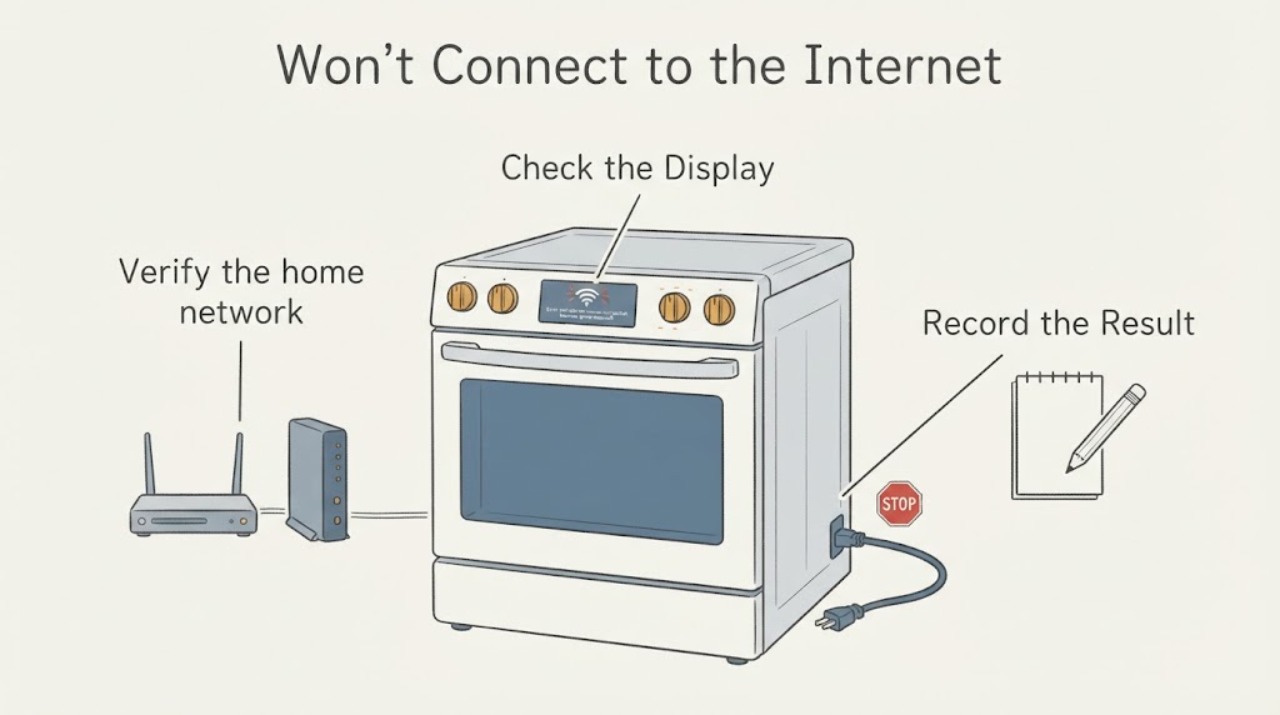
JennAir JJW3830DS Won't Connect to the Internet for Remote Preheating
The JennAir JJW3830DS is a Wi-Fi-enabled double wall oven, but the oven can connect only when the home network, JennAir account, appliance registration, and on-screen connection mode all complete. Check that the router has a live internet connection and a 2.4 GHz WPA2 network, connect the phone to that network, open the JennAir app, and add the oven using the SAID or QR/MAC information shown on the appliance.
-
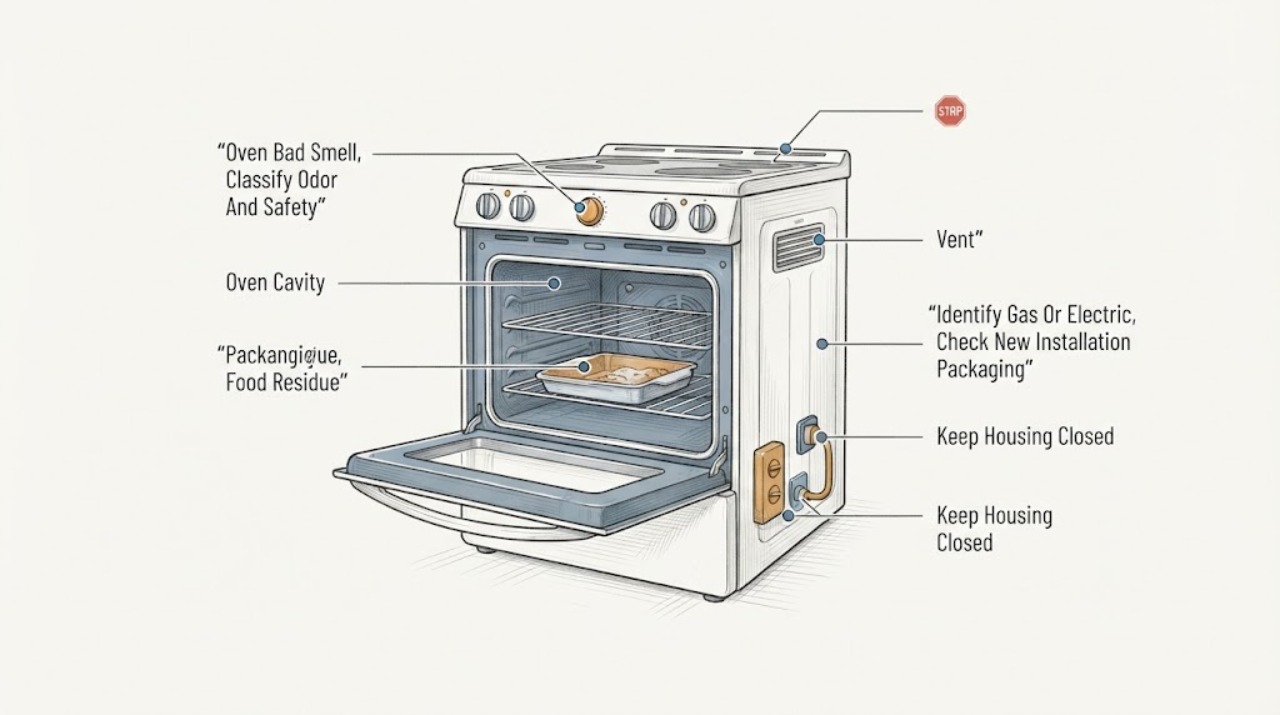
JennAir Oven Bad Smell: Separate New-Unit Odor, Food Spill, Gas, and Electrical Risk
Treat a JennAir oven smell as a classification problem before cleaning or running another cycle. First identify the exact model and whether it is gas or electric.
-
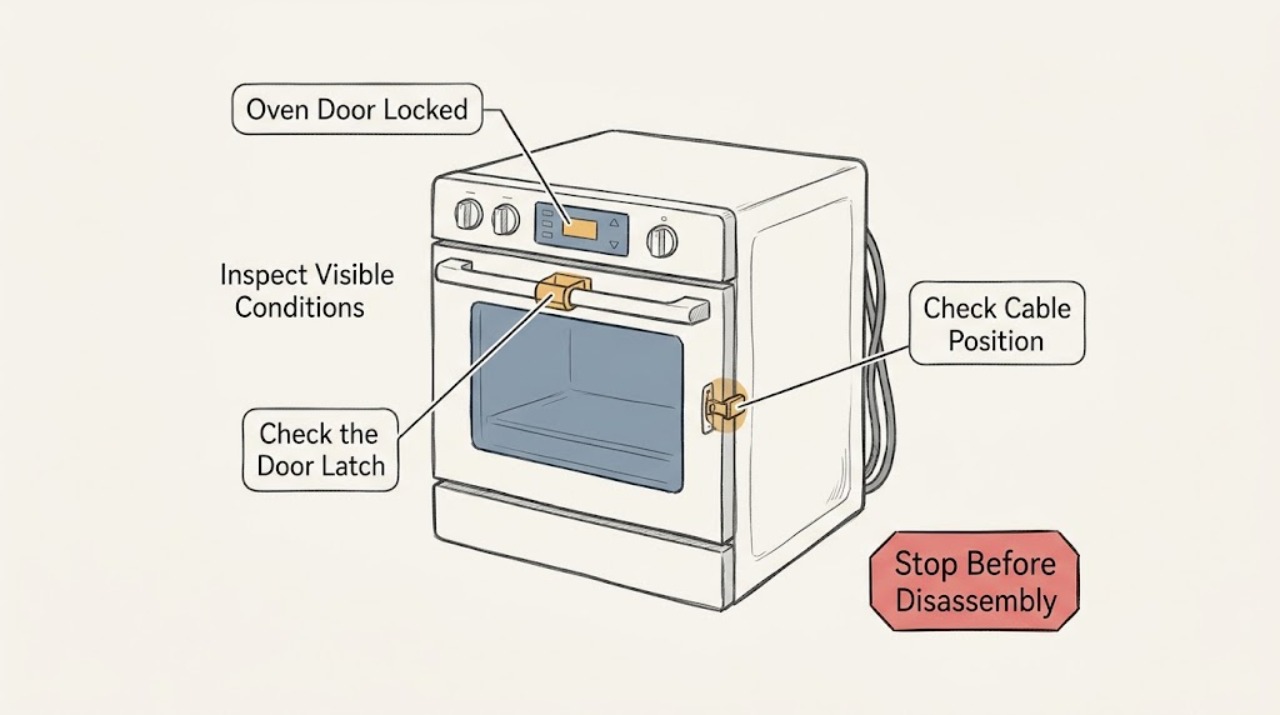
JennAir Oven Door Locked: Safe Unlock and Reset Steps
A JennAir oven door can stay locked during self-cleaning until the oven cools, and a control-lock setting can also disable the controls. First press Cancel or Off once and wait for the latch to reset; do not pry or force the door.
-
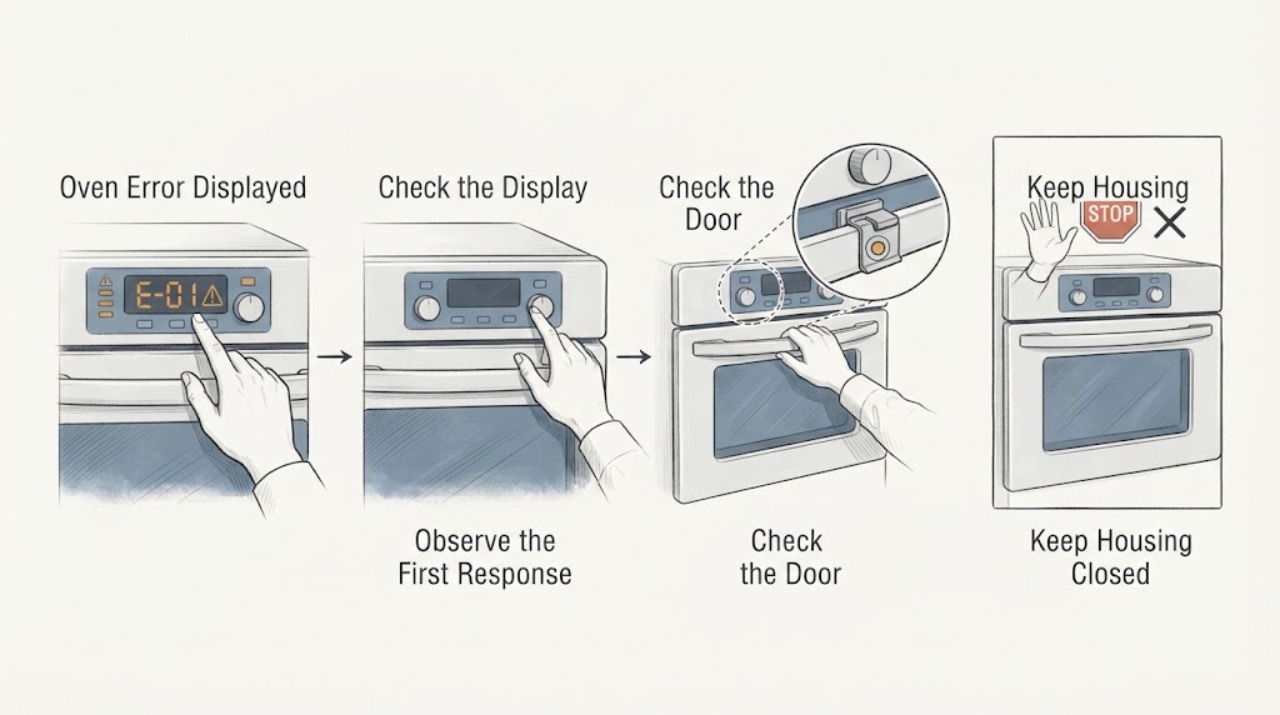
JennAir Oven Error Displayed: Capture the Exact Code Before Resetting
Do not guess what a JennAir oven error means from the letters alone. Record the exact display, model number, fuel type (electric, gas, or dual fuel), oven cavity, and stage when it appeared.
-
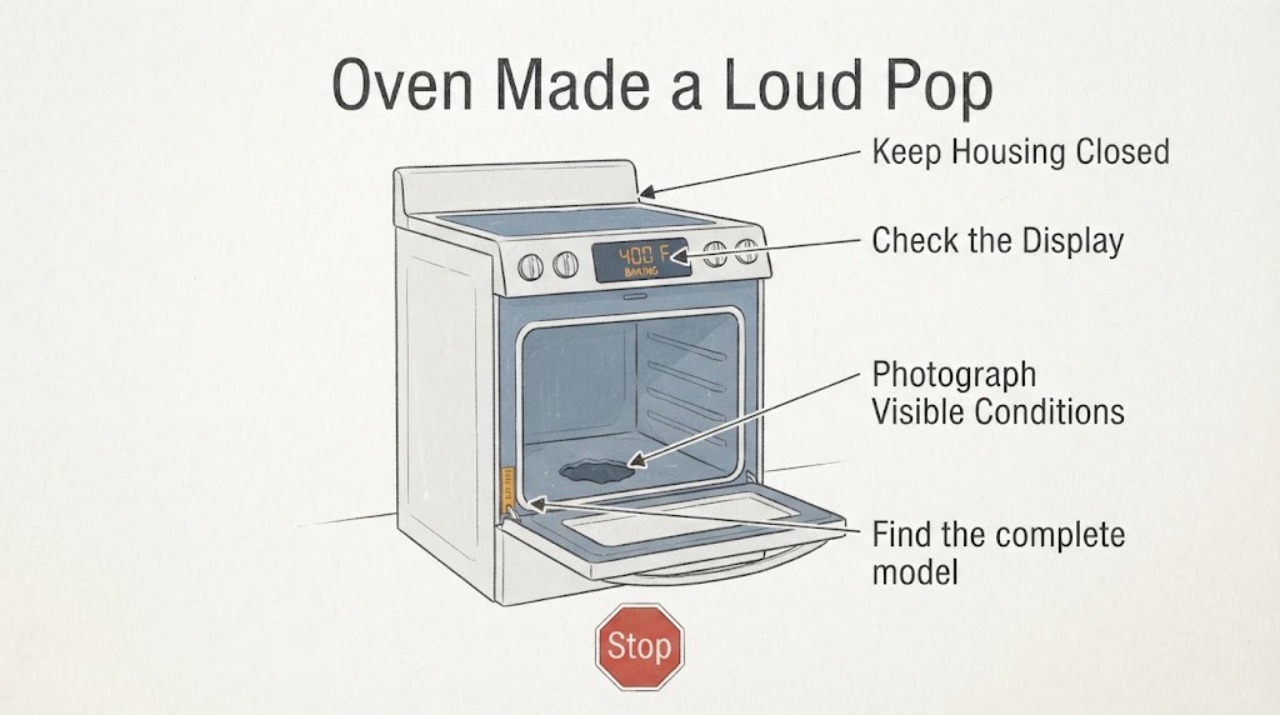
JennAir Oven Made a Loud Pop and Has a Hole in the Bottom: Stop Using It
Turn the JennAir oven off and do not bake, broil, or run a self-clean cycle again after a loud pop followed by a visible hole in the oven bottom. JennAir documents that some popping sounds can come from normal metal expansion, a gas valve cycling, or a removable oven bottom that is not seated correctly, but that general noise guidance does not establish that a visibly holed or deformed bottom is safe.
-
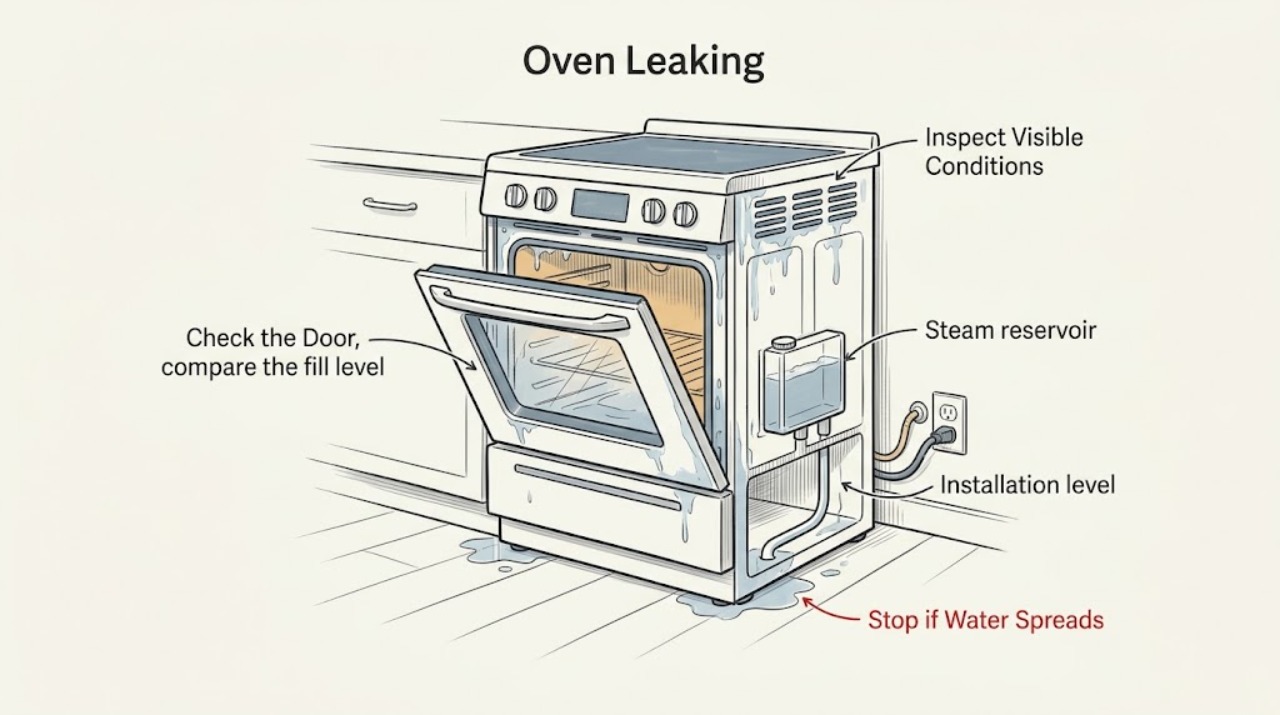
JennAir Oven Leaking: Separate Condensation, Steam Water, and a Real Leak
First decide whether you are seeing normal condensation or active liquid escaping. Stop using the JennAir oven immediately for gas odor, smoke, sparks, burning smell, abnormal heat, water near electrical parts, or a breaker that trips again; leave a fire or gas danger and use appropriate emergency help.
-
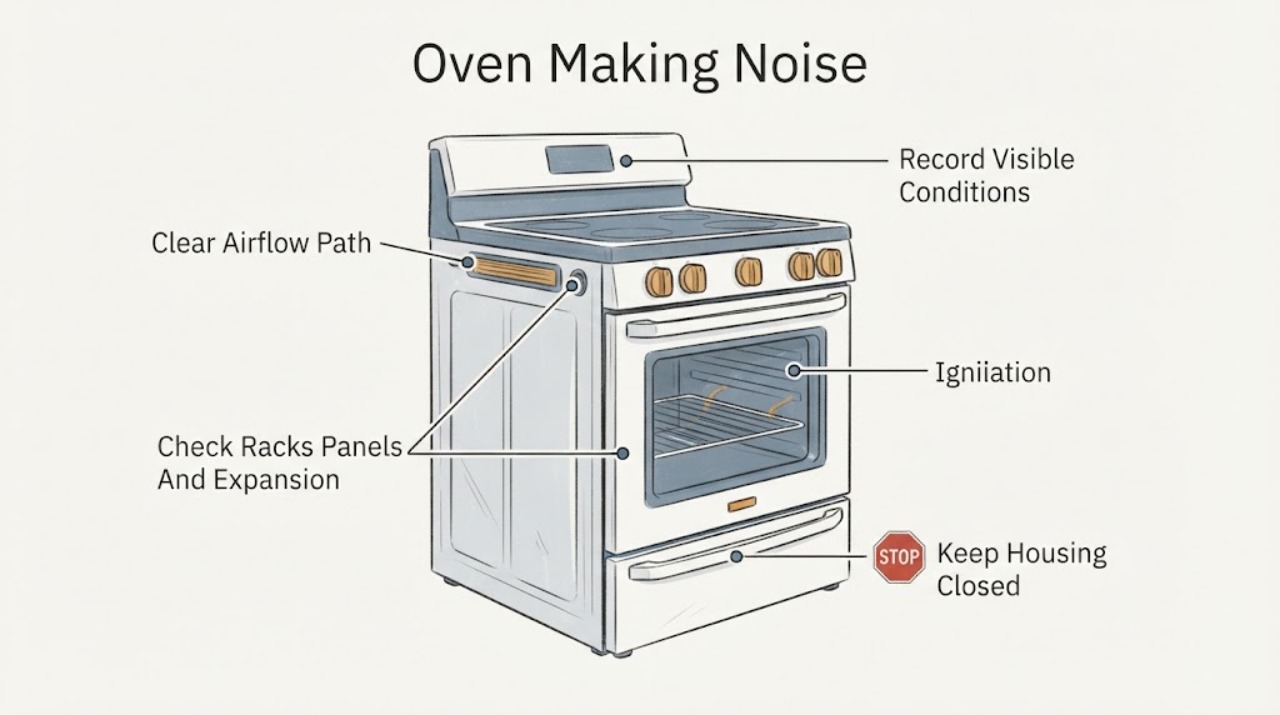
JennAir Oven Making Noise: Identify the Sound Before Calling It a Fault
A JennAir oven can make normal fan, element-cycling, thermal expansion, or gas-ignition sounds, but persistent scraping, impact, electrical buzzing, repeated failed ignition, gas odor, smoke, sparks, or a noise paired with abnormal heat needs service. First record the exact model, electric/gas/dual-fuel type, oven cavity, cooking mode, and when the sound occurs.
-
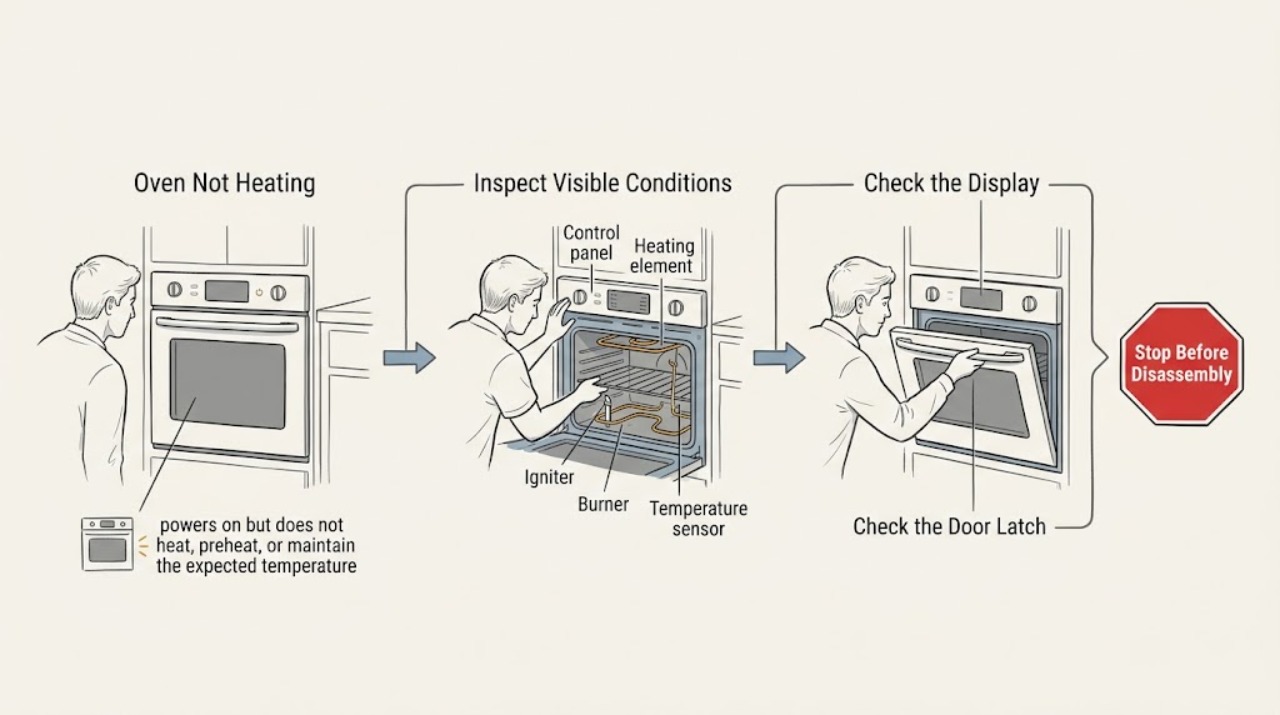
JennAir Oven Not Heating: Safe Checks for Electric and Gas Models
First identify whether the JennAir oven is electric or gas, whether the display responds, and whether it is truly not heating or simply preheating slowly. Confirm the correct Bake or other cooking mode, temperature, clock, door closure, Control Lock, Demo Mode, and Delayed Start settings.
-
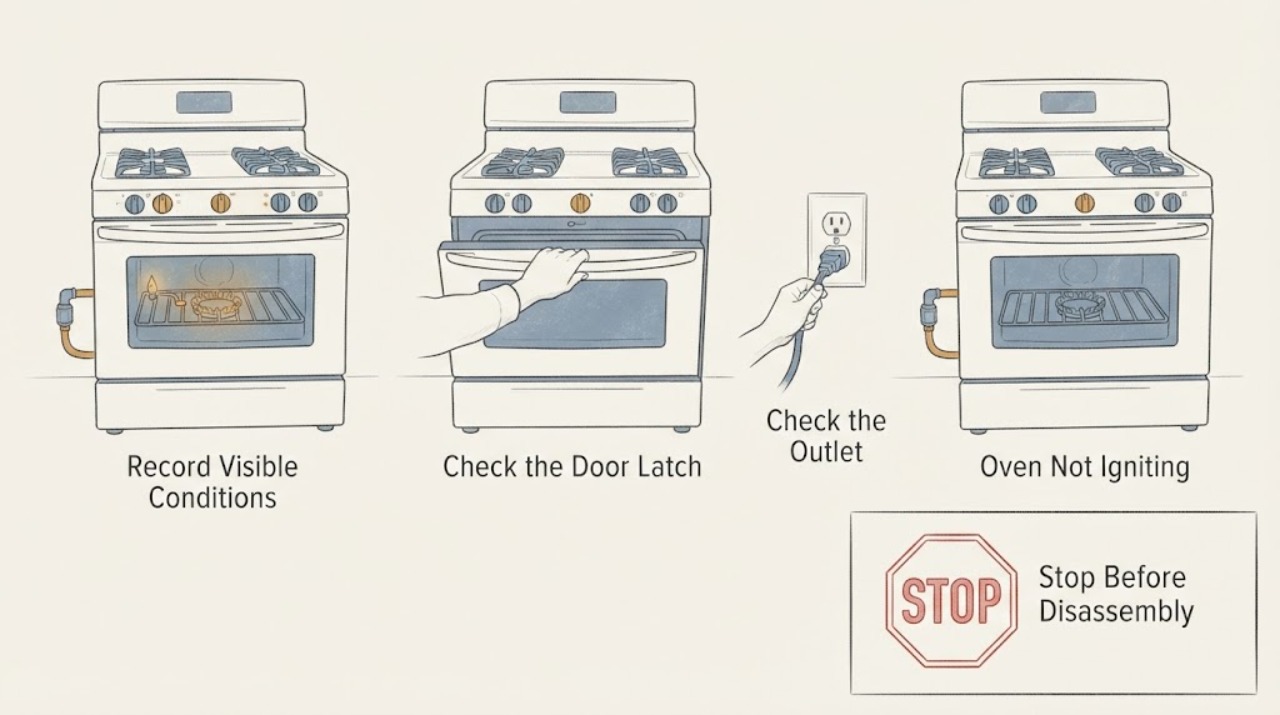
JennAir Oven Not Igniting
First confirm that this is a JennAir gas or dual-fuel oven; an electric oven does not use a gas igniter and needs its own manual. Record the model, selected mode, whether the display and cooktop work, and whether the oven clicks, shows a spark, produces a flame, or stays silent.
-
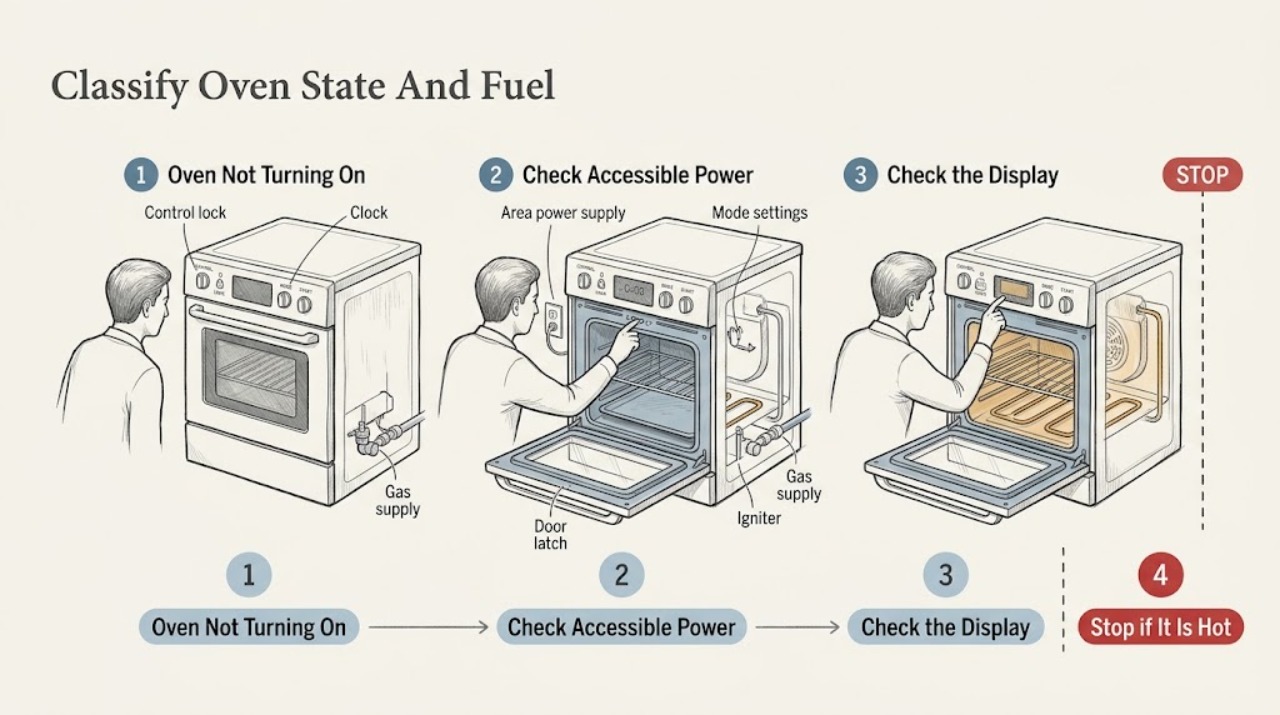
JennAir Oven Not Turning On: Check Power, Lock, Start Settings, and Fuel Type
When a JennAir oven will not turn on, first decide whether the display is dark, the controls are locked, or a cooking mode was selected but never started. Record the exact model and whether it is electric, gas, or dual fuel.
-
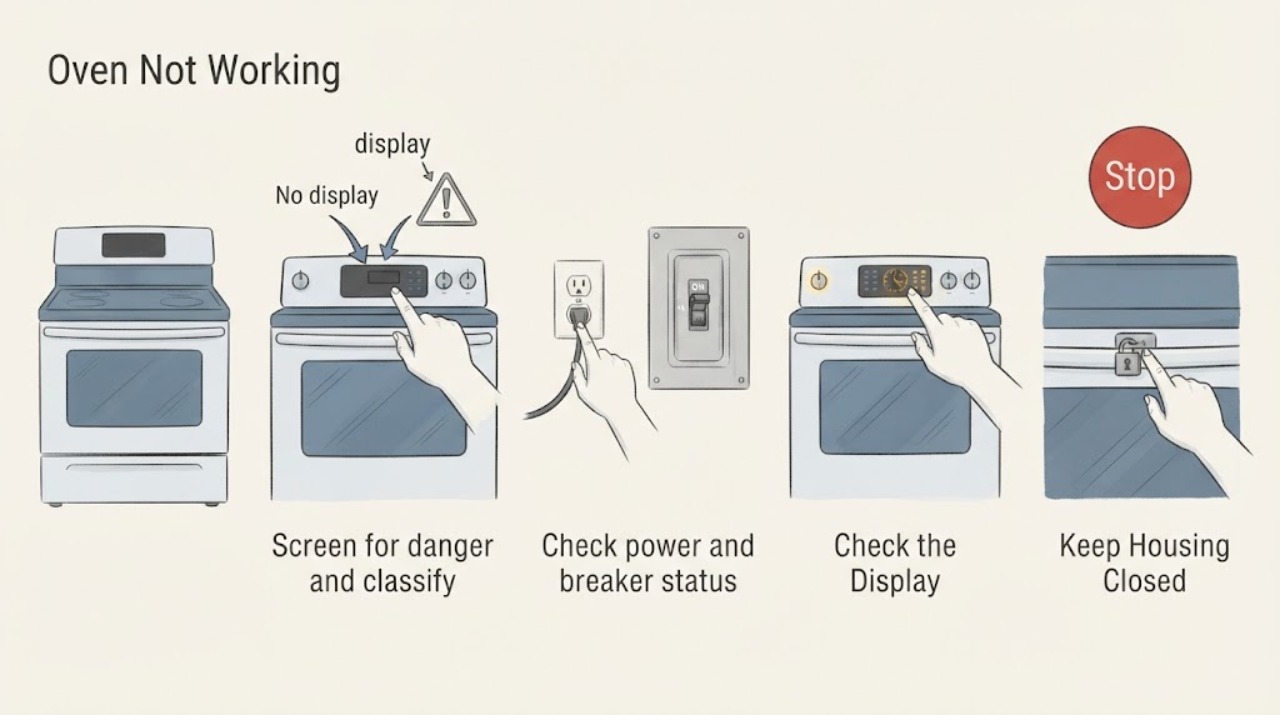
JennAir Oven Not Working: Check Power, Controls, Door, and Heat Safely
Separate a JennAir oven with no display from one that powers on but will not start, one that starts but does not heat, and a gas oven that clicks without a safe flame. Check the model's power and breaker requirements, Control Lock or demo mode, clock and delayed-start state, selected mode and temperature, Start action, and door position.
-
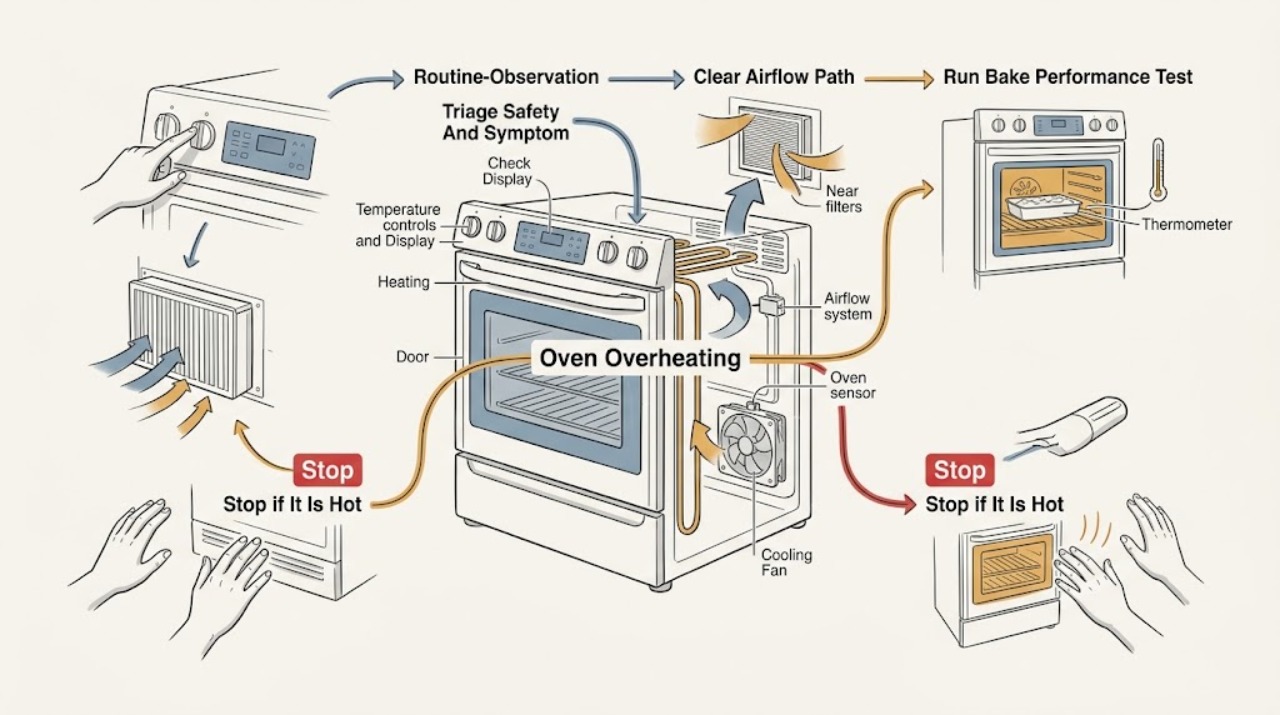
JennAir Oven Overheating: Check the Cycle, Calibration, and Cooling System
First separate normal heat and fan behavior from a true over-temperature fault. Confirm the exact JennAir model, the selected cycle, the target temperature, and whether the display is using Fahrenheit or Celsius.
-
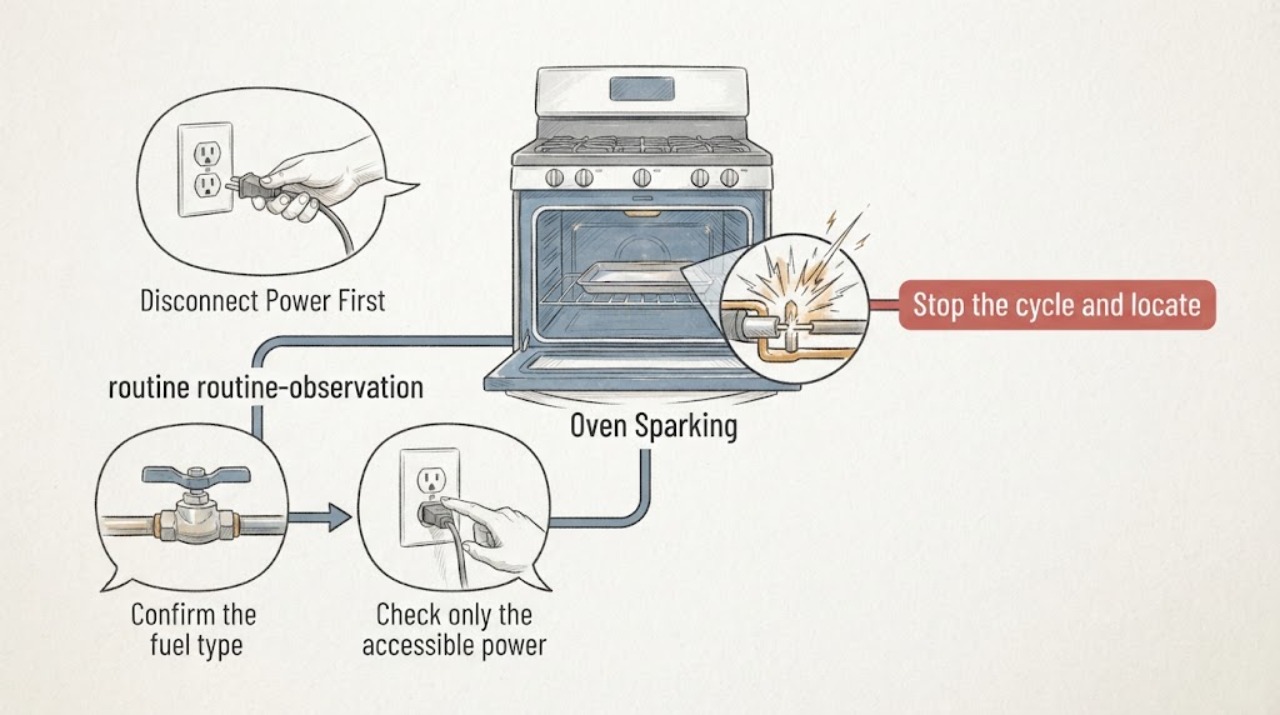
JennAir Oven Sparking: Stop Safely and Separate Ignition from Arcing
Treat a visible spark from a JennAir oven as a stop-use symptom until you know exactly where it came from. A brief ignition spark in the burner area of a gas model can be part of lighting, but it should lead promptly to a safe flame; a spark or blue arc in the cavity, at the control panel, cord, plug, outlet, or behind the appliance is not a normal cooking result.