
On this page
Start here
Quick answer
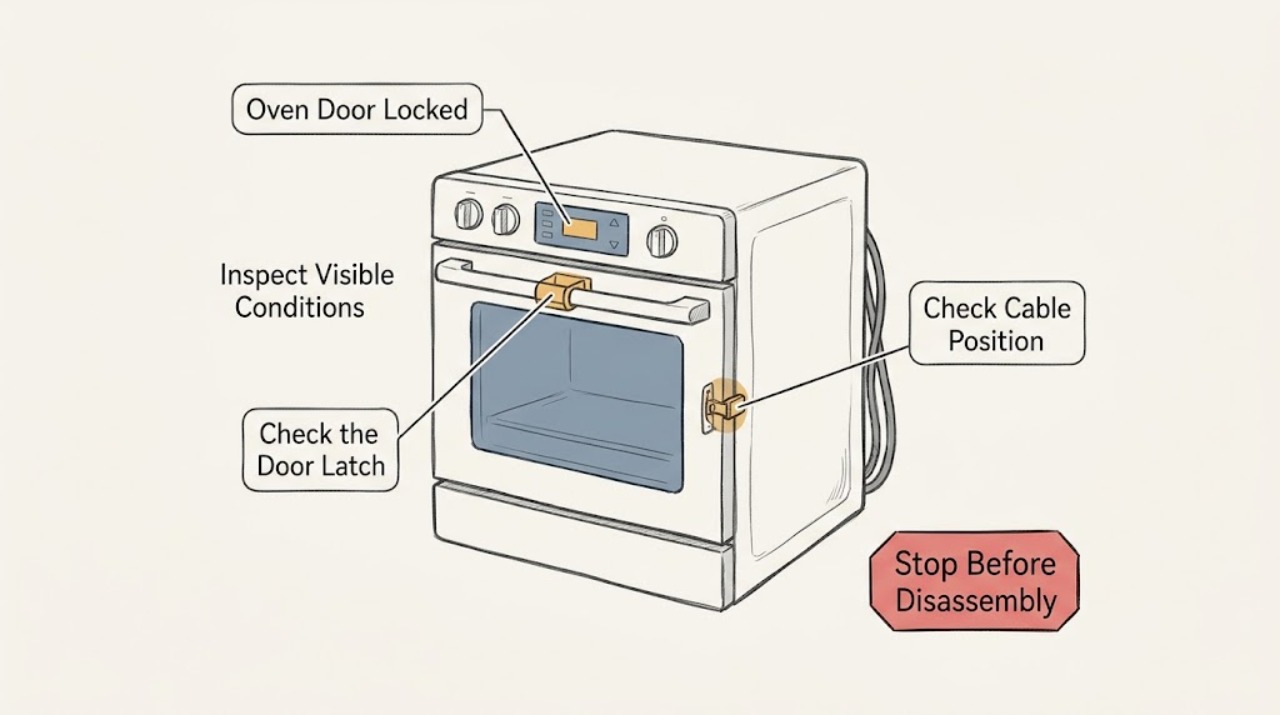
A JennAir oven door can stay locked during self-cleaning until the oven cools, and a control-lock setting can also disable the controls. First press Cancel or Off once and wait for the latch to reset; do not pry or force the door. If a self-clean cycle was interrupted, let the oven cool fully before trying the documented cancel/reset sequence. When the oven is cool and no hazard is present, a one-minute breaker reset is the JennAir support step, followed by a wait to see whether the lock clears. If the display still shows Locked, an exact error code returns, the latch will not move, or there is smoke, a gas odor, sparking, severe heat, or a repeated breaker trip, leave the oven off and arrange qualified service.
Work through in order
Diagnostic checks
Use only checks that match the exact appliance or system and its official guide.
-
Check 1
Stop and look at the oven from a safe position. Note whether there is smoke, flame, a gas odor, sparking, melted material, a damaged cord or glass, severe heat, or a breaker that has tripped again. Do not touch the door or controls if the oven is dangerously hot or visibly damaged.
Expected result: A fire, gas, electrical, heat, or physical-damage warning is present, or none is present.
Next step: For gas odor, leave the area and contact the local gas authority from outside. For smoke, fire, sparking, or electrical damage, keep away and contact emergency or qualified service help; isolate power only if it is dry and safe to reach. Do not re-energize the oven to test it.
Why this matters
Why: A hazard takes priority over unlocking the door. A normal-looking locked display can be investigated only when the oven is stable and cool enough to approach safely.
-
Check 2
Determine whether Self Clean was running, had just ended, was cancelled, or was interrupted by a power failure. If the oven is still hot, leave the door closed and allow the complete cooling period; do not pull on the handle or try to move the latch while the display indicates a hot locked oven.
Expected result: The door remains locked while the oven is hot or while a self-clean message is active, or the oven is cool and the lock remains.
Next step: When cool, press Cancel or Off once and wait 20–30 seconds for the latch reset. If a self-clean cycle was interrupted, follow the model's documented cancel sequence, then continue to the power-reset check if needed.
Why this matters
Why: JennAir high-temperature cleaning intentionally locks the door and keeps it locked until the oven cools. A cool oven that remains locked needs the documented reset and latch checks rather than force.
-
Check 3
Read the display exactly as shown, including Locked, Lock, LOC, or any alphanumeric error code. If LOC or a lock icon is present and the oven is cool, use only the lock/unlock key sequence in the exact JennAir model manual; some applicable models use a five-second hold on START/ENTER.
Expected result: The lock indicator clears and controls respond, the indicator stays on, or an error code returns.
Next step: If the lock clears, test only a normal low-risk operation after confirming the oven is safe. If the indicator or code persists, record the model and code and arrange qualified service instead of trying random key combinations or technician functions.
Why this matters
Why: A control-lock state can intentionally disable the controls and door. A different or recurring code needs model-specific interpretation; it is not evidence for a guessed replacement part.
-
Check 4
With the oven cool and all controls off, inspect the accessible top edge of the door and the upper front frame for an obvious piece of packaging, food, soil, or bakeware that could obstruct closure. Check whether the latch arm looks bent or bowed, but do not bend it back, remove the door, or insert a tool into the lock.
Expected result: An accessible obstruction is present, the latch arm appears bent, the door is misaligned, or the visible area is clear.
Next step: Remove only a loose, visible obstruction after the oven is cool. If the latch or hinge is damaged, or the door still cannot close normally, leave the oven unused and arrange qualified service.
Why this matters
Why: A simple obstruction can prevent the latch from reaching its home position. A bent latch, hinge problem, or damaged door is a mechanical fault that needs service; it should not be corrected by force.
-
Check 5
When the oven is cool, the door is closed, and there is no hazard, switch the dedicated breaker or fuse supply off for one minute and then restore it once. Do not repeat this if the breaker trips, the area is wet, or the oven shows smoke, odor, sparks, or heat damage.
Expected result: The lock clears after the one-minute reset, remains locked, or the breaker trips again.
Next step: After restoring power, wait and monitor the display for about one minute. If the lock remains or the breaker trips again, leave power off and arrange qualified appliance or electrical service; do not bypass the protective device.
Why this matters
Why: A reset can clear a temporary control or interrupted-cycle state. A persistent lock or renewed trip points to a latch, lock motor, control, wiring, or supply issue that cannot be identified safely from the display alone.
-
Check 6
If the lock clears, confirm that the door closes evenly without force and that the gasket is seated and undamaged. Do not start another self-clean cycle merely to prove the latch works; if the door was locked after self-clean, use the oven only after it is fully cool and the display is normal.
Expected result: The door closes and the display is normal, the door will not close or stay closed, or the lock returns as soon as a cycle is selected.
Next step: Use ordinary cooking only if the door and controls operate normally. If the lock returns, the door will not close, or the oven cannot complete a safe cycle, stop using it and provide the exact sequence to qualified service.
Why this matters
Why: A normal door and cleared display support a temporary lock or interrupted-cycle explanation. A returning lock or poor closure keeps the latch, hinge, lock motor, and control in scope.
Use your observations
Decision map
Find the observation that best matches what you see, then follow the next safe action.
-
PATH 01Next step
What you see
The oven is hot or was in Self Clean and the door is locked.
Do this next
Keep the door closed, allow it to cool fully, then use Cancel or Off once and wait. Never force the door during cooling.
Why this path and its safety boundary
Why it matters: The lock is likely an intentional temperature-protection state.
-
PATH 02Next step
What you see
The display shows Locked, Lock, LOC, or a lock icon while the oven is cool.
Do this next
Use the exact model lock sequence once, such as the documented five-second START/ENTER hold on applicable models. If it does not clear, record the display and arrange service.
Why this path and its safety boundary
Why it matters: A control-lock state or a lock-control fault may be preventing operation.
-
PATH 03Next step
What you see
A self-clean cycle was interrupted by a power failure or an accidental start.
Do this next
After cooling, use the model's documented Cancel or Off sequence, wait for the latch reset, and use the one-minute power reset only once if needed.
Why this path and its safety boundary
Why it matters: The oven may retain the self-clean lock until the cycle is cancelled and the cavity cools.
-
PATH 04Next step
What you see
The top frame, latch area, door, rack, or bakeware has an obvious accessible obstruction.
Do this next
With the oven cool and off, remove only the loose visible obstruction. Do not bend the latch or remove the door; use service for damage or misalignment.
Why this path and its safety boundary
Why it matters: Closure or latch alignment may be blocked by a removable object or residue.
-
PATH 05Next step
What you see
The lock remains after cooling, one Cancel or Off attempt, and one safe one-minute power reset.
Do this next
Keep the oven unused, record the exact display and sequence that led to the lock, and arrange qualified JennAir appliance service.
Why this path and its safety boundary
Why it matters: A latch, lock motor, control, wiring, or unresolved model-specific error is likely.
-
PATH 06Next step
What you see
There is gas odor, smoke, fire, sparking, severe heat, melted material, a damaged door or cord, or a breaker trips again.
Do this next
Leave the area for gas odor or fire danger and seek help from a safe location. Do not operate controls, repeatedly reset power, or re-energize the oven; qualified service must assess it.
Why this path and its safety boundary
Why it matters: This is an immediate stop condition, not an unlocking exercise.
Helpful context
Understand the symptom
Identify why the lock is active
The safest first distinction is whether the oven is still hot from a high-temperature self-clean cycle, whether the display shows a control-lock message, or whether the lock remains after a cool, ordinary bake. A self-clean latch is expected to remain engaged until the temperature falls. A control lock can make the door and controls appear unresponsive. If neither condition explains the symptom, record the exact display and stop short of forcing the latch.
Keep the oven safe while it is locked
Do not pry the door, pull the latch arm, defeat the lock switch, or repeatedly cycle power. Keep the oven off if there is smoke, a gas odor, sparking, unusual heat, melted material, or a breaker that trips again. If a cool inspection finds a bent latch arm or a damaged door, leave the appliance unused and have it assessed by qualified service.
Safety boundary
Stop conditions
- Stop immediately for gas odor, smoke, flame, sparking, severe heat, melted material, damaged glass or cord, or a breaker that trips again.
- Do not pry the door, force the handle, pull or bend the latch arm, defeat the door-lock switch, or bypass a breaker or fuse.
- Do not remove the door, open the control area, probe wiring, or perform live electrical or gas work as a household workaround.
- Do not restart Self Clean just to test a latch, and do not repeatedly cycle power when the lock or hazard returns.
Only after diagnosis
Potential parts
- door lock or latch assembly
Only consider this after a qualified diagnosis confirms that the latch or lock mechanism does not return to its normal position after cooling and the documented reset.
Confirm the complete model number and manufacturer fit information before ordering; a locked-door symptom alone does not identify the correct assembly. - door gasket
Only consider this when a qualified inspection finds a damaged or displaced gasket that affects door closure or sealing; a gasket normally does not explain every locked-display condition.
Match the exact model and installation type, and do not use a damaged gasket as a reason to force the door closed. - oven control or user-interface assembly
Only consider this after the latch, temperature state, control-lock setting, and household supply have been checked and a qualified technician confirms a control fault.
Use the exact model and a confirmed diagnosis; do not infer compatibility from the display message alone.
When checks do not resolve it
Need a professional?
Arrange qualified JennAir appliance service when the lock persists after the oven has cooled and one documented reset sequence, the display shows an undocumented or recurring code, the latch or hinge looks bent, the door will not close normally, or the lock returns during a normal cycle. Use an electrician when the dedicated circuit or breaker is implicated. For gas odor, leave the area and contact the local gas authority from outside rather than trying to diagnose the oven.
Have this ready
- The complete JennAir model number and whether the appliance is a wall oven or range
- The exact display text or error code, including capitalization and punctuation
- Whether Self Clean was running, cancelled, completed, or interrupted by a power loss
- Whether the oven was cool when Cancel or Off and the one-minute reset were attempted
- Any obstruction, bent latch, damaged door, smoke, odor, sparking, heat damage, or repeated breaker trip
Common questions
FAQ
Why is my JennAir oven door locked after Self Clean?
The lock is expected while the oven is hot. Keep the door closed until it cools, then press Cancel or Off once and wait for the latch to reset. Do not force the handle or start another cleaning cycle to test it.
What does LOC mean on a JennAir oven or range?
LOC generally indicates the control-lock feature on applicable models. When the oven is cool, use the exact model manual's unlock sequence; a five-second START/ENTER hold is documented for some models. If the message remains, arrange service.
Can I reset a JennAir oven door lock at the breaker?
JennAir support describes switching power off for one minute and restoring it once when the oven is cool and there is no hazard. Do not repeat the reset if the breaker trips, the area is wet, or there is smoke, odor, sparking, or heat damage.
What if the JennAir oven is cool but the door will not unlock?
Record the exact display, try Cancel or Off once, inspect only for a loose visible obstruction, and use one safe one-minute reset if appropriate. A persistent lock can involve the latch, lock motor, control, or wiring, so do not pry the door or open the appliance.
When should I stop trying to unlock the oven?
Stop immediately for gas odor, smoke, fire, sparking, severe heat, melted material, damaged glass or cord, or a breaker that trips again. Leave the appliance off and seek help from a safe location; qualified service should handle the oven.
Read the exact guide
Official sources
- Locked, Lock or Loc - RangeJennAir Product Help · JennAir range control-lock message, disabled controls, model-dependent unlock sequence, and power-reset guidance
- Oven Door Locked - Wall OvenJennAir Product Help · JennAir wall-oven locked-door cooling, manual latch, and power-reset guidance
- Oven Door is Not Closing - Checking the LatchJennAir Product Help · JennAir oven latch-area and bent-latch-arm visual check
- High Temperature Self-Clean Cycle InformationJennAir Product Help · JennAir high-temperature self-clean preparation, ventilation, door locking, and cooling behavior
- Door Not Closing - RangeJennAir Product Help · JennAir range door obstruction, rack, bakeware, food, soil, and closure checks
- Oven is Locked - What to DoJennAir Product Help · JennAir oven locked state, Cancel or Off, cooling, latch reset, interrupted self-clean, and one-minute power reset guidance
- FRONT CONTROL GAS RANGE OWNER'S MANUALJennAir · JennAir gas-range self-clean warnings, door-lock behavior, cooling, and safe operation boundaries
Community feedback
Share a repair observation
Share a plain-text repair observation. Accepted observations are published automatically; this page may take a moment to update.