
On this page
Start here
Quick answer
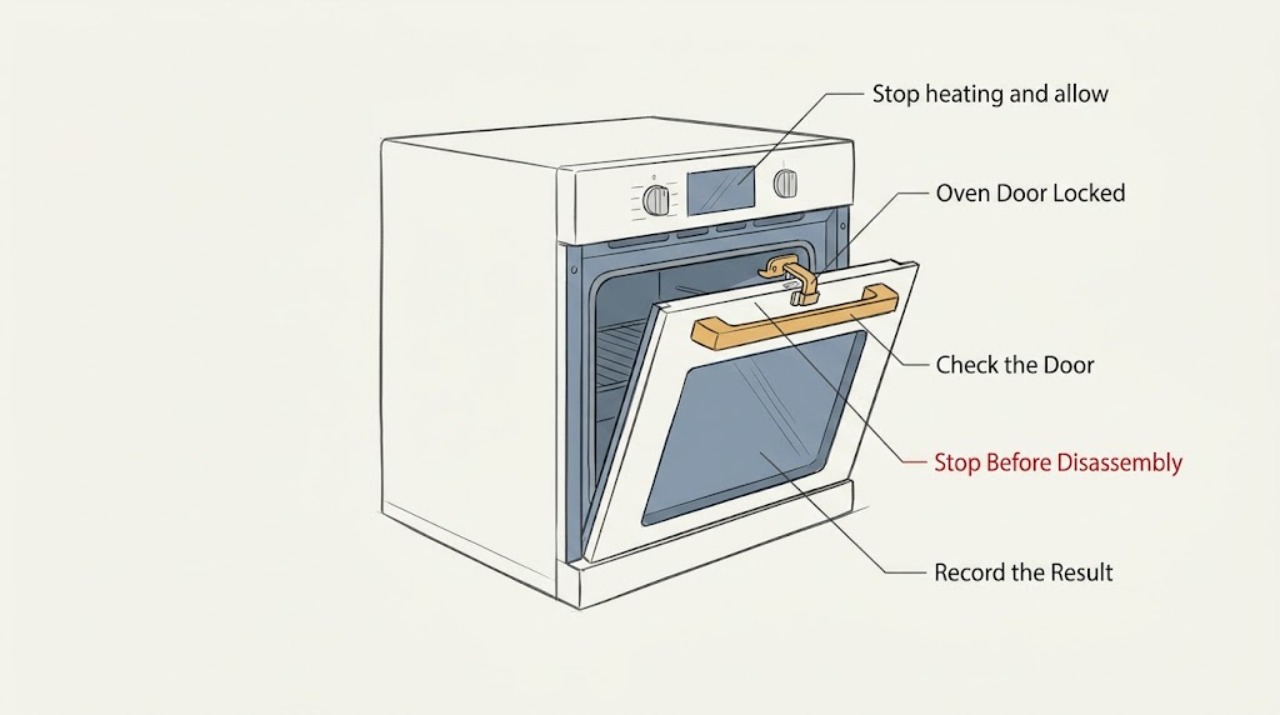
A GE oven door should normally lock only during self-cleaning. Stop the heat, keep the door closed, and let the oven cool completely until the lock indicator goes out. Do not force the handle. If the door was locked during baking, or remains locked after the safe cool-down and a model-appropriate power reset, stop troubleshooting and arrange appliance service.
Work through in order
Diagnostic checks
Use only checks that match the exact appliance or system and its official guide.
-
Identify what locked the door
Look at the control display and lock light without pulling the handle. Note whether Self Clean is active or recently finished, whether the oven was baking or broiling, whether the cavity is still radiating heat, and whether food or utensils are inside.
Expected result: A clean-cycle message or a glowing lock light points to an automatic safety lock; a locked handle after ordinary baking suggests an unexpected latch event; a slid-over handle points to a manual latch.
Next step: Use the matching cool-down path below. If the oven is hot, leave the door closed and do not test the latch yet.
Why this matters
Why: The oven must be handled as hot until the lock indication is off and the cavity has cooled. The presence of food rules out using a new cleaning cycle as a recovery experiment.
-
Stop heating and allow a safe cool-down
Press Clear/Off once, or turn the oven selector and temperature controls to Off on a model that uses knobs. Keep the door closed while the oven cools completely. Wait for the lock light or lock message to clear and for the cavity and handle area to be cool before trying the handle.
Expected result: The lock indicator goes out and the door opens normally after cooling, or the indicator stays on and the door remains locked.
Next step: If the door still will not open after it is fully cool, continue to the latch-specific check. If the lock light is still on because the oven remains hot, wait; never defeat the lock.
Stop if: Stop immediately if there is smoke, a burning odor, sparking, an unusually hot control area, or any sign of an electrical fault; leave the oven off and arrange professional service after the area is safe.
Why this matters
Why: A lock that releases after cooling is usually performing its temperature-protection function. A lock that stays engaged after a complete cool-down may have a stuck latch, control, or temperature-sensing problem.
-
Check the latch type only after cooling
When the oven is fully cool, look at the handle area from the outside. If your model has a mechanical latch handle, move it only in the direction shown in the owner's manual and only with the controls in the required position. If the model has an automatic lock with no user latch, do not insert tools or try to move the lock mechanism.
Expected result: A mechanical handle moves freely to the unlock position and the door opens, or the handle is stuck; an automatic lock remains engaged despite the cool-down.
Next step: If the manual latch does not move with light, model-directed pressure, stop and arrange service. If there is no manual latch, continue with the controlled reset only after confirming the oven is cool and safe.
Why this matters
Why: A correctly positioned mechanical latch can restore normal access. Resistance or an automatic lock that does not release indicates that forcing the mechanism could damage the latch or leave the door unsafe.
-
Try a controlled power reset after cooling
Only after the oven is fully cool, the heat is off, and no food or utensil is at risk, disconnect power at the range or wall-oven circuit breaker for the short interval specified by GE for your model, then restore power. Do not remove panels or touch wiring.
Expected result: The controls restart normally and the latch releases, or the latch remains locked and the controls show a fault or return to the same state.
Next step: If the lock remains engaged, leave the oven off and record the display, lock-light state, and whether the problem followed self-cleaning or baking for the service technician.
Why this matters
Why: A release after the reset suggests the control had not cleared its lock state. A repeat lock, an error, or a latch that never responds points to a control, latch motor, switch, or temperature-sensing fault that is not a safe user repair.
-
Inspect only for an external obstruction
With the oven cool and the door still closed, inspect the visible gasket edge, frame, and latch opening for a utensil, foil, spilled residue, or misalignment that is plainly accessible from outside. Do not pull the gasket, remove trim, insert a tool, or dismantle the latch.
Expected result: A loose obstruction is visible and can be removed without force, or nothing visible explains the locked state.
Next step: After removing only a loose, cool obstruction, test the door gently once. If the door remains locked or any part is damaged, stop and use the service path.
Why this matters
Why: A visible obstruction can prevent the latch from reaching its release position. No visible cause, a damaged gasket or frame, or a latch that binds requires inspection by a qualified technician.
Use your observations
Decision map
Find the observation that best matches what you see, then follow the next safe action.
-
PATH 01Next step
What you see
The oven is in or has just completed Self Clean and the lock light is on.
Do this next
Keep the door closed, press Clear/Off if the model calls for it, and wait for the oven to cool and the lock indication to clear. Do not force the latch or start another cleaning cycle while food or utensils are inside.
-
PATH 02Next step
What you see
The door locked during baking or broiling.
Do this next
Press Clear/Off, leave the door closed until it reaches room temperature, and then try the handle gently. If it does not release, stop and arrange service rather than continuing to heat the oven.
-
PATH 03Next step
What you see
The oven is cool, but an automatic lock remains engaged after the power reset.
Do this next
Leave power and heat off, record the model and display behavior, and request service for the latch, control, or temperature-sensing circuit.
-
PATH 04Next step
What you see
A mechanical latch handle is stuck after the oven is cool.
Do this next
Do not force or pry it. Confirm the controls are in the model-required position once, then stop and request service if the handle still will not move.
-
PATH 05Next step
What you see
There is smoke, a burning smell, sparking, exposed wiring, or a hot electrical control area.
Do this next
Stop using the oven, keep the door closed if it is hot, and disconnect power only if it can be done without approaching a hazard. Seek qualified appliance service; if there is an active fire or gas odor, leave the area and use the appropriate emergency response.
Helpful context
Understand the symptom
Why a GE oven door can stay locked
Self-cleaning uses a high-temperature cycle, so the lock is designed to remain engaged while the cavity cools. A manual latch can also be left in the locked position, while an automatic latch can engage unexpectedly during baking if the control or latch circuit misbehaves. The correct next step depends on whether the oven is still hot, whether food is inside, and whether the lock is manual or automatic.
Before touching the latch
Treat a glowing lock light, heat escaping from the cavity, smoke, or a burning smell as a reason to keep the door closed and stop. Keep children away from the range. Do not pry the door, pull hard on the handle, remove the door, or reach through a partly opened door while the oven may be hot.
Only after diagnosis
Potential parts
- door latch or lock assembly
Consider this only if the oven is fully cool, the controls and power reset do not release the door, and service diagnosis confirms that the latch mechanism is binding or not moving.
Confirm the exact oven model and the manufacturer's fit information before ordering; a similar-looking latch is not evidence of compatibility. - lock switch or latch motor
Consider this only after a technician confirms that an automatic lock receives the correct control signal but does not release or report its position correctly.
Use the complete model identification and qualified diagnosis to select a replacement; do not infer fit from the brand alone. - oven temperature sensor or control
Consider this only when the lock state is inconsistent with the actual temperature or a qualified diagnosis identifies a sensing or control fault.
Verify the model-specific part and repair procedure before any replacement; electrical testing and access may require a qualified technician.
When checks do not resolve it
Need a professional?
Request qualified GE appliance service when the lock remains engaged after a complete cool-down and one model-appropriate reset, when a manual latch resists light model-directed movement, when the door locked during normal cooking and will not release, or when the display, latch, gasket, frame, or wiring appears damaged. Provide the model number, the last cycle used, whether food is trapped inside, and the lock-light or error-display state.
Common questions
FAQ
Why is my GE oven door locked when I was only baking?
The automatic self-clean lock may have engaged unexpectedly, or a manual latch may have been moved. Press Clear/Off, keep the door closed until the oven is fully cool, and request service if the latch does not release.
Can I force open a locked GE oven door?
No. Forcing the handle or inserting a tool can damage the latch and expose you to heat. Wait for the lock indication to clear and use only the model-directed steps; arrange service if it remains locked.
What should I do if food is inside the locked oven?
Leave the door closed and let the oven cool completely. Do not start a new self-clean cycle as a shortcut when food or utensils are inside. If the door still will not open after cooling, request service.
Will turning off the breaker unlock a GE oven door?
A brief power reset can clear an automatic latch on some electronic models, but it should be attempted only after the oven is fully cool and the heat is off. If the door stays locked, leave the oven off and arrange qualified service.
How long should I wait after self-cleaning?
Wait until the oven is fully cool and the lock light or message has cleared; the time varies by model and conditions. Do not use a clock alone as permission to force the latch.
Read the exact guide
Official sources
- Range & Wall Oven - Explanation of Self-Clean Oven Cool DownGE Appliances · GE range and wall-oven self-clean cool-down behavior
- Range & Wall Oven - Oven Door Locked During BakingGE Appliances · GE range and wall-oven doors that lock during a bake cycle
- Oven Lock Light Operation During Self-CleanGE Appliances · GE oven lock-light behavior during self-cleaning and high-temperature operation
- Range & Wall Oven - Locking the Oven Door for Self CleanGE Appliances · GE range and wall-oven mechanical and automatic self-clean door locks
- Range - Oven Door Won't UnlockGE Appliances · GE ranges and wall ovens with a door that remains locked
- Oven Door Will Not Unlock After CleaningGE Appliances · GE oven doors that remain locked after a self-clean cycle
Community feedback
Share a repair observation
Share a plain-text repair observation. Accepted observations are published automatically; this page may take a moment to update.