
On this page
Start here
Quick answer
Do not force a KitchenAid oven door. First determine whether Self-Clean is running or recently stopped, whether the oven is still hot, whether the display says Locked/LOC or shows another code, and whether a power interruption occurred. During Self-Clean, Cancel/Off may begin the safe release sequence, but the door remains locked until the oven cools; KitchenAid says it may need to reach about 200°F and, on some manual-latch models, cool for roughly 30–90 minutes. If the manual permits it and there is no hazard, press Cancel/Off once and wait, then use the model's documented latch procedure. A single one-minute breaker or fuse reset is an option only when the area is dry and there is no gas odor, smoke, burning smell, damaged wiring, or uncontrolled heat. Do not pry the door, bypass the latch, remove glass, or reach into a hot cavity. If the latch stays stuck at room temperature, the door or glass is damaged, heating continues, a code returns, or any gas, smoke, burning odor, spark, or electrical warning appears, keep the oven off and arrange qualified or emergency help.
Work through in order
Diagnostic checks
Use only checks that match the exact appliance or system and its official guide.
-
Check 1
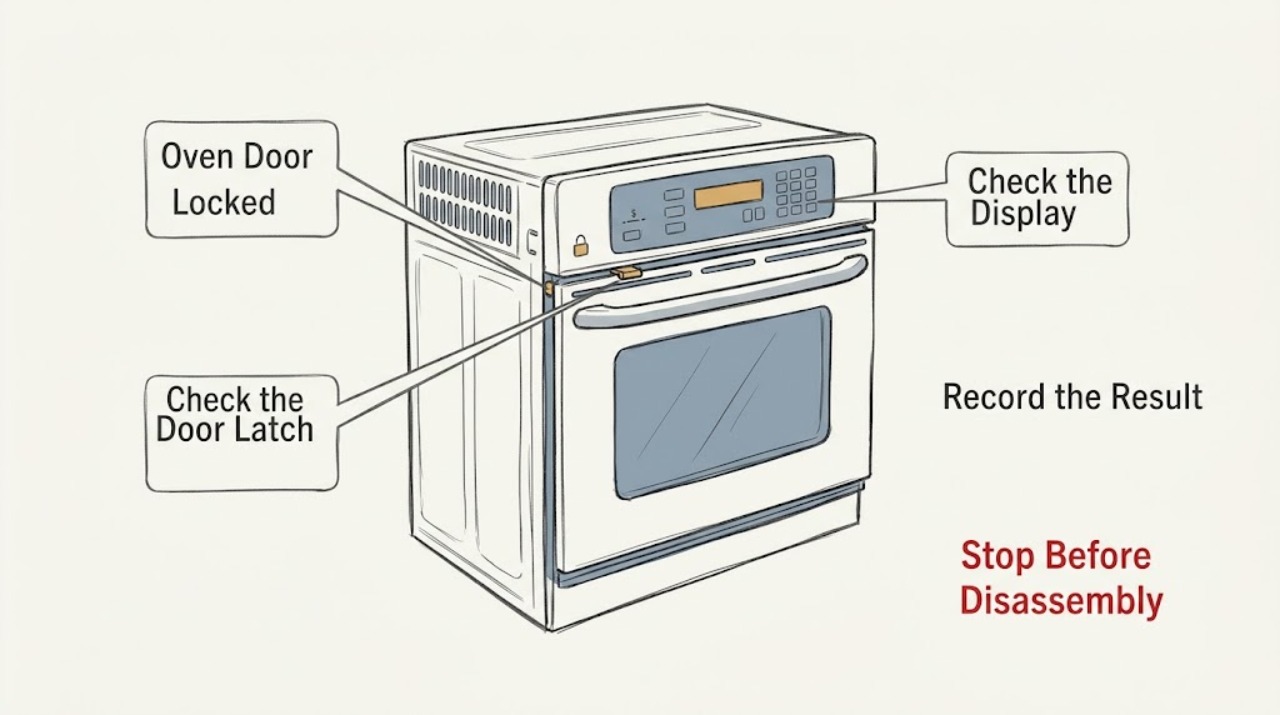
Record the model number, display text or code, whether Self-Clean or another high-temperature cycle was selected, when the door became locked, whether the cavity or door glass is still hot, and whether power was interrupted. Do not pull on the handle or insert a tool into the latch.
Expected result: A lock during or just after Self-Clean is commonly a heat-protection state. LOC/Lock/Locked with a cool oven can be Control Lock. A latch stuck at room temperature, a code that returns, or a physically distorted door supports a mechanical or control fault.
Next step: Continue with the cool-down and display-state checks only if there is no gas odor, smoke, burning smell, spark, water, or uncontrolled heat.
Why this matters
Why: The same locked-door symptom has different safe next steps depending on heat, cycle, control state, power event, and model.
-
Check 2
If Self-Clean is active or was started accidentally, press Cancel/Off once using the external control and keep the door closed. Wait for the oven to cool; use the model manual's temperature or cool-down guidance. Never try to open the door while it is hot.
Expected result: The lock may release after the cycle is cancelled and the cavity cools. KitchenAid states that the door may remain locked until approximately 200°F and that some manual-latch models require roughly 30–90 minutes of cooling.
Next step: After the oven is cool, use only the model-approved latch movement if applicable. If the lock remains at room temperature, stop and arrange service.
Why this matters
Why: A hot-door lock is a designed safety state, not evidence that the latch should be forced or that the oven should be dismantled.
-
Check 3
If the cavity is cool, inspect the display for LOC, Lock, Locked, Sabbath, a flashing clock, PF, or another exact code. Check the owner manual for the model's Control Lock and power-failure procedures; do not guess a key combination or treat a control lock as permission to pull the door.
Expected result: LOC/Lock/Locked supports a Control Lock state. PF or a flashing time supports a power interruption. Sabbath or another mode may alter controls. A code that does not clear using the exact manual procedure indicates a control or latch fault.
Next step: Follow the model manual once for the identified control state. If the code returns, the panel is erratic, or the latch still does not release, leave the oven off and request service.
Why this matters
Why: KitchenAid's code meanings and unlock sequences vary by model, and a display lock can coexist with a separate mechanical latch condition.
-
Check 4
From a dry, safe position and only when there is no gas odor, smoke, burning smell, water, or electrical damage, inspect the visible door gap, gasket, latch arm, and frame for a utensil, rack, or debris preventing closure. Do not remove the door, glass, gasket, or latch assembly and do not move a range to inspect its rear.
Expected result: An accessible obstruction or visibly misaligned closure can explain a latch that will not engage or release. Bent hardware, cracked glass, a loose gasket, or a latch that cannot move after cooling requires service.
Next step: Remove only a clearly visible cool obstruction without forcing the door. Stop and arrange qualified service for damage, resistance, or an unresolved latch position.
Why this matters
Why: The door and latch are safety-related. A visual check can identify a clear external obstruction but cannot prove the condition of the switch, wiring, lock motor, or hinge.
-
Check 5
If the oven is cool and the installation is dry and undamaged, use the documented one-minute power reset: turn the breaker or fuse off for one minute, restore it, and observe the display and latch once. Do not reset during smoke, gas odor, water contact, uncontrolled heating, or a recurring breaker trip.
Expected result: A transient control interruption may clear and release the latch. A door that remains locked, a code that returns, or a breaker that trips again indicates a persistent control, latch, wiring, or supply problem.
Next step: Do not repeat the reset. Keep the oven off and provide the model, display state, cycle, temperature history, and reset result to qualified service.
Why this matters
Why: KitchenAid describes a one-minute power cycle as a limited reset, not a way to defeat a hot lock or avoid service for a failed safety circuit.
-
Check 6
Before any further use, classify stop conditions: door or glass damage, latch stuck at room temperature, continuous heating, high or abnormal heat, gas odor, delayed ignition, abnormal flame, smoke, burning or electrical smell, sparks, arcing, water near electrics, or a repeated breaker trip. Do not pry, bypass, relight, or run a test cycle.
Expected result: Any listed condition overrides the normal cool-down or Control Lock path. A door that releases after cooling and a documented reset may be monitored, but a returning lock or code still requires service.
Next step: For suspected gas, avoid switches, phones, and flames near the odor, leave, and contact emergency help from safety. For smoke, arcing, water, or electrical damage, isolate power only if safely reachable and obtain emergency or qualified help.
Why this matters
Why: The latch protects against heat and access to a live or gas-heated cavity; defeating it can expose a person to burns, fire, gas, or electrical injury.
Use your observations
Decision map
Find the observation that best matches what you see, then follow the next safe action.
-
PATH 01Next step
What you see
The door locked during or immediately after Self-Clean, the cavity is still hot, and there is no smoke, gas odor, or electrical hazard.
Do this next
Press Cancel/Off once if the model procedure permits it, keep the door closed, and wait for the oven to cool to the model's release condition. Never force the latch.
-
PATH 02Next step
What you see
The cavity is cool and the display shows LOC, Lock, or Locked without physical door damage.
Do this next
Use the exact model manual to clear Control Lock. If the mechanical door remains locked or the indicator returns, arrange service.
-
PATH 03Next step
What you see
Power was interrupted during Self-Clean or another cycle and the door remains locked after cooling.
Do this next
Follow the model manual's cancel or restart sequence, then use at most one dry, safe one-minute power reset. If the latch remains stuck, stop and request service.
-
PATH 04Next step
What you see
The door or glass is cracked, the latch arm is bent or stuck at room temperature, the door will not align, or an obstruction cannot be removed without force.
Do this next
Keep the oven off and arrange qualified appliance service. Do not remove the door, bypass the latch, or operate the oven with damaged glass or hardware.
-
PATH 05Next step
What you see
The latch does not release after cool-down and one documented reset, or a code returns.
Do this next
Leave the oven off and provide the model number, code, cycle, temperature history, power event, and reset result to qualified service for the latch, switch, wiring, or control.
-
PATH 06Next step
What you see
There is gas odor, delayed ignition, abnormal flame, smoke, burning or electrical smell, sparks, arcing, uncontrolled heat, water near electrics, or a repeated breaker trip.
Do this next
Stop immediately. For suspected gas, do not operate switches, phones, or flames nearby; leave and contact emergency help from a safe location. For smoke, fire, arcing, water, or electrical damage, isolate power only if safely reachable and obtain emergency or qualified help.
Helpful context
Understand the symptom
A locked door can be normal while the oven is hot
KitchenAid ovens can lock during Self-Clean to protect against a hot cavity. The lock should not be treated like a stuck cabinet latch: cancel the cycle using the model controls and allow the oven to cool. A door that remains locked at room temperature, a latch that is stuck between positions, or a door that is bent or damaged needs service.
Control Lock is different from the heat lock
LOC, Lock, or Locked on the display may refer to Control Lock, which prevents control input. It does not by itself prove that the mechanical door latch is safe to move. Use the exact manual for the model and do not force a latch or bypass a control or door switch.
Safety overrides every reset
Do not reset or relight a gas oven when gas is smelled. Smoke,焦味, sparks, arcing, a damaged cord, water near electrics, continuous heating, or a door or glass that is physically damaged is a stop condition. Keep people away and obtain qualified or emergency help.
When checks do not resolve it
Need a professional?
Arrange qualified service when the latch remains locked at room temperature, a code returns, the door or glass is damaged, or the lock does not release after the exact model procedure and one safe reset., Keep the oven off for continuous heating, abnormal heat, a damaged latch or gasket, a breaker that trips again, water near electrical parts, smoke, burning or electrical odor, sparks, or arcing., Do not pry the door, remove door glass or panels, bypass the latch or door switch, reach into a hot cavity, or restart a gas oven to test it., For gas odor or suspected gas leak, avoid switches, phones, and flames near the odor, leave immediately, and contact emergency help from a safe location.
Common questions
FAQ
Why is my KitchenAid oven door locked after Self-Clean?
The lock can be normal while the cavity is hot. Press Cancel/Off once if the model procedure allows it and wait for cooling; KitchenAid says the door may not open until about 200°F. Do not force it.
How long should I wait for the KitchenAid oven door to unlock?
The time depends on the cycle and model. KitchenAid describes approximately 30–90 minutes for some manual-latch models and says the oven may need to cool to about 200°F. Use the owner manual and do not pry the door.
What does LOC or Locked mean on a KitchenAid oven?
It may indicate Control Lock, which prevents control input. Check the exact owner manual for the unlock sequence; a display lock does not justify forcing a mechanically locked door.
Can I reset the breaker to unlock the oven?
Only when the oven is cool, dry, undamaged, and free of gas odor, smoke, burning smell, sparks, or uncontrolled heat, and only once as the model procedure permits. A returning lock or code needs service.
What if the KitchenAid oven door is still locked when it is cool?
Do not pry it or bypass the latch. Check for a visible obstruction without force, then arrange qualified service for a stuck latch, door switch, hinge, wiring, or control.
What should I do if I smell gas while the oven door is locked?
Do not operate switches, phones, or flames near the odor. Leave immediately and contact emergency help from a safe location. Do not return to open, relight, or test the oven until professionals clear it.
Read the exact guide
Official sources
- Oven is Locked - What to DoKitchenAid Product Help · KitchenAid oven door lock, Self-Clean cool-down, Cancel/Off, manual latch, and one-minute power reset guidance
- Oven Not Heating - Powering On - ElectricKitchenAid Product Help · KitchenAid model-dependent door, Control Lock, Demo Mode, Delayed Start, and owner-manual control guidance
- Error Codes for Cooking AppliancesKitchenAid Product Help · KitchenAid oven display codes including Control Lock, Sabbath, power failure, and limited reset guidance
- Oven Door is Not Closing - Checking the LatchKitchenAid Product Help · KitchenAid visible latch alignment and model-manual guidance for door closure
- Recognizing and Responding to Pipeline EmergenciesU.S. Department of Transportation, Pipeline and Hazardous Materials Safety Administration · Natural-gas odor emergency response and evacuation precautions
- Odors or SmellsKitchenAid Product Help · KitchenAid gas-appliance odor, flame, and emergency stop guidance
- Door Locked - RangeKitchenAid Product Help · KitchenAid range door lock, Self-Clean interruption, cool-down, manual latch, and reset guidance
Community feedback
Share a repair observation
Share a plain-text repair observation. Accepted observations are published automatically; this page may take a moment to update.