
On this page
Start here
Quick answer
Do not guess what a JennAir oven error means from the letters alone. Record the exact display, model number, fuel type (electric, gas, or dual fuel), oven cavity, and stage when it appeared. JennAir’s official chart shows that even similar-looking displays can have different meanings: F9 or F9 E0 may relate to the electrical connection, PF can indicate a power failure, and SAB or Sab can indicate Sabbath Mode, but applicability and controls vary by model. Check the exact owner manual, the door lock and temperature or probe state, and visible fan or control behavior. A single model-appropriate power reset may clear a transient code; if it returns, the oven will not stop heating, the door remains locked unexpectedly, a fan code recurs, or there is gas odor, smoke, sparking, overheating, or a breaker trip, stop using the oven and arrange qualified service.
Before you begin
Safety first
- Only exact-model documentation and ordinary external observations are described. Do not open panels, test live circuits, measure gas components, bypass door locks, defeat thermal protection, or enter technician diagnostics.
Work through in order
Diagnostic checks
Use only checks that match the exact appliance or system and its official guide.
-
Check 1
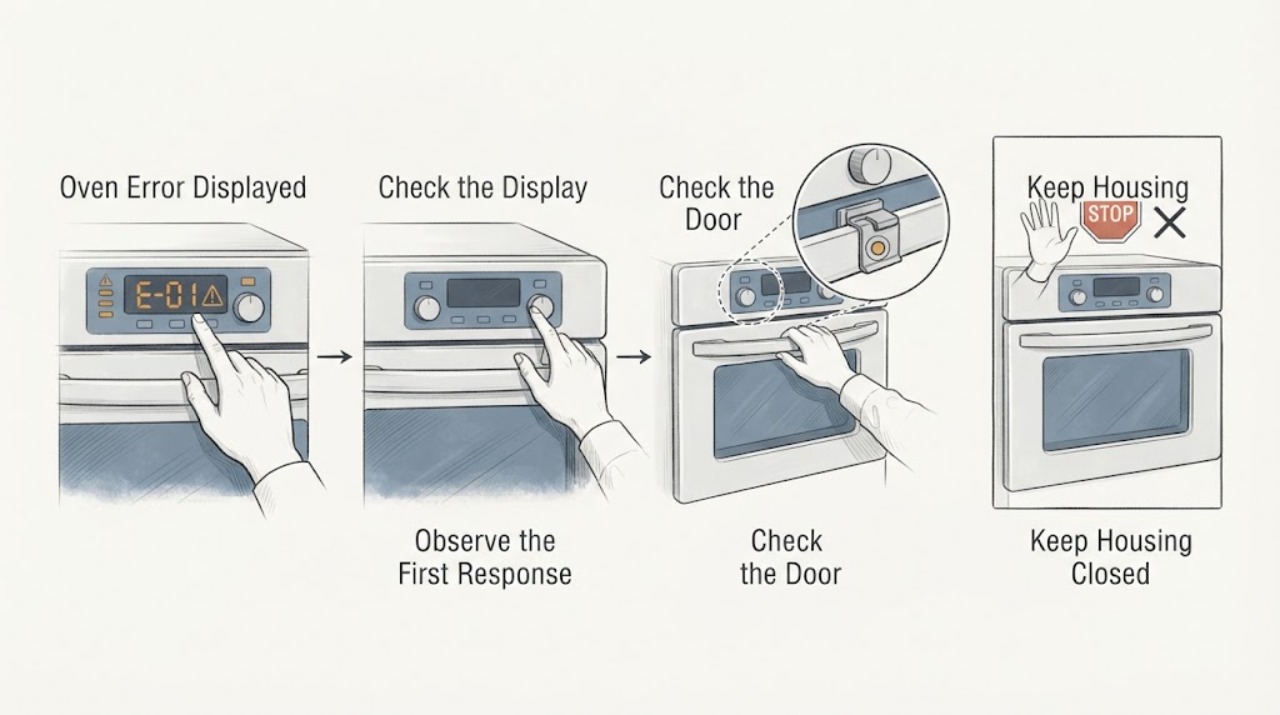
Without opening the door or touching a hot surface, photograph or transcribe the complete display exactly as it appears, including alternating messages. Record the full JennAir model number, electric/gas/dual-fuel type, upper or lower cavity, selected function, set temperature, and stage when the display appeared.
Expected result: The display may be F# E#, E# F#, PF, SAB/Sab, LOC/Lock, a temperature or probe message, a fan-related message, or an unfamiliar code; the oven may be heating, cooling, idle, or locked.
Next step: Keep the record and use the exact owner manual or JennAir support path. If smoke, gas odor, sparks, abnormal heat, or an oven that cannot be stopped is present, use the immediate safety branch instead of testing the code.
Stop if: Stop immediately for gas odor, smoke, sparks, visible flame outside normal operation, severe heat, damaged controls, or a breaker trip.
Why this matters
Why: JennAir’s official chart uses display-specific meanings and warns that code formats can vary. Without the exact model and stage, a code cannot be safely mapped to a component or fuel system.
-
Check 2
Compare the recorded code and stage with the owner manual for that exact JennAir model and fuel type. Use JennAir’s general chart only as a prompt to verify the manual: F9/F9 E0 is associated with electrical connection or supply concerns, PF with power failure, and SAB/Sab with Sabbath Mode in the opened chart. Do not generalize one model’s F-code to another.
Expected result: The exact manual may identify a user-clearable state such as a power-loss display or mode indicator, or it may direct service for a control, sensor, door, fan, or wiring condition.
Next step: Follow only the manual’s ordinary user step. For an electrical-supply code or recent installation concern, stop and use a qualified electrician or appliance technician as directed. For a code that names a control, sensor, lock, or fan fault, arrange service after the safety checks.
Stop if: Do not continue if the manual calls for panel access, live testing, gas work, lock bypass, or a condition that includes smoke, gas odor, heat, sparks, or a repeated trip.
Why this matters
Why: A matching model-specific instruction changes the safe next step; an unlisted, contradictory, or recurring code is not safely resolved by guessing a part or pressing random keys.
-
Check 3
When the oven is cool enough to approach safely, inspect the door and latch area for visible obstruction or misalignment, and note any Lock, LOC, probe, or temperature indication. If a probe is in use, confirm only the external plug and placement described by the exact manual; do not force a locked door or remove trim.
Expected result: The lock may be expected during self-clean or residual heat, the door may be latched normally, a probe message may be present, or the lock may remain engaged during an ordinary bake or idle state.
Next step: Follow the exact manual’s cooldown and unlock procedure; never force the door. If the lock or temperature/probe indication remains abnormal, keep the oven out of service and provide the code and stage to qualified service.
Stop if: Stop if the door is hot, warped, blocked, mechanically damaged, or remains locked while smoke, gas odor, overheating, or electrical symptoms are present.
Why this matters
Why: A normal self-clean or cooldown lock can explain a locked door. A lock that does not match the selected function, a damaged latch, or a temperature/probe indication that returns after the documented check points to a door, sensor, or control issue.
-
Check 4
From outside the appliance, determine what remains active after Cancel or the documented cycle end: only a cooling or convection fan, the heating elements or burner, the display and controls, or a door-lock motor. Note whether the fan is running after a hot cycle and whether the oven cavity is still heating; do not reach inside or remove panels.
Expected result: JennAir says a cooling fan can run for several minutes after a cycle and a convection fan can cycle during cooking. A fan-only cooldown differs from continued heating, an abnormal metal-on-metal fan sound, or controls that do not respond.
Next step: If behavior matches the manual’s fan or cooldown description, allow it to finish. If heat continues unexpectedly or the status is not documented, stop use, isolate power only by a safe external method, and arrange service.
Stop if: Stop at once for smoke, burning odor, gas odor, sparks, arcing, severe heat, abnormal rubbing, or a breaker trip.
Why this matters
Why: A normal cooling-fan phase can be expected. Continued heat, a fan fault message, an abnormal fan sound, or a control that ignores Cancel indicates a service boundary involving the fan, sensor, relay, control, wiring, or another model-specific system.
-
Check 5
Only if the oven is cool, free of hazard signs, and the exact JennAir guidance allows a reset, turn the appliance circuit breaker or fuse off for one minute, restore power, and monitor the display for one minute. Do this once; do not repeatedly cycle a breaker or use a reset to conceal a safety fault.
Expected result: The code may clear and normal controls may return, the same code may return immediately, or the oven may show a different control, temperature, lock, or fan condition.
Next step: If the code returns, record the exact recurrence and leave the oven out of service for qualified diagnosis. If the code clears, verify only the normal operation allowed by the model manual and stop if any abnormal symptom returns.
Stop if: Do not restore power if the appliance, wiring, outlet, gas connection, or surrounding area is wet, damaged, hot, smoky, or affected by a continuing gas odor or repeated trip.
Why this matters
Why: JennAir documents this one-minute power reset for some error codes, but recurrence indicates the underlying control, wiring, sensor, fan, door, or supply issue remains. A reset does not prove that a gas or heating fault is safe.
Use your observations
Decision map
Find the observation that best matches what you see, then follow the next safe action.
-
PATH 01Safety boundary
What you see
Gas odor, smoke, sparks, arcing, visible flame outside normal burner operation, severe overheating, damaged wiring, or repeated breaker trips is present.
Do this next
Stop using the oven. If safe, isolate power without touching wet or damaged components. For gas odor, do not operate switches or create an ignition source; leave the area and contact the appropriate emergency or gas authority from a safe location. Obtain qualified appliance or electrical service.
Why this path and its safety boundary
Why it matters: This is a safety event and not an ordinary display-code clearing problem.
Safety stop: Do not re-energize, relight, reset repeatedly, or open the appliance until the hazard is assessed.
-
PATH 02Safety boundary
What you see
The exact display is PF or a documented F9/F9 E0 supply-related code, and no hazard is present.
Do this next
Record the code, check only the external supply condition permitted by the manual, and use a qualified electrician for suspected miswiring, installation, or recurring breaker concerns. A single documented power reset may be attempted only when safe.
Why this path and its safety boundary
Why it matters: JennAir associates PF with a power failure and F9/F9 E0 with possible electrical connection or supply conditions in its general chart, but the exact manual and installation context control.
Safety stop: Stop if the code returns, the supply is hot or damaged, or protection trips again.
-
PATH 03Safety boundary
What you see
The exact manual confirms SAB/Sab, LOC/Lock, or a lock state caused by Sabbath Mode, Control Lock, self-clean, or residual heat.
Do this next
Use only the exact model manual’s entry, exit, cooldown, or unlock procedure. Do not force the door or disconnect power while a hot self-clean state is active unless the manual or a safety professional directs it.
Why this path and its safety boundary
Why it matters: The display may describe an intentional mode or safety lock rather than a failed component.
Safety stop: Escalate if the mode cannot be exited as documented, the door remains locked after safe cooldown, or heat or smoke continues.
-
PATH 04Safety boundary
What you see
The exact model manual links the display to a temperature sensor, probe, cavity temperature, or related sensing condition.
Do this next
Check only the external probe connection or placement described by the manual. If the indication persists or heating is abnormal, leave the oven off and arrange qualified service.
Why this path and its safety boundary
Why it matters: A sensor or probe indication can affect control of heating and cannot be safely diagnosed by guessing resistance values or touching live wiring.
Safety stop: Stop for overheating, smoke, gas odor, sparks, a locked door, or a display that returns after the manual’s safe check.
-
PATH 05Safety boundary
What you see
Only a cooling or convection fan is heard after a cycle and the behavior matches the exact manual, with no continuing heat or hazard.
Do this next
Allow the documented cooling phase to finish. If the fan makes a rubbing or metal-on-metal sound, a fan message appears, or it runs in a way the manual does not describe, stop use and arrange service.
Why this path and its safety boundary
Why it matters: JennAir describes post-cycle cooling-fan operation and convection-fan cycling during cooking as normal on applicable models.
Safety stop: Do not continue if the cavity continues heating, the cabinet becomes abnormally hot, or smoke, odor, sparks, or a trip occurs.
-
PATH 06Safety boundary
What you see
The code is not listed for the exact model, the stage or fuel type is uncertain, or the code returns after one documented reset.
Do this next
Keep the oven out of service and provide the exact display, model, fuel type, cavity, stage, temperature, lock state, fan behavior, and reset result to qualified service.
Why this path and its safety boundary
Why it matters: The display cannot be safely resolved from a generic chart; a control, wiring, fan, sensor, door, heating, or supply fault remains possible.
Safety stop: Do not guess a code meaning, bypass a lock, enter technician diagnostics, or repeatedly reset power.
Helpful context
Understand the symptom
The display is evidence, not a diagnosis
Photograph or transcribe every character, spacing, decimal, and alternating message before pressing Cancel. Record the model, fuel type, cavity, selected function, temperature setting, whether the oven was preheating, baking, broiling, cleaning, or cooling, and whether the door was locked. The same letter or number can have model-specific meanings, so do not apply a code table from another JennAir oven.
Separate a fan or lock state from an active fault
A cooling fan may continue after a cooking cycle to cool the cavity and electronics, and a convection fan can cycle during cooking. That sound alone is not an error. Conversely, continued heating, a door that stays locked outside an expected self-clean cooldown, or a control that ignores Cancel is a different problem and needs a model-specific safety decision.
Keep gas and electrical boundaries explicit
A gas odor, visible flame outside the normal burner pattern, smoke, sparking, or abnormal heat is an immediate stop condition. Do not remove panels, test live wiring, defeat the door lock, or attempt to adjust a gas valve. Use an electrician for a supply or breaker concern and qualified appliance service for the oven fault.
Safety boundary
Stop conditions
- Gas odor, smoke, sparking, arcing, visible flame outside normal burner operation, or burning odor.
- Abnormal cavity, door, cabinet, control, outlet, or wiring heat.
- Repeated breaker or fuse trips, damaged or wet electrical areas, or a damaged gas connection.
- Heating continues after Cancel or the documented cycle end, or the oven cannot be safely stopped.
- A door remains locked unexpectedly, is damaged, or would require force or a safety-device bypass.
Only after diagnosis
Potential parts
- oven electronic control
Consider only when the exact code and service diagnosis identify the control or its relay as faulty after supply and wiring checks.
Confirm the complete JennAir model, revision, fuel type, and manufacturer fit information before ordering. - oven temperature sensor or probe
Consider only when the exact model manual and qualified testing connect the recurring temperature or probe display to that component.
Sensor and probe design varies by model; do not infer fit from the display code alone. - oven cooling or convection fan
Consider only when the exact code or service diagnosis identifies a fan or airflow fault rather than normal cooldown operation.
Verify exact model, cavity, and fan configuration before ordering. - oven door lock or switch
Consider only when the lock state is abnormal outside documented self-clean or cooldown behavior and service confirms the lock circuit fault.
Use exact model documentation and never bypass the door safety mechanism.
When checks do not resolve it
Need a professional?
Arrange qualified appliance service when an error returns after the single documented reset, the exact manual calls for service, a control, temperature sensor, fan, door lock, relay, wiring, or heating diagnosis is needed, or the oven cannot stop normally. Use an electrician for suspected supply miswiring or recurring breaker behavior. For gas odor, smoke, fire, or electrical danger, leave the area and obtain appropriate emergency or gas-safety help from a safe location.
Safety scope: Only exact-model documentation and ordinary external observations are described. Do not open panels, test live circuits, measure gas components, bypass door locks, defeat thermal protection, or enter technician diagnostics.
Common questions
FAQ
What should I do first when my JennAir oven shows an error?
Record every displayed character and alternating message, then record the exact model, fuel type, cavity, selected function, temperature, and stage. JennAir uses multiple display formats and model-specific code meanings, so do not start with a generic part diagnosis.
Can I reset a JennAir oven error code?
JennAir documents a one-minute breaker or fuse power reset for some codes, followed by restoring power and monitoring the display. Attempt it only when the oven is cool and free of hazard signs, and do not repeat it if the code returns or the appliance has a heating, gas, smoke, spark, or electrical problem.
Is F9 or F9 E0 the same on every JennAir oven?
No. JennAir’s general chart associates F9 or F9 E0 with possible electrical connection or supply conditions, but the exact model manual and installation context control. Record the full code and model before deciding what it means.
Why is my JennAir oven fan still running after I turn it off?
JennAir says the cooling fan may continue for several minutes after a cycle to cool the cavity and electronic controls, and a convection fan can cycle during cooking. A fan-only behavior that matches the manual can be normal; continued heating, abnormal rubbing, an error, smoke, or unusual heat requires service.
When is a JennAir oven error an emergency stop?
Stop for gas odor, smoke, sparks, arcing, visible flame outside normal operation, severe overheating, a door that cannot be safely controlled, damaged wiring, or repeated breaker trips. Isolate power only if safe, leave a gas or fire hazard, and obtain qualified help from a safe location.
Read the exact guide
Official sources
- F0 E0 - Error Code - Range - Product HelpJennAir Product Help · JennAir range guidance for the specific F0 E0 page; do not generalize the code to another model or appliance.
- Error Codes for Cooking Appliances - Product HelpJennAir Product Help · JennAir general cooking-appliance chart; exact model, fuel type, controls, and code meanings can differ.
- Understanding Fan or Humming Noise in Oven - Product HelpJennAir Product Help · JennAir oven and range guidance; fan behavior varies by model and function.
- F1-E - Error Code - Range - Product HelpJennAir Product Help · JennAir range guidance for the specific F1-E page; use the exact manual for another code or model.
- Oven Not Working - Product HelpJennAir Product Help · JennAir support index; available controls, fuel systems, and manual content vary by model.
- Oven Not Shutting Off - Product HelpJennAir Product Help · JennAir range guidance; cooling behavior depends on model and cavity temperature.
Community feedback
Share a repair observation
Share a plain-text repair observation. Accepted observations are published automatically; this page may take a moment to update.