
On this page
Start here
Quick answer
If a Fisher & Paykel washing machine will not turn off, press POWER once and note whether the cycle stops, the display changes, or the controls remain unresponsive. If the washer is filling continuously, leaking, overflowing, or the water level is high, turn off both water taps and disconnect power only from a safe, accessible point; do not force the door. If a fault code is displayed, record it, use the model manual’s documented one-minute reset once, and run no further cycle if the code returns. A washer that keeps running, repeatedly refills or drains, or cannot be stopped safely needs qualified service.
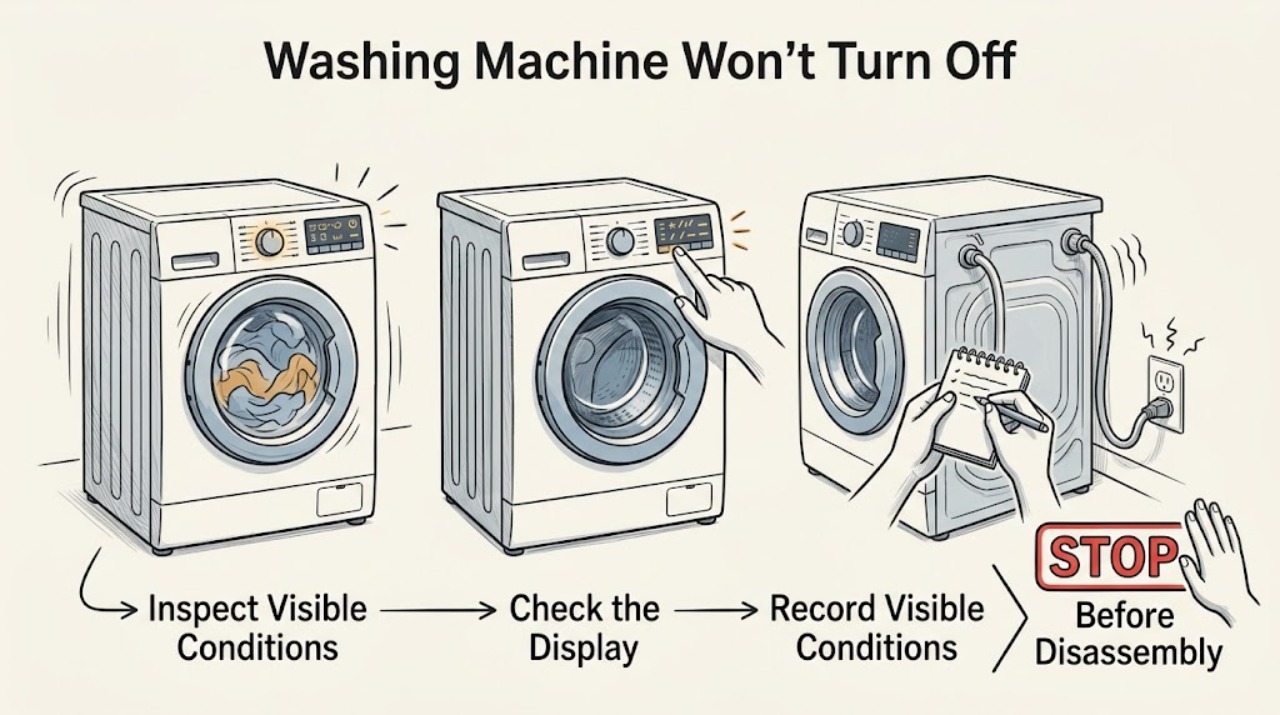
Work through in order
Diagnostic checks
Use only checks that match the exact appliance or system and its official guide.
-
Check 1
Look at the washer without opening the door and classify what will not stop: the drum movement, water entering, the drain pump, the countdown/display, or the control panel itself. Note any beeps, flashing lights, fault text, water level, and whether POWER responds.
Expected result: The washer is actively filling or leaking, the drum or pump keeps running, or the display is active but the controls do not stop the cycle.
Next step: If water is entering or the level is high, close both taps and use the safe water-level branch. Otherwise press POWER once and observe the result.
Why this matters
Why: Filling or rising water is an immediate water-risk branch. A fault display or unresponsive panel needs the model-specific fault procedure. A changing countdown can be a pause, oversudsing, balancing, or water-flow delay rather than a failed power control.
-
Check 2
Press POWER once using the normal control. If KEYLOCK or a control lock is active, use only the unlock sequence in the matching owner guide; do not repeatedly press random buttons while the washer is moving.
Expected result: The washer powers off, pauses and releases the door after a safe delay, or ignores POWER and continues the cycle.
Next step: If the washer ignores POWER and there is no water or electrical hazard, proceed to the model-documented power interruption; if there is a water hazard, isolate water and power safely first.
Why this matters
Why: A normal shutdown indicates the control was available. A delayed door release can be normal while the drum temperature or water level is unsafe. An unresponsive POWER control points to a lock, fault, or control problem.
-
Check 3
If the washer shows a fault, record the complete code and serial/model information before resetting. Remove the load only when the door is safely unlocked, then follow the owner guide’s one-minute power-off and restart procedure once; do not open service covers.
Expected result: The fault clears and the washer remains idle, or the same fault returns and the washer continues running or will not respond.
Next step: If the fault returns, leave the washer out of service and arrange Fisher & Paykel-supported service with the code and model details.
Why this matters
Why: A one-time recovery can clear a transient control state. A recurring fault identifies an unresolved condition; repeating resets or starting a full wash can worsen an overfill, drain, motor, or control problem.
-
Check 4
If the washer is not showing a fault, check whether it is waiting for a command, paused, oversudsing, or delayed by water supply. Do not add detergent or restart a full load. Once the machine is safely empty and stopped, check the taps, hoses, and visible leaks from outside.
Expected result: The cycle resumes or ends after the documented pause/foam wait, or the washer keeps filling, draining, tumbling, or refusing to finish.
Next step: Close the taps, keep power isolated when necessary, and arrange service for a washer that continues operating or cannot complete a safe stop.
Why this matters
Why: A wait state can resolve without a part failure. Continuous action after the load is removed and the controls are correctly set points to a water-level, drain, motor, door, or control fault.
Use your observations
Decision map
Find the observation that best matches what you see, then follow the next safe action.
-
PATH 01Safety boundary
What you see
The washer is still filling, leaking, overflowing, or the water level is above the safe door threshold.
Do this next
Turn off the hot and cold taps, disconnect power only from a dry and safe accessible point, and arrange qualified service.
Why this path and its safety boundary
Safety stop: Do not force the door, remove the pump filter with a high water level, or touch a wet plug or outlet.
-
PATH 02Safety boundary
What you see
POWER stops the washer and the door unlocks after the washer confirms a safe water level and temperature.
Do this next
Leave the load out until the cause is understood; check the displayed status or manual instructions before starting another cycle.
Why this path and its safety boundary
Safety stop: If the washer immediately starts again, refills, or the door remains locked with water present, isolate water and arrange service.
-
PATH 03Safety boundary
What you see
A fault code returns after the documented one-minute reset, or the panel remains unresponsive.
Do this next
Keep the washer out of service and arrange a Fisher & Paykel-trained technician with the exact code and serial/model information.
Why this path and its safety boundary
Safety stop: Do not repeat the reset indefinitely, enter diagnostic mode, or remove electrical covers.
-
PATH 04Safety boundary
What you see
The washer is paused, waiting for suds to dissolve, balancing, or waiting for water, but there is no immediate water or electrical hazard.
Do this next
Follow the model guide’s resume or correction step, such as reducing suds or redistributing the load, and monitor whether the cycle completes.
Why this path and its safety boundary
Safety stop: If the washer never completes, keeps running after the load is removed, or begins filling or draining continuously, close the taps and arrange service.
Helpful context
Understand the symptom
Stop the immediate hazard first
If the washer is filling, leaking, or the water level is rising, turn off the hot and cold taps before investigating the controls. If there is water near the plug or outlet, do not touch the plug; shut off the circuit from a dry, safe location and arrange qualified help. Never force a locked door.
Not turning off can mean different things
A cycle that is still counting down may be paused, waiting for suds to dissolve, balancing a load, or waiting for water. A panel that ignores POWER points to a control or fault state. Continuous filling or draining is a water-system problem and should be isolated at the taps before a reset.
Use the exact model guide
Fisher & Paykel uses different control layouts, lock behavior, and fault displays across washer families. Record the model and displayed code before clearing anything, then use the matching owner guide for the button sequence.
Safety boundary
Stop conditions
- Stop immediately for overflowing water, a rising water level, a leak near the plug, smoke, burning odor, arcing, a hot cord, or a breaker that trips again.
- Do not force a locked door, remove a pump filter with a high water level, probe live wiring, open service covers, or bypass a door or water-level safety.
- If the washer continues filling, draining, tumbling, or restarting after a safe stop attempt, isolate the water supply and arrange qualified service.
Only after diagnosis
Potential parts
- water inlet valve
Only consider this category after a qualified diagnosis confirms that water continues entering with the controls off and the household taps are functioning normally.
Confirm the complete model and official fit information; inlet valves vary by washer family and water configuration. - drain pump or water-level sensing component
Only consider this category when a qualified technician links the persistent running, draining, or water-level fault to that component.
Select parts only from model-specific information and have electrical or water-system work performed by a qualified technician. - control panel or motor control module
Only consider this category when POWER and cycle controls remain unresponsive after safe power and lock checks and a technician confirms a control fault.
Electronic modules are model-specific and require exact compatibility and configuration confirmation.
When checks do not resolve it
Need a professional?
Arrange qualified Fisher & Paykel appliance service when POWER does not stop the washer, a fault returns after the documented reset, the washer repeatedly fills or drains, the water level is high, the door cannot safely unlock, or the machine continues running after the load is removed.
Common questions
FAQ
How do I turn off a Fisher & Paykel washer that will not stop?
Press POWER once. If it does not respond, close both water taps if the washer is filling or leaking, then disconnect power only from a safe, dry, accessible point. Do not force the door or open service covers.
Why is the washer still running after I press POWER?
It may be in a pause, oversudsing, balancing, water-supply, or fault state, or the controls may be locked. Record the display and use the exact owner guide; a persistent unresponsive control needs service.
Can I open the door while the washer will not turn off?
Do not force it. The door can remain locked when the drum is hot or the water is above the bottom of the seal. Wait for a safe release or arrange service, and isolate water and power if the level is high.
Should I reset the washer repeatedly?
No. Follow the model guide’s documented one-minute reset once when a fault is displayed. If the fault or continuous running returns, leave the washer out of service and provide the code to a qualified technician.
Read the exact guide
Official sources
- Front Loader Washing Machine User GuideFisher & Paykel · Fisher & Paykel control panel, lock, and power-off operation
- Front Loader Washing Machine User GuideFisher & Paykel · Fisher & Paykel front-loader fault, water, and cycle-state guidance
- Front Loading Clothes Washer User GuideFisher & Paykel · Fisher & Paykel front-loader fault, stop, and safe water-level guidance
- Before You Call for ServiceFisher & Paykel · Fisher & Paykel front-loader safety and fault-code guidance
Community feedback
Share a repair observation
Share a plain-text repair observation. Accepted observations are published automatically; this page may take a moment to update.