
On this page
Start here
Quick answer
A Whirlpool washer may continue briefly after Cancel or at the end of a cycle while it drains, releases the door lock, or completes a model-specific routine. A rotating drum or agitator, water entering continuously, or a pump that runs without clearing the condition is not a normal reason to keep testing it. First note what is still moving or flowing, use the model's Pause/Cancel control, and deal with uncontrolled water or any electrical or burning sign before troubleshooting. Control Lock, Delay Start, an incomplete drain, excess suds, an unbalanced load, and model-specific error states can all make a washer seem unable to stop. If a safe, single five-minute power reset does not restore normal operation, arrange appliance service rather than bypassing a lock or opening a live machine.
Before you begin
Safety first
- Do not bypass the door or lid lock, restrain moving parts, remove pressurized hoses, or open the console for a live test.
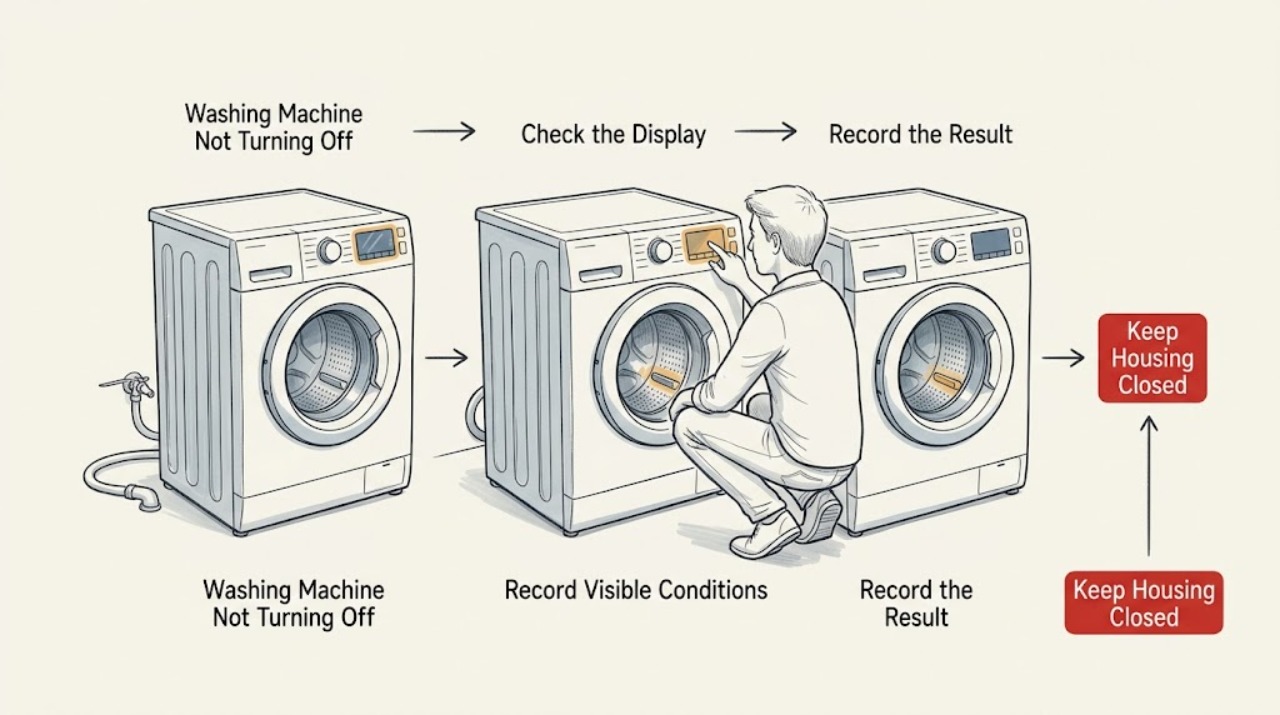
Work through in order
Diagnostic checks
Use only checks that match the exact appliance or system and its official guide.
-
Check 1
From a dry, stable position, identify whether the washer is showing a display, turning the drum or agitator, taking in water, pumping water out, or only leaving a fan or lock indicator active.
Expected result: Water is overflowing, the drum or agitator will not stop, the cabinet is walking violently, or there is smoke, a burning odor, arcing, a hot outlet, or a repeated trip.
Next step: Stop using the washer. If it is safe to reach a dedicated water shutoff without standing in water, close it; isolate power only from a dry, safe location. Do not approach wet electrical equipment, and arrange urgent appliance or electrical help as appropriate.
Why this matters
Why: This is a safety condition rather than a normal end-of-cycle delay; continuing to press controls or reach toward the washer can increase injury, flood, or electrical risk.
-
Check 2
Write down the full model number, top-load or front-load format, the exact code or flashing-light pattern, the cycle and stage, and whether the symptom began during fill, wash, drain, or spin.
Expected result: The washer has a code such as LOC/LC, Int, Sud/Sd, F5 E2, F7 E1, F8 E1/LO FL, or F9 E1, or has a model-specific light pattern.
Next step: Follow only the matching model manual for that code; do not substitute a code explanation from another Whirlpool model. If no code is shown, continue with the physical symptom checks.
Why this matters
Why: The code changes the path: Control Lock affects input, Int can represent a canceled cycle still stopping and draining, Sud/Sd can extend rinsing, and other codes need the exact model manual rather than a cross-model interpretation.
-
Check 3
Press the model's Pause/Cancel or Power control once as instructed in its manual; if the panel uses a press-and-hold Start/Pause control, use the documented hold rather than repeated forceful presses.
Expected result: The motion and water flow stop and the washer returns to an idle display, or the panel remains unchanged and shows a lock indicator.
Next step: If locked, press and hold the model-designated Control Lock key for the manual's stated interval. If the panel still does not respond, do not pry buttons or open the console; record the behavior for service.
Why this matters
Why: A normal stop confirms the machine was finishing a control routine. An unchanged panel with LOC/LC or a padlock points first to Control Lock, not a failed motor.
-
Check 4
After Cancel, observe the machine without opening a locked door or lid: compare a brief drain, lock-release, or fan sound with drum/agitator motion and with water still entering.
Expected result: Only the pump, fan, or door-lock process continues briefly and then settles; an Int state may take the documented stop-and-drain interval. Alternatively, the drum keeps turning or water continues to enter.
Next step: Allow only the model-documented stop routine to finish. If the drum or water inlet remains active, stop the washer and follow the safety and service branch instead of repeating Cancel.
Why this matters
Why: A short controlled finish can be normal. Continuous drum motion or filling is a control, motor, or inlet problem and should not be treated as a waiting period.
-
Check 5
If water is entering while the cycle should be stopped, watch from a safe, dry location and identify whether closing the household washer supply valves stops the flow.
Expected result: The flow stops at the household valves, or it continues and the valves cannot be reached or closed safely.
Next step: Leave the water supply closed and keep the washer out of service. If water cannot be controlled safely, leave the area and contact building/emergency plumbing help; appliance service is needed to assess the inlet path.
Why this matters
Why: Continued filling after a safe water shutoff points toward a supply or inlet-valve problem; an unreachable or ineffective shutoff creates an active flood risk. Do not remove a pressurized hose or test the valve live.
-
Check 6
If the tub contains water or a front-load door stays locked, check only the visible drain hose and the selected program; use Drain & Spin or another drain-only option only when the model manual authorizes it and the machine is stable.
Expected result: Water drains and the lock releases, or the pump runs without clearing water, the hose is kinked, or the door remains locked.
Next step: Do not reach through the door, tilt the washer, or remove a filter with water pressing behind it. If the visible hose path is clear but the tub remains full, stop and request service with the water level and code recorded.
Why this matters
Why: A drain restriction, excess suds, or a protected door interlock can keep the washer from completing its stop sequence. A locked door is not permission to force it open.
-
Check 7
If the complaint is mainly continued gentle rotation or a cycle that will not finish at spin, check the load distribution, selected spin option, and visible leveling only after all motion has stopped.
Expected result: The load is bulky or bunched, Low Spin/No Spin was selected, the washer is out of level, or the washer has loud movement and wet clothes; otherwise an empty or balanced load still will not stop.
Next step: Redistribute a safe, stopped load and use the documented cycle. If the washer still runs after a balanced test or moves violently, discontinue use and have the drive, suspension, and controls checked.
Why this matters
Why: Whirlpool says imbalance can cause self-correction, reduced spin, longer cycles, or a stop in spinning. That does not explain an uncommanded drum that continues indefinitely after Cancel.
-
Check 8
Only when the floor, plug, and surrounding area are dry and no hazard is present, perform the Whirlpool power-cycle reset once: disconnect power for five minutes, then restore it and select a normal cycle according to the model manual.
Expected result: The washer returns to idle and responds normally, or the same motion, fill, drain, lock, or error returns immediately.
Next step: Do not repeat resets as a workaround. Stop using the washer and provide the technician the model, exact code, stage, and whether the drum, inlet, or pump remained active.
Why this matters
Why: A one-time recovery suggests a temporary control interruption; recurrence points to a fault that a reset cannot safely diagnose or repair.
Use your observations
Decision map
Find the observation that best matches what you see, then follow the next safe action.
-
PATH 01Next step
What you see
A hazard is present: uncontrolled water, water near electrical equipment, moving drum that will not stop, violent walking, smoke, burning odor, arcing, hot outlet, or repeated electrical trip.
Do this next
Stop immediately, avoid touching wet electrical equipment, isolate water or power only from a safe dry location, leave the area if needed, and use urgent qualified help.
-
PATH 02Next step
What you see
The panel is unresponsive but LOC/LC or a padlock is shown.
Do this next
Use the model manual's Control Lock release once; if the controls remain unresponsive, request service.
-
PATH 03Next step
What you see
Only the pump, fan, or lock-release routine continues briefly after Cancel, with no continuous fill or drum movement.
Do this next
Allow the model-documented stop routine to settle and confirm that the washer reaches idle.
-
PATH 04Next step
What you see
Int, Sud/Sd, or another model-specific code remains while the washer drains, rinses, or pauses.
Do this next
Use the exact model manual; allow only its documented drain/rinse behavior, then perform the one authorized reset if the area is safe.
-
PATH 05Next step
What you see
The drum or agitator continues after Cancel, or water keeps entering after the cycle should be stopped.
Do this next
Treat the condition as a control, motor, or inlet fault; stop use, control water safely, and schedule appliance service.
-
PATH 06Next step
What you see
The washer has drained and stopped after one reset but the symptom returns on a later cycle.
Do this next
Do not keep cycling power; retain the code and stage information for a technician.
Helpful context
Understand the symptom
Start by naming what has not stopped
The display, a cooling fan, a drain pump, a locked door, and a rotating basket are different symptoms. Watch from a safe position and record whether the drum or agitator is moving, whether water is entering, and whether water is leaving. Do not put a hand into a moving basket, hold the lid down, or try to defeat a door or lid interlock.
A delay can be normal, continuous operation is the decision point
Some Whirlpool front-load error states deliberately keep the washer draining or finishing a stop routine for a while. Suds can also extend rinsing, and an imbalance can make a top-load washer refill and rotate gently while it tries to correct the load. Those behaviors should settle into a completed or safely stopped state; continuous filling, uncontrolled motion, or repeated failure to respond to Cancel changes the diagnosis.
Protect the washer before looking for a component
The symptom alone does not prove a bad control board, inlet valve, pump, motor, or lock. Gather the full model number, top-load or front-load style, the exact display or light pattern, cycle stage, and which function remains active. That information lets a technician use the correct wiring and service procedure without a risky live test.
Safety boundary
Stop conditions
- Stop immediately for uncontrolled filling, an overflow, water near an outlet or other electrical equipment, smoke, burning odor, arcing, a hot outlet, or a repeated trip.
- Stop if the drum or agitator will not stop, the cabinet walks violently, or a door/lid lock cannot be trusted.
- Never reach into a moving basket, restrain the washer, force a locked door or lid, bypass a lock, remove a pressurized hose, or perform a live electrical test.
- If water cannot be shut off safely or the area is wet, leave the area and use qualified emergency plumbing or electrical help.
When checks do not resolve it
Need a professional?
Call a qualified appliance technician when the washer continues filling, draining, or rotating after a safe Cancel attempt; a code returns after the model-authorized reset; the door or lid lock remains abnormal; the machine walks or makes new mechanical noise; or the controls remain unresponsive. Give the technician the full model number, load type, exact code or light pattern, cycle stage, and which function remained active.
Safety scope: Do not bypass the door or lid lock, restrain moving parts, remove pressurized hoses, or open the console for a live test.
Have this ready
- full model number
- top-load or front-load format
- exact display or light pattern
- cycle and stage
- whether the drum, inlet, pump, or fan continued
- any water, vibration, odor, or trip
Common questions
FAQ
Is it normal for a Whirlpool washer to keep running after I press Cancel?
A brief pump, fan, or lock-release routine can be normal, and some front-load error states may take time to stop spinning and drain. Continuous drum motion or continuous filling is not a normal delay; stop safely and arrange service.
What should I do if the Whirlpool washer controls do nothing?
Check the display for LOC or LC and use the exact model manual to release Control Lock. If the controls still do not respond, do one safe five-minute power reset only; a recurring failure needs service.
Can I force open the door when the washer will not turn off?
No. A locked door can indicate water or motion is still present. Do not force or bypass the lock; if the tub remains full or the lock will not release after the model-authorized drain path, call a qualified technician.
Read the exact guide
Official sources
- Stops Mid Cycle- WasherWhirlpool Product Help · Whirlpool top-load washer cycle interruption, imbalance, and flashing-light checks
- Error Codes in Front Load WashersWhirlpool Product Help · Whirlpool front-load washer error meanings, cancel/drain behavior, suds, drain, and reset guidance
- Door Will Not Lock or Unlock - Front Load WasherWhirlpool Product Help · Whirlpool front-load washer door-lock behavior after a cycle and Drain and Spin service path
- Not Starting or Not Operating - Front Load WasherWhirlpool Product Help · Whirlpool front-load washer Control Lock, door, Start, display, and power-cycle checks
- Not Spinning - Washer - Product HelpWhirlpool Product Help · Whirlpool top-load washer imbalance, self-correction, drain, level, and spin behavior
- How to Reset a WasherWhirlpool Product Help · Whirlpool washer power-cycle reset and Control Lock guidance
Community feedback
Share a repair observation
Share a plain-text repair observation. Accepted observations are published automatically; this page may take a moment to update.