
On this page
Start here
Quick answer
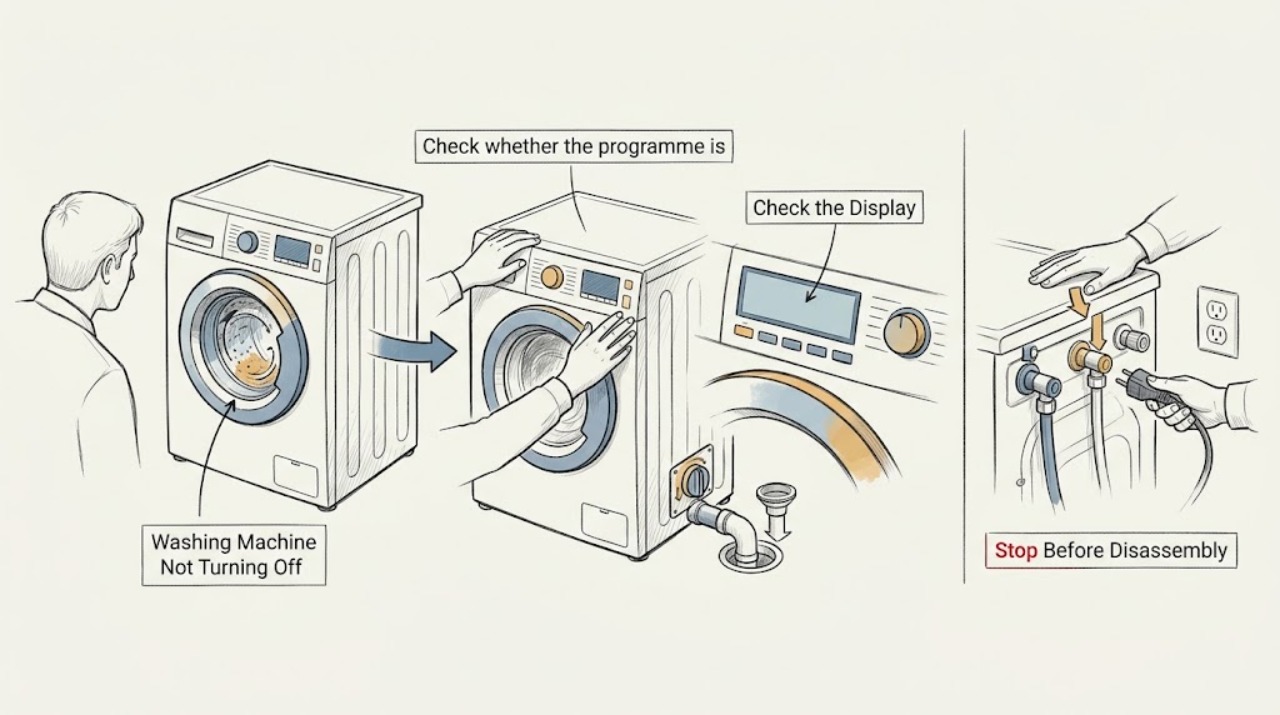
First decide whether the Indesit washer is completing a normal drain, rinse-hold, end-of-cycle, or door-lock wait, or whether it is genuinely ignoring Off or Cancel, continuing to fill or turn, or repeatedly restarting. Stop immediately for a leak, violent movement, smoke, burning or electrical odor, sparks, a hot connection, or a breaker that trips again. If the floor and controls are dry and there is no danger, use the exact model handbook to cancel the programme and wait for the drum to stop and the door lock to release; never force the door or reach into a moving drum. If water keeps entering, close the accessible water tap only if it is safe, then keep the washer off. A single model-approved power reset may help a control glitch, but a washer that resumes, will not drain, remains locked, or ignores the controls needs qualified service.
Work through in order
Diagnostic checks
Use only checks that match the exact appliance or system and its official guide.
-
Stop for immediate water, motion, or electrical danger
Press no further controls if the washer is leaking heavily, walking or striking the cabinet, smoking, sparking, giving off a burning or electrical odor, or repeatedly tripping a breaker. Keep clear of water near electrical equipment and disconnect power only from a dry, safe location when there is no immediate danger.
Expected result: There is an active leak, uncontrolled movement, smoke, spark, burning odor, hot connection, repeated trip, or water near power; or the machine is stopped with no immediate hazard.
Next step: For smoke, fire, sparks, or dangerous electrical conditions, leave the area when appropriate and obtain emergency help. Otherwise keep the washer off, close the water tap if it is immediately safe, and arrange qualified appliance service.
Why this matters
Why: These signs change the problem from a normal end-of-cycle or control check to a stop-use and service or emergency path. Continued operation can worsen a water, mechanical, or electrical fault.
-
Check whether the programme is ending normally
From a safe position, note whether the drum is still turning, the pump is draining, the display shows End or a lock symbol, the machine is holding water under a rinse-hold or crease-care option, or the programme is simply taking longer than expected. Do not open the door while the drum moves or force a locked door.
Expected result: The End indicator is shown, water remains after a hold option, the lock remains while draining or cooling, the machine is correcting an unstable load, or the motor and water flow continue after the programme should have ended.
Next step: Follow the exact model handbook for ending a hold, cancelling a programme, and the safe door-lock wait. If the machine continues to run or re-enters the programme, keep it off and continue with the control and supply checks.
Why this matters
Why: Indesit identifies End as a completed programme and notes that hold options can leave laundry in final rinse water. A continuing motor, inlet flow, or lock after the documented end state is not explained by a normal completion alone.
-
Cancel the programme using the model controls
When the area is dry and the washer is not showing a hazard, use the exact Indesit handbook to select Cancel, Off, or the documented programme-reset sequence. Confirm that the motor stops, water stops entering, the display changes, and the door-lock state follows the model instructions. Do not repeatedly press buttons, force the selector, or bypass the door lock.
Expected result: The machine stops and enters its normal safe end state, the buttons do not respond, the programme restarts, water continues to enter, or the drum keeps turning.
Next step: If cancellation works, wait for the handbook's safe door condition. If it does not, keep the washer off; close the water tap if it is safely accessible and arrange service rather than repeating the command.
Why this matters
Why: A successful cancellation points to a selected programme, hold, delay, or normal lock wait. An unresponsive control, self-restart, continued fill, or continued rotation suggests a control, valve, motor, or safety-state fault that needs diagnosis.
-
Separate continuous filling from a control fault
If water keeps entering after Off or Cancel, do not reach into the drum or move the washer. From a safe, dry position, close the nearby water supply tap only if it is immediately accessible and does not require moving the appliance. Note whether flow stops, whether the drum is already full, and whether an indicator or error appears.
Expected result: Water stops when the tap is closed, water continues despite the tap position, the drum is overfilled, or no water is entering and only the controls remain active.
Next step: Keep the tap closed and washer off, protect the floor from water, and arrange qualified service. Do not remove panels, test the inlet valve, or reconnect water to see whether the fault returns.
Why this matters
Why: Continued filling changes the priority to water-inlet and control safety; it is not a normal door-lock wait. An overfilled drum or water that does not stop needs urgent service, while a control-only symptom follows a different diagnostic path.
-
Check drain and door-lock clues before opening anything
If the washer will not finish because water remains, look only at the visible drain hose and indicators while the machine is stopped. Indesit identifies a kinked or blocked drain path, filter or waste blockage, and hold options as causes of water remaining. Do not open a filter or door until the exact model handbook explains water containment and the appliance is safely isolated.
Expected result: The drain hose is visibly kinked, a drain or filter indicator is shown, water remains with a hold option, the pump runs without emptying, or the machine is empty but the lock remains.
Next step: Use the model-specific drain and door-lock procedure only when water can be contained safely. If the lock remains, the pump runs without emptying, or the fault returns, keep the washer off and call service.
Why this matters
Why: A drain condition can keep a programme from reaching its normal end and can keep the door locked for safety. A clear visible hose does not rule out an internal pump or lock fault.
-
Apply only one safe power reset, then escalate
If there is no water danger, no odor, no heat damage, and no repeated breaker trip, use only the one-minute power-reset procedure stated for the exact model. Isolate power from a dry, safe location, wait the handbook interval, restore power once, and observe without starting a cycle whether the control remains off and the error or self-start returns.
Expected result: The washer stays off and responds normally afterward, the same programme resumes, the display or lock fault returns, the machine starts by itself, or the breaker trips again.
Next step: Leave the washer off and arrange qualified appliance or electrical service for any returning symptom. Do not open the control panel, test live wiring, or keep cycling power.
Why this matters
Why: A one-time reset can clear a temporary control state, but a returning fault, self-start, or trip indicates an unresolved control, lock, motor, inlet, or electrical problem. Repeated resets can conceal a dangerous fault.
Use your observations
Decision map
Find the observation that best matches what you see, then follow the next safe action.
-
PATH 01Next step
What you see
The End indicator is shown, water is held under a documented rinse-hold option, or the lock remains only while the machine safely completes its end state.
Do this next
Follow the exact model handbook for ending the hold and waiting for the door-lock condition. Do not force the door or reach into the drum.
-
PATH 02Next step
What you see
The motor, pump, or water inlet continues after Off or Cancel, the machine restarts, or the controls do not respond.
Do this next
Keep the washer off; close the accessible water tap if water continues and it is safe, then arrange qualified appliance service. Do not bypass the lock or remove panels.
-
PATH 03Next step
What you see
Water remains and a drain, filter, waste-path, or hold clue is present.
Do this next
Use the exact model drain procedure only with safe water containment and power isolation. If the pump runs without emptying or the door remains locked, call service.
-
PATH 04Next step
What you see
The washer is stable, dry, free of odor, and a one-time model-approved power reset clears the control state.
Do this next
Observe it without an immediate full load. Stop if it resumes on its own, ignores Off again, fills continuously, remains locked, or shows a returning indicator.
-
PATH 05Next step
What you see
A leak, overfill, violent movement, smoke, burning or electrical odor, spark, hot connection, or repeated breaker trip occurs.
Do this next
Stop using the washer, keep clear, isolate power only when dry and safe, close the water tap if immediately safe, and obtain emergency or qualified help.
-
PATH 06Next step
What you see
The washer remains on, resumes, stays locked, or continues a fill or motor command after safe external checks.
Do this next
Keep it out of service and provide the technician the model, programme, indicator, water level, door-lock state, drain behavior, and what happened after the single reset.
Helpful context
Understand the symptom
Normal waiting can look like a washer that will not turn off
A washer may keep a lock indicator on while water drains, hold the final rinse, or finish a balance correction before the programme ends. That is different from a control that ignores Off, a motor that keeps turning, a valve that keeps admitting water, or a machine that starts again by itself. Record the indicator, sound, water level, and exact stage before making a decision.
Do not trade a control problem for a water or electrical hazard
Keep hands away from the drum and do not force the door. If water is near electrical equipment, isolate power only from a dry and safe location. A continuing fill, leak, smoke, burning smell, spark, or repeated trip is a stop-use event; it is not a reason to keep pressing buttons or run another cycle.
Safety boundary
Stop conditions
- Stop immediately for a leak or overfill, water near electrical equipment, violent movement, smoke, sparks, a burning or electrical odor, a hot connection, or a breaker that trips again.
- Do not reach into a moving drum, force a locked door, bypass a door or safety device, remove panels, or test live wiring.
- If water keeps entering, close the accessible water tap only when safe and keep the washer off; do not move the appliance to reach plumbing or a connector.
- Do not open a filter or drain fitting until the exact model procedure explains safe water containment and power is isolated. Do not keep resetting or restarting a returning fault.
Only after diagnosis
Potential parts
- electronic control or user-interface assembly
Relevant only when qualified diagnosis confirms that the washer ignores Off or Cancel, restarts, or remains active after supply and mechanical causes are excluded.
Confirm the complete model and manufacturer fit information before ordering; do not infer failure from an unresponsive button alone. - water inlet valve
Relevant only when qualified diagnosis confirms that water enters while the controls are Off or the valve does not close after safe isolation.
Water and electrical work require qualified service and exact model confirmation. - door-lock or interlock assembly
Relevant only when the model-specific end state is complete, the drum is empty and stopped, and qualified diagnosis identifies a lock or interlock fault.
Never bypass the lock; confirm model fitment through qualified service. - drain pump or motor control component
Relevant only when qualified diagnosis links continued pump or motor operation, failed draining, or self-starting to a specific component after safe external checks.
Confirm the exact model and keep the appliance isolated before internal repair.
When checks do not resolve it
Need a professional?
Arrange qualified appliance service when Off or Cancel is ignored, the washer restarts, water continues to enter, the drum continues to turn, the door remains locked after the documented safe end state, water will not drain, a one-time reset does not help, or the symptom returns. Use an emergency route for smoke, fire, sparks, dangerous electrical symptoms, severe flooding, or an appliance that cannot be made safe.
Common questions
FAQ
Why will my Indesit washing machine not turn off?
It may be completing a drain, holding the final rinse, or waiting for a safe door-lock state. If it ignores Off or Cancel, keeps filling or turning, restarts, or remains active after the exact model cancellation procedure, keep it off and arrange qualified service.
Can I unplug an Indesit washer that will not stop?
Only isolate power from a dry, safe location when there is no water, gas, smoke, heat, or electrical danger and the model guidance supports it. Do not touch a wet appliance or repeatedly cycle power; close the water tap if safe when filling continues and call service.
Why is the door still locked after the washer finishes?
The lock may be waiting for the drum to stop or water to drain, or a rinse-hold option may be active. Follow the exact model handbook and never force the door. If the drum is stopped and empty but the lock remains, arrange service.
What if the washer keeps taking in water after Off?
Treat continuous filling as a stop-use condition. Close the accessible water tap only if it is safe, keep the washer off, protect the floor, and arrange qualified service. Do not remove panels or test the inlet valve yourself.
When is a washer that will not turn off an emergency?
Stop immediately for flooding, water near power, violent movement, smoke, sparks, burning or electrical odor, a hot connection, or repeated breaker trips. Keep clear and obtain emergency or qualified help; do not restart the machine.
Read the exact guide
Official sources
- Indesit | Washer Dryer Faq | Indesit ServiceIndesit Service · Indesit laundry-appliance troubleshooting for programme completion, drain or filter clues, door and water symptoms, and model variation
- How to Videos - Washing Machines | Indesit ServiceIndesit Service · Indesit washing-machine maintenance index for unstable operation, drain and pump problems, transit hardware, and model-number lookup
- Indesit | Washing Machine Faq | Indesit ServiceIndesit Service · Indesit washing-machine troubleshooting for end indicators, rinse hold, electrical supply, door state, drain behavior, and unbalanced operation
Community feedback
Share a repair observation
Share a plain-text repair observation. Accepted observations are published automatically; this page may take a moment to update.